


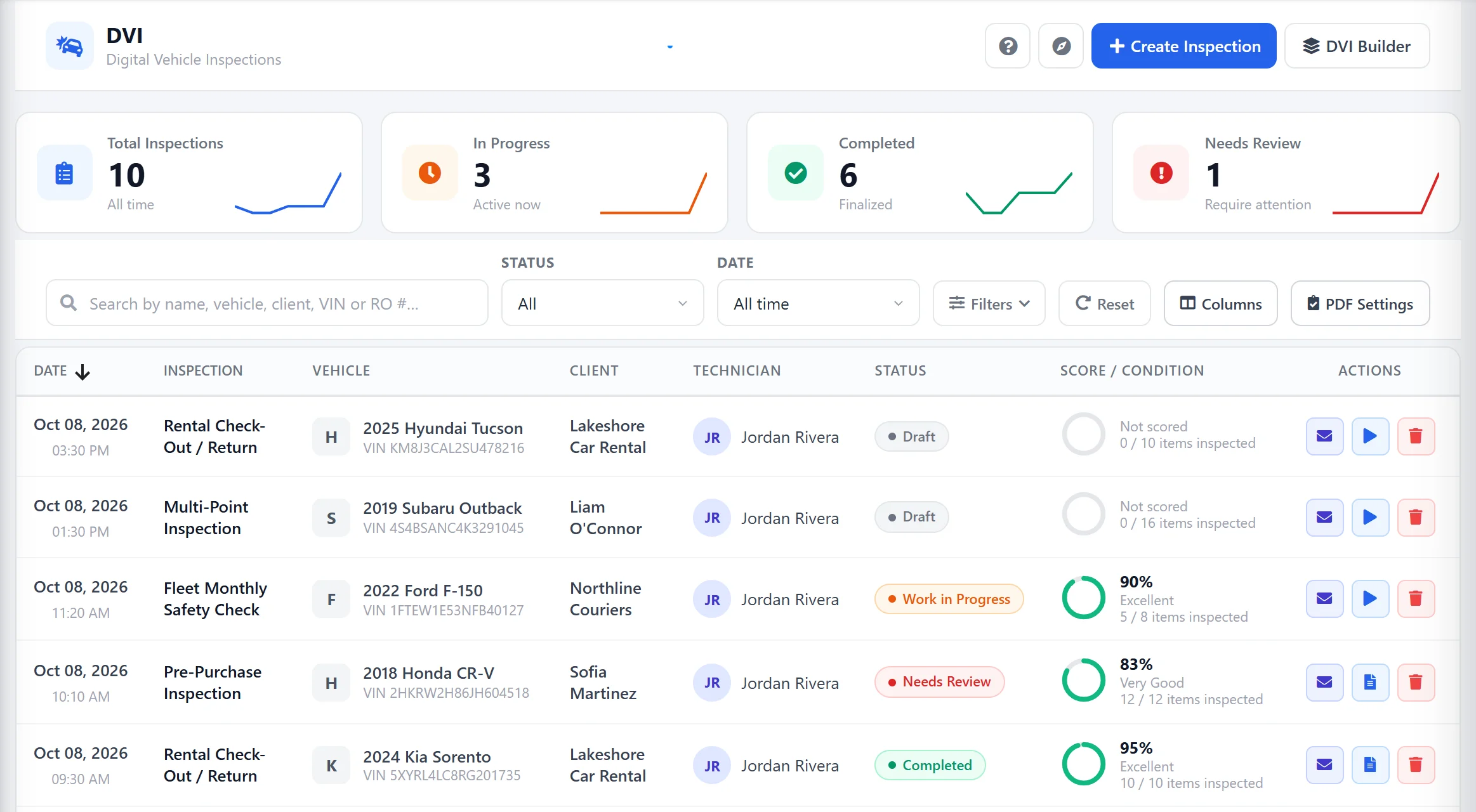
Know exactly where every inspection stands
Four live counters at the top of the digital inspection dashboard tell you the state of your shop’s inspections without opening a single record — all in one place in AutoSoftWay’s DVI software.
Total Inspections
Every DVI your shop has ever created — instantly searchable and filterable from one dashboard.
In Progress
Inspections your techs are working on right now — see live workload and catch bottlenecks early.
Completed
Signed-off inspections ready to share with the customer or roll directly into an estimate.
Needs Review
Inspections flagged with concerns — the issues you need to see before they reach the customer.
A condition score on every inspection
Every DVI gets an automatic condition score based on how many items were inspected and how many passed. A glance at the colour tells you whether the vehicle’s fine, in OK shape, or needs work — without opening the record.
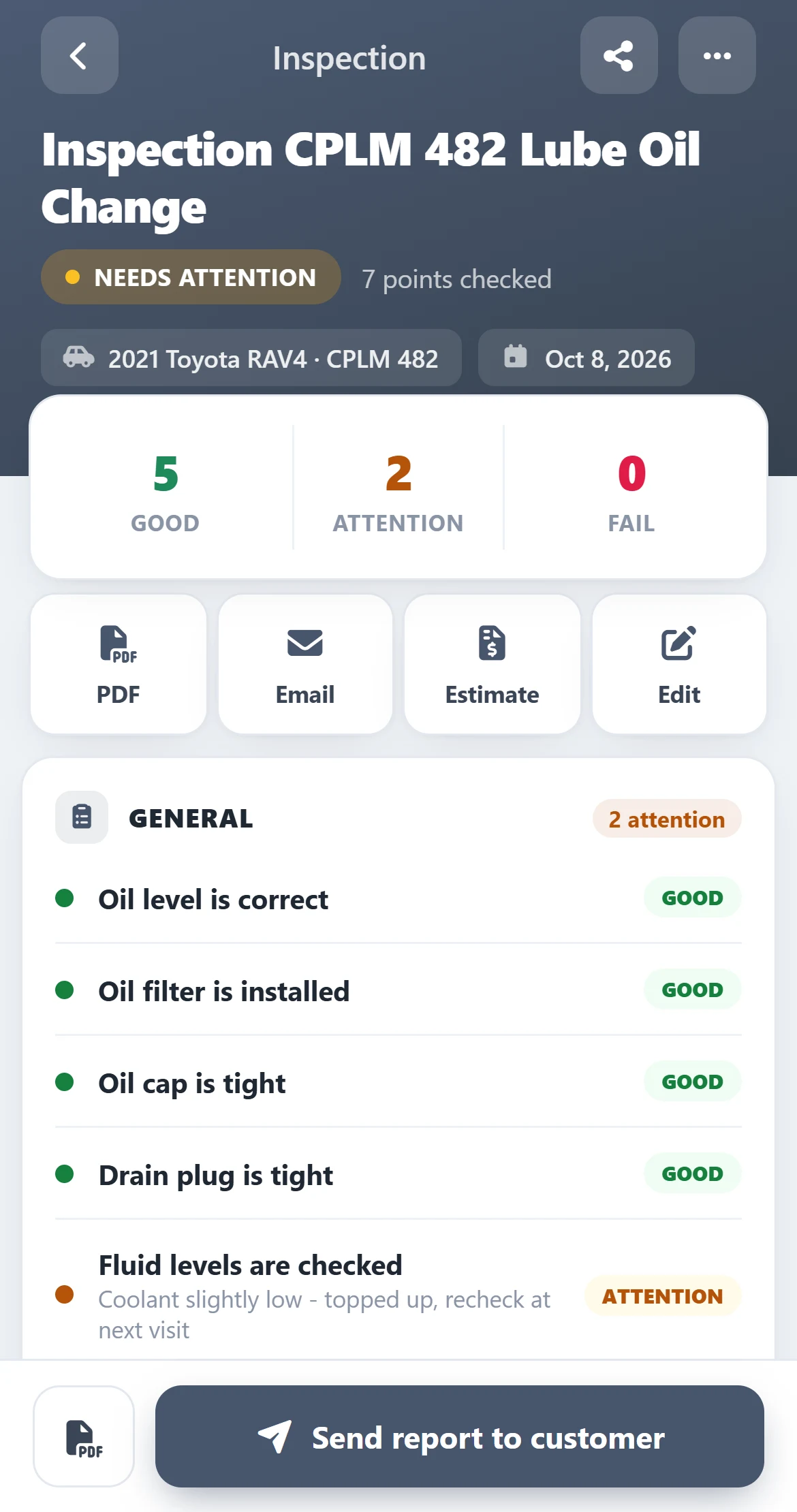
Find the right inspection in seconds
Search by name, vehicle, client, VIN, or RO number. Filter by technician, vehicle, client, status, and date range — or combine them. A 200-record history is one search away from a single inspection.
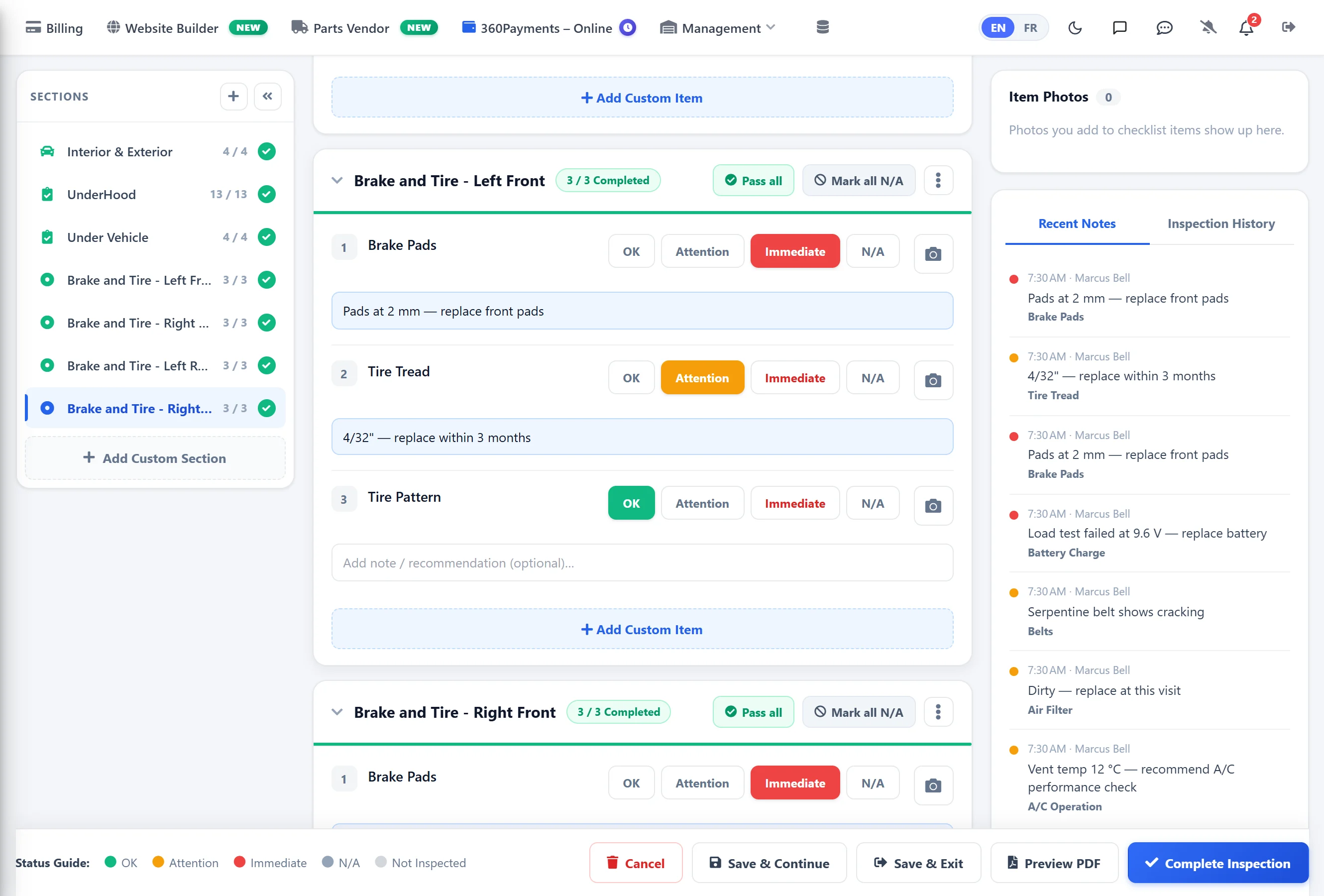
Email, view, edit — from one row
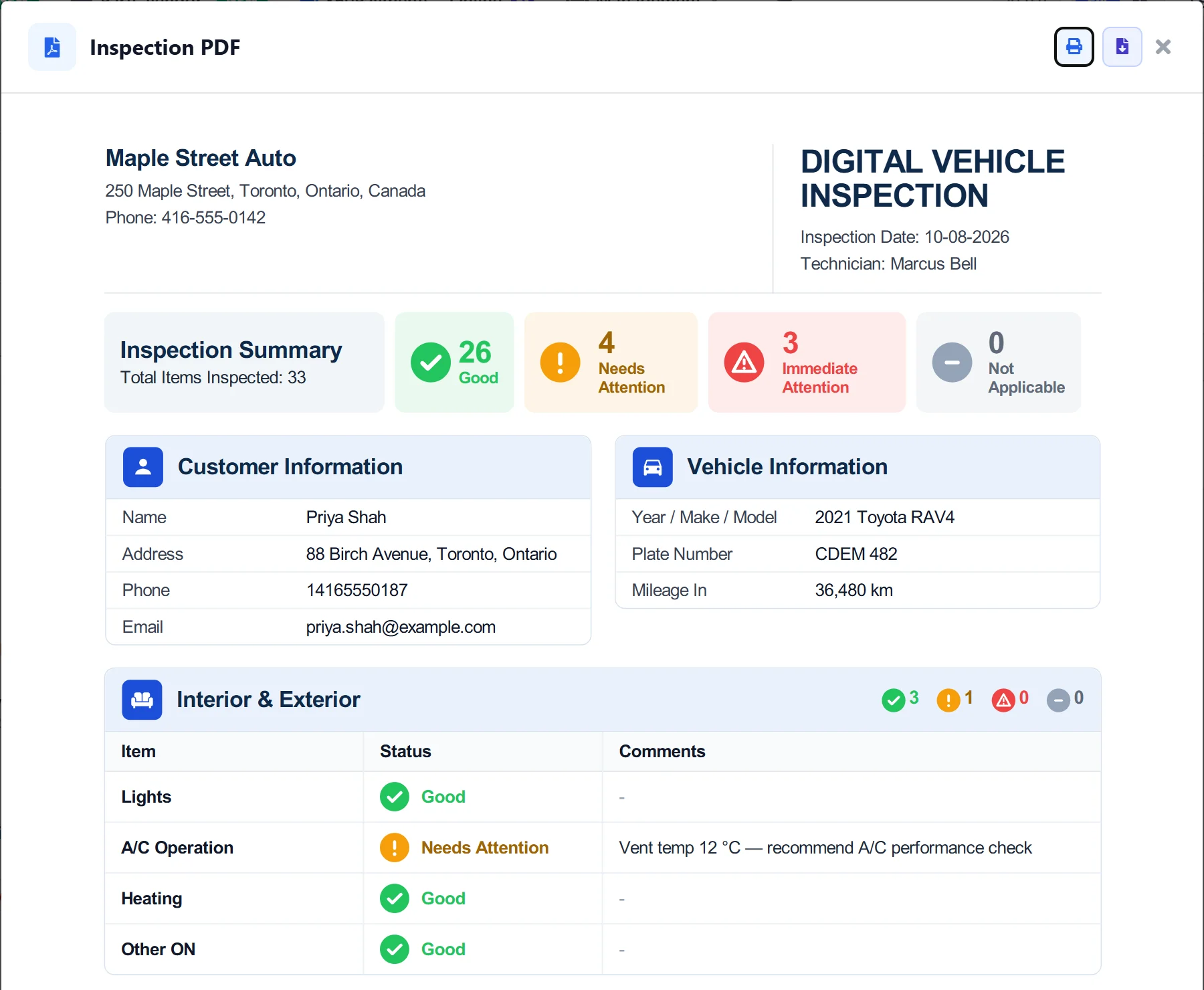
Every inspection on the dashboard has a one-click PDF report, plus quick-actions to email the customer, view the full inspection, edit it, or remove it. No menus, no extra clicks.
Get 10 days free — on us
Register your shop today and unlock the full AutoSoftWay platform — including the DVI dashboard, condition scoring, PDF reports, estimates, invoices, job board and parts ordering. Card verification is required — nothing is charged during your trial.
Run inspections like a pro shop
One dashboard. Every inspection. Condition scores, PDF reports, smart filters, and the rest of AutoSoftWay — free for 10 days.