



The NAPA Catalog,
Right Inside AutoSoftWay
Connect your NAPA PROLink account once and order parts straight from AutoSoftWay — no hunting through multiple sources, no retyping part numbers. The NAPA integration makes parts ordering hassle-free for repair shops.
- Direct Catalog Access: Easily browse and select the parts you need from the extensive NAPA Auto Parts catalog.
- Real-Time Pricing & Availability: See current product pricing and availability before you order.
- Vehicle Compatibility: Order parts that fit the specific vehicles in your shop, reducing errors and return orders.
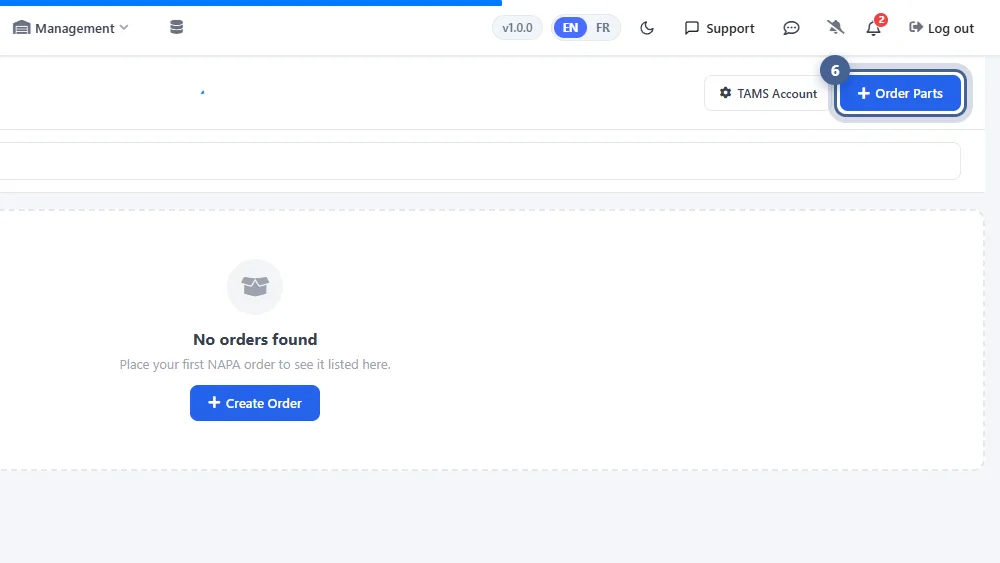
Order NAPA Parts in 4 Simple Steps
From linking your NAPA account to checkout — your order history lands back in AutoSoftWay.
-
1
Connect NAPA PROLink
Register a NAPA PROLink account and get your TAMS account and TAMS ID from NAPA.
-
2
Add Your TAMS Account
On the NAPA Ordering page in AutoSoftWay, enter your TAMS account and ID once and save.
-
3
Search & Add to Cart
Tap “Order Parts” to open the NAPA PROLink portal, find the parts you need and add them to your cart.
-
✓
Check Out
Complete checkout and the order shows up in your AutoSoftWay NAPA order history automatically.
Fewer Errors,
Faster Invoicing
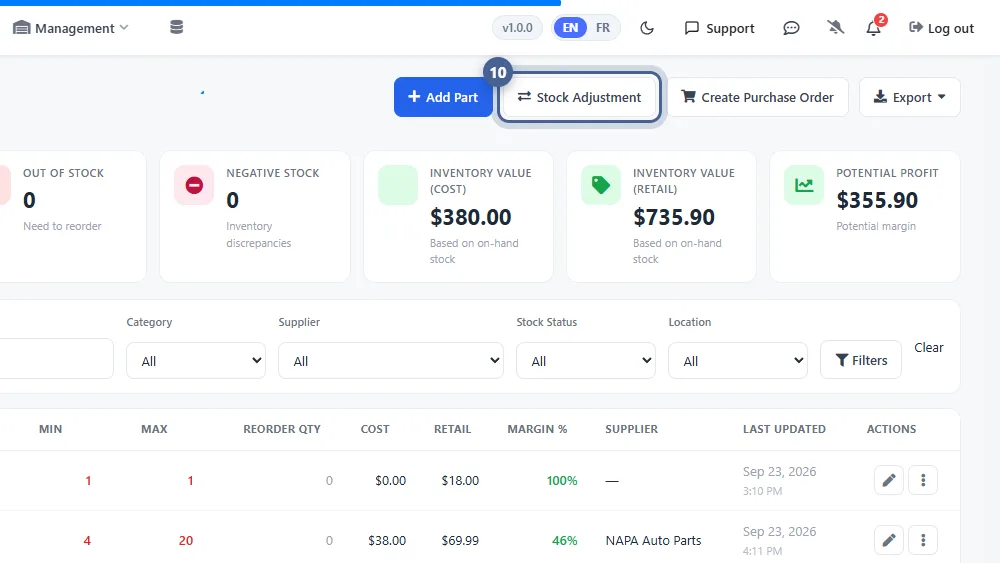
AutoSoftWay copies the part information for every part you order from NAPA, so it’s ready to drop into future estimates and invoices.
- Minimize errors in part numbers, quantities and pricing for accurate invoicing.
- Reduce the chances of incorrect orders and returns.
- Search your NAPA order history by order, part or description.
- Quickly locate the parts you need — no manual searching through multiple sources.
Everything You Need to Order
NAPA Parts from AutoSoftWay
-
Extensive Catalog
Gain direct access to the NAPA Auto Parts catalog and easily browse and select the parts you need.
-
Real-Time Pricing
Access real-time product pricing and availability so you can quote with confidence.
-
Right Part, Right Vehicle
Order parts compatible with the specific vehicles in your shop, reducing errors and return orders.
-
Accurate Invoicing
Part numbers, quantities and pricing come straight from your order — no retyping, fewer mistakes.
-
Searchable Order History
Every NAPA order is kept in AutoSoftWay, searchable by order, part or description.
-
Better Inventory Management
Ordered parts are copied into AutoSoftWay, ready to add to future estimates and invoices.
Frequently Asked Questions About NAPA Ordering
You need a NAPA PROLink account plus a TAMS account and TAMS ID, which you get from NAPA. Once you have them, add them on the NAPA Ordering page in AutoSoftWay — it’s a one-time setup.
From the NAPA Ordering page, tap “Order Parts” or “Create Order”. The NAPA PROLink ordering portal opens, where you search for parts, add them to your cart and check out.
Yes. After checkout your part ordering history appears in AutoSoftWay, and you can search it by order, part or description.
Yes. AutoSoftWay automatically copies the part information for every part you order, so you can easily add those parts to future estimates and invoices.
Yes — follow the Setup NAPA Pro Link guide in our Help Desk.
Order NAPA Parts Faster.
Invoice With Fewer Errors.
Browse the NAPA catalog, order parts and keep every order on record — all connected to AutoSoftWay.