


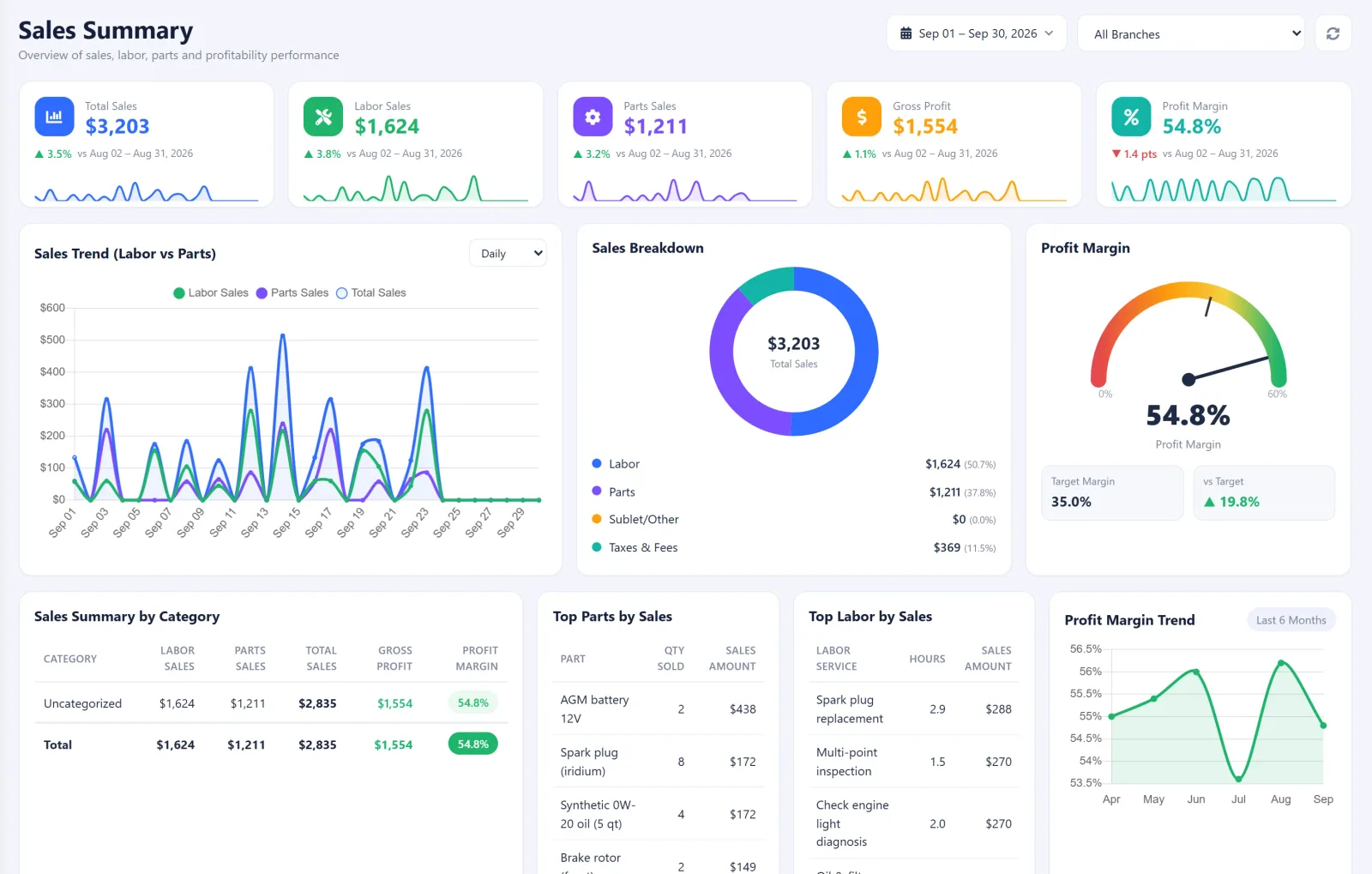
See exactly who’s paying — and who’s still pending.
Every client, every repair, every dollar. The Sales Report Summary gives you a crystal-clear picture of your shop’s revenue pipeline and outstanding invoices, so you can analyze auto repair sales client by client.
Overview of Client Activity
Every current client who brought their vehicle to the shop, in one clean list.
Repair Costs Breakdown
See at a glance exactly how much each client paid for repairs, parts, and labor.
Invoice Status
Clearly indicates whether each invoice has been paid or remains outstanding.
Overall Sales Summary
A high-level view of total revenue generated from all clients across any date range.
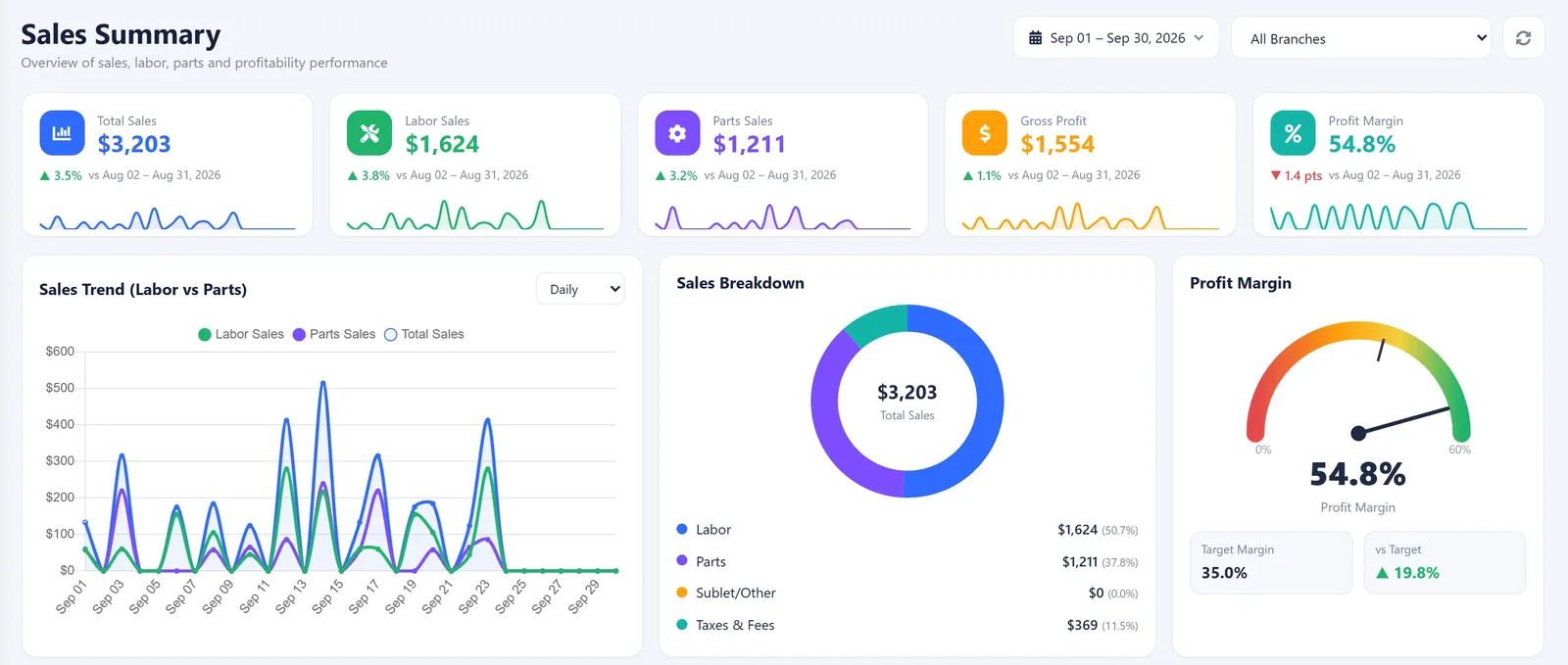
Know your numbers, month after month.
Monitor your shop’s financial performance with ease through the Sales Summary — four core metrics that tell you how healthy your business really is.
Insights into your shop’s overall profitability — revenue minus cost, clean and clear.
Track the total expenses on parts purchased — know your true inventory spend.
Monitor the revenue generated from parts sales and see your margin by category.
Stay informed on labor-related expenses and know what each technician contributes.
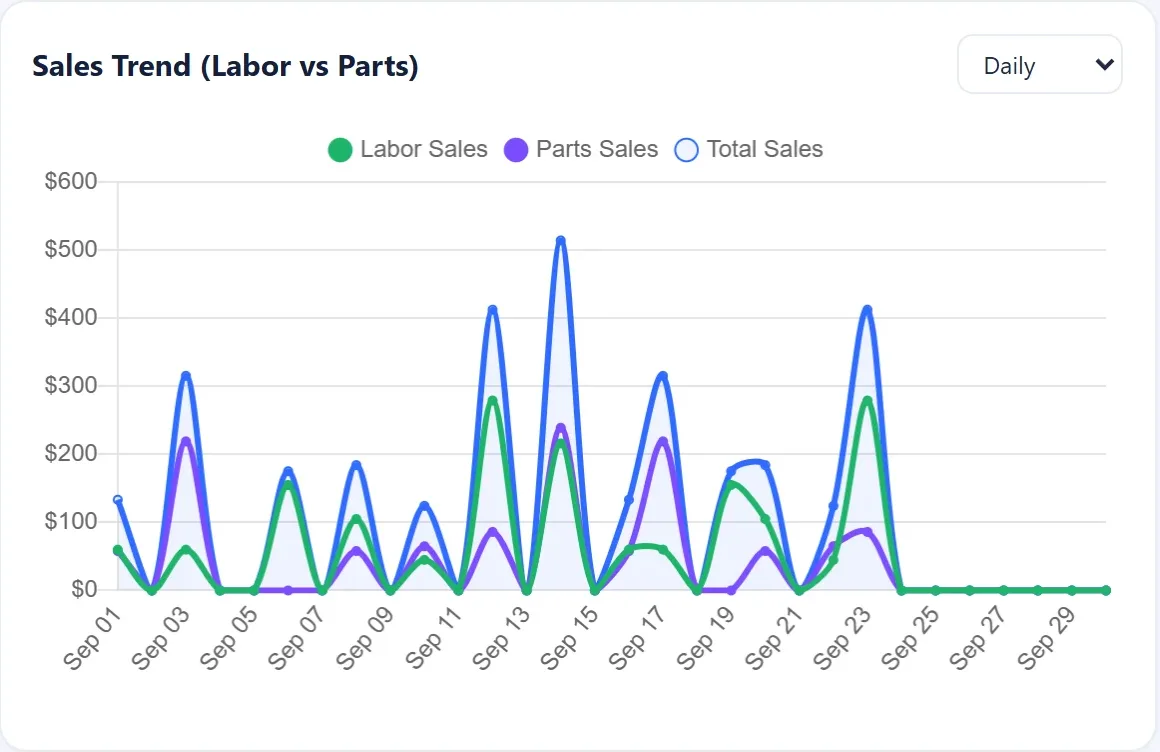
Twelve months of truth, on one screen.
Your shop’s annual sales story — growth trends, seasonality, and the raw revenue numbers you need to plan the year ahead.
Total Sales by Year
Highlights the total revenue generated for a specific year — pick any window.
Yearly Comparison
Track growth or decline in sales over the months — spot trends before they matter.
Real-Time Updates
Always current on how much revenue has been made for the year — no waiting on month-end.
Business Insights
Understand financial performance so you can price, staff, and invest with confidence.
Why shop owners rely on Sales Reports.
See every client’s repair costs and whether their invoice is paid or outstanding.
Track monthly profits, parts costs, and labor from one clean Sales Summary.
Review a 12-month history with yearly comparisons and real-time revenue updates.
Gain business insights that help you understand and improve financial performance.
Let’s help you get started.
Get the wheels spinning with AutoSoftWay — clear numbers, real-time insights, and reports that actually make sense.