


Generate Professional Invoices in Seconds
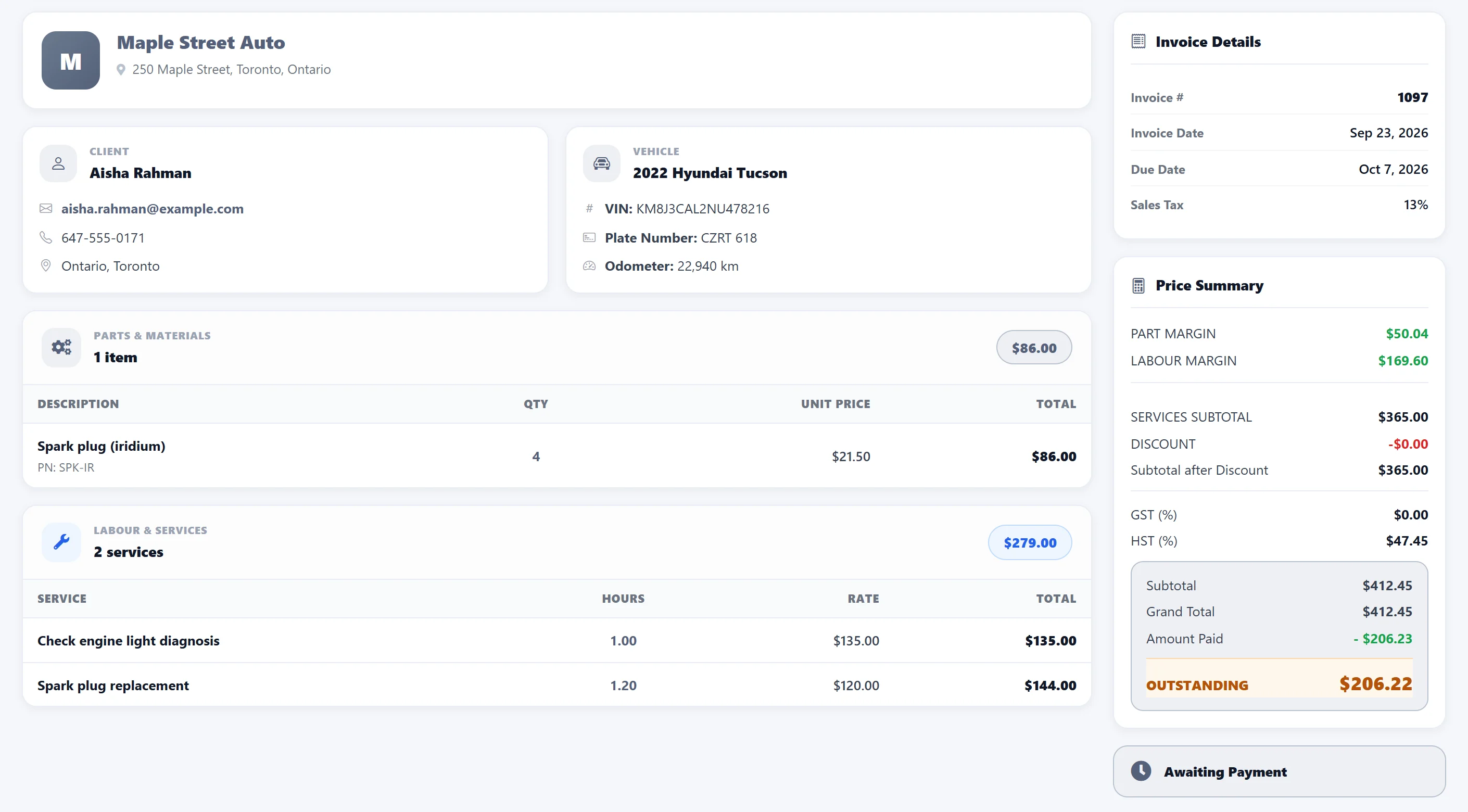
Skip the manual work and make invoicing effortless. AutoSoftWay collects all job details from your work order — labor, parts, inspections — and builds a professional invoice automatically. Every time.
- Invoices auto-generate from completed work orders — no double entry
- Add your shop logo for a branded, professional presentation
- Choose from multiple invoice templates tailored to your business
- Minimize billing errors with data pulled directly from job records
Attach Vehicle Inspections Directly to Estimates
With AutoSoftWay, vehicle inspections are managed inside your estimates — not in a separate workflow. Attach findings, mark items as chargeable or no-charge, and give customers full visibility into every cost.
- Conduct inspections directly from the estimate interface
- Auto-display inspection details in the estimate summary
- Give customers a clear, transparent cost breakdown
- Streamline workflow with a fully integrated inspection process
Manage Invoices Anywhere, on Any Device
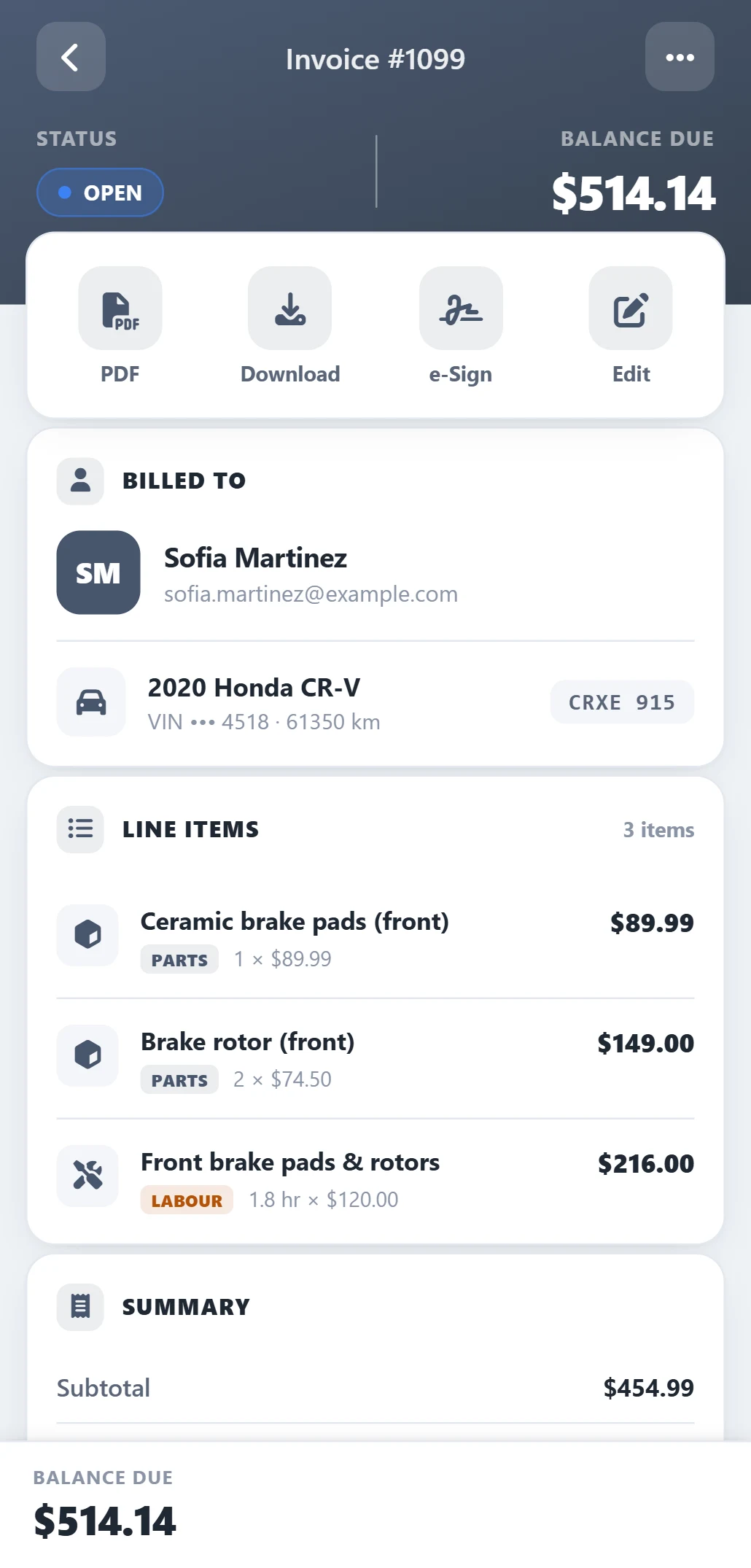
Take full control of your invoicing from the office, the bay, or on the road. AutoSoftWay’s cloud-based system keeps your billing data synced in real-time across your entire team.
- Create and send invoices from any device — desktop, tablet, or mobile
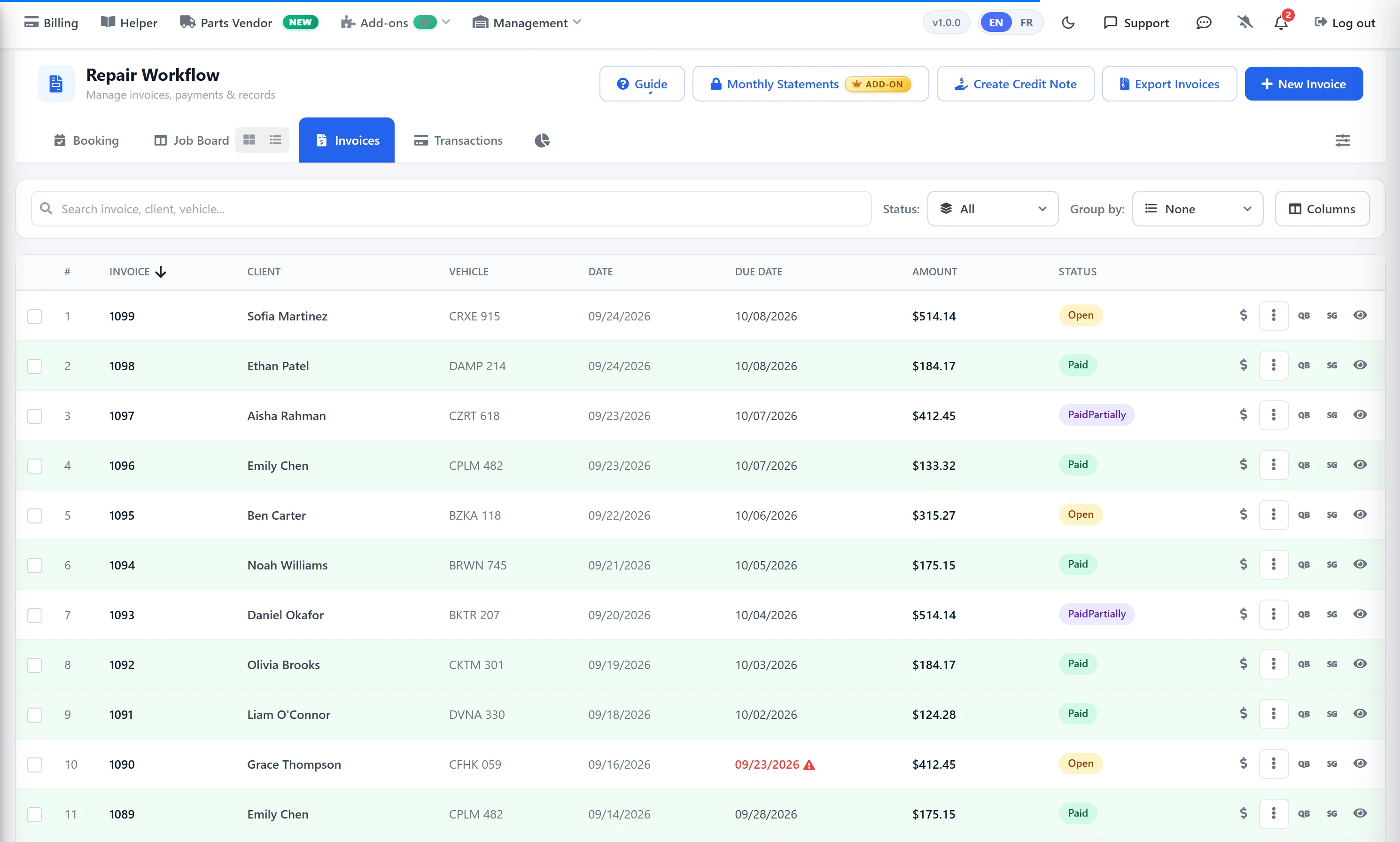
- Track payment status in real-time, wherever you are
- Share invoices with customers online instantly
- Process payments via 360Payments or Stripe without leaving the platform
Reduce Late Payments with Smart Invoice Reminders
Stop chasing payments manually. AutoSoftWay sends customizable invoice reminders on a schedule you set — keeping cash flowing without your team lifting a finger.
- Set reminder intervals by number of days after invoice is sent
- Customers receive automatic payment nudges via email
- Reduce late payments and improve cash flow management
- Enable or disable reminders per invoice in your settings
Everything Your Shop Needs for Billing & Invoicing
-
Auto-Generated Invoices
Invoices build automatically from completed work orders — labor, parts, and inspection data included. No typing, no copying.
Zero Manual Entry -
Custom Templates & Shop Logo
Upload your logo and choose from professional invoice templates. Every invoice your customers receive looks polished and on-brand.
Branded Invoices -
Automated Payment Reminders
Set reminder intervals in your settings and AutoSoftWay sends payment nudges automatically — reducing late payments without any manual follow-up.
Better Cash Flow -
Online Payment Collection
Customers pay directly from the invoice via Stripe or 360Payments. Secure, fast, and tracked inside AutoSoftWay — no separate payment terminal needed.
Stripe · 360Payments -
QuickBooks Sync
Invoices and payments sync automatically with QuickBooks Online and Desktop — keeping your accounting up to date without double entry.
QuickBooks Integration -
Real-Time Billing Reports
See outstanding invoices, total revenue, and payment trends in real-time. Make smarter business decisions with live financial insights.
Live Analytics
Connects with the Tools Your Shop Already Uses
AutoSoftWay’s invoicing plugs directly into your accounting, payment, and parts ordering systems.
Frequently Asked Questions About Auto Repair Invoicing Software
AutoSoftWay automatically generates professional invoices from completed work orders. All labor, parts, and inspection details are pulled in automatically — no manual data entry required. Once a work order is marked complete, the invoice is ready to send.
Yes. You can upload your shop’s logo and it will appear on every invoice automatically. You can also choose from multiple professionally designed invoice templates to match your brand identity.
Yes. AutoSoftWay lets you configure reminder intervals by number of days in your settings. Once enabled, customers automatically receive payment reminders — reducing late payments and improving cash flow without any manual effort from your team.
Yes. AutoSoftWay integrates with both QuickBooks Online and QuickBooks Desktop, syncing invoices and payment data automatically so your accounting is always current — without double entry.
Yes. AutoSoftWay integrates with Stripe and 360Payments, allowing customers to pay invoices securely online from any device using the link sent with their invoice — no phone call or in-person payment needed.
Start Sending Professional Invoices Today
Join hundreds of auto repair shops already automating their billing with AutoSoftWay’s invoicing and payment management software.
Backed by Industry-Leading Auto Repair Databases


