


Enter a VIN. Get a Complete AI Maintenance Report — Instantly.
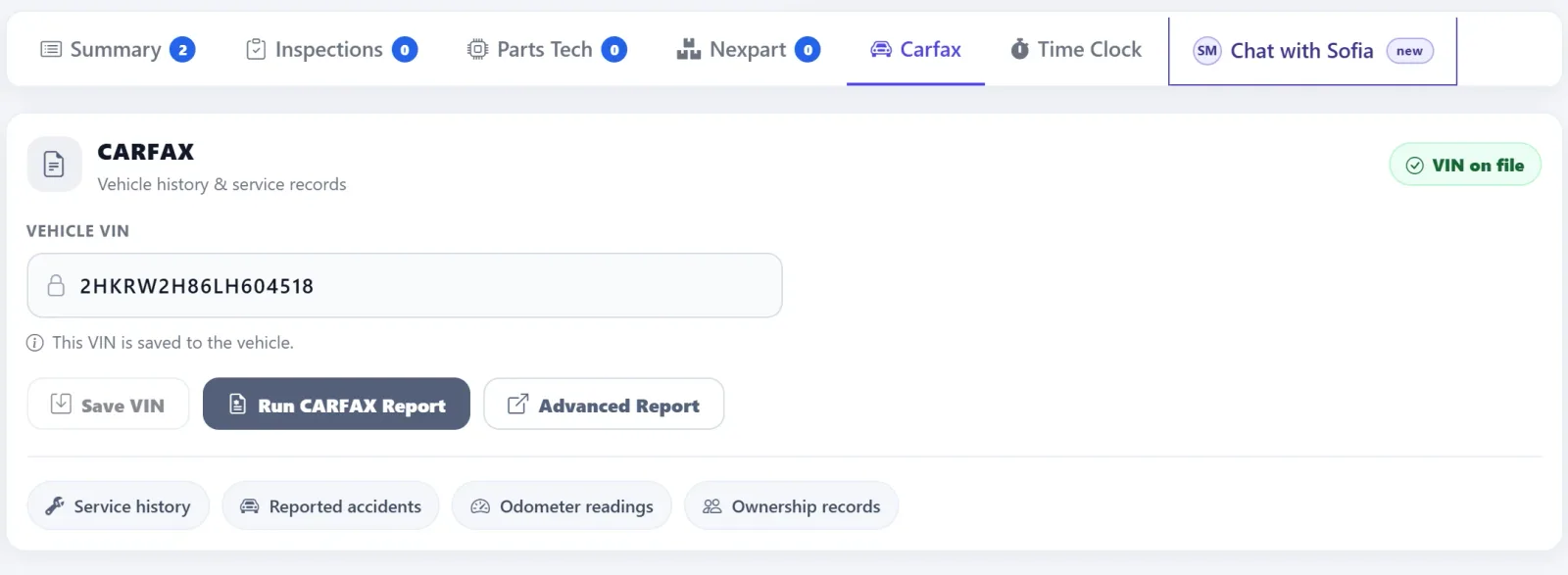
AutoSoftWay pulls the vehicle’s full CARFAX service history and runs it through AI analysis — giving your team the vehicle’s full story, with an immediate, data-backed picture of its condition before you touch it or write a single work order line.
Everything the AI Diagnostic Tells You About Every Vehicle
-
AI Maintenance Health Score
The AI scores the vehicle’s overall maintenance health on a 0–100 scale and rates it Good, Fair, or Poor. It factors in oil interval consistency, on-time service rate, and daily mileage patterns to give you an instant summary.
SMART Analysis -
Risk Alerts
The AI flags any vehicles showing maintenance gaps, overdue service, or irregular patterns. When everything is on track, it confirms no issues detected — so your team can focus attention where it’s actually needed.
Instant Flags -
Mileage Trend Chart
A visual bar chart shows the vehicle’s service visits and oil changes over time — so you can see at a glance how consistently the vehicle has been serviced and whether there are any long gaps in its history.
Visual History -
Oil Change Compliance Table
Every oil change on record — date, odometer, miles since last, days since last, and an On Time or Late status. A complete compliance history that tells you exactly how disciplined the vehicle’s maintenance has been.
Full History -
Upcoming Maintenance Forecast
The AI calculates what’s coming due — showing the service type, miles remaining, and estimated date for each item. On Track, Due Soon, or Overdue status lets your team proactively recommend the right services.
Proactive Scheduling -
Smart Recommendations
The AI generates specific service recommendations based on the vehicle’s history — highlighting gaps in tracking, confirming what’s on schedule, and suggesting what to bring up with the client at the current visit.
AI-Powered Advice
Run the AI Diagnostic Right From the Estimate.
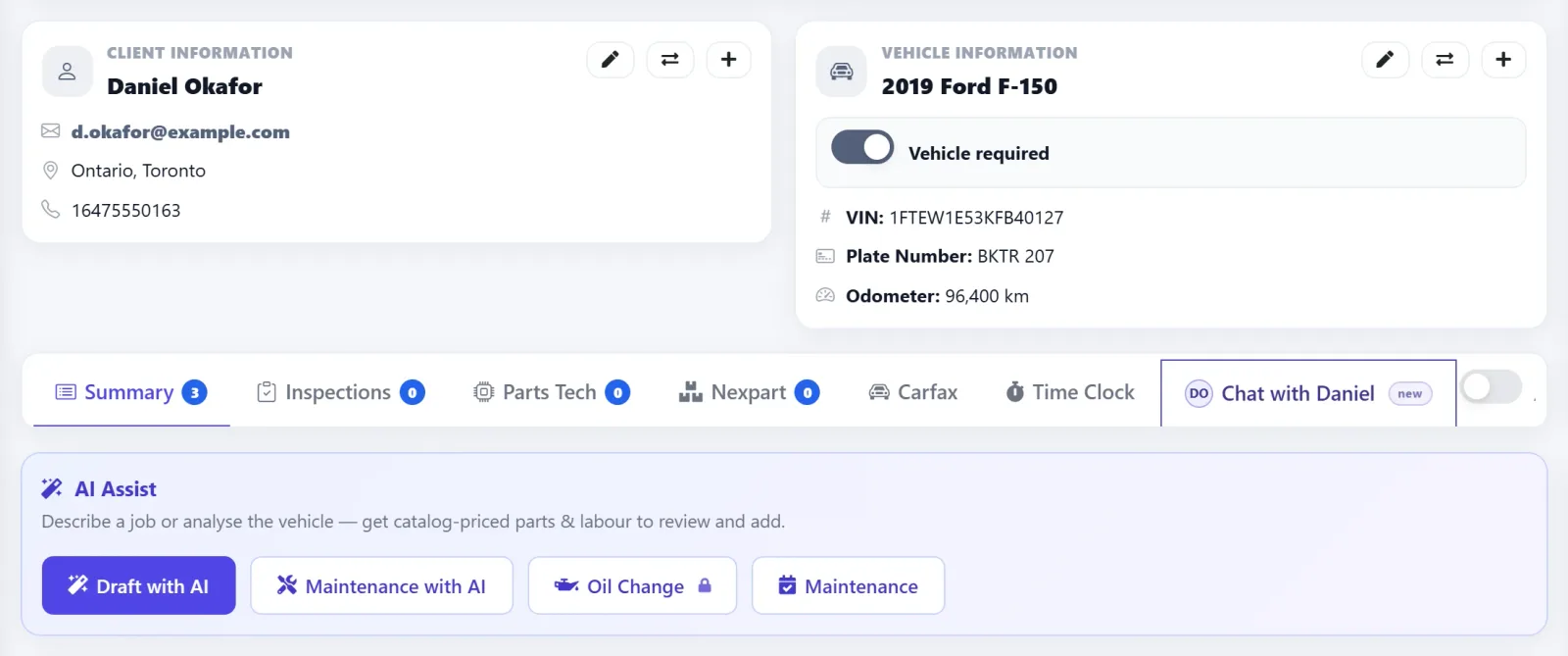
You don’t have to leave the work order to get AI insight. Every estimate has an AI Assist bar — click Maintenance with AI and AutoSoftWay analyzes the vehicle on that estimate: its mileage, service history, and inspections. You get a prioritized list of recommended services, priced from your own catalog, ready to add in one click.
- Uses the vehicle already on the estimate — no VIN re-entry, no switching screens
- Every recommendation is flagged Overdue, Due Soon, or Upcoming, with the reason behind it
- Services are matched to your own parts and labour catalog and shown with a catalog subtotal
- Anything not in your catalog is labelled, so nothing is guessed or priced for you
- Nothing is saved until you click Add matched to estimate — your advisor stays in control
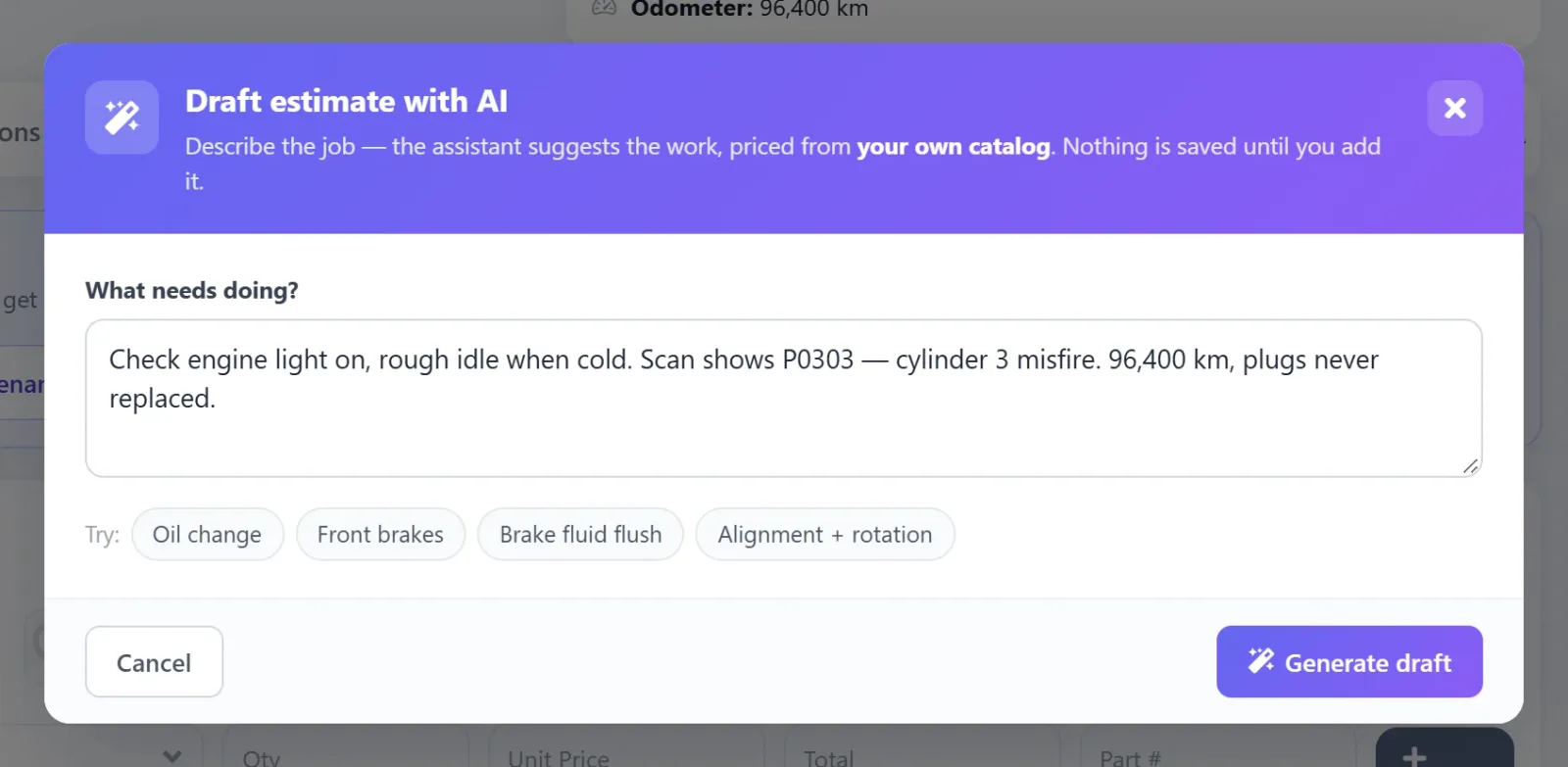
- Pair it with Draft with AI: describe a job in plain words and get catalog-priced parts and labour
Frequently Asked Questions About AutoSoftWay’s AI Vehicle Diagnostic
AutoSoftWay’s AI Vehicle Diagnostic analyzes a vehicle’s complete service history by VIN. It generates an AI maintenance health score, identifies risk alerts, shows a mileage trend chart, provides a full oil change compliance history, forecasts upcoming maintenance, and delivers smart recommendations — all in seconds.
Yes. Every estimate in AutoSoftWay has an AI Assist bar. Click Maintenance with AI and the AI analyzes the vehicle on that estimate — its mileage, service history, and inspections — and returns recommended services marked Overdue, Due Soon, or Upcoming, priced from your own parts and labour catalog. Review the list and click Add matched to estimate; nothing is added until you confirm.
The AI Maintenance Analysis score rates the vehicle’s overall maintenance health on a scale from 0 to 100. A score in the Good range means the vehicle’s service history shows consistent, on-time maintenance. The analysis also shows average daily miles, average oil interval, on-time service rate, and the projected next oil change date.
The Oil Change Compliance table shows every oil change on record for the vehicle — including the date, odometer reading, miles since the previous oil change, days since last service, and an On Time or Late status. This gives your shop a complete picture of how consistently the vehicle has been maintained.
The Upcoming Maintenance Forecast shows each service that is coming due for the vehicle — including the service type, miles remaining, and estimated date. Each item is flagged as On Track, Due Soon, or Overdue so your team can proactively recommend the right services at the right time.
Yes. AutoSoftWay’s AI Vehicle Diagnostic pulls service history data via CARFAX integration. Enter the vehicle’s VIN and click Get Service History — the AI analyzes the full CARFAX record and generates the diagnostic report automatically.
Know Every Vehicle’s Health
Before You Write the First Line.
AI score, risk alerts, compliance history, maintenance forecast, and smart recommendations — all from a VIN, in seconds.
Key Takeaways
- AI diagnostics enhance auto shop operations by analyzing vehicle history and service data.
- Integration with CARFAX reports provides smarter repair insights and relevant labor operations.
- This technology reduces diagnostic guesswork and improves technician productivity.
- By saving time on estimates, it allows shops to offer better customer service and transparency.
- The AI diagnostic runs straight from any estimate — Maintenance with AI recommends catalog-priced services you can add in one click.
- AI diagnostics ultimately support more accurate repair recommendations for vehicle maintenance.