


Simplified Client Parts
Ordering with PartsTech
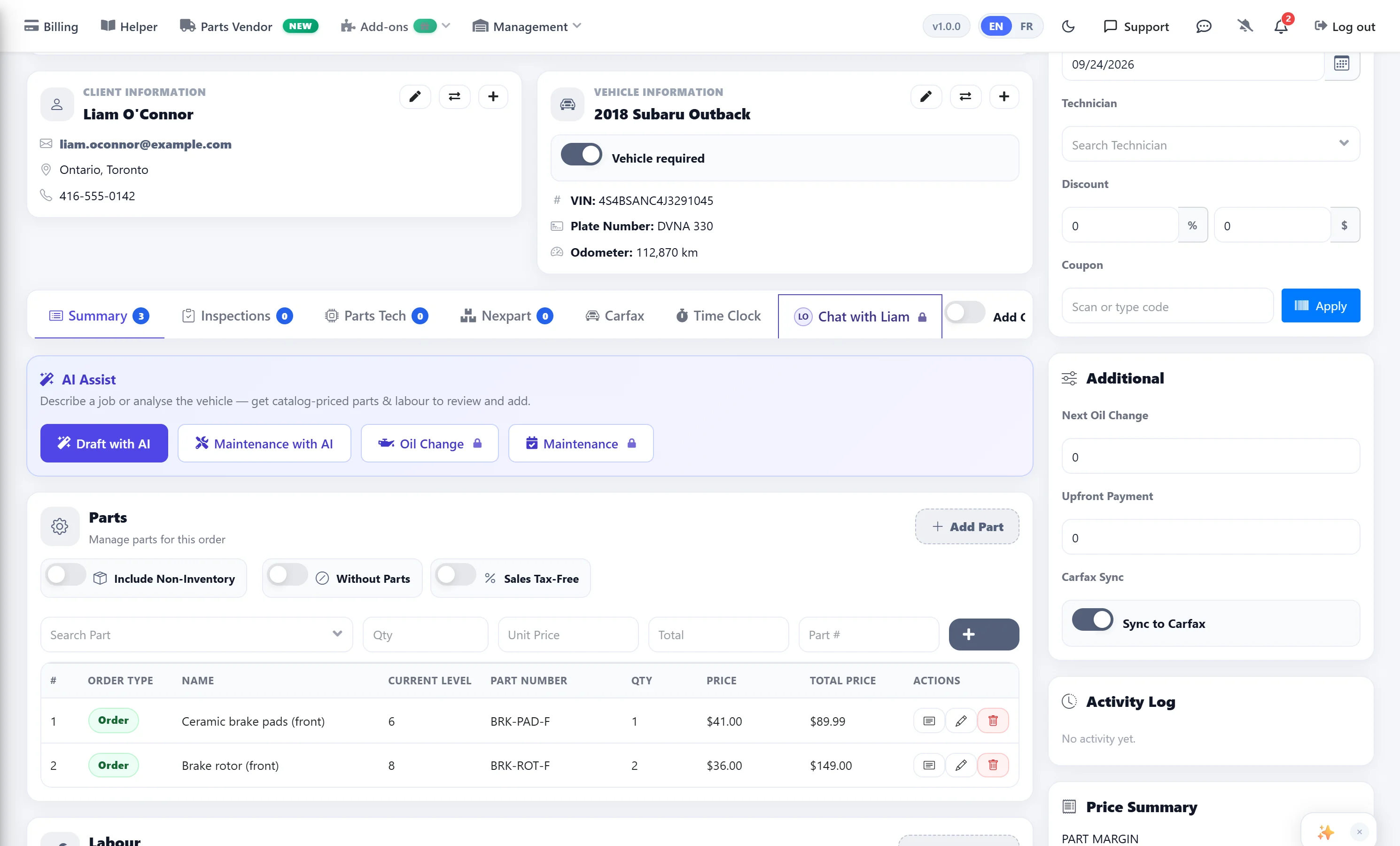
Parts can now be efficiently ordered for clients through PartsTech, fully integrated into the work orders feature — no extra logins, no copy-pasting between systems. The result is enhanced efficiency on every job.
- Seamless Ordering: Order parts or tires for clients’ cars directly through PartsTech within the work orders feature.
- Streamlined Process: Enjoy a hassle-free ordering experience with no complications — everything stays inside AutoSoftWay.
- Business Efficiency: Simplifies the process, allowing your business to order parts quickly and effortlessly every time.
Order Parts in 4 Simple Steps
From account setup to checkout — the entire PartsTech ordering process lives inside AutoSoftWay.
-
1
Easy Setup
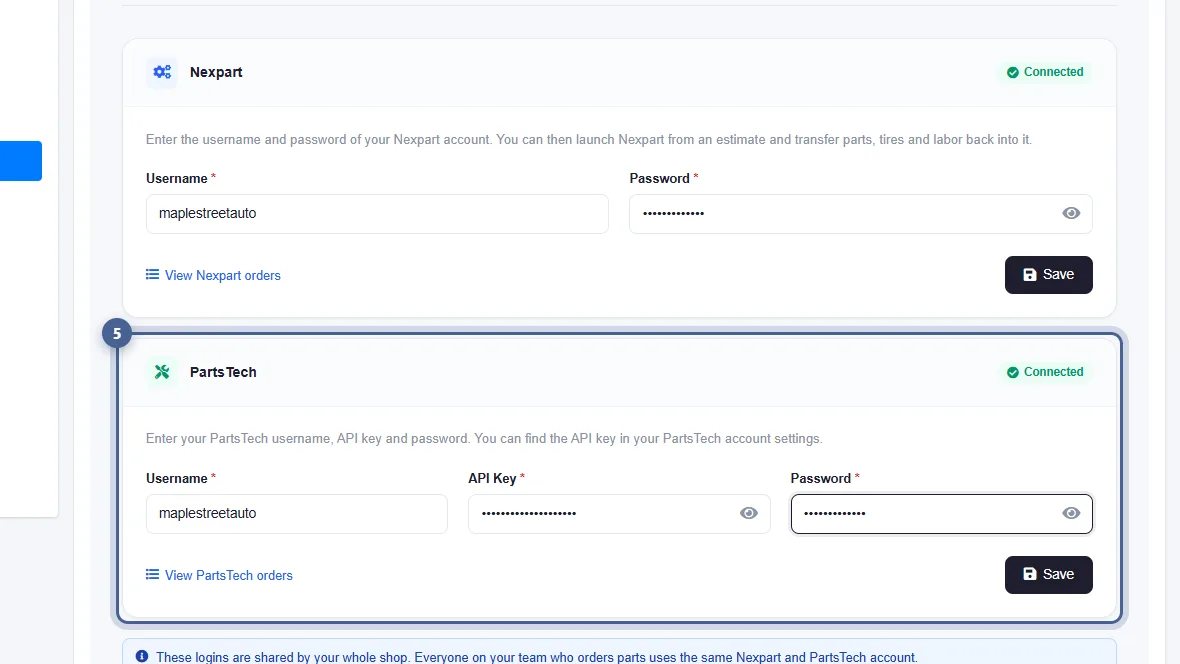
Create a PartsTech account and link it to your AutoSoftWay account. One-time setup, always connected.
-
2
Efficient Search
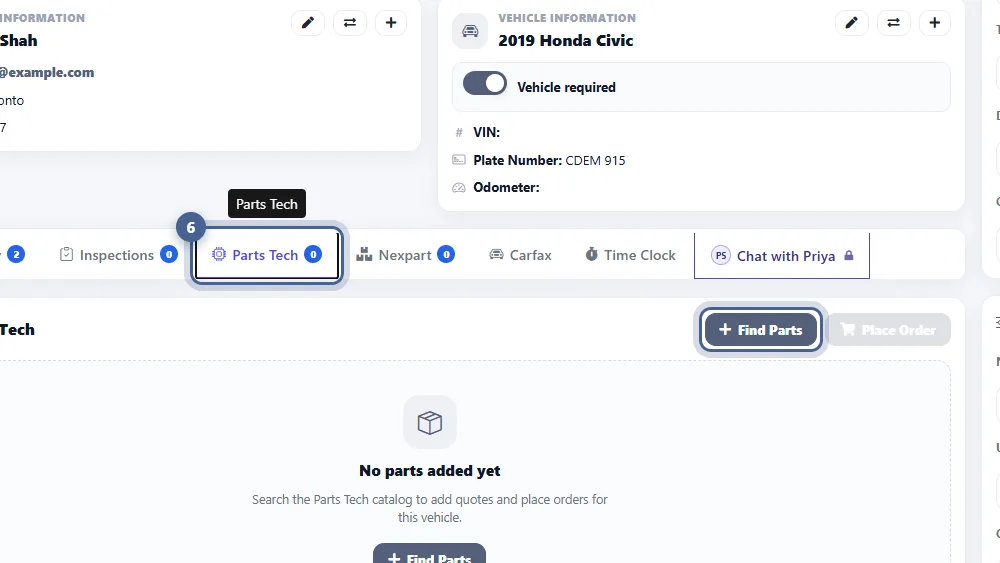
Enter the vehicle’s year, make, and model — then search for the specific part or tire needed. Instant results.
-
3
Add to Cart
Once the desired item is located, add it to the cart. Review itemized details before proceeding.
-
✓
Streamlined Checkout
Complete the purchase quickly. The order is linked to the work order automatically — no manual entry.
Detailed Order Summaries &
Vehicle Insights
Every PartsTech order is logged and linked to the right work order — giving you full transparency across every transaction your shop places.
- Access detailed itemized lists of the products included in each order.
- Easily track and manage order history with clear, organized information per work order and vehicle.
- Ensure transparency and accountability for all transactions through PartsTech — everything is on record.
- View comprehensive vehicle details and link orders directly to the right client and job.
Everything You Need to Order
Parts Without Leaving AutoSoftWay
-
No Tab Switching
Search, add to cart, and check out without ever leaving the work order. PartsTech is fully embedded inside AutoSoftWay.
-
Smart Part Search
Search by year, make, model, and item name. Instantly see availability, pricing, and shipping estimates side by side.
-
Itemized Order History
Every order is logged with full line-item detail — part numbers, quantities, costs — linked to the specific work order and client vehicle.
-
Vehicle-Level Tracking
See which parts were ordered for which vehicle at a glance. Full history per client, per vehicle, per job.
-
Auto-Linked to Work Orders
Completed orders are automatically tied to the correct work order — no manual entry, no copy-paste errors.
-
Fast, Simple Setup
Create a PartsTech account, link it to AutoSoftWay once, and you’re ready to order. No complex configuration required.
Frequently Asked Questions About PartsTech
PartsTech is built directly into the AutoSoftWay work orders feature. Once you link your PartsTech account, you can search for parts, add them to a cart, and complete checkout without leaving the work order — the order is then linked to that job automatically.
Yes. You’ll need to create a free PartsTech account and then link it to AutoSoftWay. This is a one-time setup and only takes a few minutes. Once connected, ordering is fully seamless inside AutoSoftWay.
Yes. The PartsTech integration supports ordering both parts and tires for your clients’ vehicles — all through the same search and checkout flow inside AutoSoftWay work orders.
Enter the vehicle’s year, make, and model, along with the specific item you need. PartsTech returns matching results with availability, pricing, and shipping information so you can make the right choice quickly.
Yes. Every order placed through PartsTech is logged with a detailed itemized summary and linked to the corresponding work order and vehicle. You can access and review all past orders at any time for full transparency and accountability.
Order Parts Faster.
Never Leave Your Work Order.
Search, order, and track parts and tires — all inside AutoSoftWay. PartsTech is fully integrated so your team stays focused on the job.