


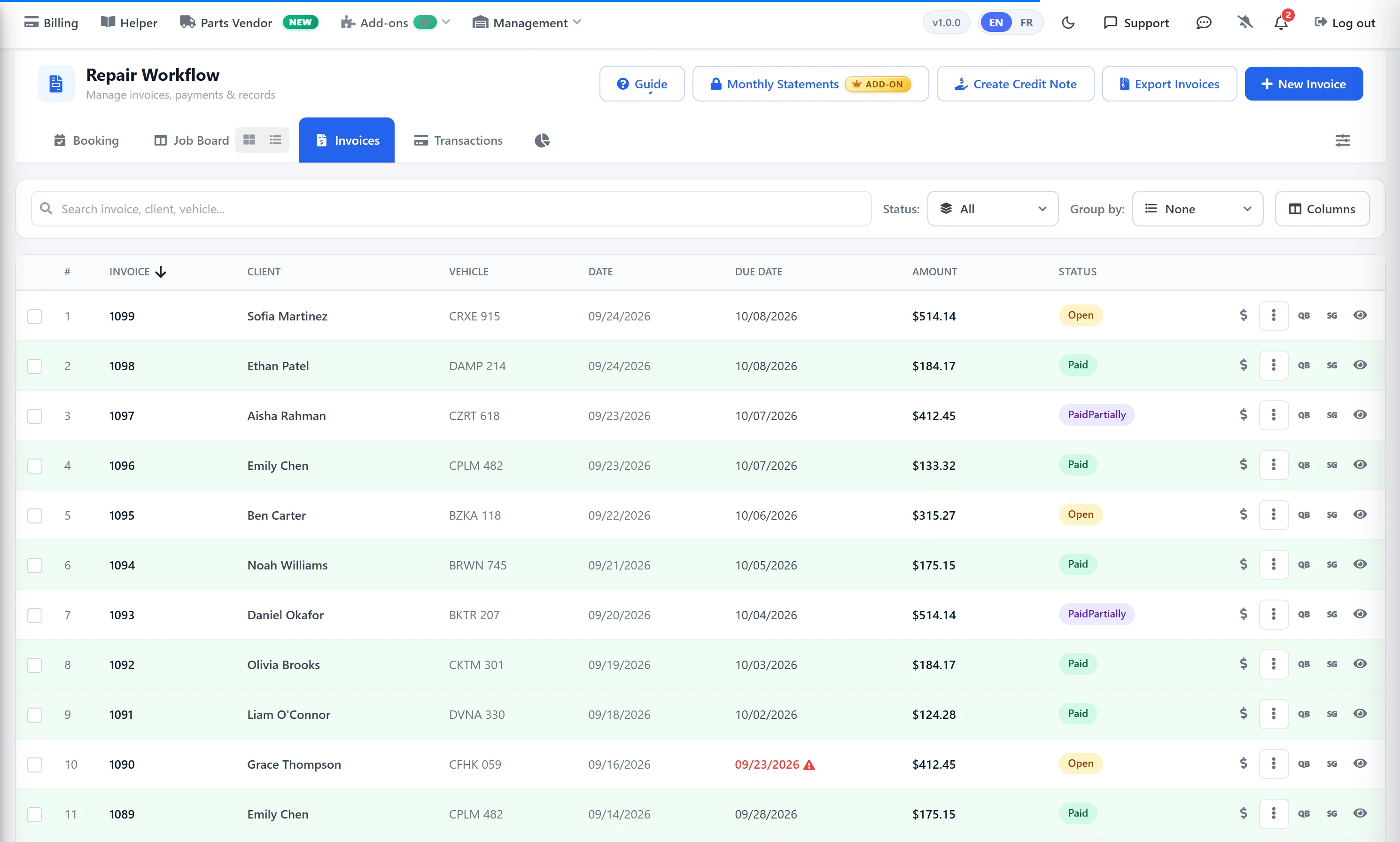
Accept Stripe payments seamlessly at your auto repair shop
If you already have a Stripe account, your shop can start accepting payments right away. Activating the Stripe integration in AutoSoftWay’s shop software is a three-step process inside your account settings, and payment processing runs from there.
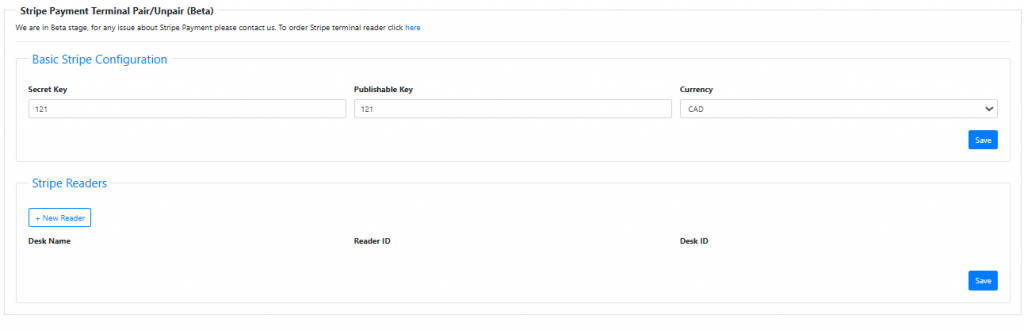
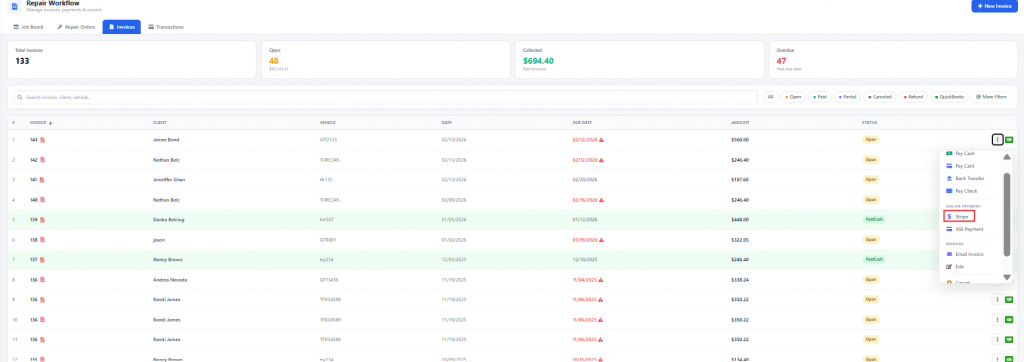
Activate Stripe payments for a faster checkout
Once Stripe is activated in your AutoSoftWay account, your clients can start paying by card right away — from the counter or the driveway.
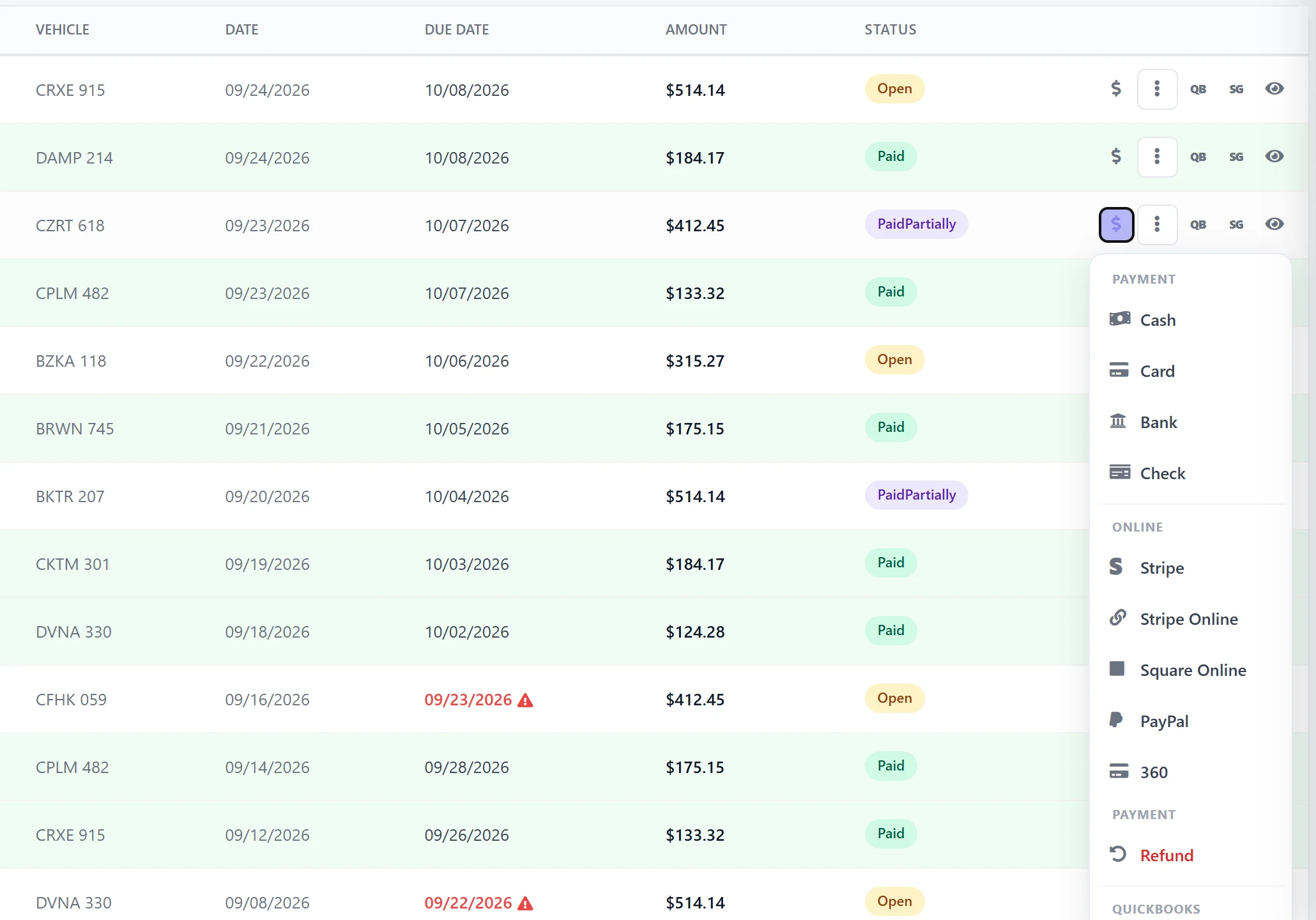
Modern payments, built into your shop workflow
All Major Cards
Accept Visa, Mastercard, American Express and Discover — plus contactless tap-to-pay from the BBPOS terminal.
Secure by Default
Every transaction runs through Stripe’s PCI-compliant infrastructure — enterprise-grade security with no extra work for your shop.
Auto-Linked to Invoices
Payments automatically apply to the matching AutoSoftWay invoice — nothing to reconcile at the end of the day.
Works With the Terminal
Runs on the BBPOS WisePOS™ E device — the same terminal you use for tap, chip and swipe transactions.
Digital Receipts
Send a receipt to the customer’s email or phone on the spot — no printer needed, no paper wasted.
Quick to Configure
If you already have a Stripe account, activation is three steps in Settings → Payments — and you’re accepting card payments the same day.
Turn every invoice into a tap on the terminal
Activate Stripe in your AutoSoftWay account and accept card payments at your shop today.