


Live in 3 quick steps
Nexpart is included in every AutoSoftWay plan at no extra charge. All you need is a free Nexpart Multi-Seller account — you’ll be ordering parts in under 2 minutes.
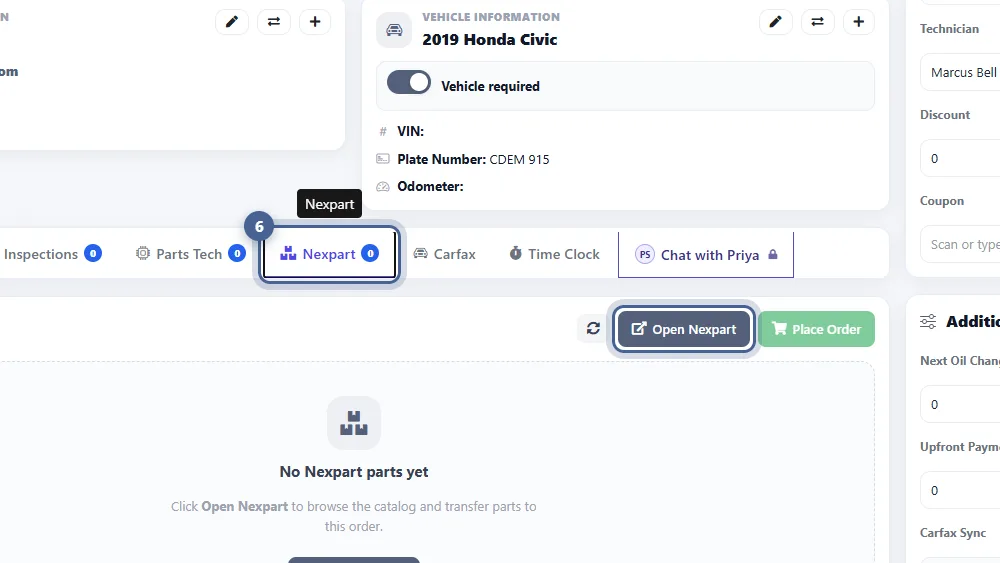
More suppliers. Same workflow.
Nexpart’s Multi-Seller network gives you hundreds of parts distributors — and every part you transfer flows straight onto the right R/O with full pricing, availability and branch detail.
Multi-Seller Network
Search across hundreds of regional and national parts distributors in one place. One catalog, one workflow, one bill of parts on every R/O.
Real-Time Availability
See live quantity on hand and branch location for every part — no calling the counter, no wondering if it’s actually in stock.
Straight onto the R/O
Parts you transfer from Nexpart drop onto the right work order automatically — grouped by R/O number, ready to invoice.
Cost + List Transparency
Every part shows your cost and the recommended list price side-by-side — keeping your margin visible on every line.
Multi-Branch Support
Multi-location shop? Every branch can point at its own Nexpart account — each writes parts to its own R/Os without stepping on the others.
Parts + Tires + Labor
Nexpart’s catalog covers parts, tires and labour lookups. All three sit under the same three tabs, ready when you need them.
Also inside Nexpart: AllData labor guides
Nexpart doesn’t just handle parts. For shops that want AllData labor times on every estimate, the AllData labor guide sits right inside Nexpart — unlocked as a $20 add-on.
Once you’re connected to Nexpart, AutoSoftWay unlocks AllData-verified labor times in the same window — every operation, every year / make / model, flowing straight onto your estimates and work orders. No new logins, no new integrations. Just $20 to activate.
- AllData-verified labor times
- Every year / make / model
- Flows into every estimate & R/O
- Same Nexpart connection — no new login
Nexpart joins the family
Already using PartsTech or NAPA in AutoSoftWay? Perfect. Nexpart doesn’t replace them — it opens up a whole new network of suppliers alongside them, all inside the same work-order flow.
Start ordering with Nexpart in minutes
Sign up for a free Nexpart Multi-Seller account, paste your credentials into AutoSoftWay, and you’re live — ordering parts from hundreds of distributors, straight from every R/O.