


Every on-site job, on one board
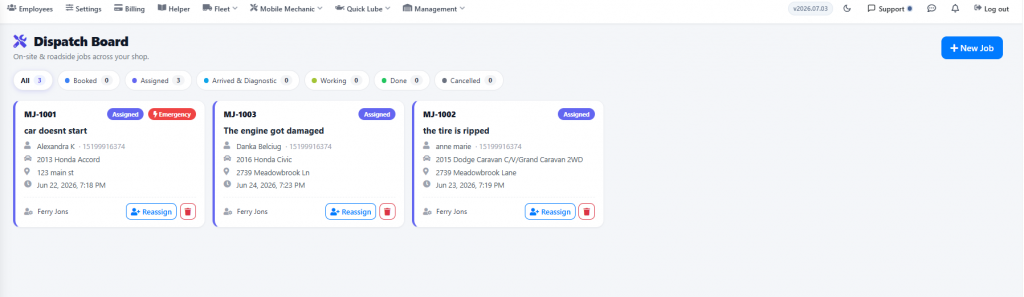
The Dispatch Board shows all on-site and roadside jobs across your shop — the customer, the vehicle, where it is, when it was booked and which technician is on it.
Complete the repair and invoice on the spot
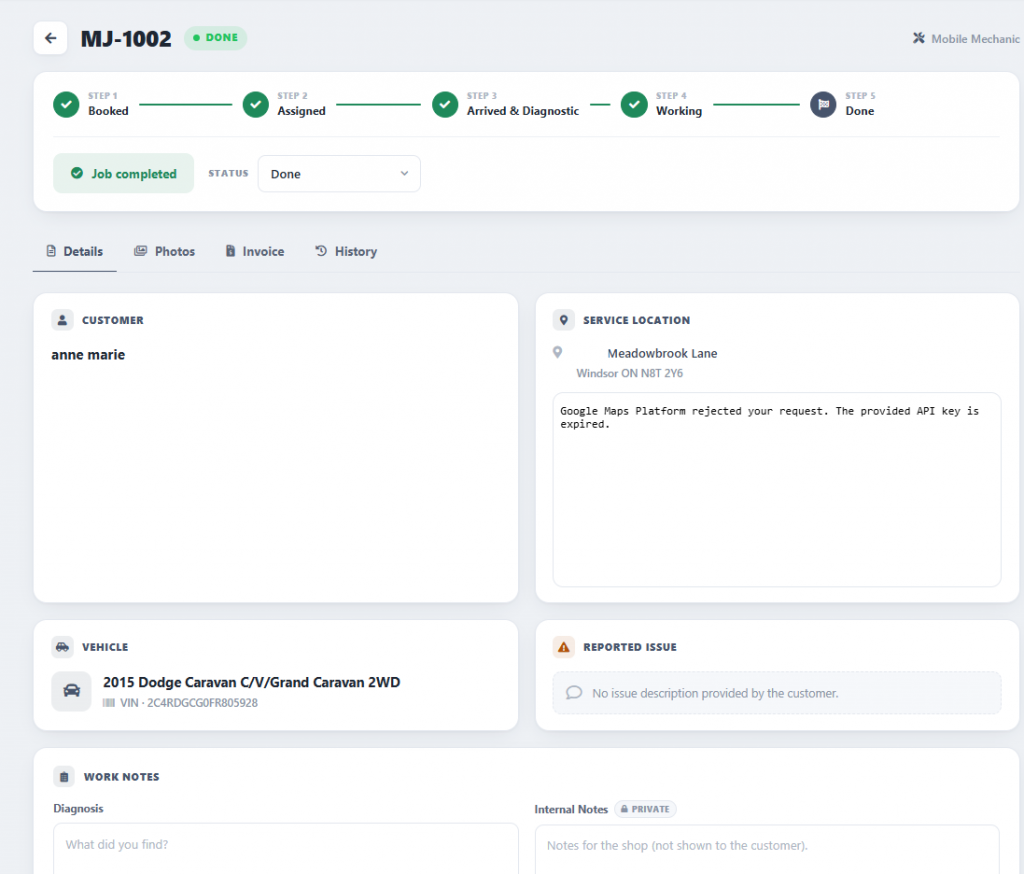
Technicians move each job through clear stages — Booked, Assigned, Arrived & Diagnostic, Working and Done. Once the job is completed, AutoSoftWay can generate the invoice automatically, so invoices go out directly from the road and you enhance productivity without extra office work.
Built for repairs that happen on the road
Emergency Ready
Mark urgent jobs as emergencies so they get attention first — no waiting on office approval.
Service Location
Every job carries the address where the vehicle is, so the technician knows exactly where to go.
Clear Job Stages
Booked, Assigned, Arrived & Diagnostic, Working, Done — everyone sees where each job stands.
Auto-Invoice
The invoice is generated when the job is completed — nothing to re-enter back at the shop.
Save Time
Less paperwork between jobs means more repairs finished — and billed — every day.
Organized Team
Assign and reassign jobs across your technicians and keep the whole repair process organized.
Run mobile repairs from job to invoice
Give your mobile mechanics a dispatch board, a clear job flow and automatic invoicing — all inside AutoSoftWay.