



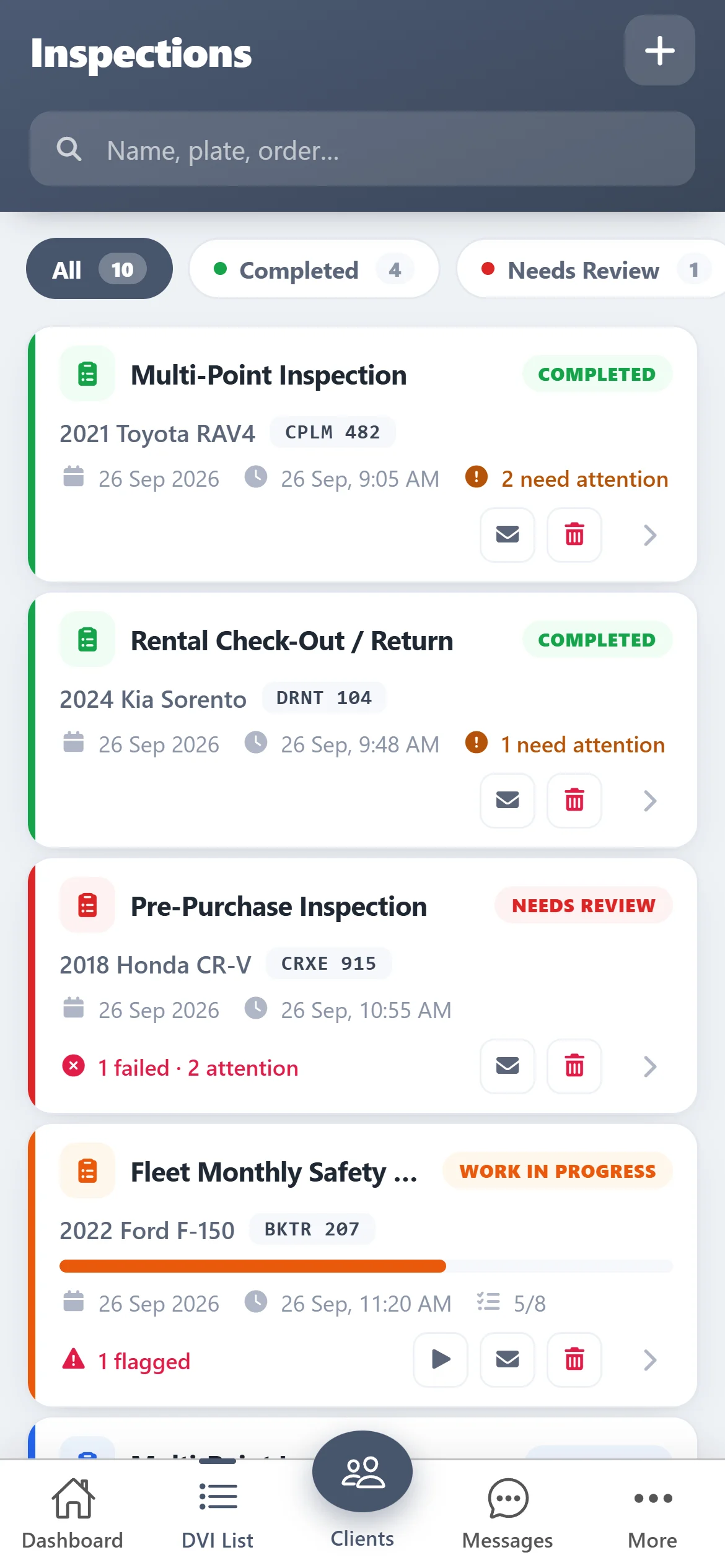
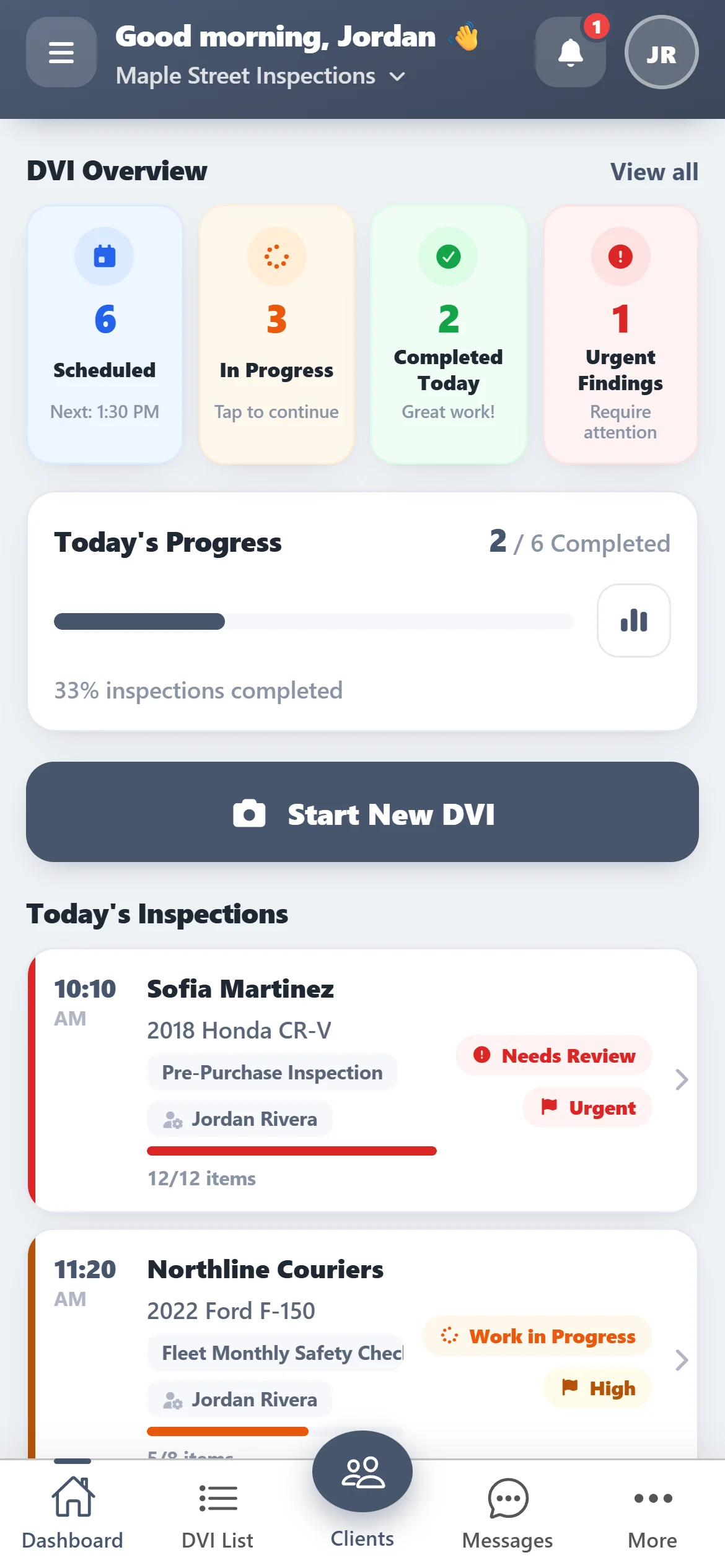
Built for every vehicle check
One app for anyone who inspects vehicles
-
Auto repair shops
Inspect at the bay and send the customer a clear, photo-backed report.
-
Car rental
Record condition at pick-up and return, with photos of every mark.
-
Fleets
Routine checks on company vehicles, saved per vehicle.
-
Dealers & used cars
Trade-in and pre-purchase inspections you can hand to the buyer.
Everything you need to inspect
-
Guided inspections
Pick customer, vehicle and checklist, then work through each item.
-
Photos on every item
Snap damage and general photos straight from the camera.
-
VIN scanner
Scan the VIN with the camera or add the vehicle by hand.
-
Templates & checklists
Build your own inspection templates once, reuse them on every car.
-
PDF report by email
Send the finished inspection to the customer as a PDF.
-
Dashboard
Today's inspections, work in progress and urgent findings.
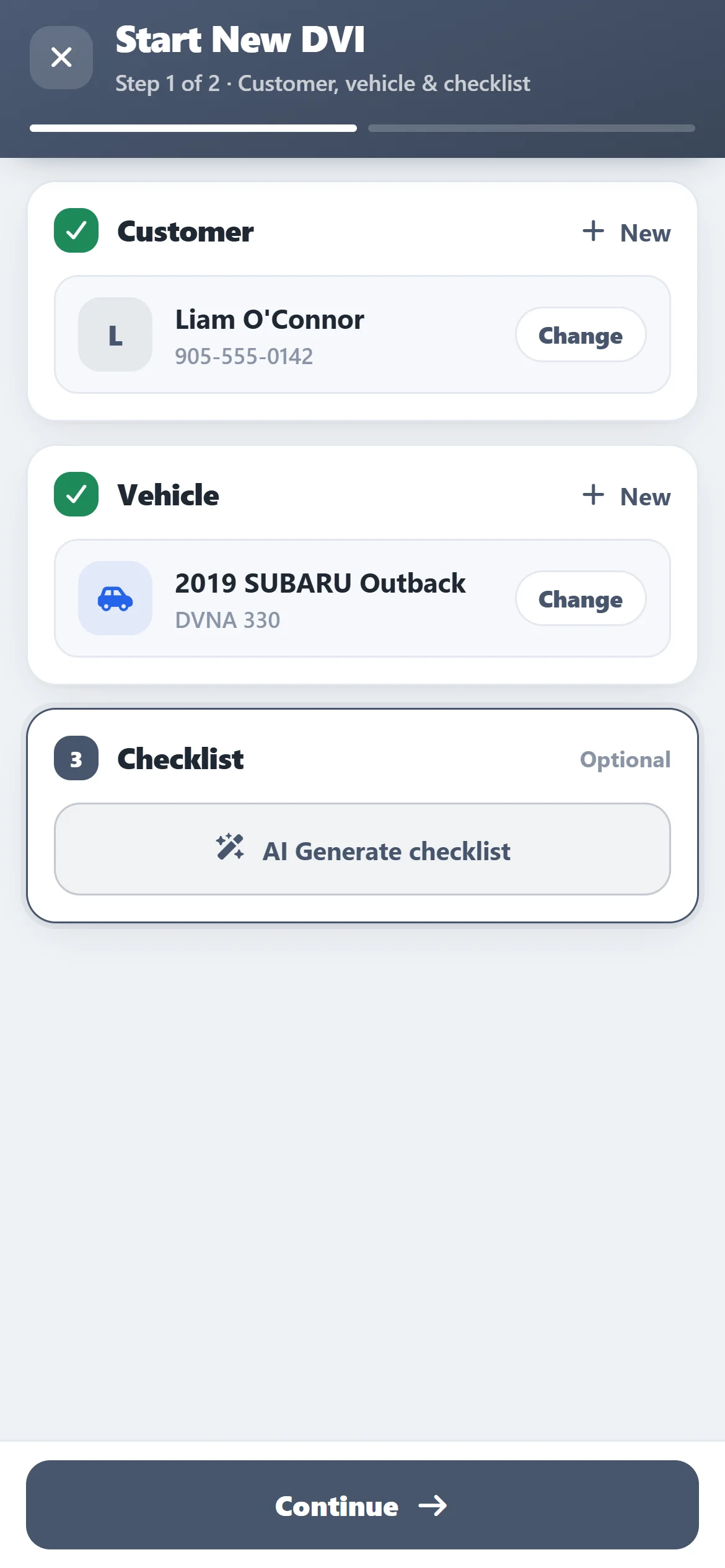
Start an inspection
From customer to checklist in two steps
Tap Start New DVI, pick or add the customer, choose the vehicle and the checklist to follow. Then walk around the vehicle and mark every item.
- Pass, attention or failed on every item
- Damage and general photos from the camera
- Save as work in progress and finish later
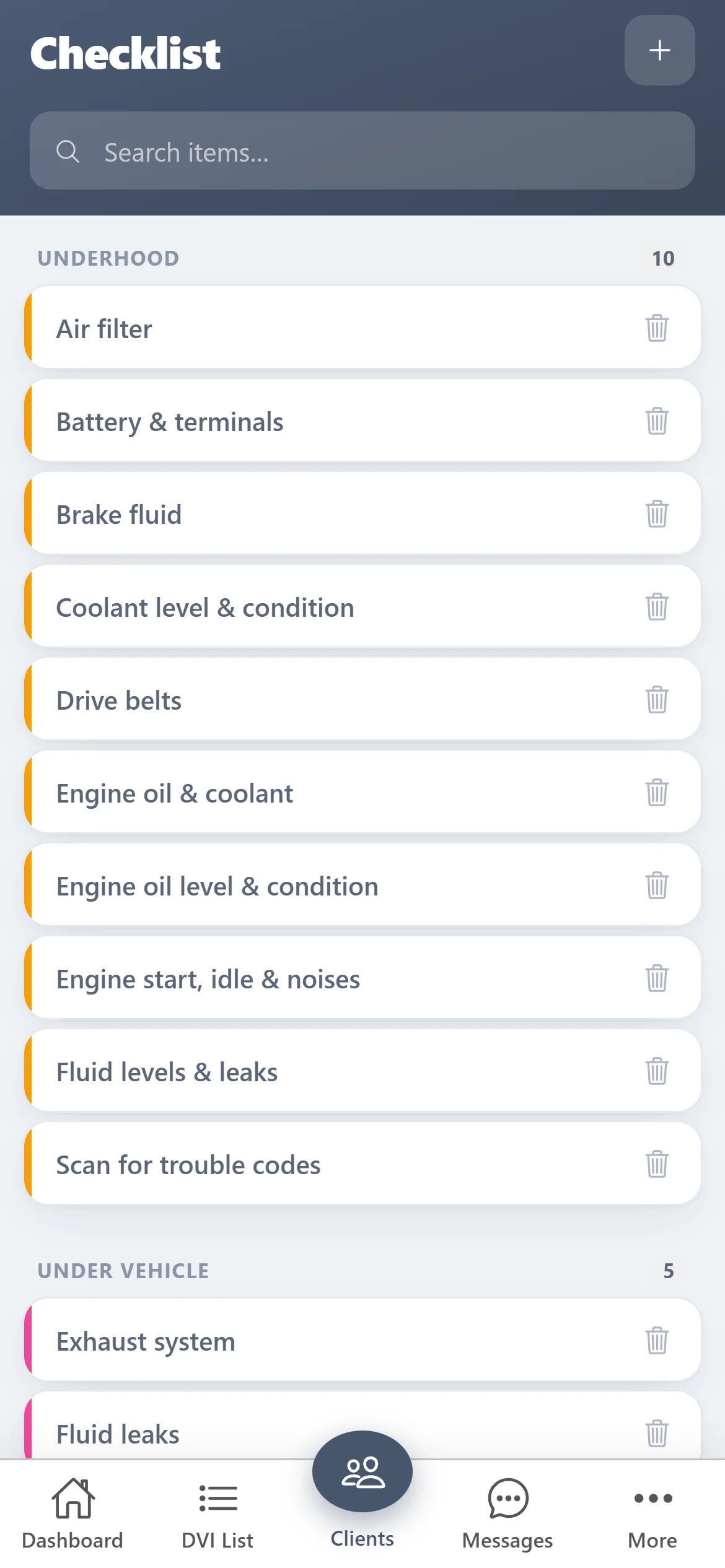
Templates & checklists
Your inspection, your way
Build templates for each kind of check — a full multi-point inspection for the shop, a quick condition check for a rental return — and reuse them on every vehicle.
- Group items by area: underhood, brakes, tires…
- Same templates on the phone and on the web
- Add or remove items any time
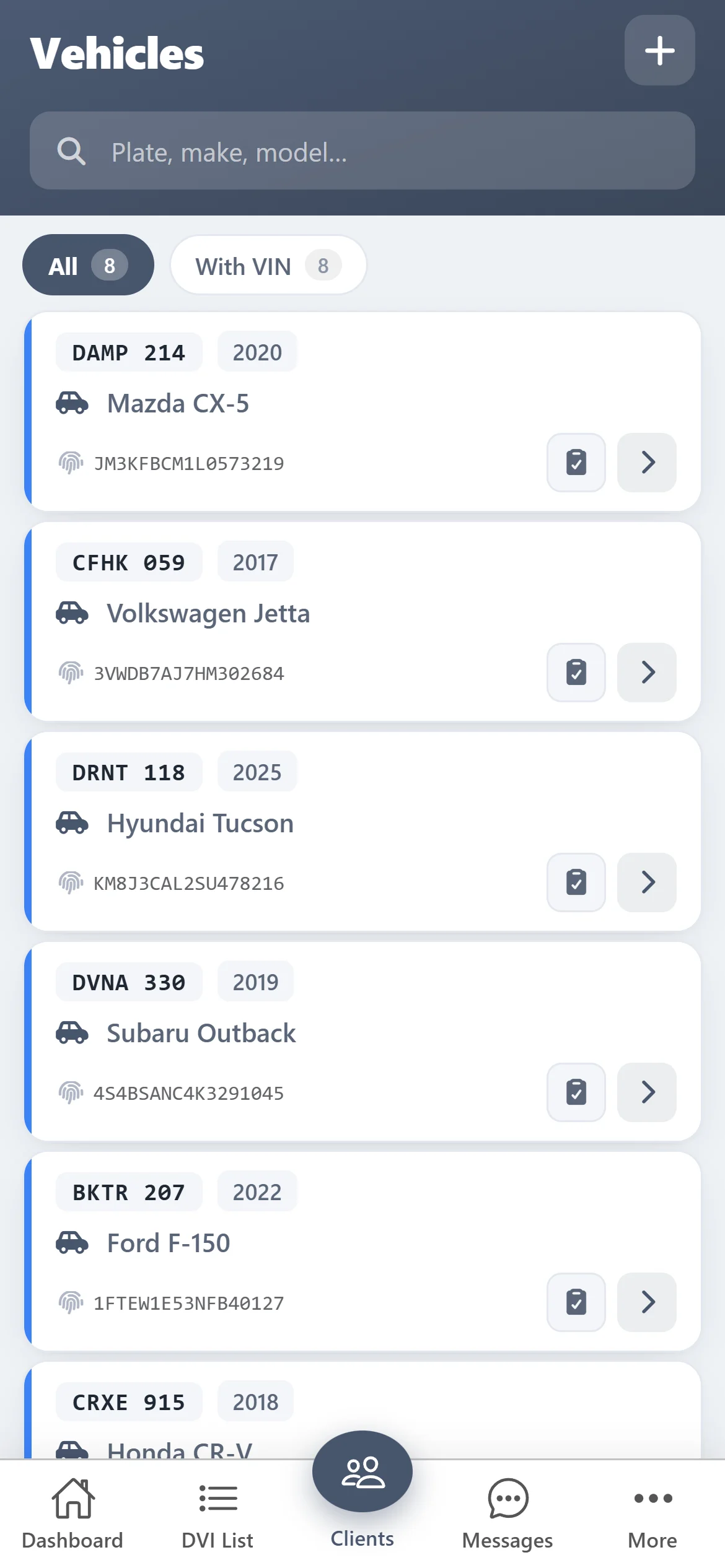
Vehicles & clients
Scan the VIN, skip the typing
Add a vehicle by scanning its VIN with the camera, or type it in. Every inspection is saved against the vehicle and the customer, so its history is one tap away.
- VIN scanner built in
- Customer contact details in one place
- Search by plate, make or model
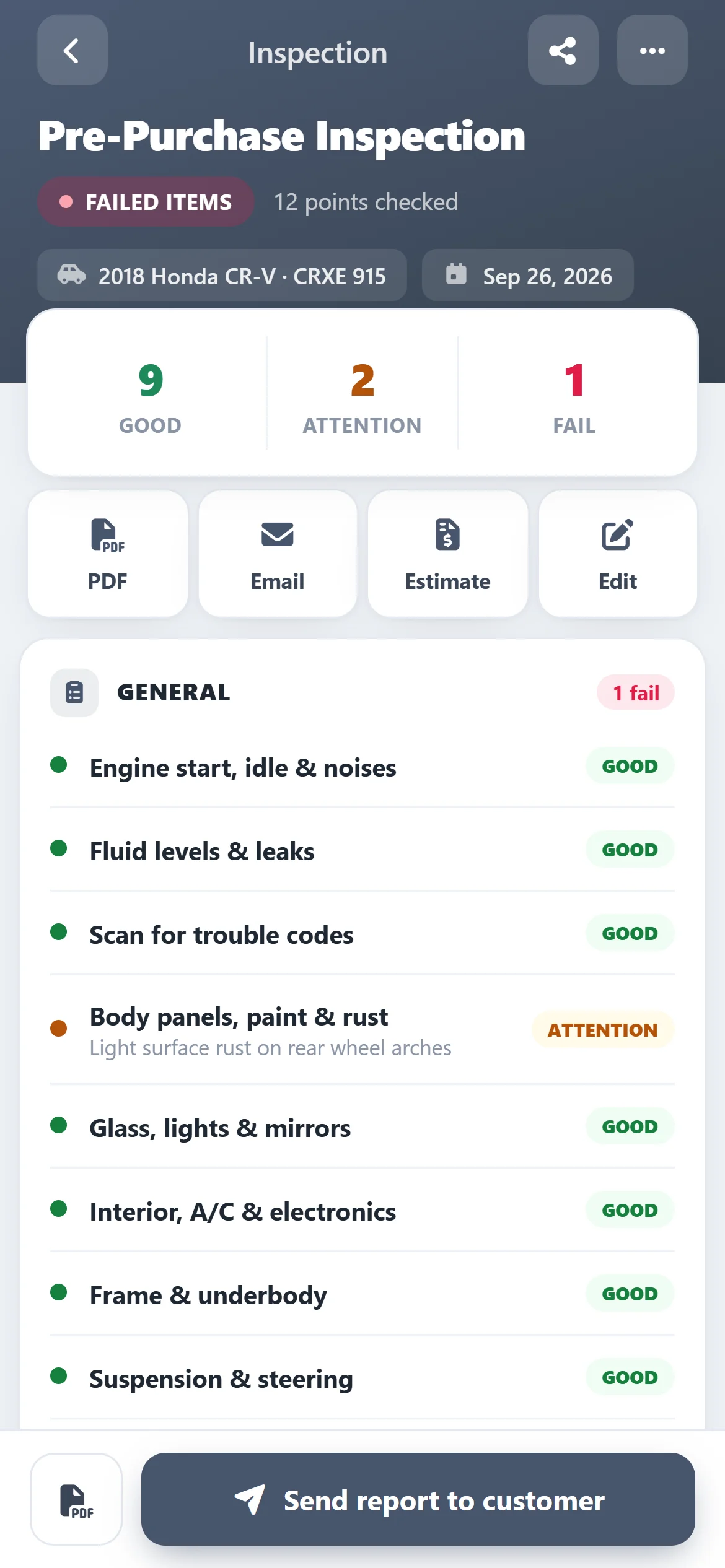
Reports
Send a report the customer understands
Finished inspections show what failed and what needs attention. Download the PDF or email it to the customer straight from the app.
- PDF report with your findings and photos
- Email it to the customer in one tap
- “Needs review” flag on reports with problems
Free for 10 days
Sign up from your phone and start inspecting today
- 1
Download ASW DVI
Free on the App Store and Google Play.
- 2
Create your account in the app
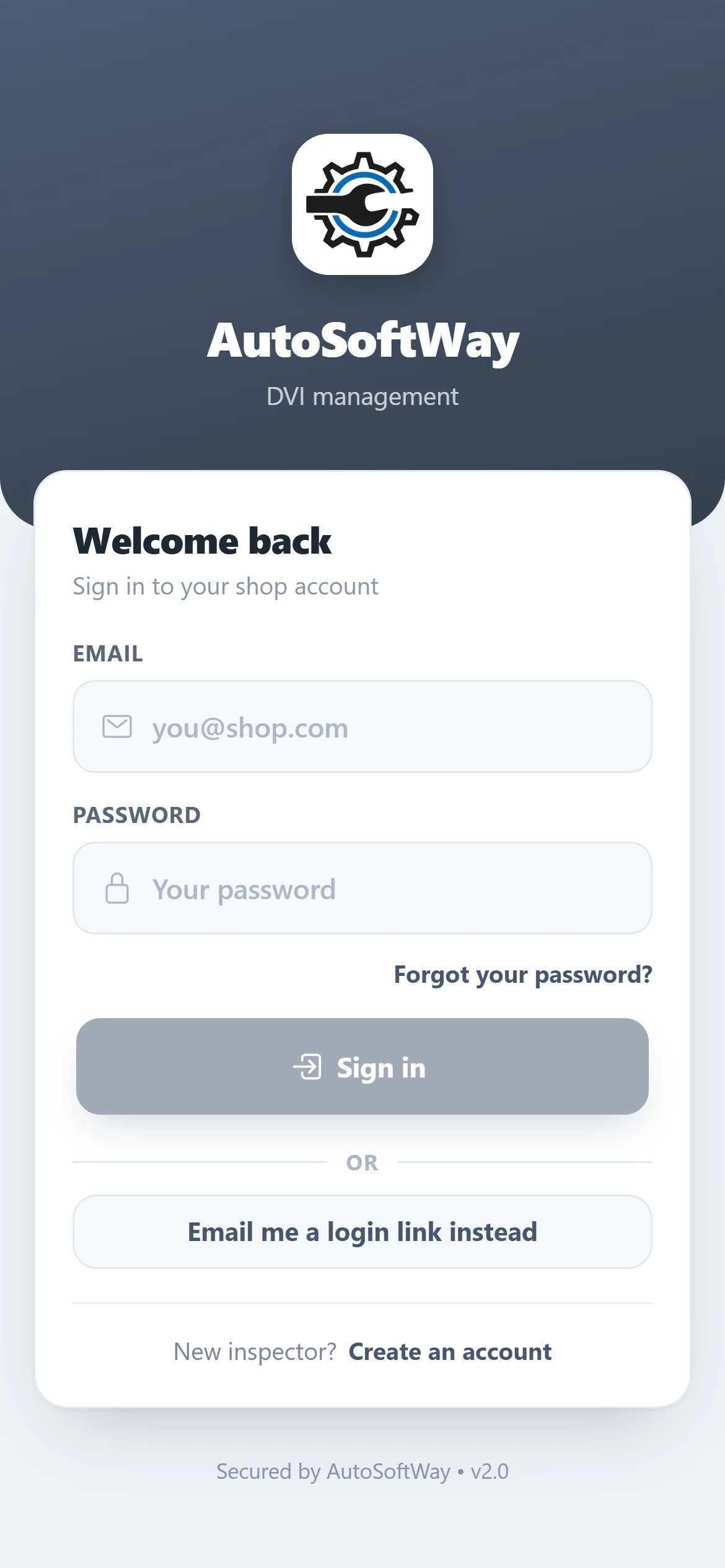
Tap “Create an account” on the sign-in screen — it takes a minute. No card needed to start.
- 3
Inspect free for 10 days
Every feature is on. When the trial ends, subscribe in the app to keep going.
Questions
Do I need AutoSoftWay shop management software to use ASW DVI?
No. ASW DVI works on its own — register in the app and start inspecting. Your templates, clients, vehicles and inspections sync to your AutoSoftWay account, and you can also sign in on the web.
Can I use it for rental cars?
Yes. Create a short check-out / check-in template, inspect the car when it leaves and when it comes back, and keep the photos with the vehicle.
What happens after the 10-day trial?
The app asks you to subscribe to keep inspecting. Your data stays in your account.
Which phones does it run on?
iPhone and iPad (iOS 15 or later) and Android phones and tablets.
Running a full repair shop? See DVI inside AutoSoftWay — inspections tied to estimates, work orders and invoices.