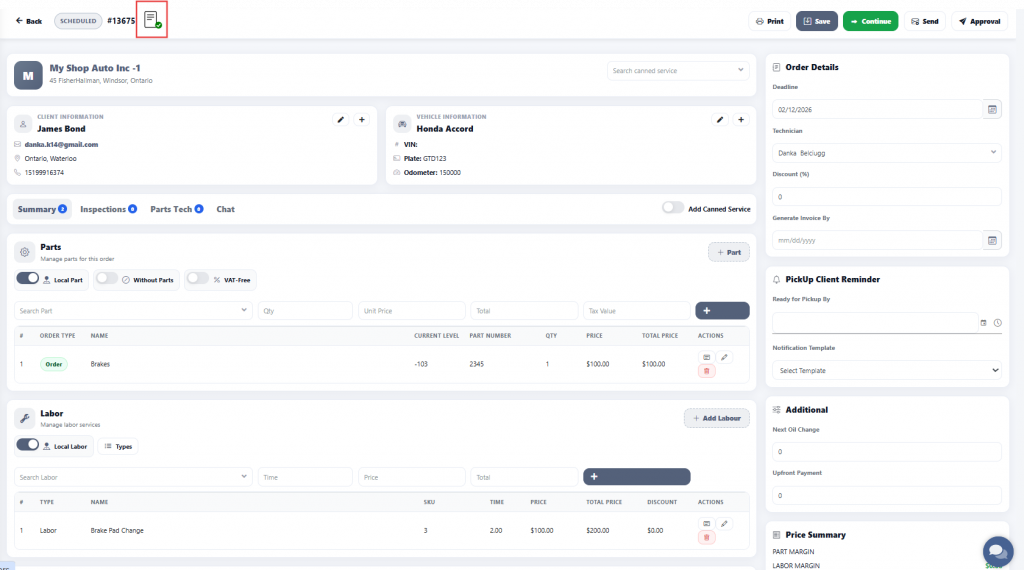
Step 1
Click on “Send for Approval” to allow the client to review the estimate.
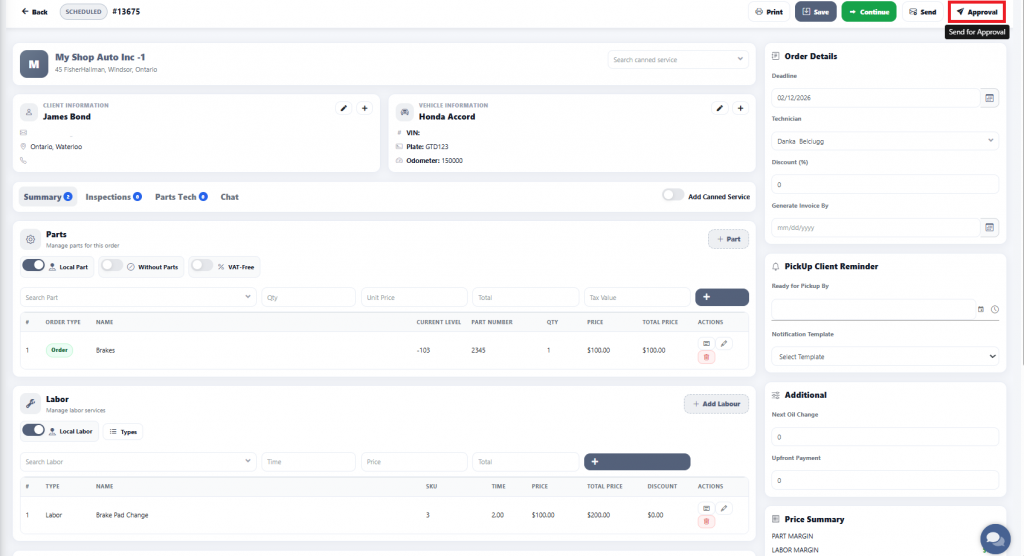
Step 2
A pop-up window will appear to confirm the client’s email address. If the email is correct, click ‘OK’ to send the estimate for approval.
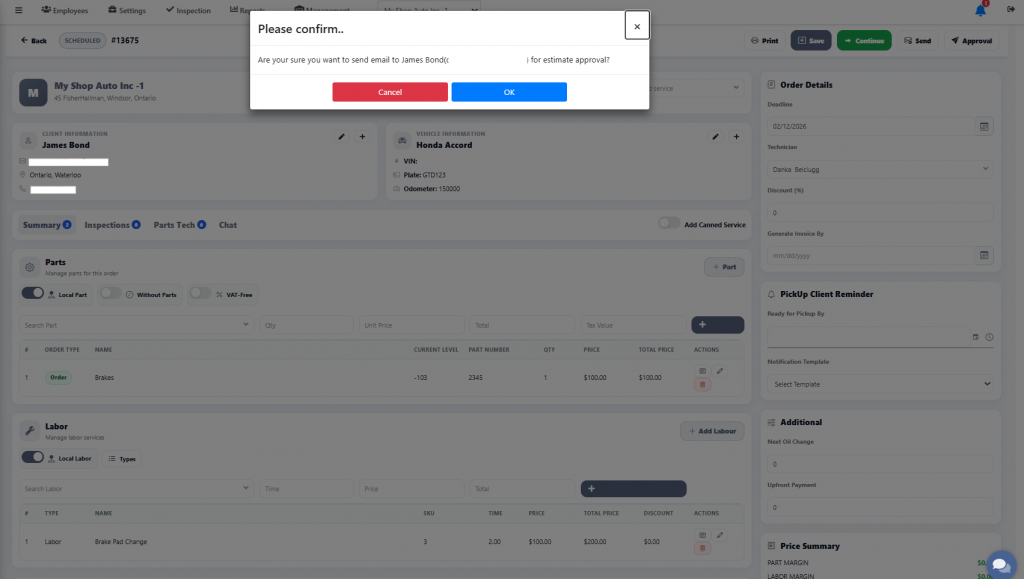
Step 3
Once the approval request is sent, the client will receive an email or text message where they can review the estimate.
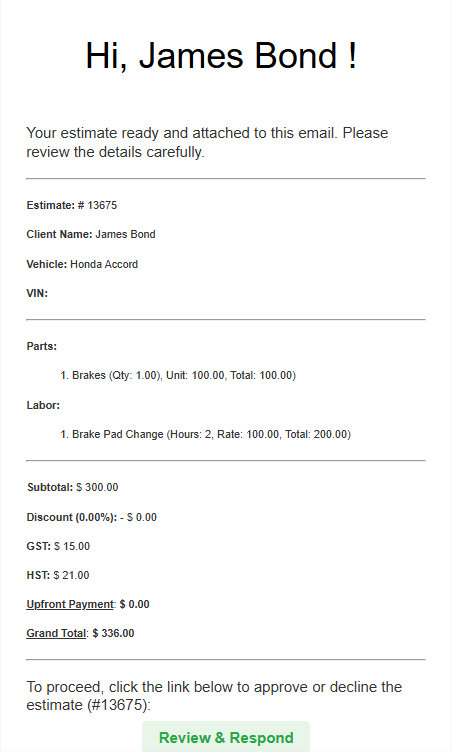
Step 4
The client will have the option to either ‘Approve‘ or ‘Decline‘ the estimate.
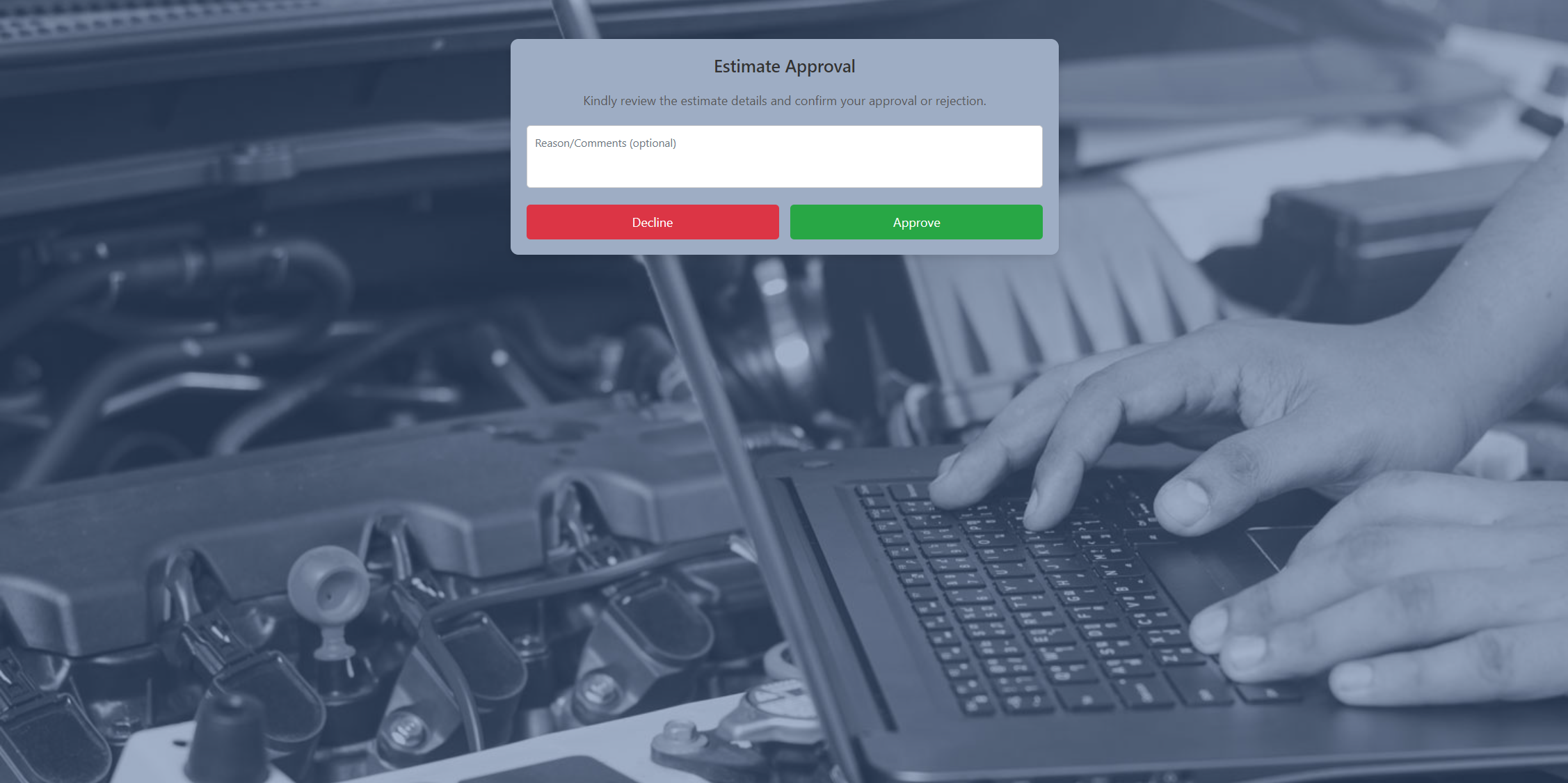
Once the client approves the estimate, the response will be sent to the technician.

Step 4
After the client approves the estimate, the system will display it as shown below.