


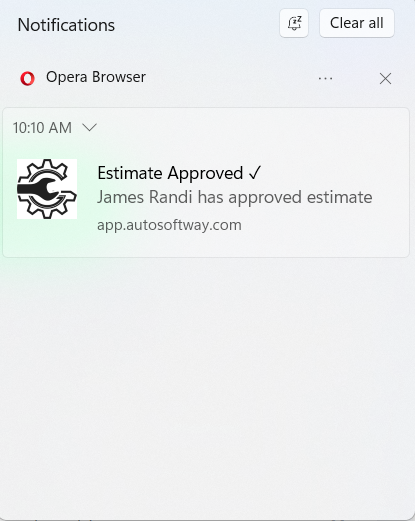
Every customer action, delivered to you
From estimate approvals to new bookings — here’s what AutoSoftWay can ping you about the second it happens. Real-time alerts across your workflow keep you in control.
A customer approves an estimate, so you can schedule the work.
A customer declines an estimate, so you can follow up and recover the job.
A customer books an appointment online.
A customer replies to one of your text messages.
A customer pays an invoice.
A work order changes, for example when a technician adds line items.
From customer action to your screen in seconds
Customer Acts
A customer approves an estimate, books a slot, replies, or pays.
System Detects
AutoSoftWay picks it up instantly and routes the right alert.
You Get Notified
You see the update on desktop and mobile — ready to act.
Key takeaways
- Receive instant push notifications for approvals and updates.
- Stay informed on customer actions without manual follow-up.
- Improve response time and follow up at the right moment.
- Keep your entire shop updated with real-time customer activity.
Never miss a customer action again
Turn on push notifications and let AutoSoftWay keep your entire shop in sync — in real time.