


Why rely on calls? Online booking protects your shop from lost revenue.
The silent cost of missed phone calls — backed by data every shop owner should see.
Smarter for your shop. Friendlier for your customers.
Online booking captures every opportunity, so you stop missing calls. Let customers send work requests 24/7 — your clients get convenience; your team gets control and a more efficient workflow.
Book in seconds, from anywhere.
- Easily request service or repairs anytime, from any device.
- Skip the calls and voicemails — submit requests in seconds.
- Get automatic reminders so they never miss their appointment.
Every request, instantly in your system.
- Every work request goes straight into your system — no double entry.
- Stay organized with smart scheduling that reduces no-shows.
- Keep customers happy with instant confirmations and real-time updates.
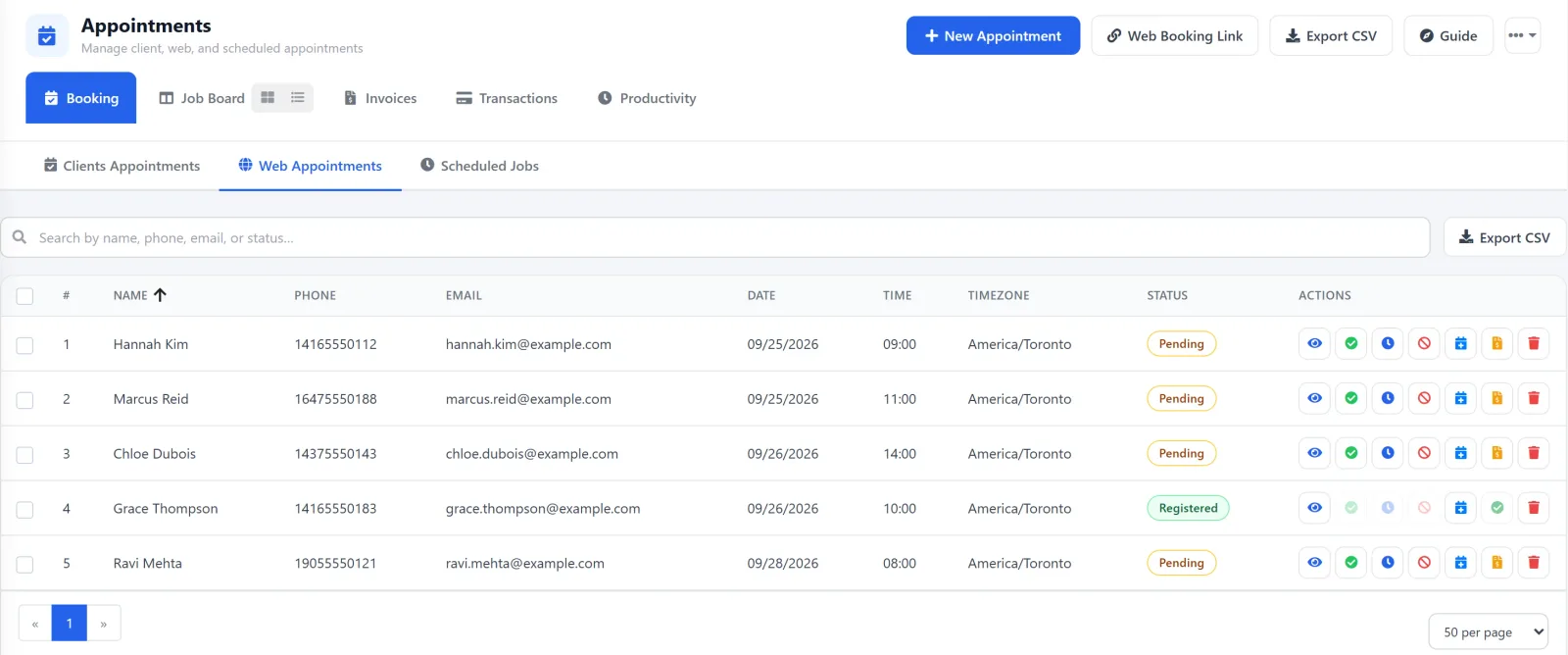
Four steps from setup to booked.
No complex installs. No dev team required. Connect your shop and you’re live the same day.
Connect Your Shop
Set up your shop details and unlock seamless online booking.
Go Live
Clients can book services directly through your website.
Instant Bookings for Technicians
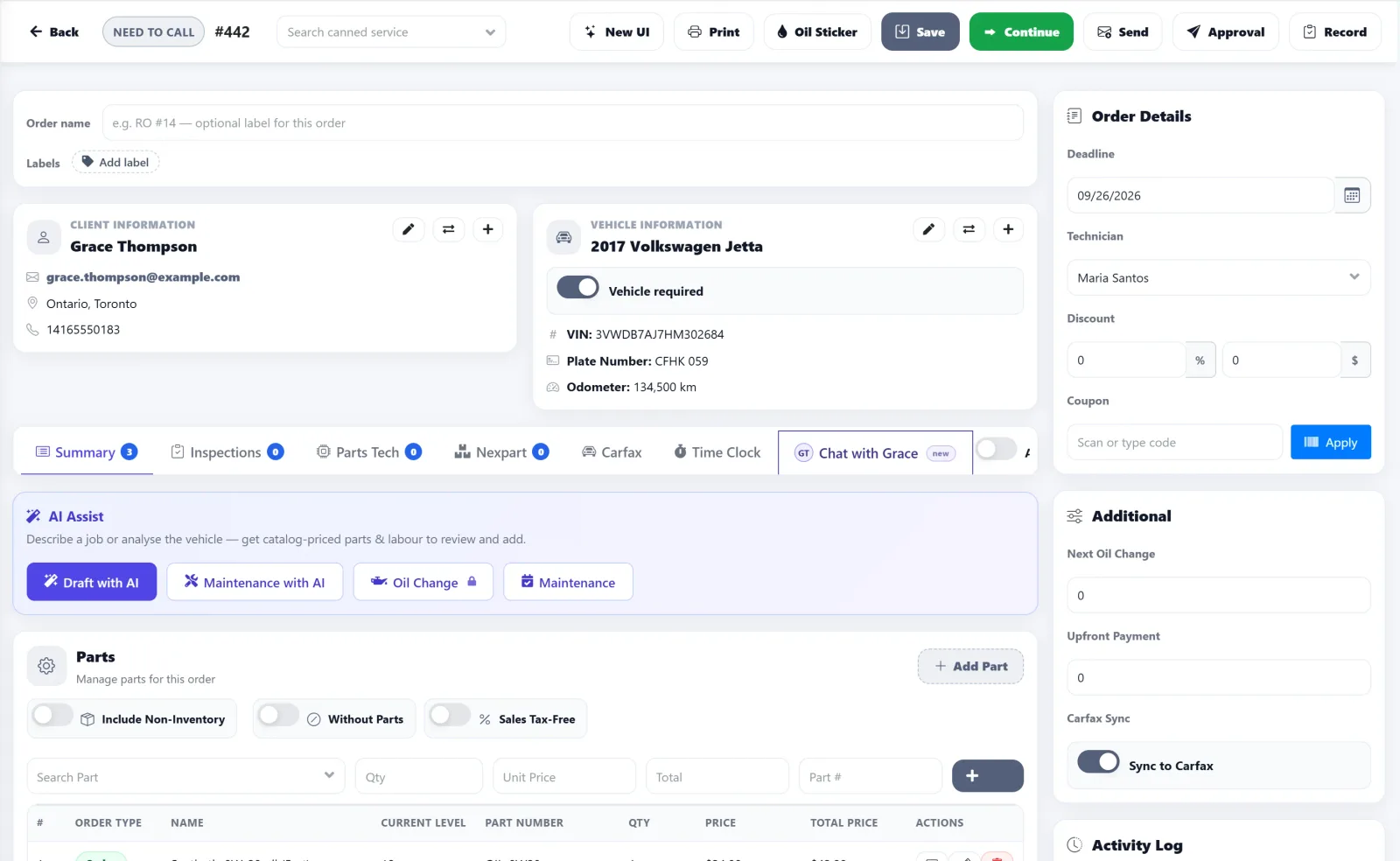
Online bookings flow straight into work orders, giving techs instant access to service details.
See and Improve
Technicians track client-booked work orders and provide instant estimates.
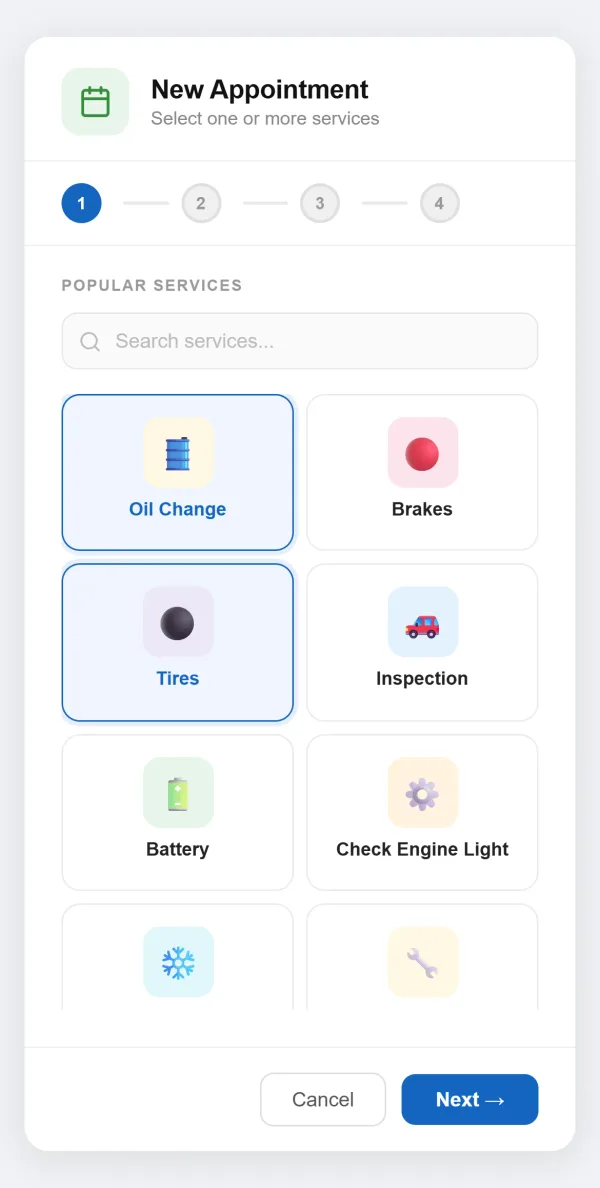
Drop the work request form right into your site.
With AutoSoftWay, your shop can embed the work request form directly into your website — so customers request service without ever leaving your page. Phone, tablet, or laptop, the experience stays clean, fast, and on-brand.
Streamline communication, save time, and give clients the modern experience that keeps them coming back.
Get the wheels spinning with AutoSoftWay.
No missed calls. No lost revenue. Just more booked jobs and happier customers — starting today.
Key Takeaways
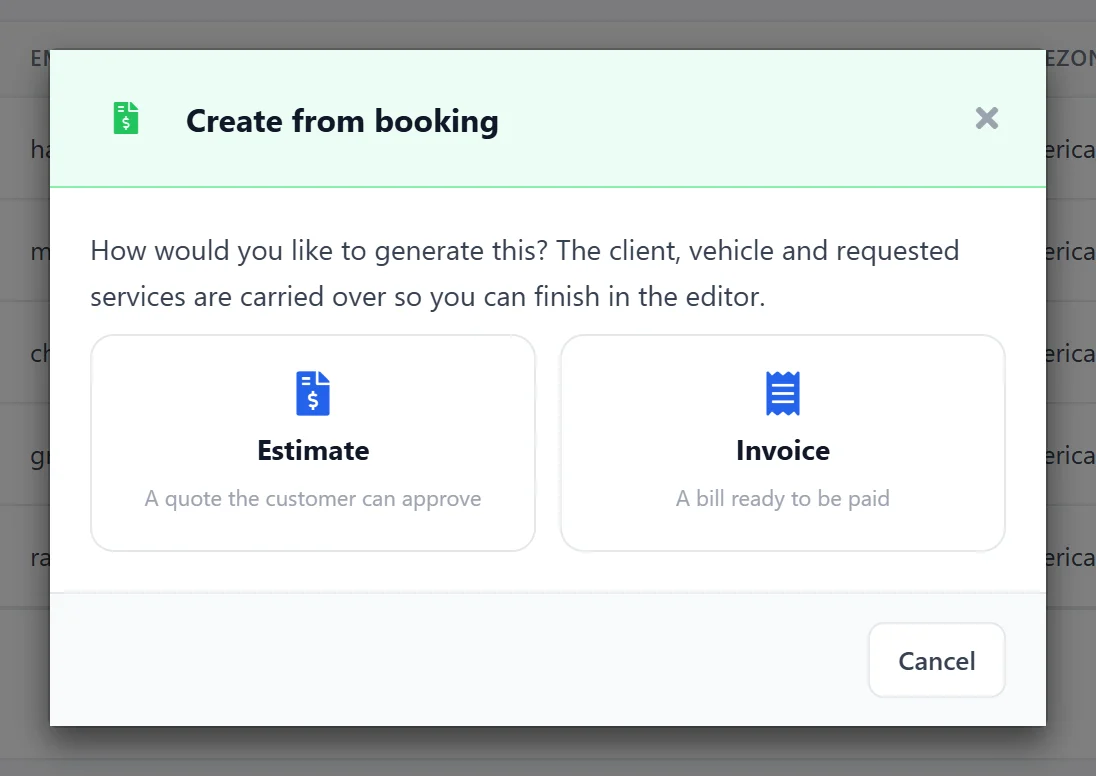
- Automatically generate estimates from bookings, saving time and streamlining workflow.
- The process works for both new and existing clients, eliminating the need for duplicate data entry.
- Just add parts and labor to complete the estimate and keep your process organized.
- This method speeds up job execution and reduces errors by minimizing manual input.