Step 1
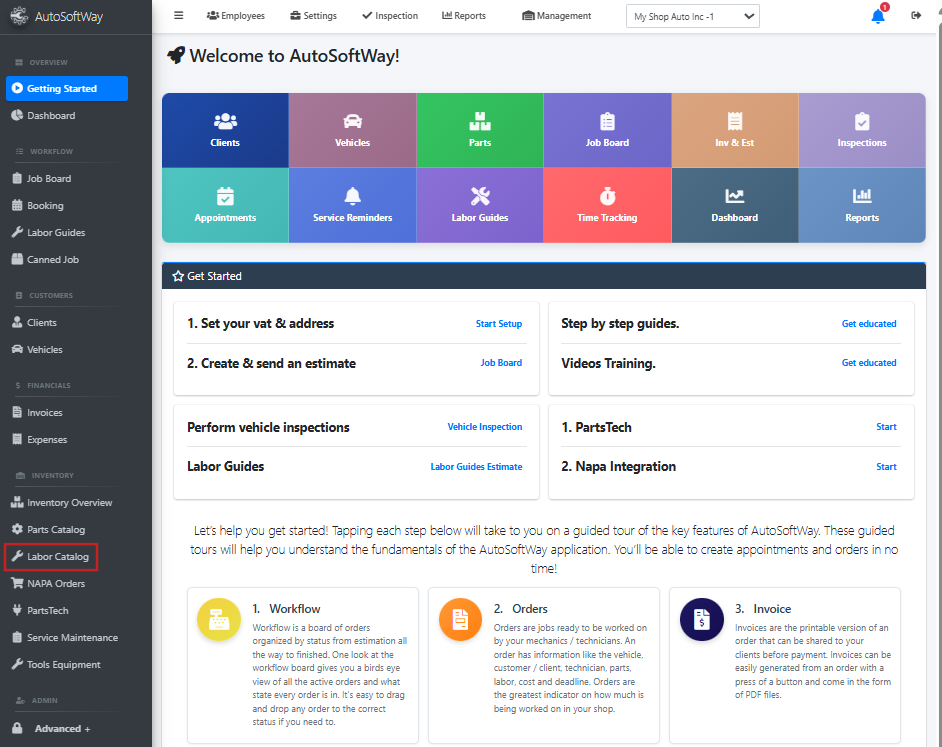
Starting from the ‘Welcome to AutoSoftWay’ page, navigate to the sidebar menu, and click on the ‘Labor Catalog’ tab.
Step 2
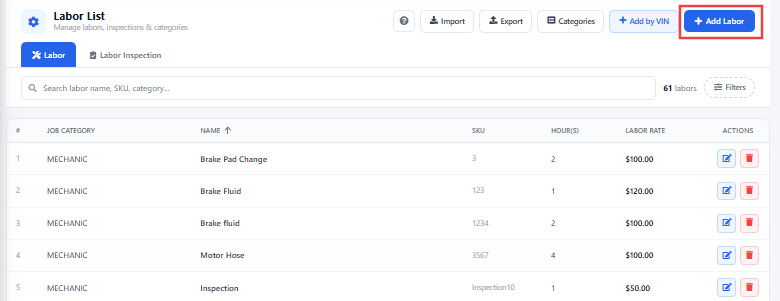
From the Labor List menu, click ‘Add’ or ‘Add by VIN’ or ‘Import’ at the top of the page.
Step 3
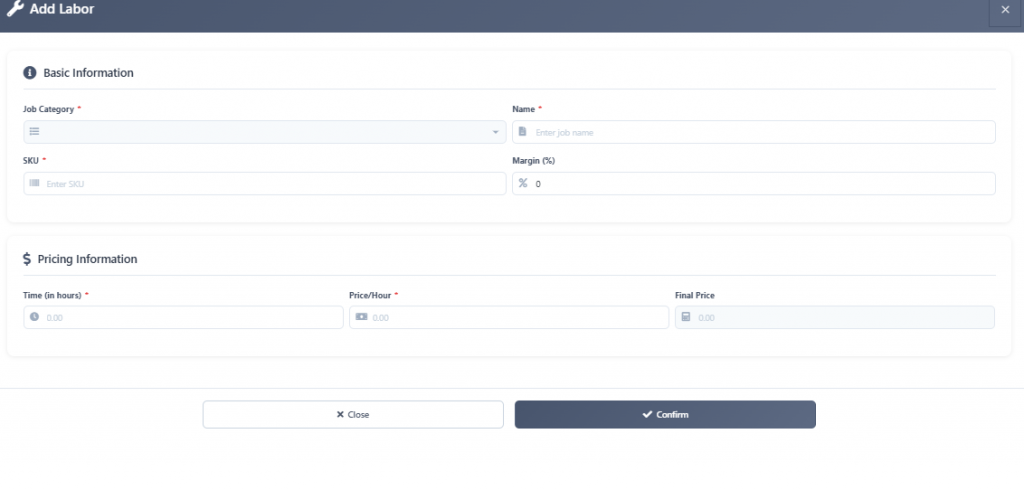
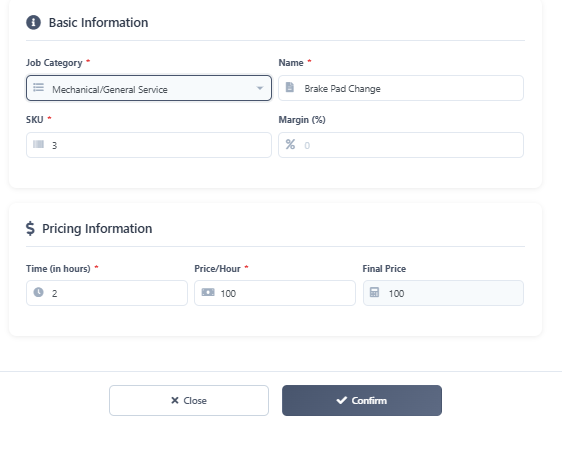
A pop up window should display empty fields for new labor rates. Proceed to fill these fields with the appropriate labor information.
Step 4
After entering the labor information into the appropriate fields, click on the ‘Confirm’ button.
Step 5
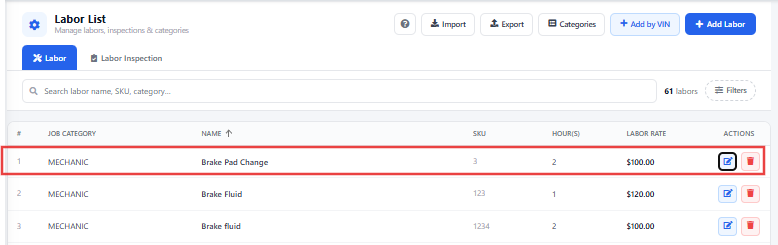
Your newly entered labor service should now be visible in the Labor menu page.