Step 1
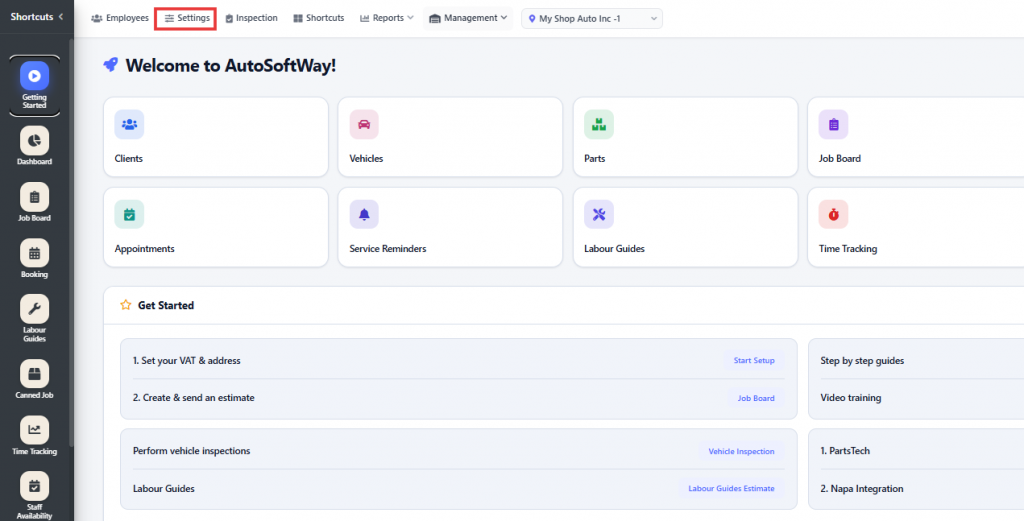
Starting from the ‘Getting Started’ section, navigate to Settings.
Step 2
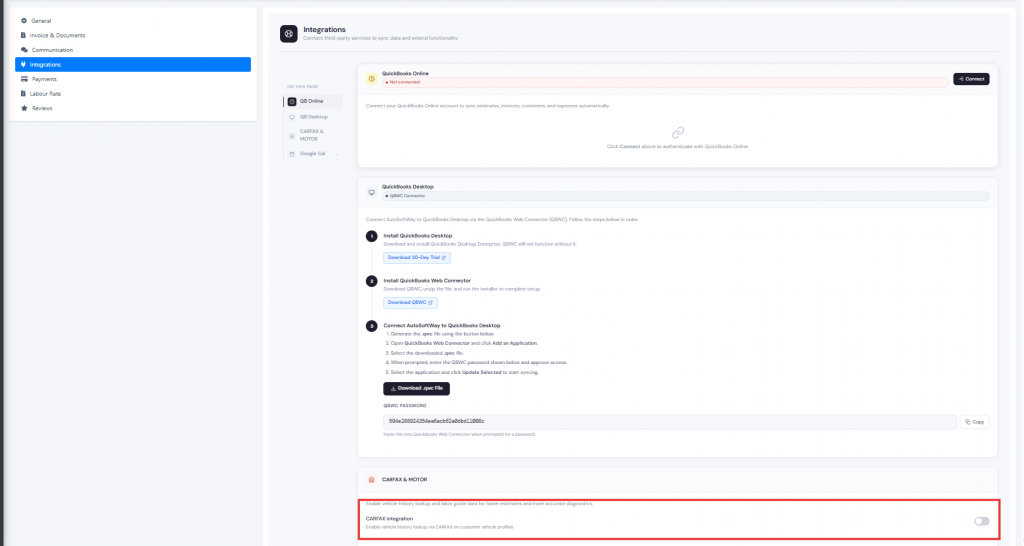
Navigate to Integrations, then enable the CARFAX integration.
Step 3
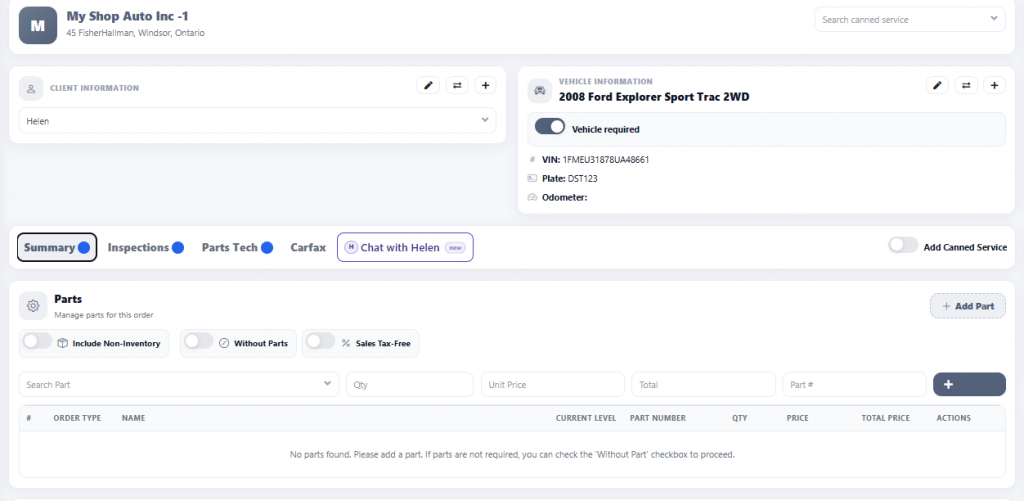
Go to the Job Board and click New Estimate to create a new estimate.
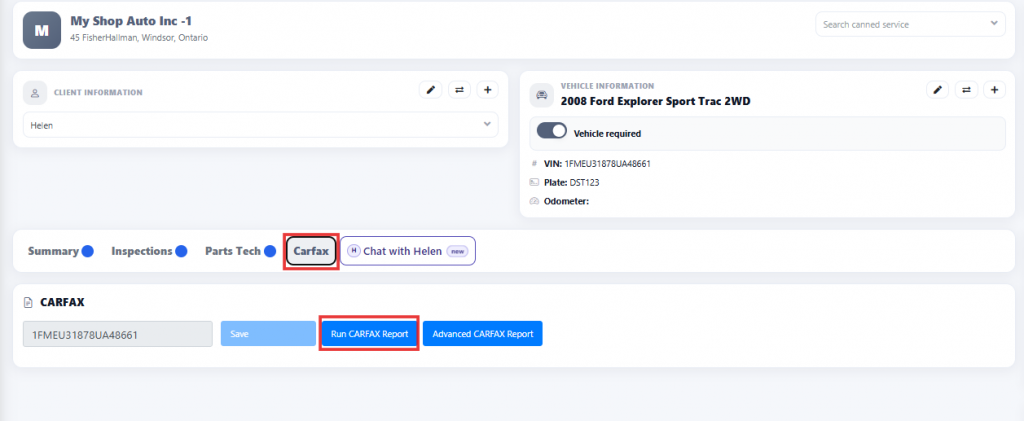
Make sure to enter the vehicle’s VIN number, as it is required for the CARFAX report and vehicle history lookup to be processed properly.
Step 4
Then click CARFAX and select Run CARFAX Report to generate the vehicle history report for that vehicle.
Step 5
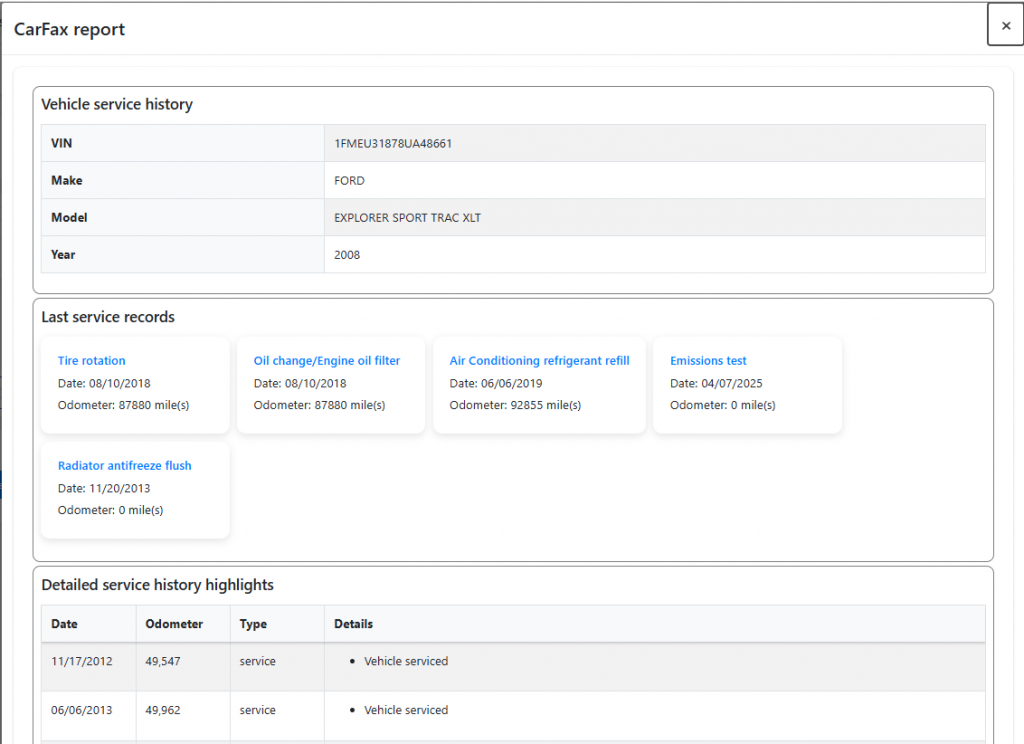
Once the CARFAX report is generated, it will display the vehicle’s history, including previous service records, maintenance history, and other available vehicle information.