


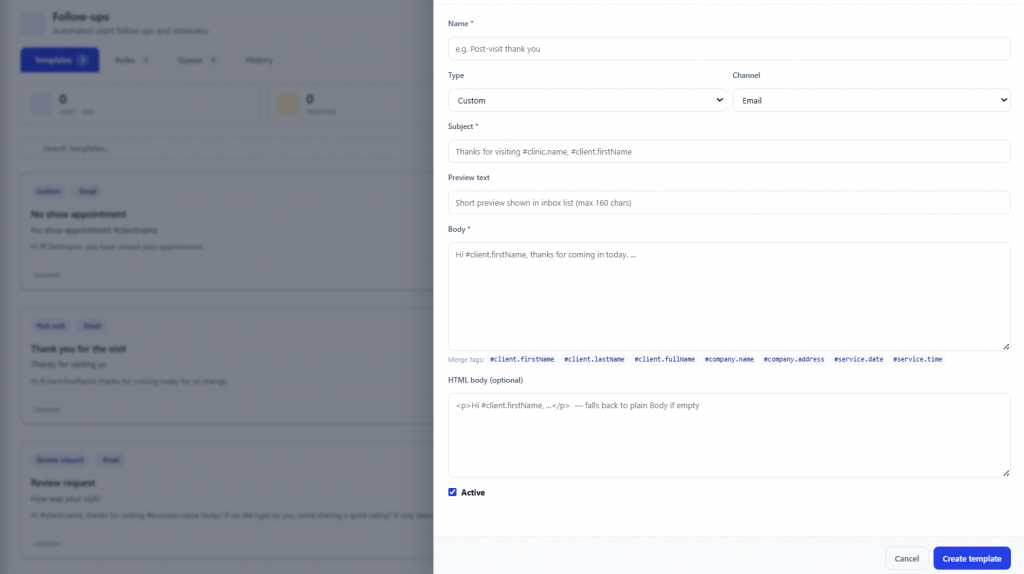
Fully customizable follow-up templates
Create personalized follow-up templates for your customers directly inside AutoSoftWay. Customize messages, build unlimited templates, and choose when each one is active. These tools make follow-ups smarter and keep customers coming back.
- Create unlimited follow-up templates
- Enable or disable templates anytime
- Automate customer communication
- Improve customer retention and repeat business
- Keep follow-ups organized and easy to manage
- Designed specifically for auto repair shops
- Simple and user-friendly template management
Send the right message at the right time
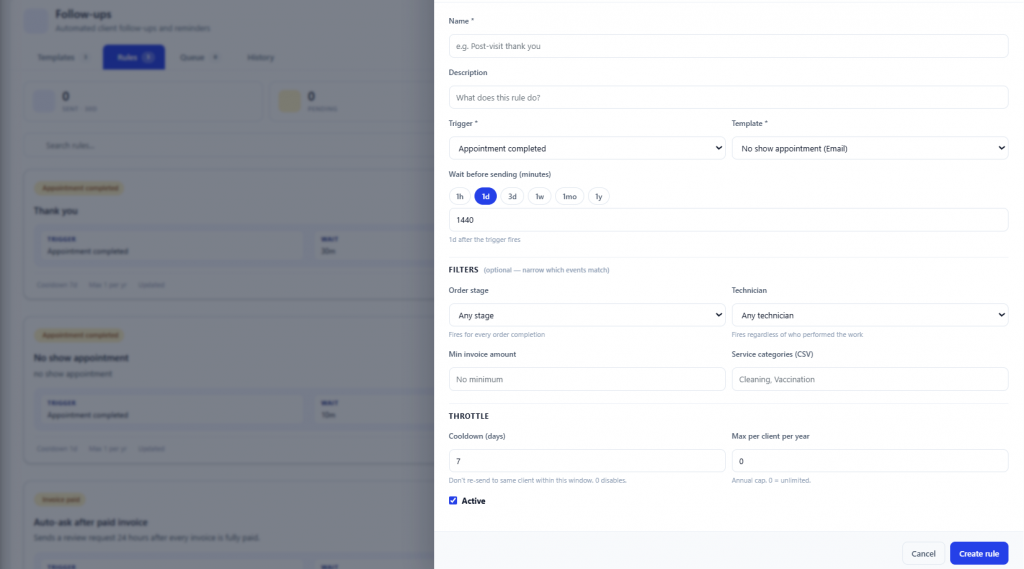
Set automated follow-up rules that send messages based on the status of the work order or invoice. You have full control over when follow-ups fire — and to whom.
- Schedule automated follow-up messages at customizable times
- Choose exactly when messages should be sent
- Target specific statuses — Completed, Pending, or Any Stage
- Enable or disable follow-up rules anytime
- Improve customer communication automatically
- Increase repeat business with timely reminders
- Flexible setup designed for auto repair shops
- Easy-to-manage automated workflow system
Full control over every follow-up
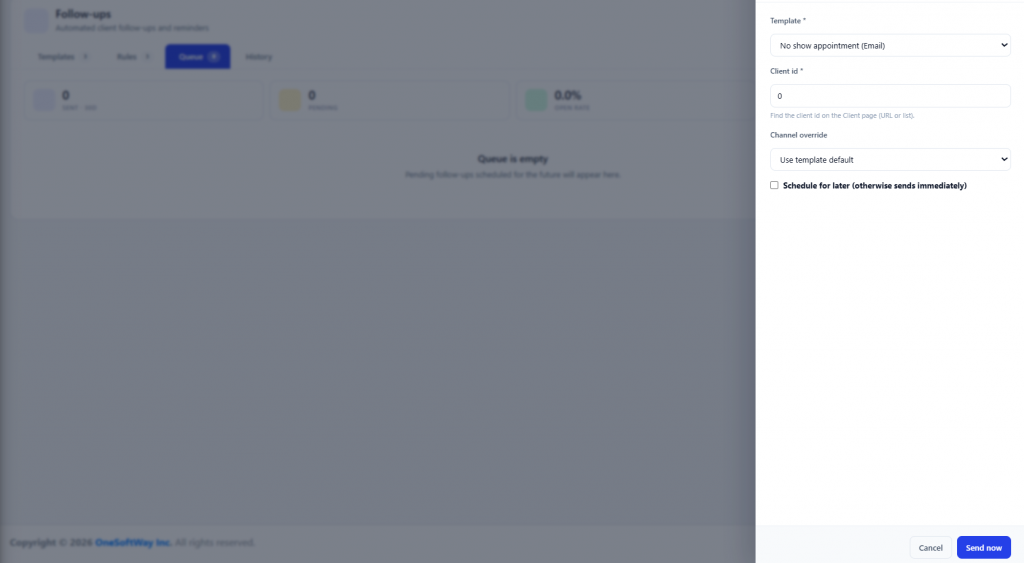
Manage and track all customer follow-ups with ease. The Queue and History sections give your shop complete visibility into scheduled and completed communications.
Queue
- Send follow-up messages instantly
- Schedule follow-ups for a later date and time
- Improve communication timing with customers
- Flexible message scheduling options
History
- View all automated follow-up messages sent
- Monitor sent follow-ups in one place
- Keep organized records of customer interactions
- Improve customer service and transparency
- Easily review previous automated notifications

From completed job to repeat customer
Four steps. Set it once, and every future job follows the same path automatically.
Build a template
Write the message once — thank-you, service reminder, review request, anything.
Set the rule
Pick the status trigger and how long after to wait — 1 day, 3 months, anything.
AutoSoftWay sends it
The right message goes to the right customer at the right moment — with zero manual work.
They come back
Reminder lands, customer books again, your shop fills more bays each month.
Key takeaways
- Unlimited fully customizable follow-up templates for your shop.
- Smart rules trigger messages based on work order or invoice status.
- Queue lets you send instantly or schedule for later.
- History keeps a complete record of every automated message sent.
- Better customer retention — without adding work for your team.
- Designed specifically for auto repair shops, built into AutoSoftWay.
Stop chasing customers. Let AutoSoftWay bring them back.
Set up your first follow-up template in minutes and let automation turn one-time jobs into repeat business.