


How to send a Stripe payment link
Connect Stripe once, then send a link from any invoice in a few clicks. It’s how you easily turn every invoice into an instant online payment and let customers pay from their own device.
-
Connect Stripe first
Go to
Setup → Paymentsand enter your Stripe account details. -
Open your invoice
Go to the invoice you want to get paid for.
-
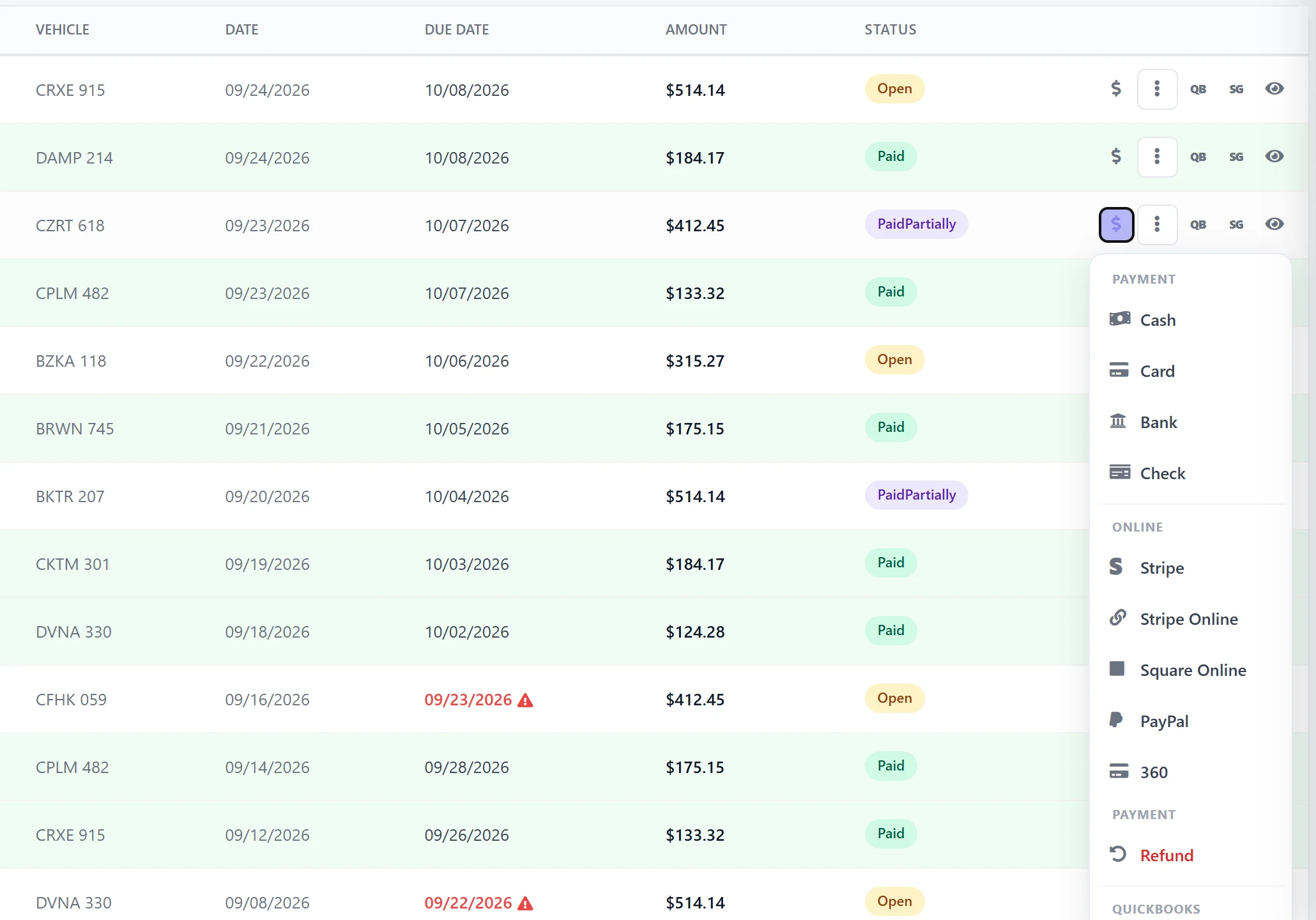
Click the $ payment icon
This generates the secure online payment option.
-
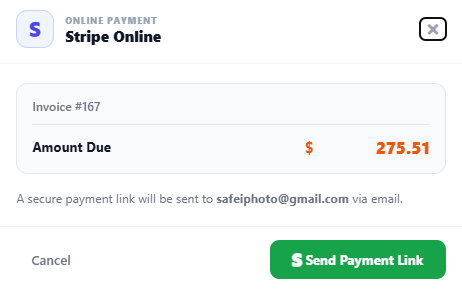
Send the payment link
Share it via email or SMS directly from AutoSoftWay.
-
Customer pays online instantly
From any device — phone, tablet, or computer — in just a few taps.
-
Payment is tracked automatically
The invoice updates the moment the payment is completed.
Why Stripe Online Payments in AutoSoftWay?
Faster cash flow, fewer follow-ups — and a payment experience your customers will actually thank you for.
Send a payment link straight from the invoice — the shop gets paid faster.
Customers can pay online instantly — anytime, anywhere, on any device.
Secure, trusted payments powered by Stripe — PCI compliant by default.
No more chasing payments — make it easy for customers to pay on the spot.
Let’s help you get started!
Connect Stripe in minutes and start collecting invoice payments online today.