Step 1
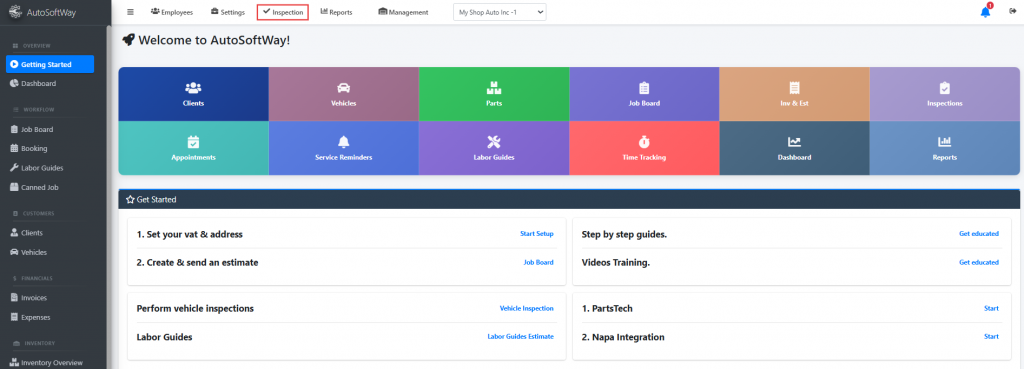
Starting from the ‘Getting Started’ page, navigate to the sidebar menu, and click on the ‘Inspections’ tab on the top.
Step 2
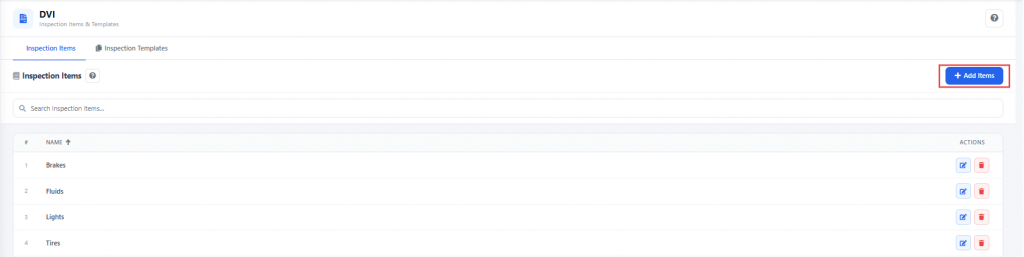
From the inspection items menu, click on ‘Add items’ at the top of the page.
Step 3
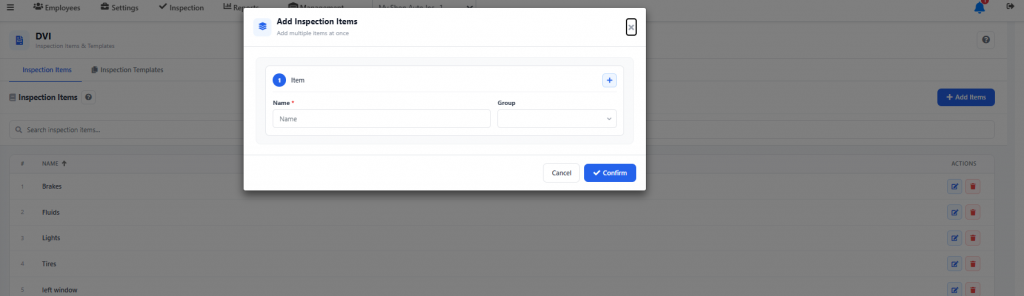
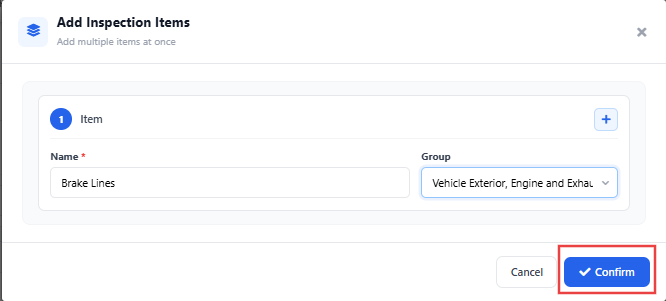
Complete with the required information and click on ‘Confirm’.
Step 4
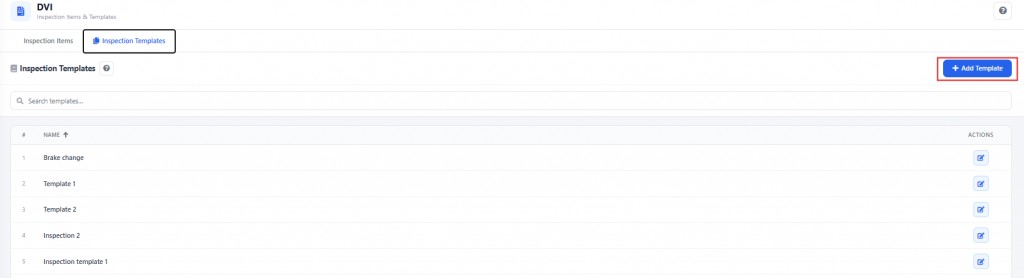
Once the inspection items have been added, click on ‘Inspection Template’ and then click on ‘Add Template’
Step 5
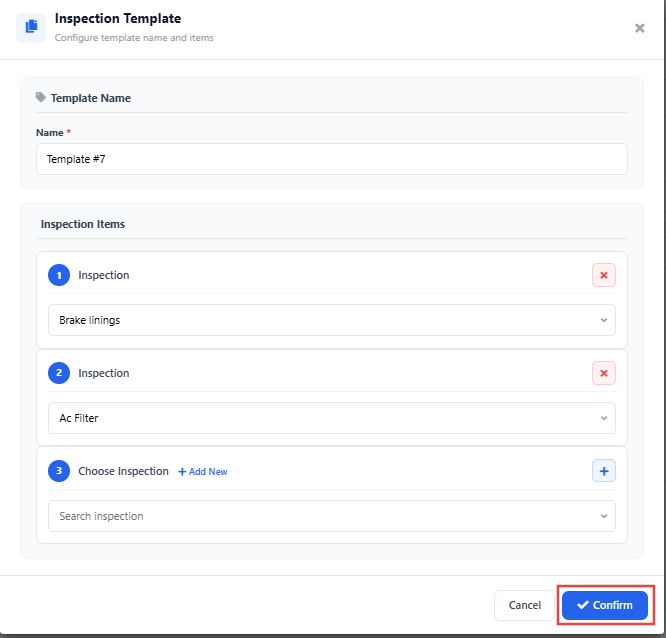
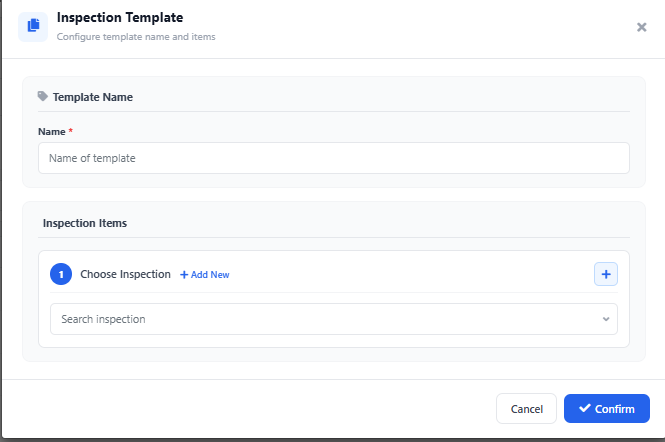
Complete with the required information.
Step 6
Once all the information has been completed, click on ‘Confirm’.