


One click to enroll — then it runs in the background
No IDs to look up and no files to upload.
Enroll in one click
Setup → Integrations → CARFAX Shop Loyalty → Enroll. Nothing to type in.
Your 24-month history
Your customers from the last 24 months of invoiced jobs go to CARFAX in the first file.
Daily updates
New customer and service records are prepared every night. Switch the daily feed off anytime.
CARFAX reaches out
CARFAX uses the list for service reminders and loyalty offers on your behalf.
Exactly what CARFAX receives — and what it doesn’t
For each customer and vehicle: first and last name, email, cell phone, ZIP or postal code, the VIN, the invoice date, and whether the job was a service or a vehicle sale. No street address is sent.
Three CARFAX features — use any combination
Shop Loyalty is separate from the other CARFAX features. You can use either one, both or neither.
Vehicle history reports
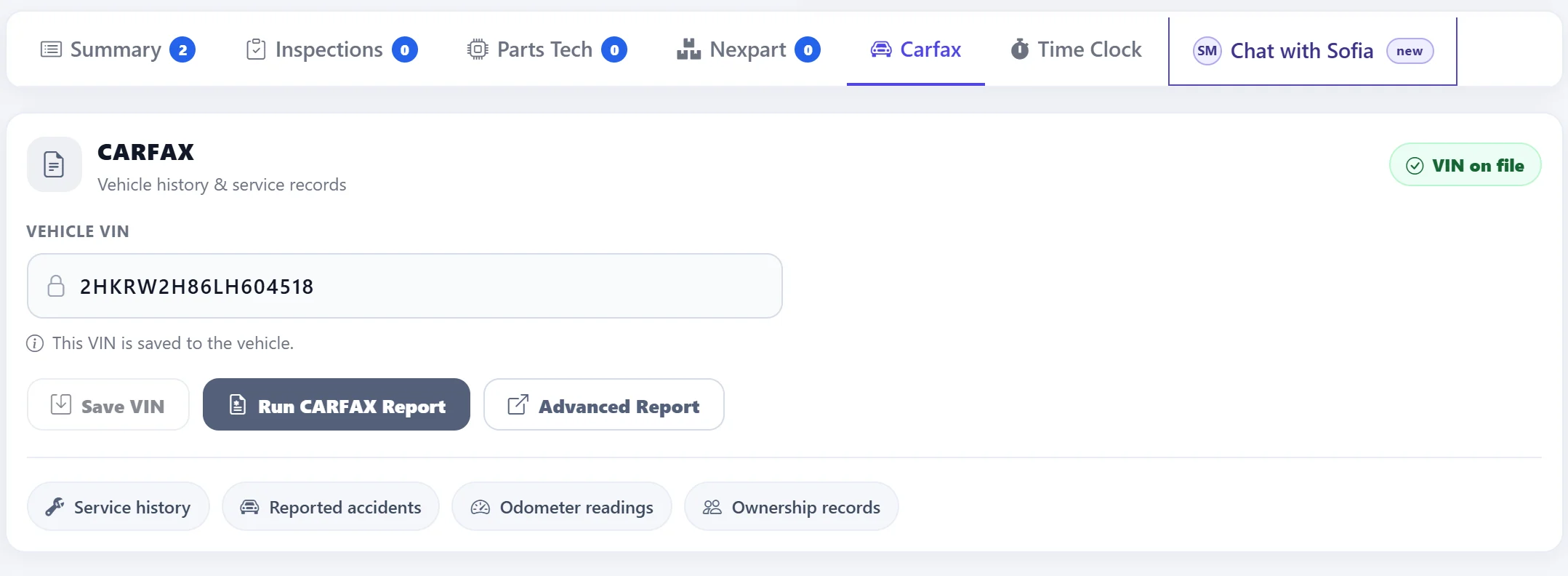
Run a CARFAX report from the order: service history, reported accidents, odometer readings and ownership records.
Service-history reporting
Share completed repairs with CARFAX so they appear on the vehicle’s CARFAX history.
CARFAX Shop Loyalty
Share your customer list so CARFAX can run service reminders and loyalty offers for your shop.
One switch per order
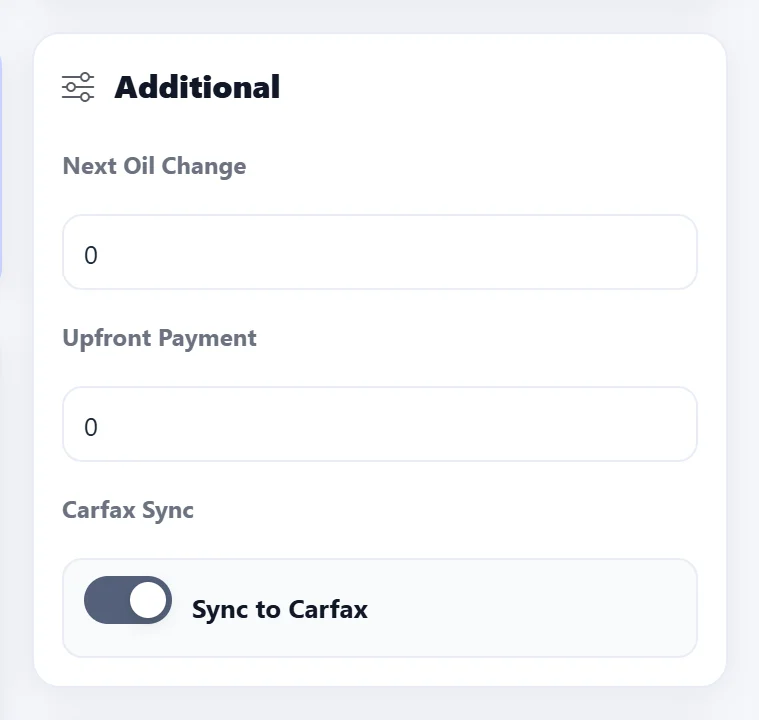
The same Sync to Carfax switch decides which jobs are shared with CARFAX.
Already using CARFAX reports? Shop Loyalty adds to them
The CARFAX tab on every order runs a vehicle history report from the VIN. Shop Loyalty doesn’t change it — it adds CARFAX’s reminders and loyalty offers for your customers.
CARFAX Shop Loyalty — your questions answered
What is CARFAX Shop Loyalty?
CARFAX Shop Loyalty is a CARFAX program for auto repair shops. You share your customer list with CARFAX so CARFAX can run service reminders and loyalty offers on your behalf, helping bring your customers back to your shop.
How do I enroll from AutoSoftWay?
Go to Setup → Integrations → CARFAX Shop Loyalty and click Enroll. There are no IDs to look up or type in. The program is available to shops in the United States and Canada.
What customer information is shared with CARFAX?
For each customer and vehicle: first and last name, email, cell phone, ZIP or postal code, the VIN, the invoice date, and whether the job was a service or a vehicle sale. No street address is sent.
Which jobs are included?
Invoiced jobs with a valid VIN from the last 24 months in the first file, then new customer and service records each day. Only jobs with the Carfax Sync switch on are included — switch it off on any order you want to leave out.
What about customers who unsubscribed?
Customers who unsubscribed from your emails, or replied STOP to your text messages, are marked as not opted in for that channel, so CARFAX knows not to email or text them.
Can I stop sending?
Yes. The daily feed can be switched off on the CARFAX Shop Loyalty card in Setup → Integrations at any time.
Does it cost anything?
There is no AutoSoftWay add-on for it. CARFAX runs the program and sets its own pricing: new shops currently receive 6 months free, then a monthly subscription based on shop volume. The current terms are shown on the CARFAX Shop Loyalty card in your account.
How is it different from CARFAX service-history reporting?
Service-history reporting shares your completed repairs with CARFAX so they appear on the vehicle’s CARFAX history. Shop Loyalty is a separate customer-list feed for CARFAX’s reminders and loyalty offers. You can use either one, both or neither.
Get 10 days free — on us
Register your shop today and unlock the full AutoSoftWay platform — including estimates, repair orders, invoices and every CARFAX feature. CARFAX Shop Loyalty is available on every plan for shops in the United States and Canada. A credit card is required for verification — you won’t be charged during your trial.
Bring customers back to your shop
CARFAX Shop Loyalty, vehicle history reports, estimates and invoices in one platform — try AutoSoftWay free for 10 days.