


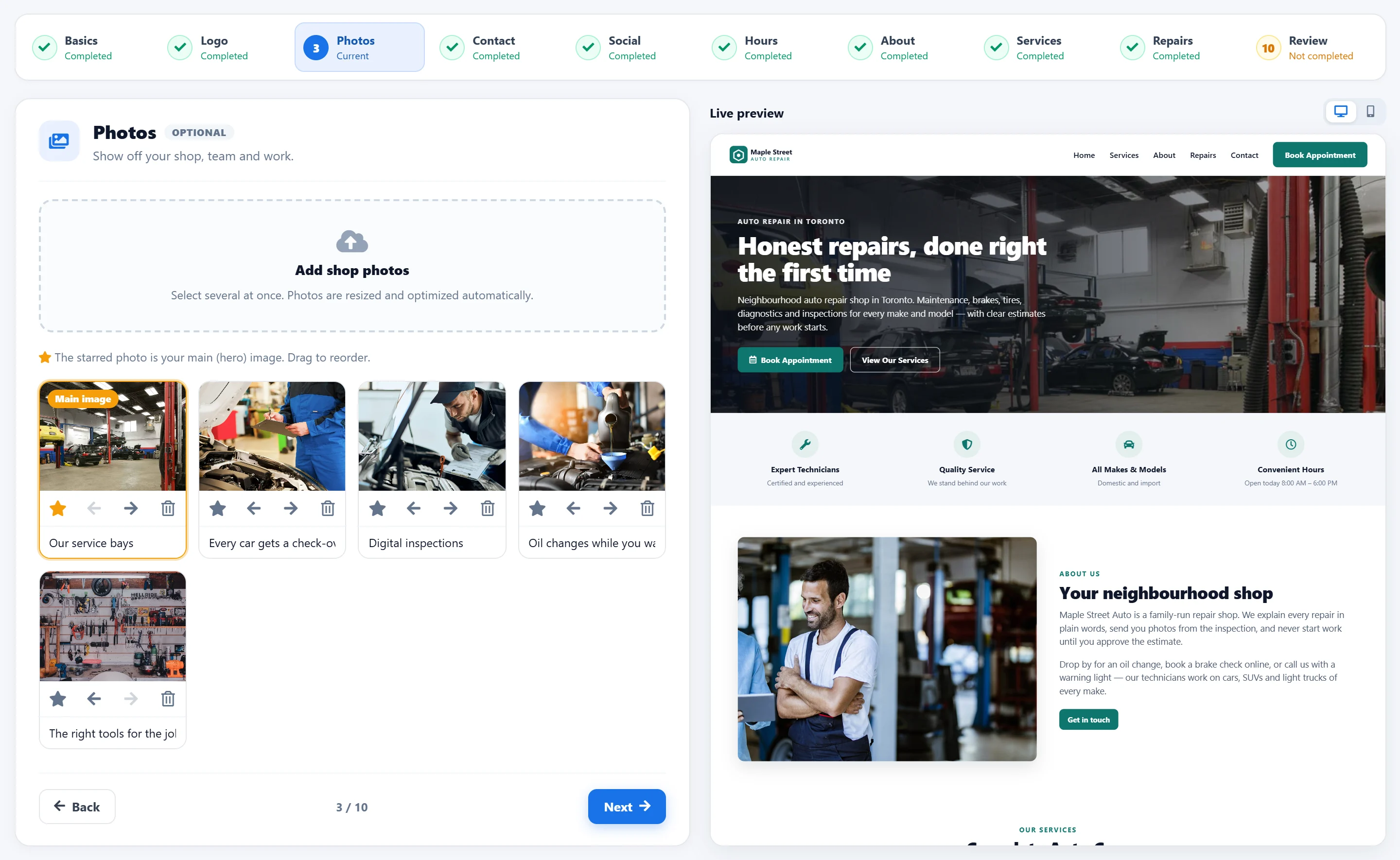
From the first step to a live website
One guided setup inside AutoSoftWay — every change saves automatically.
Your brand
Business name and description, your logo and brand colour, and photos of your shop, team and work.
How to reach you
Phone, email and address, social and review profiles, and the hours your shop is open.
What you do
Your story, the services you offer and the repairs customers can book, call or ask about.
Review and publish
A checklist shows anything missing. Preview the whole website, then publish it.
A professional website your customers can use
Your published website shows your shop the way customers look for it: what you fix, when you are open and how to reach you — with a button to book an appointment on every screen.
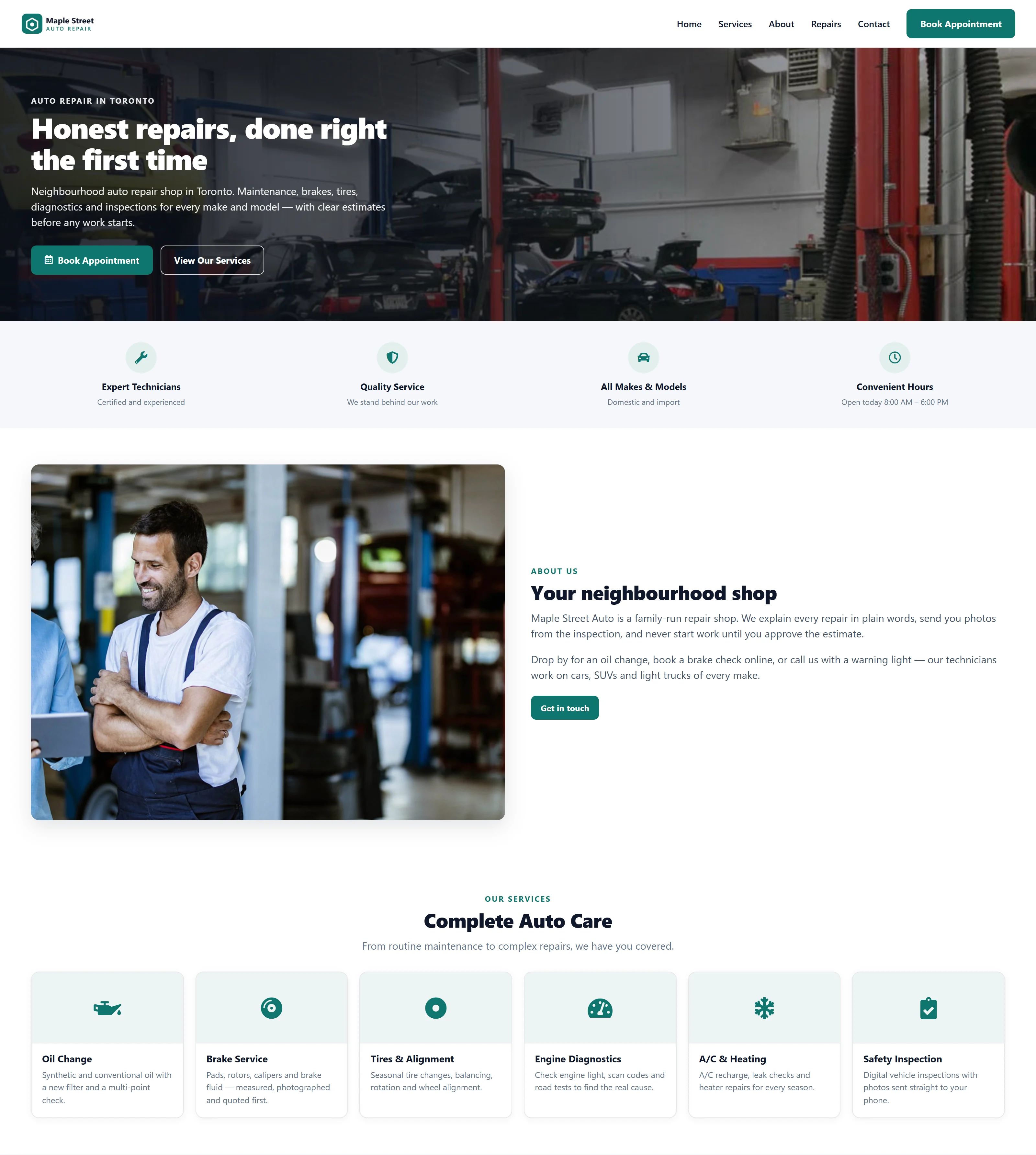
Looks right on every phone
Most customers find a repair shop on their phone. Your website adapts to every screen, and the Website Builder preview switches between desktop and mobile so you can check both before you publish.
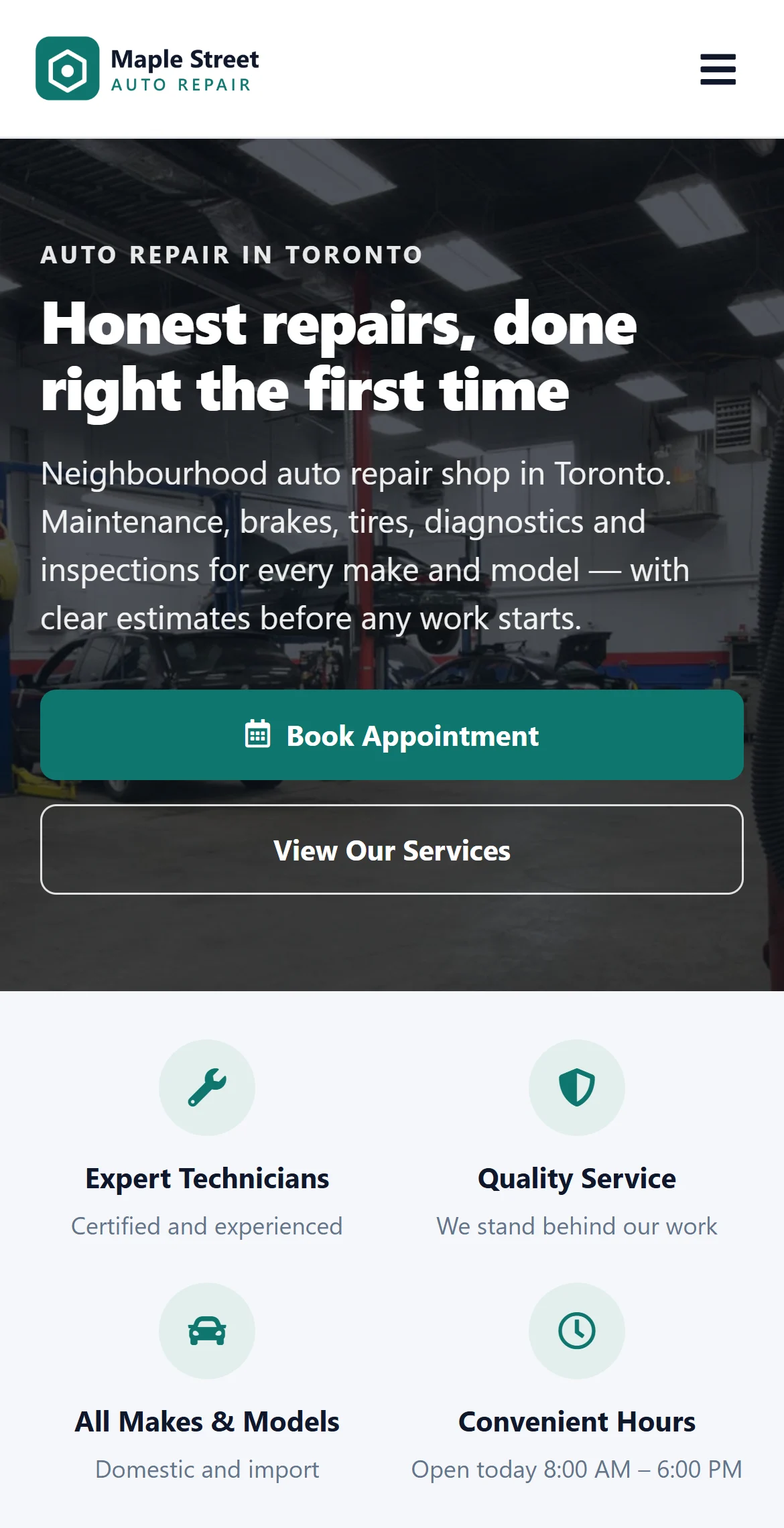
Show what you fix — without typing it twice
Add the services you offer with an icon, a short description and an optional image. Import from AutoSoftWay lists the services you already use in your account, so you only pick the ones to show.
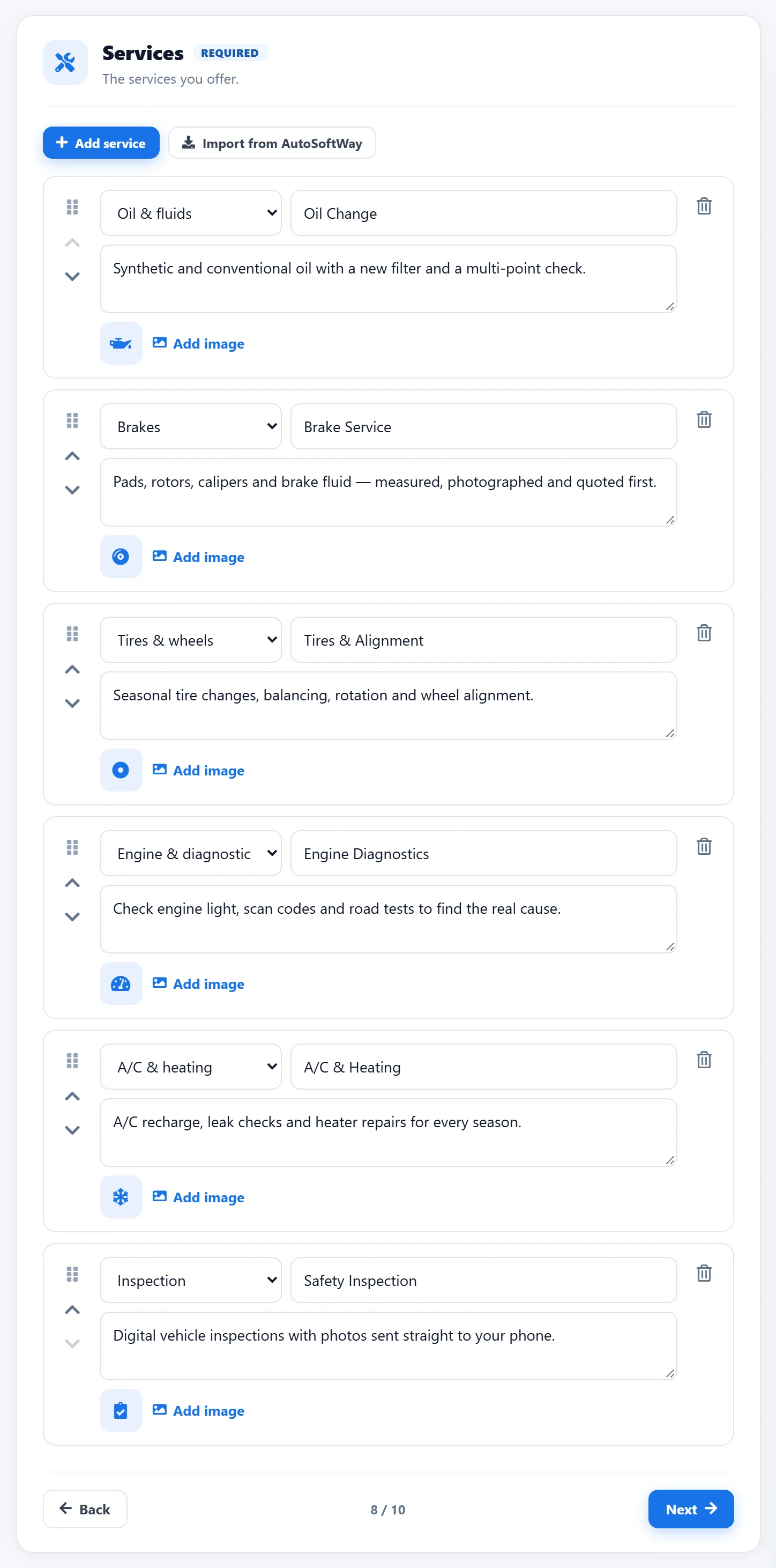
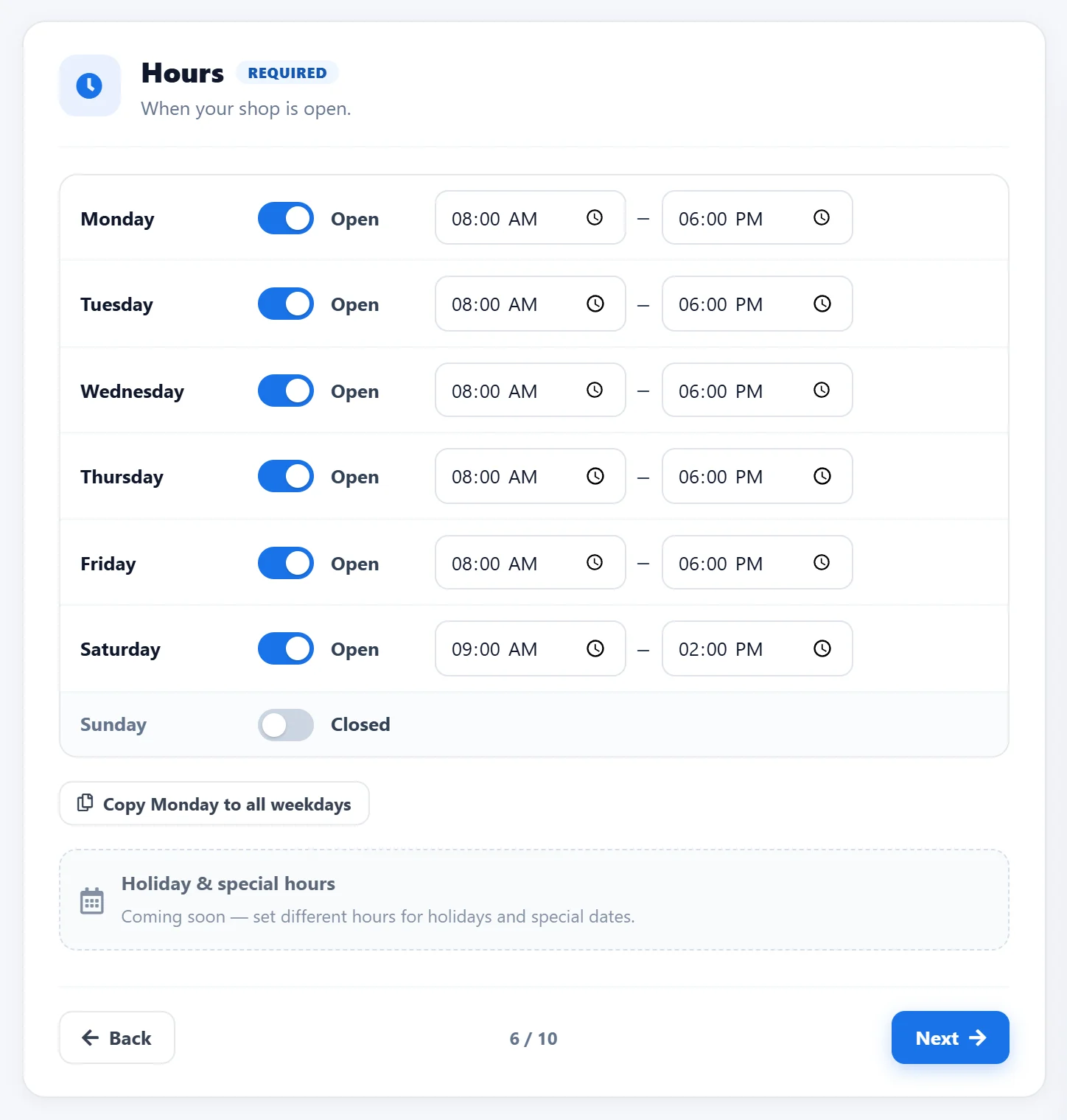
Your hours, your logo — set in minutes
Upload your logo and pick a brand colour, then set your opening hours day by day. Photos are resized and optimized automatically, and the starred photo becomes the main image of your website.
Check everything, then publish
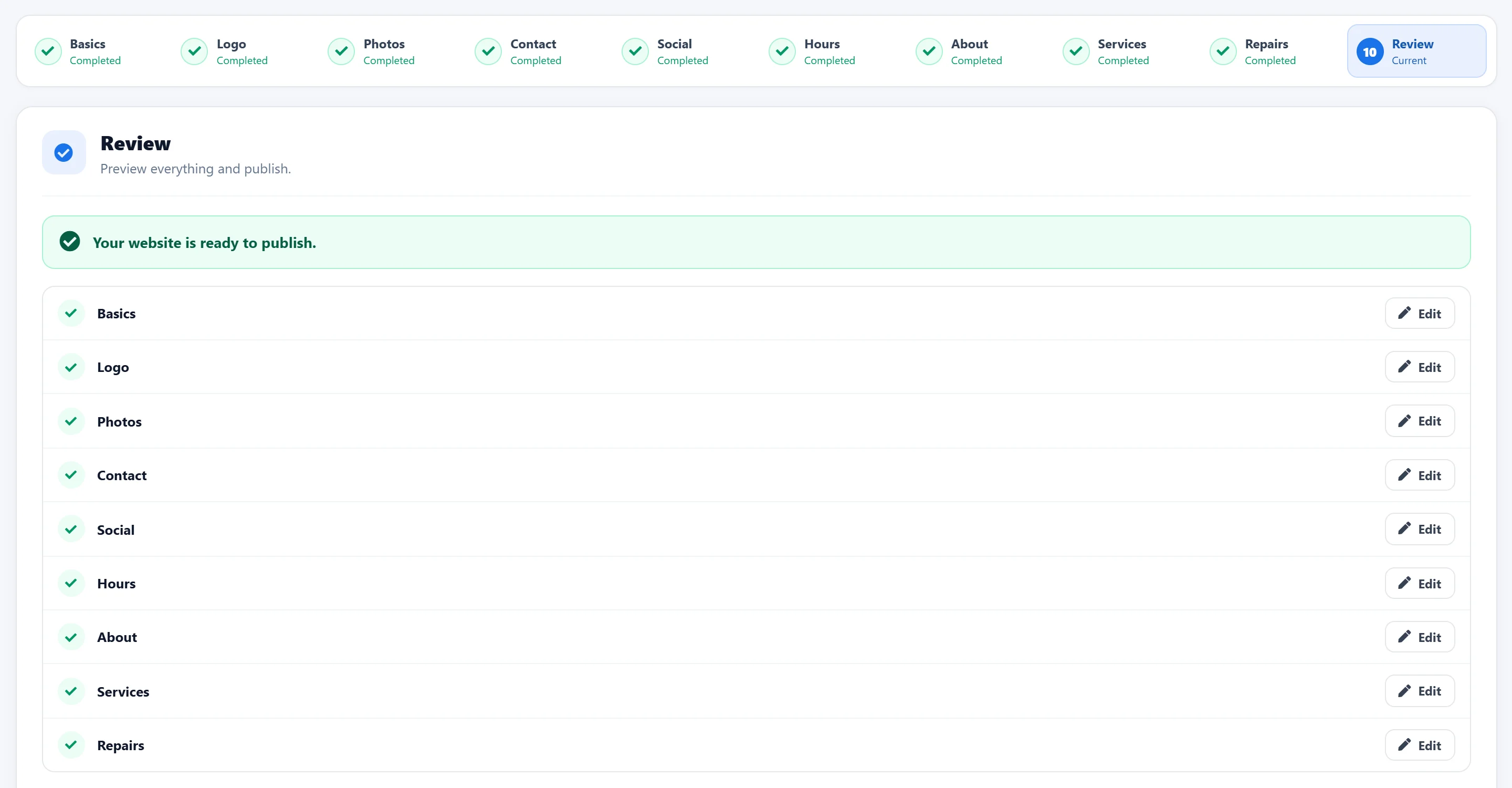
The Review step lists every section with its status and an Edit button, so nothing is left out. Publish when it is ready — and when you change something later, press Publish changes to update the live website.
What you get — no surprises
The Website Builder is part of your AutoSoftWay account; the website plan covers hosting your website. Compare AutoSoftWay plans →
Build
- 10 guided steps
- Live desktop & mobile preview
- Logo, colour & photos
- Import your services
- Saved automatically
Your website
- Services & repairs
- About & photo gallery
- Opening hours
- Social & review links
- Mobile-friendly
Win customers
- Online booking widget
- Contact form
- Call & book buttons
- Optional map
- Publish changes any time
Website plan
- $30/month, billed annually
- SSL included
- Hosting on AutoSoftWay servers
- Subscribe online in the Website Builder
Website Builder — your questions answered
What is the Website Builder in AutoSoftWay?
The Website Builder creates a website for your auto repair shop from inside AutoSoftWay. A guided setup takes you through 10 simple steps — business details, logo, photos, contact details, social links, opening hours, about, services and repairs — then you review everything and publish.
Do I need web design experience?
No. Every step is a short form with a live preview beside it, so you see your website change as you type. Required fields are marked, and the Review step tells you exactly what is missing before you publish.
Can I stop and finish later?
Yes. Every change saves automatically, and the Website Builder remembers the step you were on, so you can leave and continue later from the same place.
Can customers book appointments from the website?
Yes. Turn on online booking and your website shows the AutoSoftWay booking widget, so new appointments land in your schedule. You can also show a contact form, your opening hours and a map.
Do I have to type all my services again?
No. Import from AutoSoftWay lists the services you already use in your account — pick the ones to show, then edit the names, descriptions, icons and images.
Does the website work on phones?
Yes. The website is mobile-friendly, and the preview switches between desktop and mobile so you can check both before you publish.
How do I update the website after it is live?
Edit any step and press Publish changes. Visitors keep seeing the published version until you publish, and you can unpublish the website at any time.
How much does the website plan cost?
The website plan is $30/month, billed annually ($360/yr), and includes SSL, hosting on AutoSoftWay servers and your custom website. You can subscribe online from the Website Builder, and the trial terms are shown there before you pay.
Get 10 days free — on us
Register your shop today and unlock the full AutoSoftWay platform — including estimates, invoices, online booking and the Website Builder for your shop website. A credit card is required for verification — you won’t be charged during your trial.
Get your shop online
Your website, online booking, estimates and invoices in one platform — try AutoSoftWay free for 10 days.