


From the VIN to a job done to spec
Four steps, all inside the estimate or invoice.
Decode the VIN
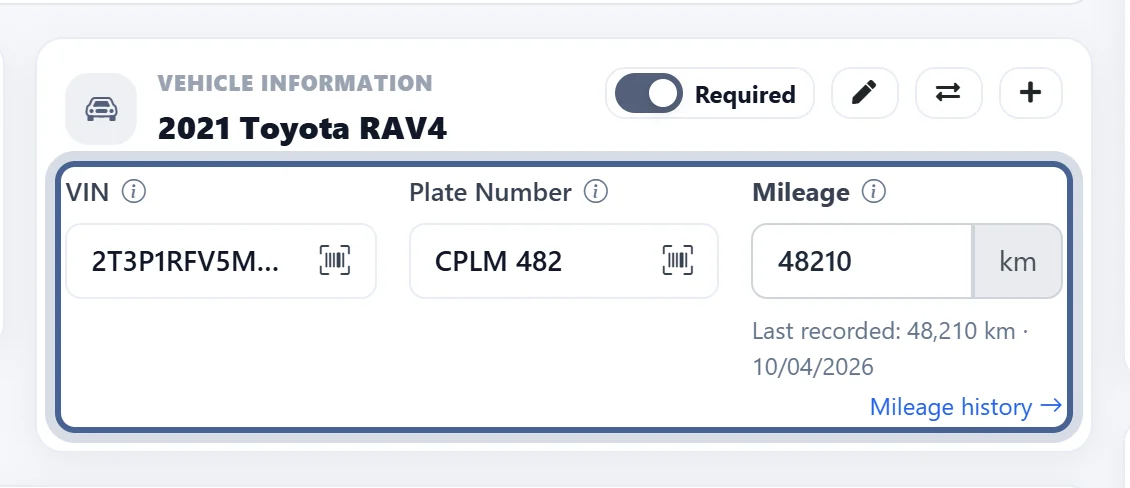
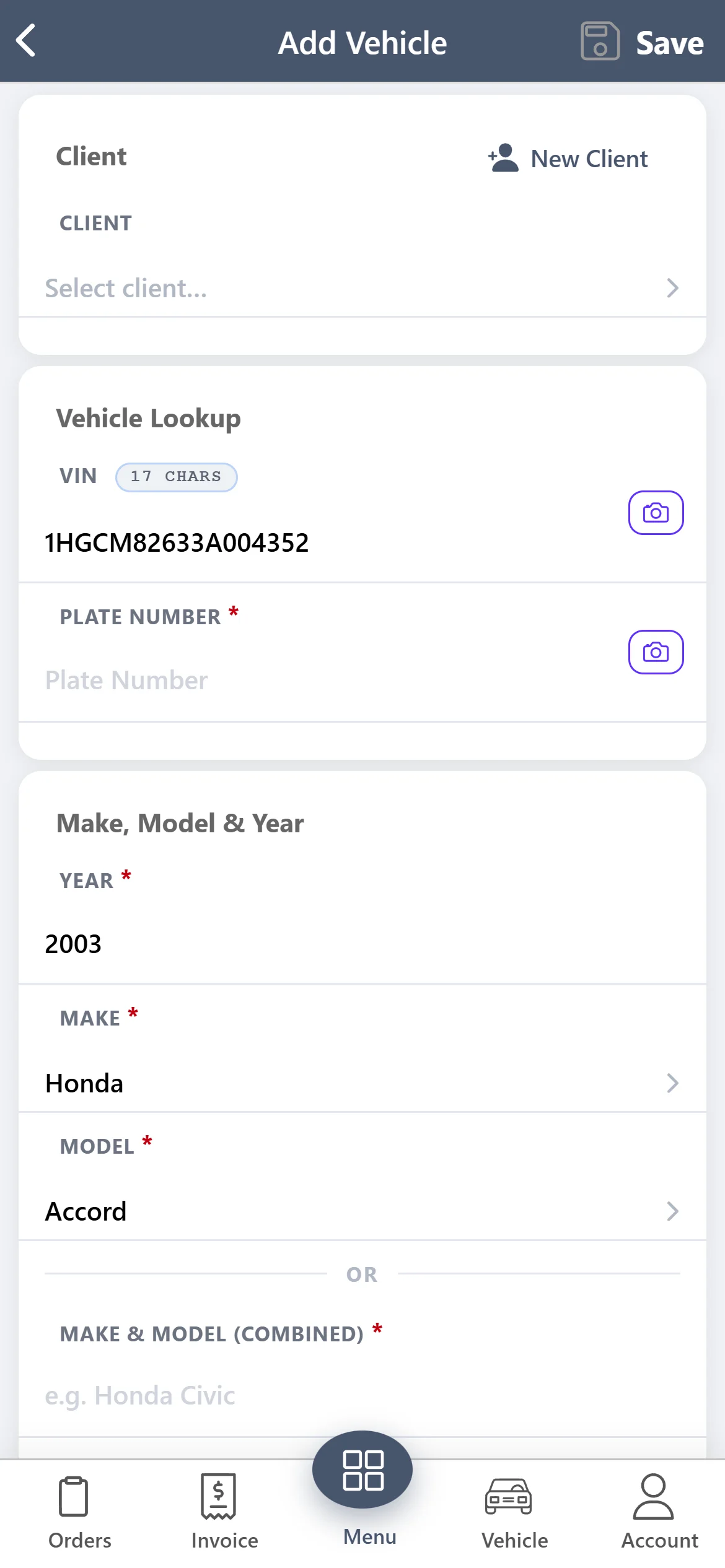
Type or scan the VIN and the year, make and model fill in — no retyping vehicle details.
Pull the OEM oil spec
Viscosity, capacity with and without the filter, the OEM spec and matching filter part numbers.
Check the factory schedule
The manufacturer’s services with their mileage and month intervals and the parts each one needs.
Add it to the estimate
Tick what the customer needs and add it — parts go into your catalog, labour at your shop rate.
Scan the VIN — year, make and model fill in
Add a vehicle from the front desk or the bay. Type the 17-character VIN or scan it with the phone camera, and AutoSoftWay decodes it for you.
The right oil and filter — every oil change
Click Oil Change on the estimate or invoice and the OEM spec for the vehicle opens. Part of the Oil Change add-on.
Viscosity & oil type
The grade and type the manufacturer specifies for the engine.
With and without filter
Refill capacity both ways, so the quantity on the estimate is right.
OEM specification
The manufacturer’s oil specification for the vehicle.
Filter part numbers
Matching oil filters with brand and part number — tick the one you use.
The manufacturer’s schedule — on the estimate
Open the maintenance schedule from the estimate or invoice and recommend what is due. Part of the Maintenance Schedule add-on.
Miles and months
Each recommended service with its mileage and month interval.
Parts for each service
See what each service needs before you quote it.
Tick and add
Add the services the customer approves to the estimate or invoice in one step.
Priced your way
Parts are saved to your catalog at your price; labour uses your shop rate.
What you get — no surprises
OEM oil specs and factory maintenance schedules are add-ons that work with every AutoSoftWay plan. Compare plans & prices →
VIN decode
- Year, make & model from the VIN
- On the vehicle form & estimate
- Mobile VIN scanner
- Plate lookup via CARFAX (Pro, Plus, Enterprise)
OEM oil specs
- Viscosity & oil type
- Capacity with / without filter
- OEM specification
- Filter part numbers
Maintenance schedules
- Factory services
- Mileage & month intervals
- Parts per service
- Add to estimate or invoice
How to add it
- Oil Change add-on
- Maintenance Schedule add-on
- Available on every plan
- Prices on the pricing page
OEM specs & maintenance — your questions answered
What does VIN decode fill in?
Type or scan the 17-character VIN when you add a vehicle or on the estimate, and AutoSoftWay fills in the year, make and model. On Pro, Plus and Enterprise plans you can also look a vehicle up by licence plate through CARFAX.
Where do the OEM oil specs and maintenance schedules come from?
Both come from Vehicle-Finder, a vehicle data provider, for the exact year, make and model on the estimate. VIN decode uses the NHTSA VIN database first, with Vehicle-Finder as a backup.
What does the OEM oil spec show?
The oil viscosity and type, the capacity with and without the filter, the OEM specification, and a list of matching oil filters with brand and part number. Tick what you need and add it to the estimate or invoice.
What if the vehicle isn’t found?
For oil specs you can choose “Use AI + Catalog” instead: an AI-suggested spec matched to the oils and filters in your own catalog. It is never used automatically — you decide when to use it.
How are the parts and labour priced?
Parts you add are saved to your own parts catalog (an existing matching part is reused), so you set your price once. Oil-change and maintenance labour use your shop’s labour rate.
Is it included in my plan?
VIN decode is part of AutoSoftWay. OEM oil specs (the Oil Change add-on) and factory maintenance schedules (the Maintenance Schedule add-on) are paid add-ons available on every plan; add-on prices are on the pricing page.
Get 10 days free — on us
Register your shop today and unlock the full AutoSoftWay platform — including estimates, invoices and vehicle records. OEM oil specs and factory maintenance schedules are paid add-ons you can add from inside your account. A credit card is required for verification — you won’t be charged during your trial.
Every job done to spec
VIN decode, OEM oil specs, factory maintenance schedules, estimates and invoices in one platform — try AutoSoftWay free for 10 days.