


From the complaint to the repair order
One page, four steps — the technician stays in control the whole way.
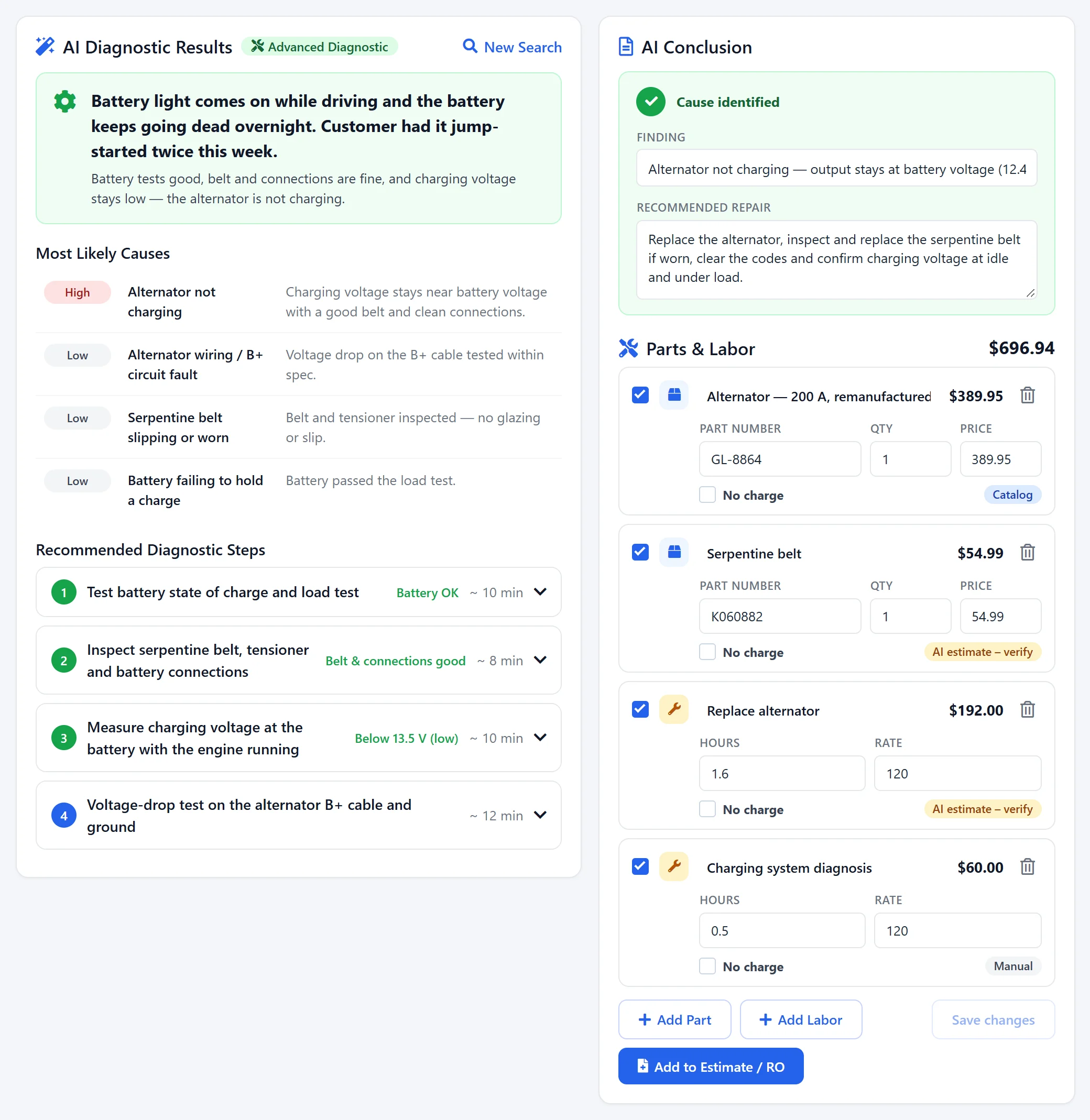
Describe the issue
Type or dictate the complaint, pick symptoms like No Power, Warning Light or Noise, and add DTC codes, photos or a scan report.
Get likely causes
The AI ranks the most likely causes High, Medium or Low and plans the checks — cheapest and most likely first.
Check and record
Follow each step, tap the result, and the diagnosis adapts. It concludes as soon as a result explains the symptom.
Add it to the RO
Push the parts, labour and finding to the estimate or RO, and send the customer a plain-language explanation.
Start from the complaint — the vehicle is already loaded
Open AI Diagnostic from the Job Board card, the repair order or the vehicle, and the year, make, model, VIN, mileage and customer are filled in. Then tell the AI what’s wrong.
Step-by-step checks that adapt to every result
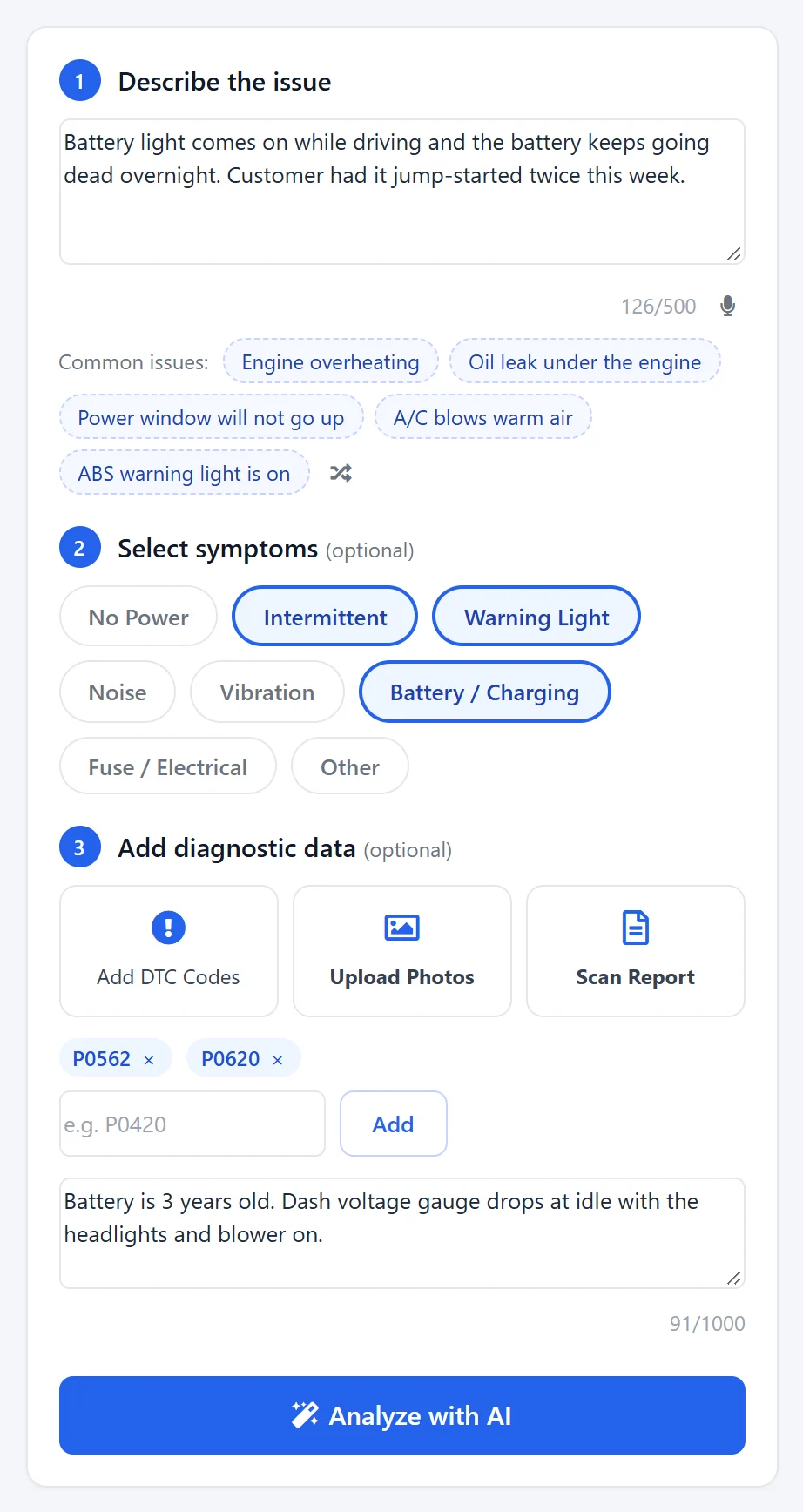
The AI ranks the most likely causes and plans the checks. Open the current step, do the test and tap the result — the causes are re-ranked and the next check updates.
Parts and labour straight to the estimate or RO
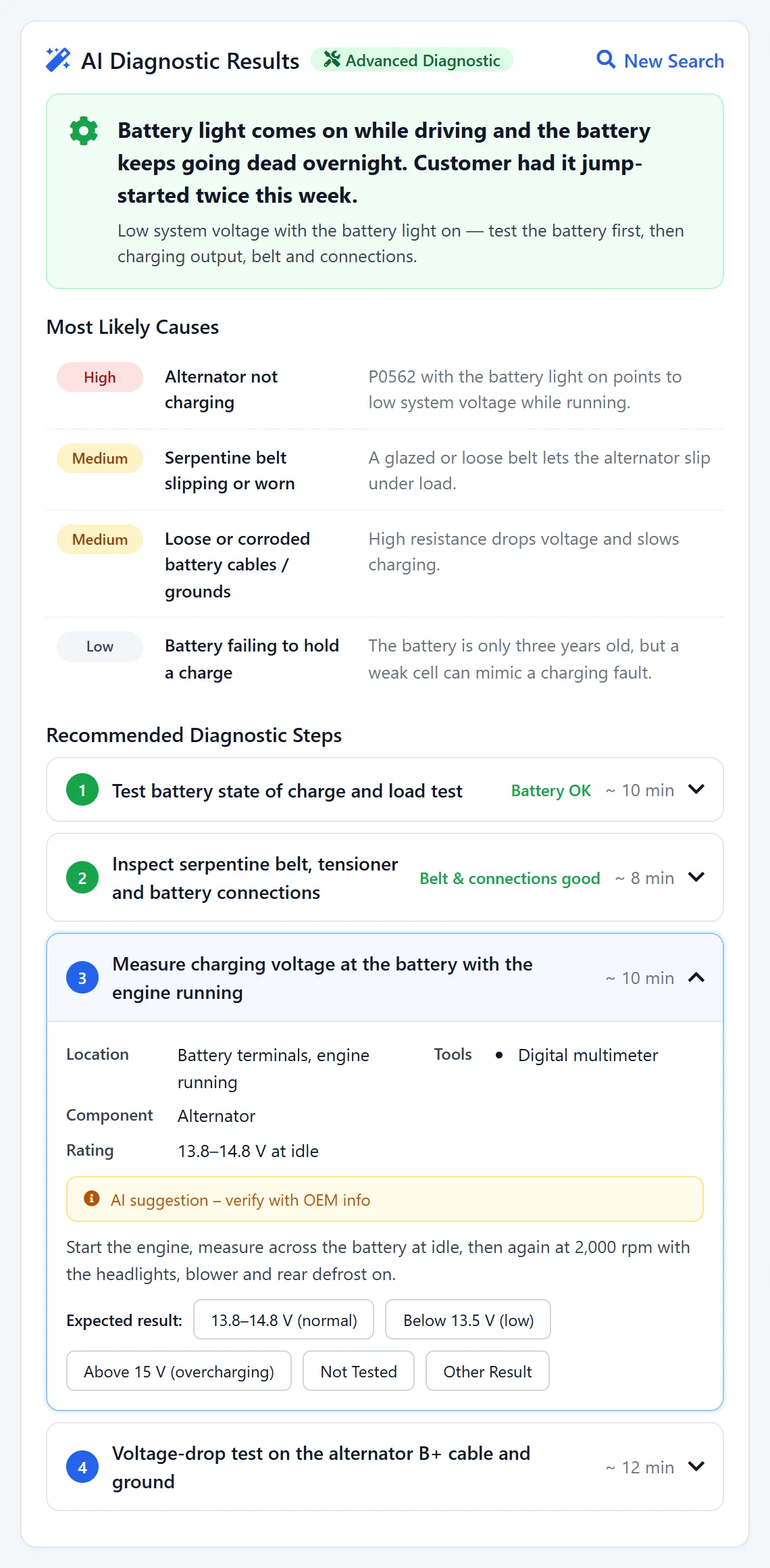
When a result explains the symptom, the AI proposes the finding and the repair with parts and labour you can edit. Add it to an open estimate or repair order, or start a new estimate.
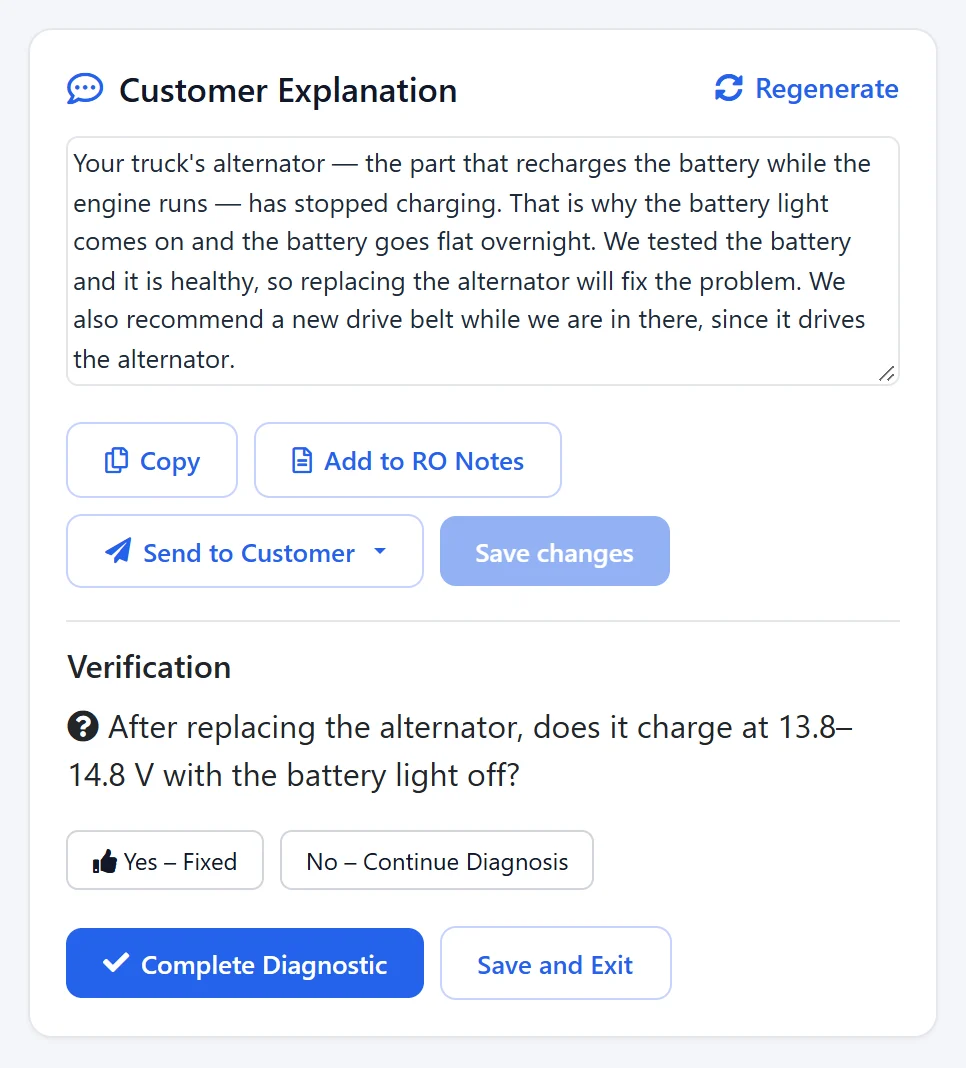
A plain-language explanation the customer understands
The AI writes what was found and why the repair fixes it, in words a customer understands. Edit it, then send it — and confirm the fix before you close the diagnosis.
What you get — no surprises
AI Diagnostic is an add-on that works with every AutoSoftWay plan. Compare plans & prices →
Describe the issue
- Issue text & dictation
- Symptom chips
- DTC codes
- Photos & scan report
- Quick & Advanced modes
Diagnose
- Likely causes: High / Medium / Low
- Step-by-step checks
- Adapts to every result
- Yes – Fixed verification
- Diagnostic timeline
Repair & explain
- Editable parts & labour
- Add to Estimate / RO
- Customer explanation
- Send by text or email
- Saved to vehicle history
How to add it
- Paid add-on on every plan
- Try it from inside your account
- Prices on the pricing page
- MOTOR hours with the Labour Guide add-on
AI Diagnostic — your questions answered
What is AI Diagnostic in AutoSoftWay?
AI Diagnostic is a guided troubleshooting page for technicians. Describe the issue, pick the symptoms, add DTC codes, photos or a scan report, and the AI returns the most likely causes and step-by-step checks. Record the result of each check and the diagnosis adapts until the cause is found.
Does the AI show a percentage for each cause?
No. Likely causes are rated High, Medium or Low. The ranking changes as you record results, so the most likely cause always sits at the top.
Where do the labour hours on the repair come from?
If your shop has the MOTOR Labour Guide add-on, labour lines use MOTOR hours. Otherwise the hours are an AI estimate marked for you to verify. Parts are matched to your own parts catalog and priced from it when found. Every line is editable before you add it to the estimate or RO.
Can I add the repair to an existing repair order?
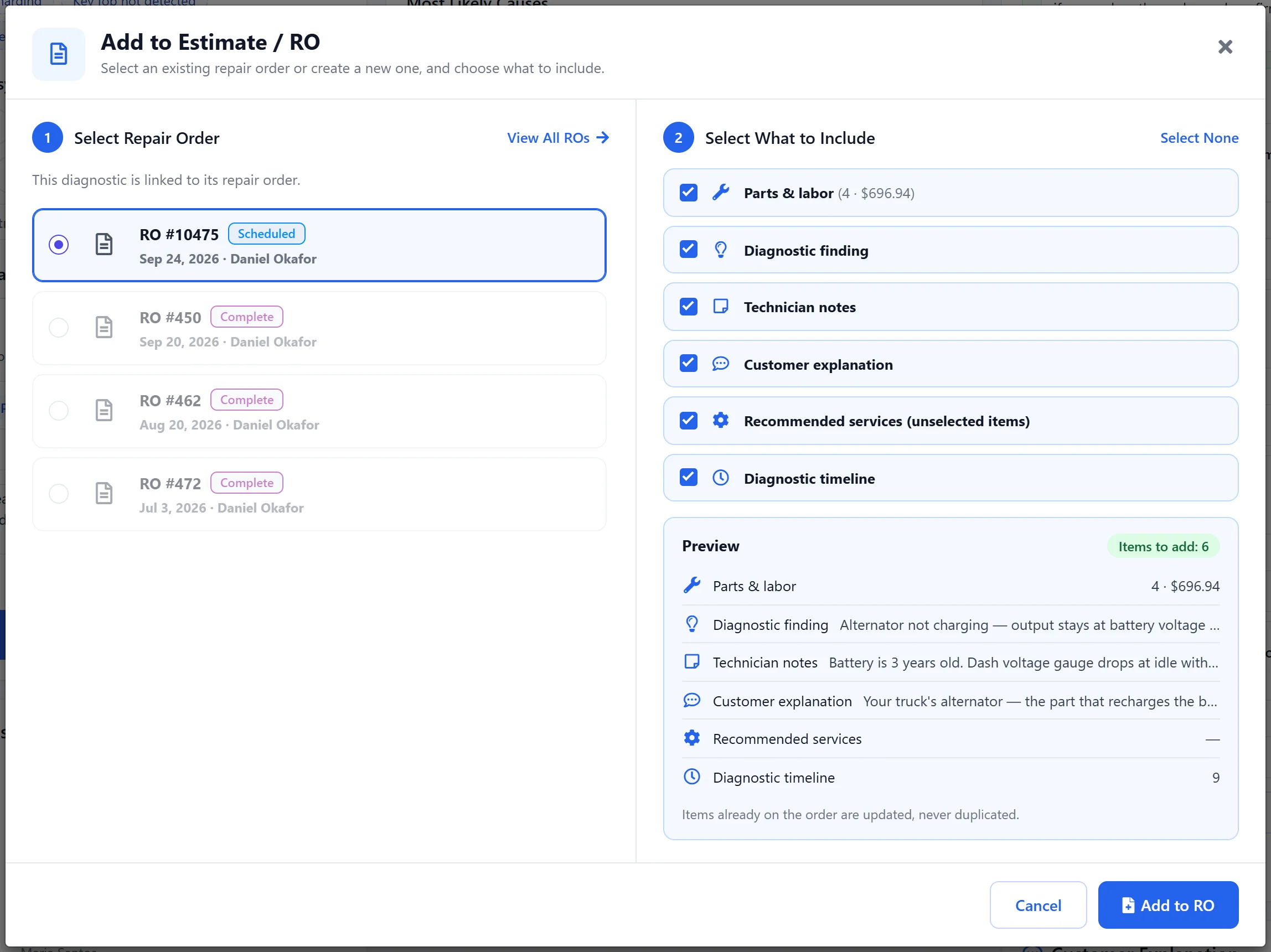
Yes. Add to Estimate / RO lists the vehicle’s open estimates and repair orders, or creates a new estimate. You choose what to include — parts and labour, the finding, technician notes, the customer explanation and the diagnostic timeline. Adding again updates the same lines instead of duplicating them.
How does the customer get the explanation?
The AI writes a plain-language explanation of the finding. Edit it, then copy it, add it to the RO notes, or send it to the customer by text message or email.
Where is a diagnosis saved?
Every diagnosis is saved with its full timeline and shows on the repair order and in the vehicle history, so the next technician can see what was checked and what was found.
Is AI Diagnostic included in my plan?
AI Diagnostic is a paid add-on available on every AutoSoftWay plan and billed separately; add-on prices are on the pricing page. You can try it from the add-ons page inside your account.
Get 10 days free — on us
Register your shop today and unlock the full AutoSoftWay platform — including estimates, repair orders, the job board and vehicle history. AI Diagnostic is a paid add-on you can try from inside your account. A credit card is required for verification — you won’t be charged during your trial.
Find the cause — faster
AI-guided troubleshooting, estimates, repair orders and invoices in one platform — try AutoSoftWay free for 10 days.