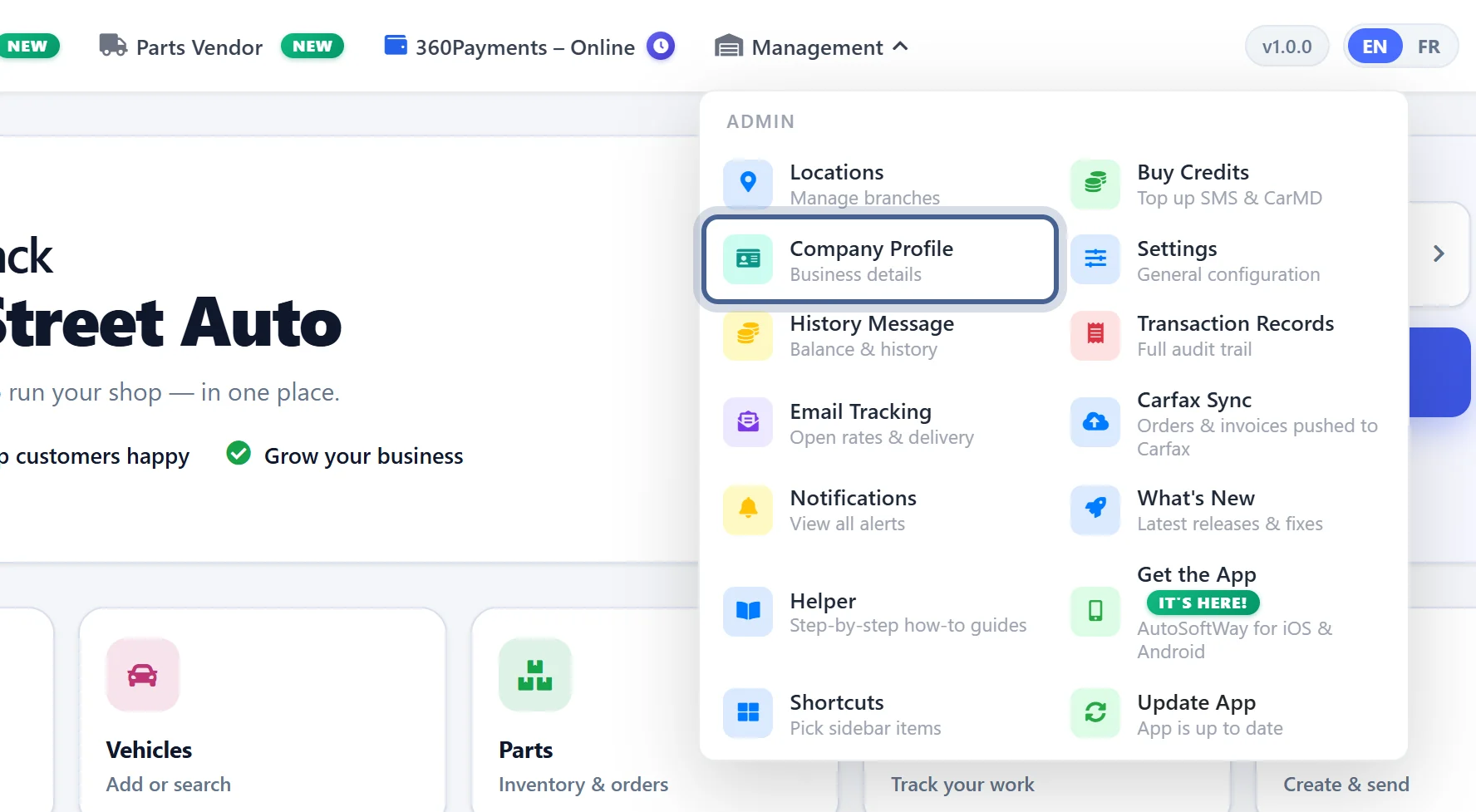
Step 1
From the ‘Getting Started’ page, open the Management menu and click ‘Company Profile’.
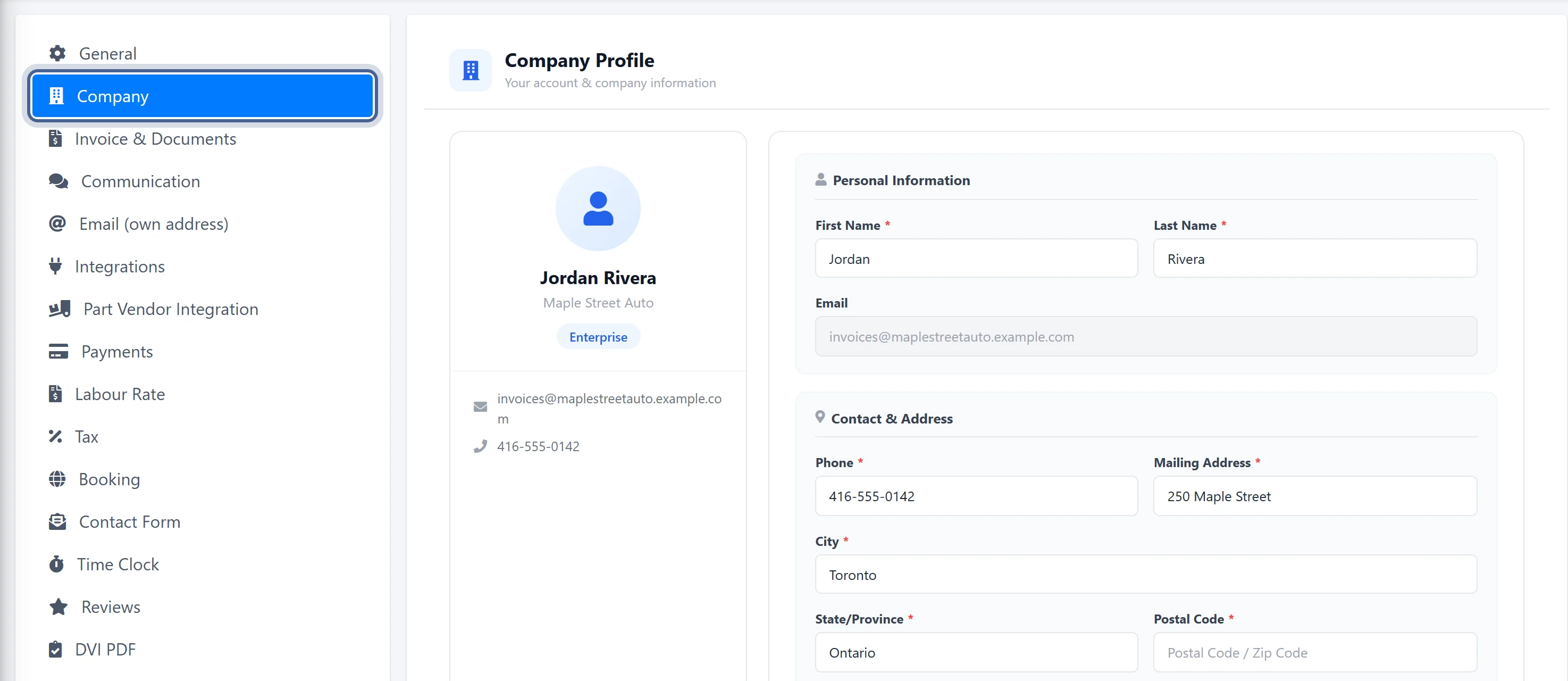
Step 2
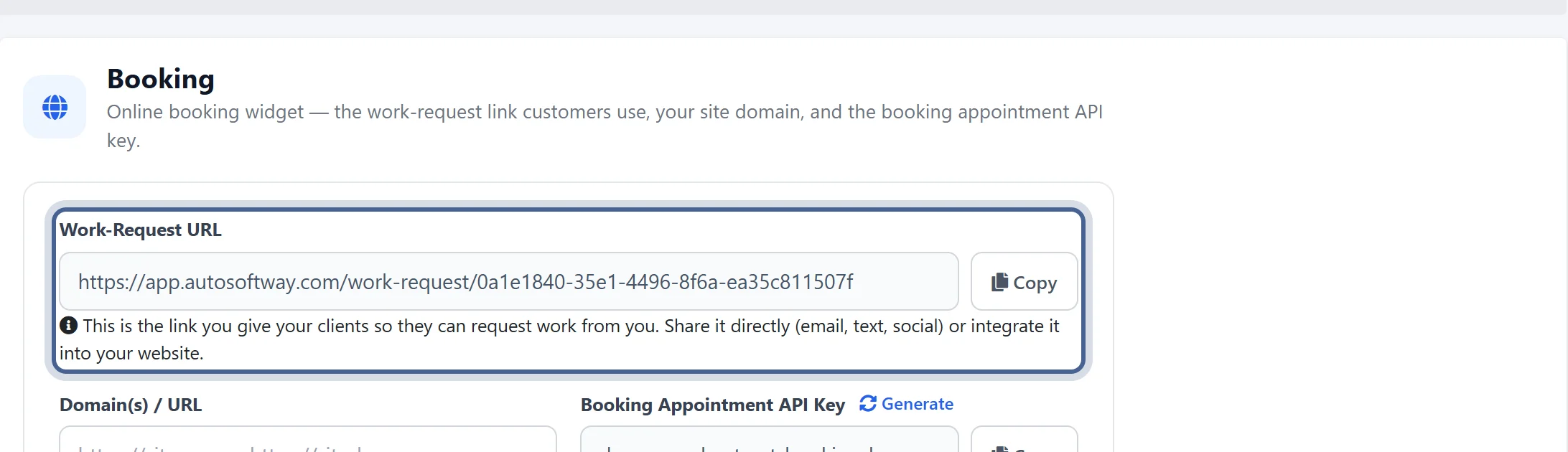
Then click ‘Booking’ in the Settings list — your Work Request URL is at the top, with a Copy button.
A window will pop up with all your details. Copy the following format: <iframe src="[Your URL From Profile]" allowfullscreen></iframe>. Replace [Your URL From Profile] with your Work Request URL, then paste the code into your website to let customers easily submit service requests for their vehicle. It’s a simple way for auto repair shops to take work requests straight from their own site.