


10 days
free trial, every feature
Free
onboarding on every plan
Unlimited
employees on every plan
What you get
One login for the front desk, the bays and the books
-
Estimates & work orders
Parts, labor and canned services on one estimate — turned into a work order and an invoice without retyping.
-
Approval by text
Customers approve estimates from their phone, so jobs start sooner and you stop playing phone tag.
-
Digital inspections
Photo and video inspections with a clear, branded report that builds trust in the work you recommend.
-
Job board & tech logins
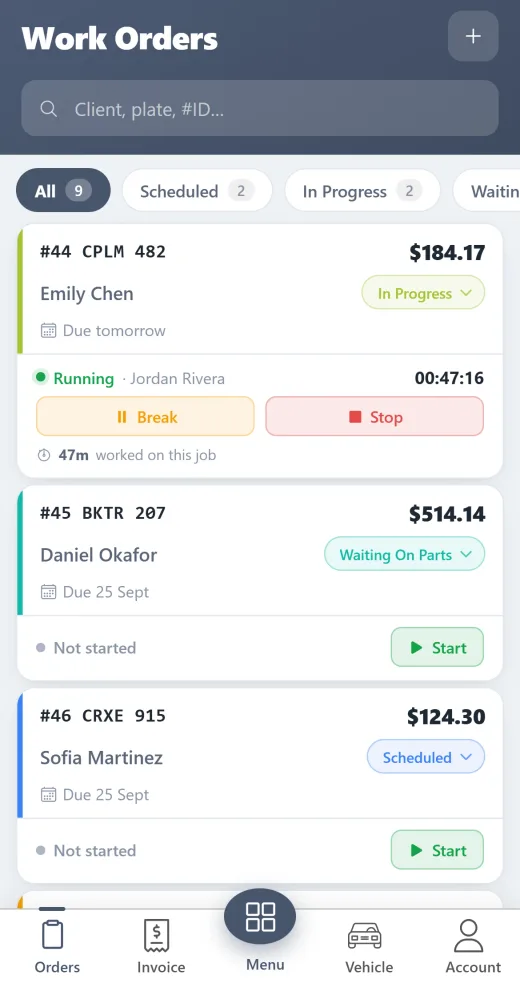
Drag jobs across a live board, give techs their own login and clock time on every job.
-
Online booking & reminders
Customers book from your website 24/7 and automatic service reminders bring them back.
-
Invoicing & payments
Send invoices by text or email, take card payments and sync to QuickBooks.
-
Parts ordering
Search and order from PartsTech, Nexpart and NAPA straight from the estimate.
-
AI diagnostic help
AI-ranked causes and step-by-step checks from symptoms and codes, plus AI appointment booking.
-
Reports
Sales, technician productivity and expenses for any date range — know what the shop really makes.
Run the floor
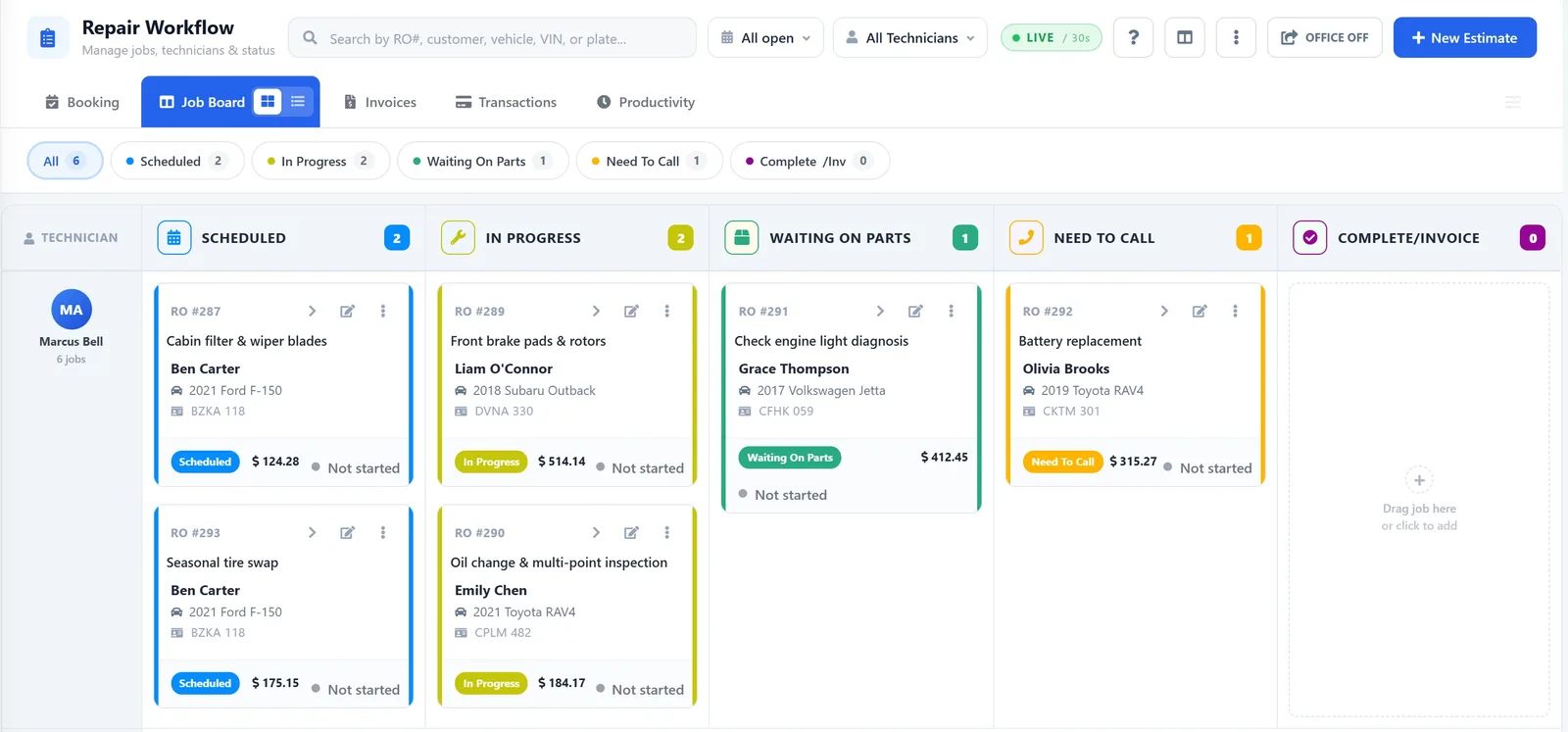
See every job, every bay, at a glance
The job board shows where every vehicle is — waiting, in progress, waiting on parts, ready. Drag a job to the next column and the whole team sees it.
- Live board for the whole shop
- Technician logins with only what they need
- Time tracking on every job
Get to yes faster
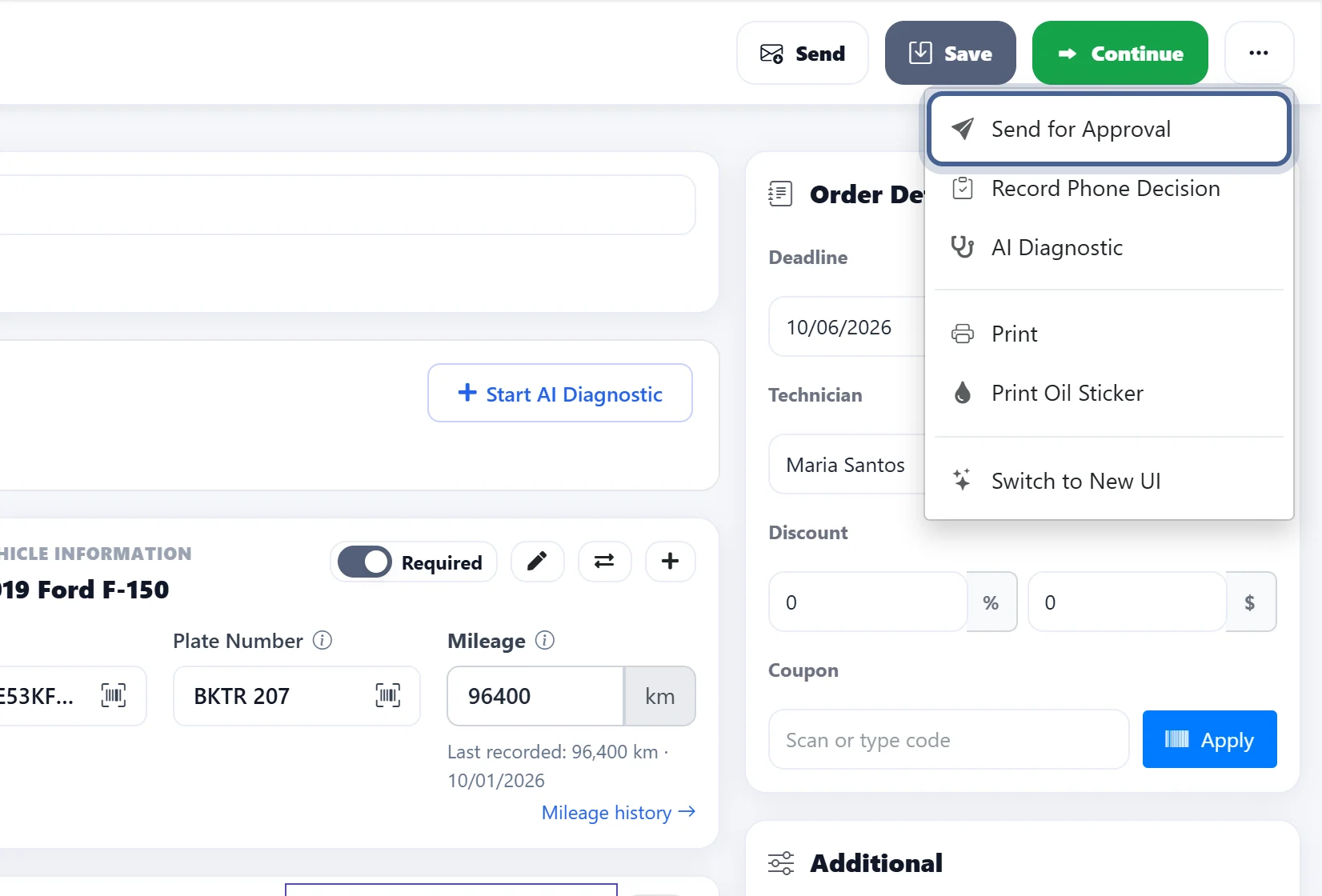
Estimates approved from the customer’s phone
Send the estimate by text or email. The customer reviews each line and approves in one tap — the approval is saved on the job.
- Text or email in one click
- Line-by-line approval
- Approval stored with the work order
Build trust
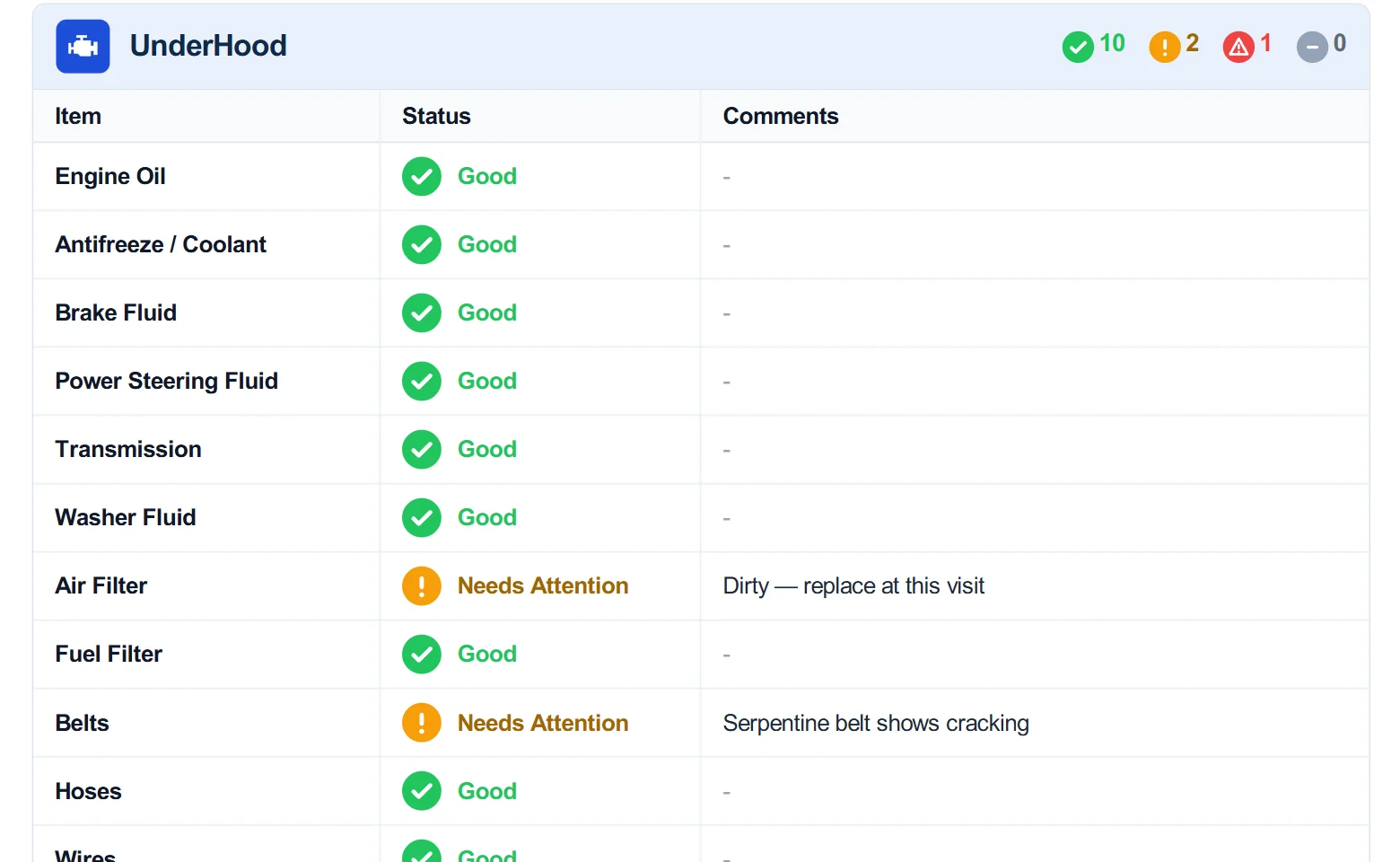
Inspections customers can see for themselves
Techs inspect from a tablet or phone, add photos and notes, and the customer gets a clear report — so recommended work is easier to approve.
- Photos and notes on every item
- Green / yellow / red condition ratings
- Branded report by text or email
Get paid
From work order to paid invoice in minutes
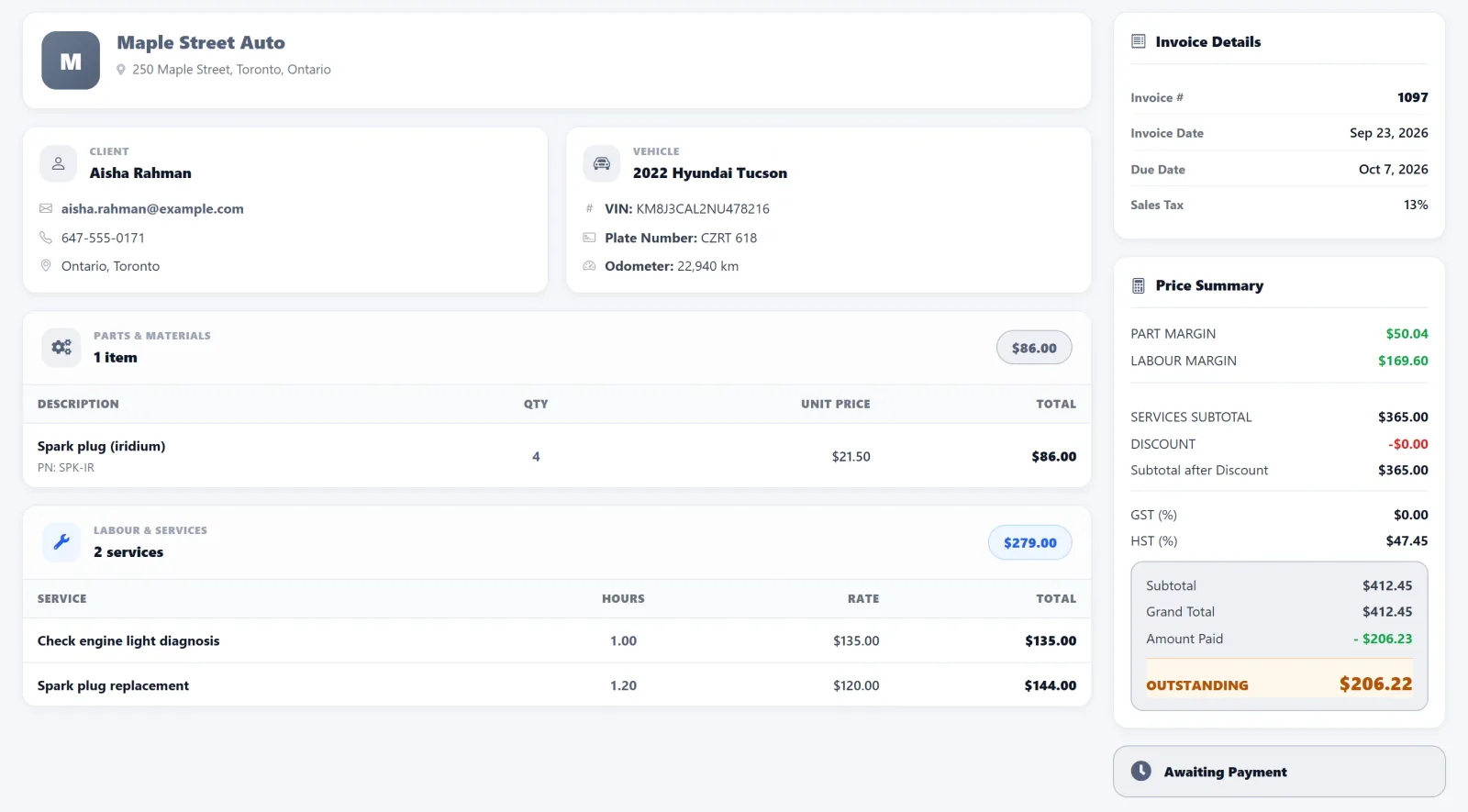
Turn the finished work order into an invoice, send it by text or email and take payment — then sync it to your accounting.
- Invoice from the work order in one click
- Card payments and pay-by-link
- QuickBooks Online & Desktop sync
Real reviews
What shop owners say
-
CapterraNov. 25, 2025
★★★★★
“We have very good experience with AutoSoft. Out of all online software tools we used, AutoSoft is best performer. We highly recommended it.”
Gagandeep S.
Manager · Mechanical Repair Commercial Vehicle
-
Software AdviceDec. 10, 2025
★★★★★
“We are 100% satisfied with this software. It has increased our efficiency by allowing us to send invoices and estimates directly to the customer.”
Aaron S.
Owner Manager · Automotive
-
CapterraMay 27, 2025
★★★★★
“Our technicians save hours every week, and our clients appreciate the professional reports and updates. Highly recommend it to any repair shop looking to grow.”
Singh
Manager · Auto Repair
Simple pricing
Plans that grow with your shop
Month to month, no setup fees, free onboarding. Every plan starts with a 10-day free trial.
-
Basic
Small team ready to grow
$145 CAD / month
- Work board, estimates & invoices
- Unlimited employees
- Appointment scheduler & mobile app
- PartsTech & CARFAX integration
- Most popular
Pro
Full-featured single shop
$160 CAD / month
- Everything in Basic
- Digital vehicle inspections
- Technician login & expense tracking
- AI diagnostic & AI booking
-
Enterprise
Multi-location shops
$230 CAD / month
- Everything in Pro
- Multi-location & franchises
- Instant estimate approval & 2-way SMS
- MOTOR labor guides
Free for 10 days
Up and running this afternoon
- 1
Create your account
Sign up in a couple of minutes and add your shop details, labor rate and taxes.
- 2
Invite your team
Add your techs and front desk — everyone gets their own login. Unlimited employees on every plan.
- 3
Open your first work order
Book a job, build the estimate and send it for approval. Our team helps you with free onboarding.
Questions
Is there a free trial?
Yes. Every new account gets a 10-day free trial. Card verification is required when you sign up, and there is no charge during the trial. A few paid services — such as SMS, email sending, VIN decoding and QuickBooks sync — turn on once your plan is paid.
Are there contracts or setup fees?
No. Plans are month to month with no setup fees, and you can cancel anytime.
How long does setup take?
Most shops are up and running in about 30 minutes. Free onboarding is included on every plan, and our team can walk you through it.
Does it work on phones and tablets?
Yes. AutoSoftWay runs in any browser and has mobile apps for iOS and Android, so techs can inspect and update jobs from the bay.
Which integrations are included?
PartsTech, Nexpart and NAPA for parts; QuickBooks Online, QuickBooks Desktop and Sage for accounting; CARFAX, MOTOR labor guides, Stripe and 360 Payments. Some are included by plan and some are add-ons — see the pricing page.
Which currency are prices in?
Plans are priced in Canadian dollars. The pricing page can also show them converted to US dollars.
Still deciding? Book a free demo and see it with your own jobs.