


-
Real time, every search
Times come from MOTOR’s online data service when you search — no annual book, no update discs.
-
Flat rate book hours
The standard hours for each operation, so the job is priced the same whoever quotes it.
-
Your rate, your call
Hours × your shop’s labor rate, and you can change the hours or price on any line.
Flat rate, explained
How a flat rate labor guide prices a repair
Each repair operation has a standard book time. The customer pays those flat rate hours at your labor rate, however long the job really takes on the day — so the price is known before the work starts, and every advisor quotes the same job the same way. A real-time labor guide simply makes those hours available the moment you need them, on the estimate you are writing.
| Compare | Labor guide book | Real-time labor guide in AutoSoftWay |
|---|---|---|
| Where the hours come from | A printed book or a copy on one computer | Looked up live from MOTOR on each search |
| Keeping it current | Buy the new edition or install updates | Nothing to install or update |
| Getting hours onto the estimate | Retype them by hand | Add them as labor lines in one click |
| Pricing | Multiply by your rate yourself | Priced at your labor rate automatically |
Live MOTOR lookup
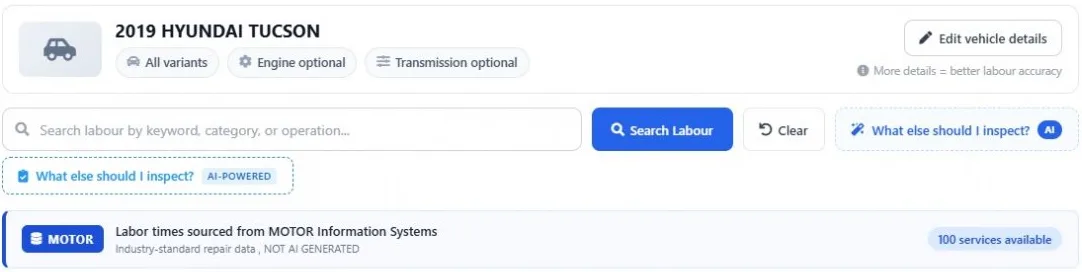
Book time for the car on the lift — right now
Open the labor guide from the estimate while the customer waits. The vehicle comes with it; add the engine and transmission and the flat rate hours are looked up live.
- VIN or Year / Make / Model
- Engine and transmission options
- Labelled as MOTOR data
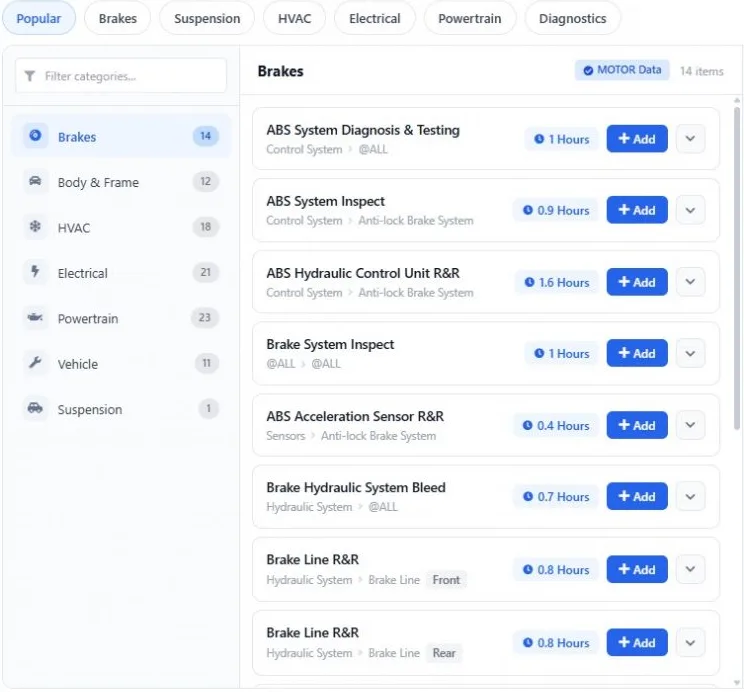
Flat rate labor guide
Every operation with its flat rate hours
Browse brakes, HVAC, electrical, powertrain, suspension and more, or search by keyword. Each operation shows its book hours and the details behind them.
- Search by keyword or category
- Side, full labor and description
- Popular jobs one tap away
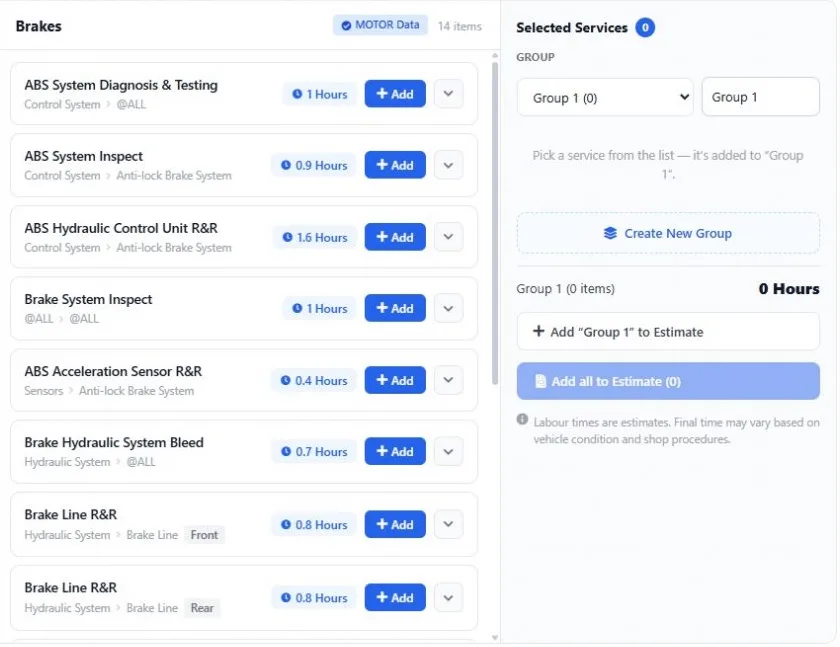
Quote in real time
From lookup to estimate in one click
Group the operations the vehicle needs, check the total hours and add them to the estimate together — then send it for approval.
- Group and name the work
- Total hours per group
- Add one group or all of them
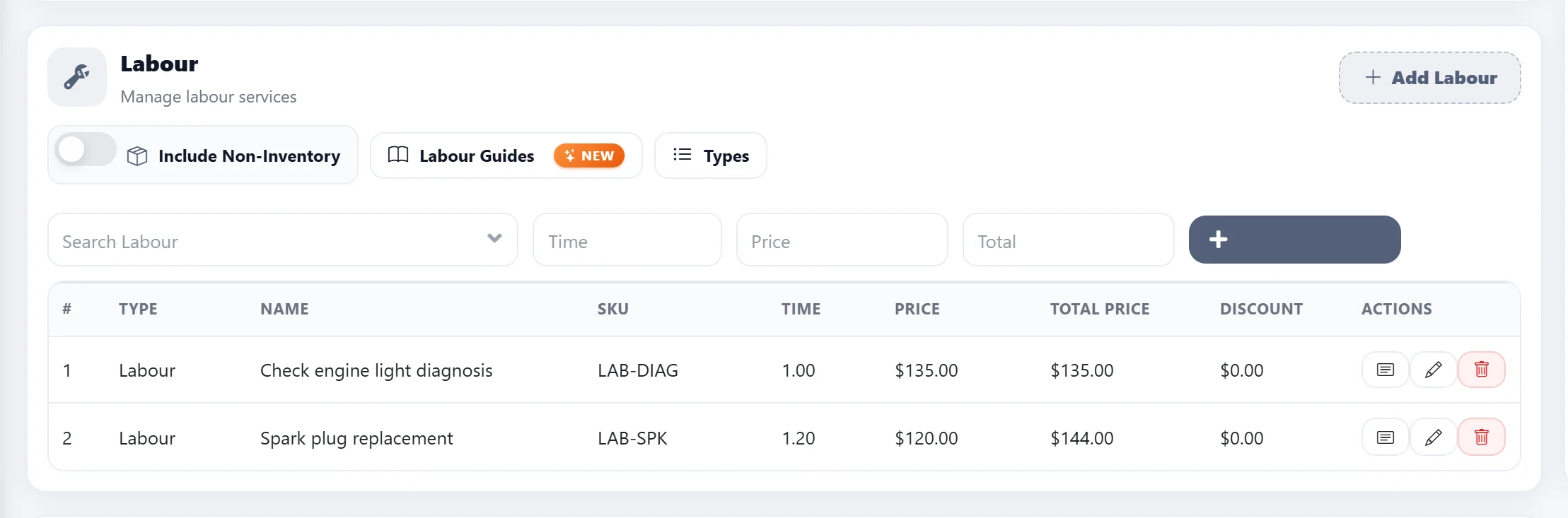
Billed your way
Flat rate hours at your shop’s labor rate
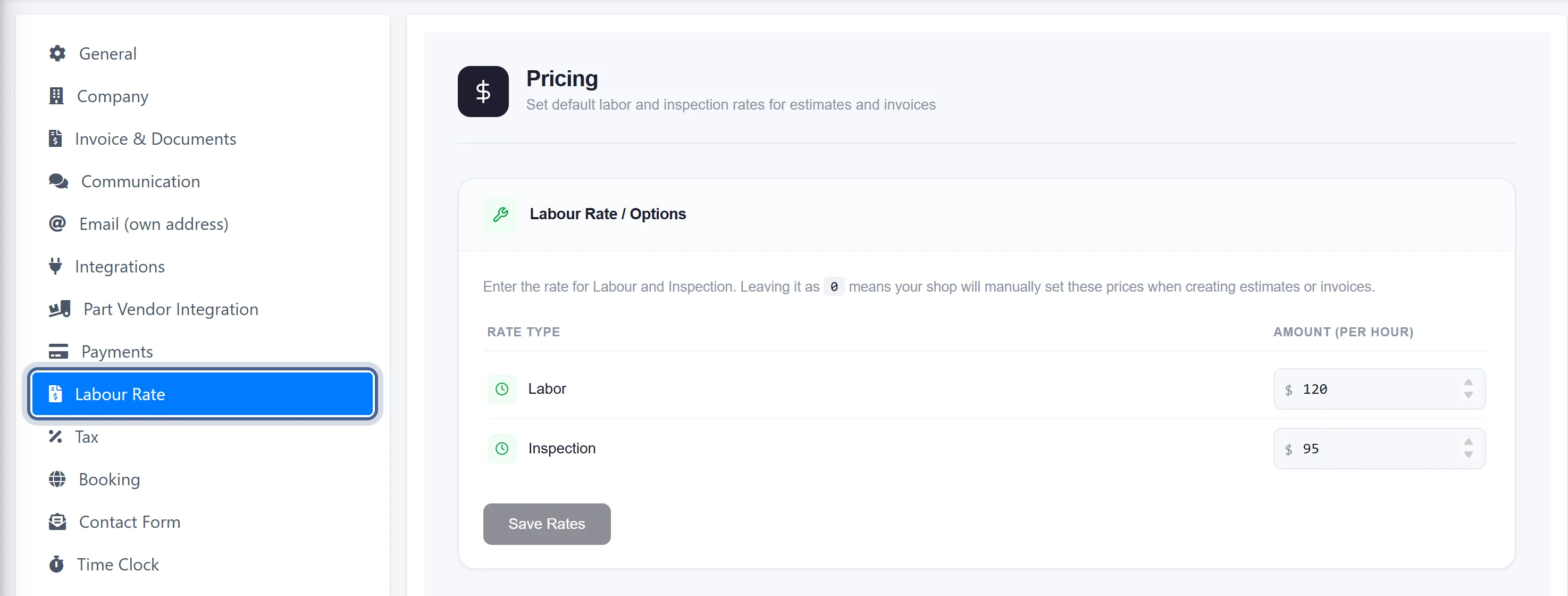
Set your labor rate once in Settings. Every flat rate hour from the labor guide is priced at it, and any line can still be adjusted before the estimate goes out.
- Labour rate per hour in Settings
- Edit hours or price on any line
- Estimate → work order → invoice
Get started
See the real-time labor guide on your own vehicles
- 1
Book a demo
We show you the labor guide on vehicles you work on, inside a real estimate.
- 2
Turn on Labor Guides
Add it from the Add-ons page for $50 USD/month — included in Enterprise once the plan is paid. Want to try it first? Ask us and we turn it on for your shop.
- 3
Quote from MOTOR times
Open Labour Guides on any estimate, pick the operations and add them with their book hours at your labor rate.
Questions
What is a flat rate labor guide?
A flat rate labor guide gives the standard time for each repair operation. The customer is charged those book hours at the shop’s labor rate, whatever the job actually takes on the day — which keeps quotes consistent and predictable.
What does “real time” mean here?
The labor times are not a downloaded book or a copy stored on your computer. Each search goes to MOTOR’s data service while you build the estimate, so there is nothing for your shop to install or update.
How is it sold?
As a monthly subscription: the Labor Guides add-on is $50 USD/month on top of your AutoSoftWay plan, and included in Enterprise once the plan is paid. Cancel any time.
Can I try it before I subscribe?
Yes. Start the 10-day AutoSoftWay trial and ask us to turn Labor Guides on for your shop — trials of the labor guide are approved on request because every MOTOR lookup has a cost. You can also book a demo.
Can I change the hours from the guide?
Yes. The hours go onto the estimate as normal labor lines — change the hours or the price on any line before you send it.
Can I look up labor times by VIN?
Yes. Search by VIN or by Year / Make / Model, then add the engine and transmission for more accurate times.
Are the labor times AI generated?
No. Labor times come from MOTOR and are labelled as MOTOR data in the app. The separate “What else should I inspect?” assistant is clearly marked as AI.
Does it include wiring diagrams, specs or TSBs?
No. The Labor Guides add-on is for labor times — the book hours for each repair operation.