


An add-on for your AutoSoftWay plan
Labor Guides works inside AutoSoftWay, the shop management software — that’s why the hours go straight onto your estimates, work orders and invoices.
$50 USD/month on top of your plan. Turn it on from the Add-ons page, cancel any time.
Included in Enterprise
On the Enterprise plan, Labor Guides is included once your plan is paid — nothing extra to add.
Want to try it first?
Ask us for a short Labor Guides trial and we turn it on for your shop, or book a demo and see it on your own vehicles.
See it in action
From the estimate to MOTOR times and back
Watch labor guide times go onto a real estimate without leaving it.
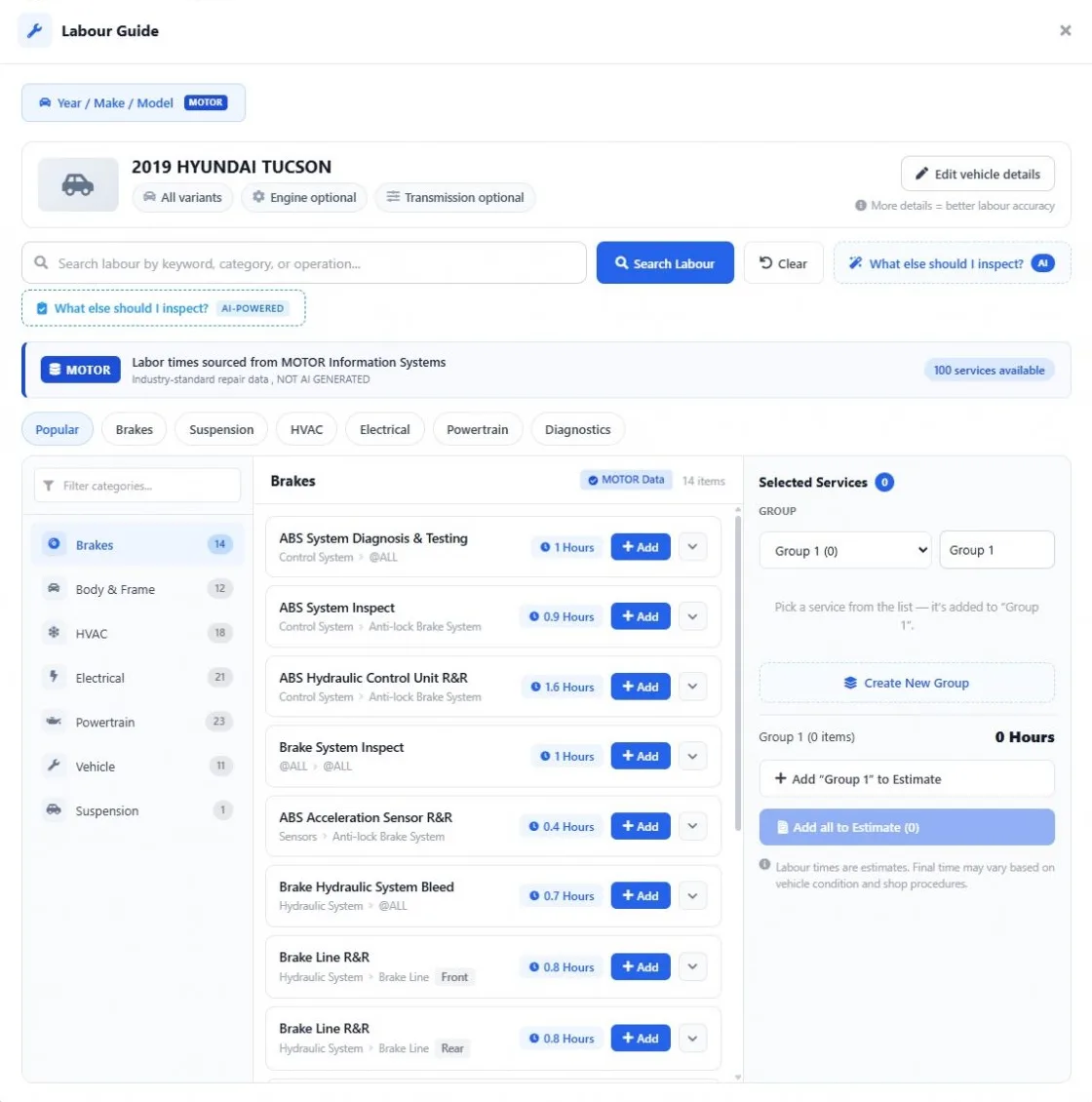
- Open Labour Guides from the estimate
- Pick the operations the vehicle needs
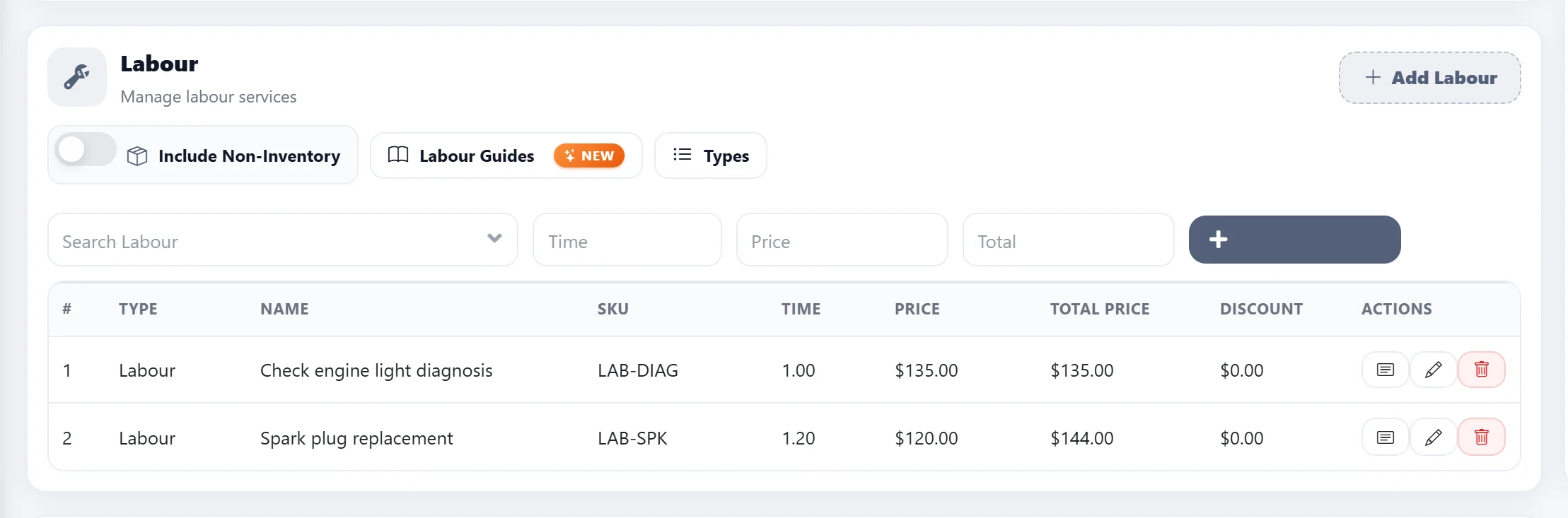
- Add them as labor lines in one click
- Send the estimate for approval
Built for the whole shop
One labor standard for everyone who quotes
-
Faster quotes for service advisors
Open the Labor Guide from the estimate, pick the operations the vehicle needs and add them with their MOTOR hours. No second website, no rate book, no retyping hours into the estimate.
-
Consistent labor pricing for shop owners
Every advisor quotes the same job from the same MOTOR time, billed at your own labor rate. Jobs priced under the book time stop slipping through, and the hours on the invoice are hours you can explain.
-
Book times technicians can see
The MOTOR hours go onto the estimate and stay with the job on the work order, so the tech knows the time the job was sold for before the car comes into the bay.
-
One labor standard across locations
Every location looks up the same MOTOR data, so a brake job is quoted from the same book time in each shop.
Everything you need from a labor guide
-
Year / Make / Model or VIN
Find the exact vehicle, then add the engine and transmission for more accurate times.
-
MOTOR data, not AI guesses
Labor times sourced from MOTOR Information Systems and labelled as MOTOR data in the app.
-
Browse by category
Brakes, suspension, HVAC, electrical, powertrain and more — or search by keyword.
-
One click to the estimate
Group the operations you pick and add them all to the estimate at once.
-
Billed at your labor rate
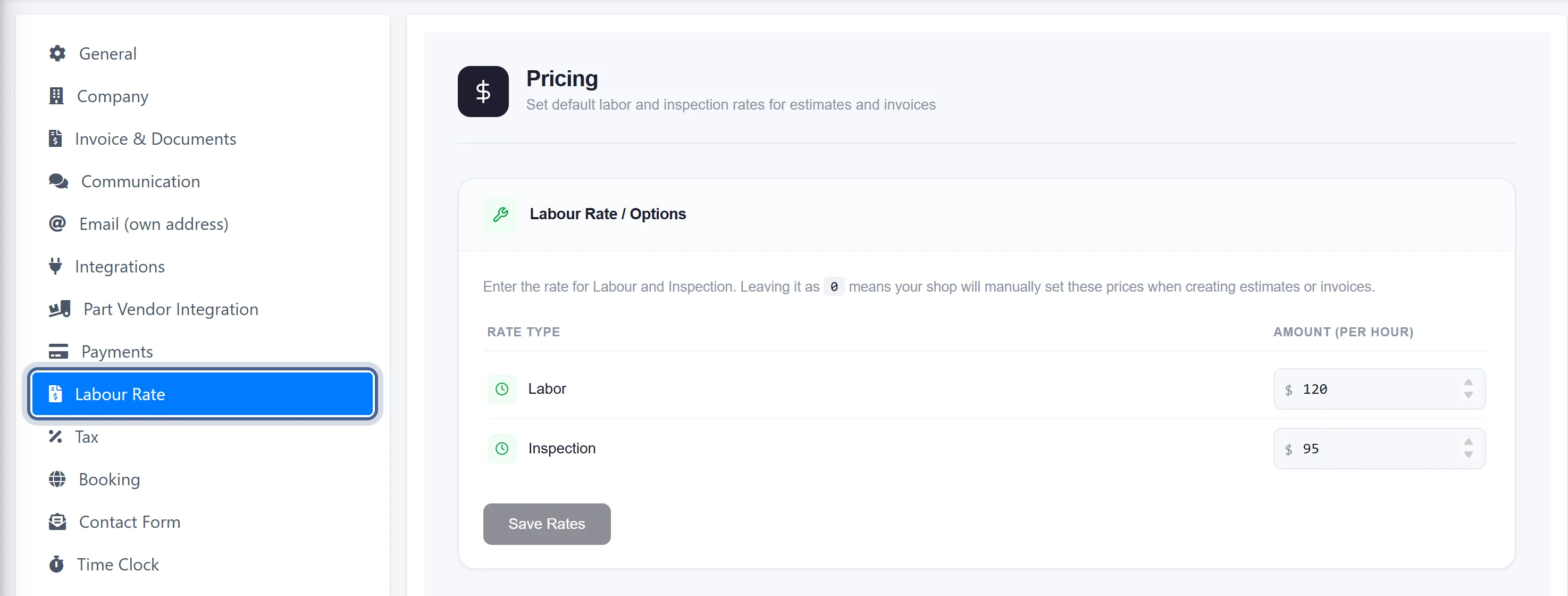
Hours × your shop’s labor rate, adjustable on any line before you send it.
-
“What else should I inspect?”
An AI assistant suggests related checks for the vehicle, clearly marked as AI.
Find the vehicle
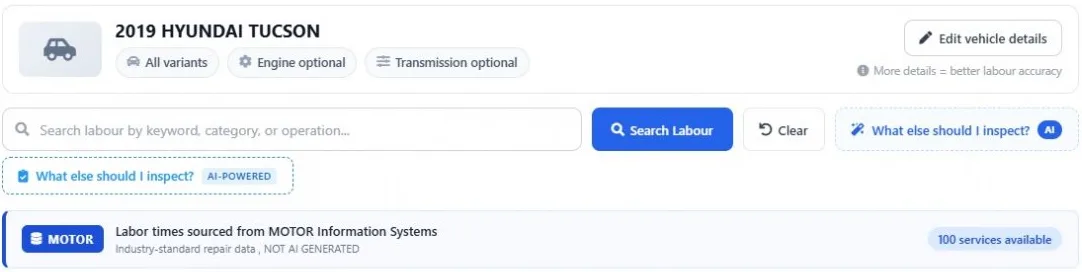
The exact vehicle, by VIN or Year / Make / Model
Open the Labor Guide from the estimate and the vehicle is already there. Or search by VIN or Year / Make / Model. Add the engine and transmission for more accurate labor times.
- VIN lookup or Year / Make / Model
- Engine and transmission for better accuracy
- Every result labelled as MOTOR data
Browse MOTOR times
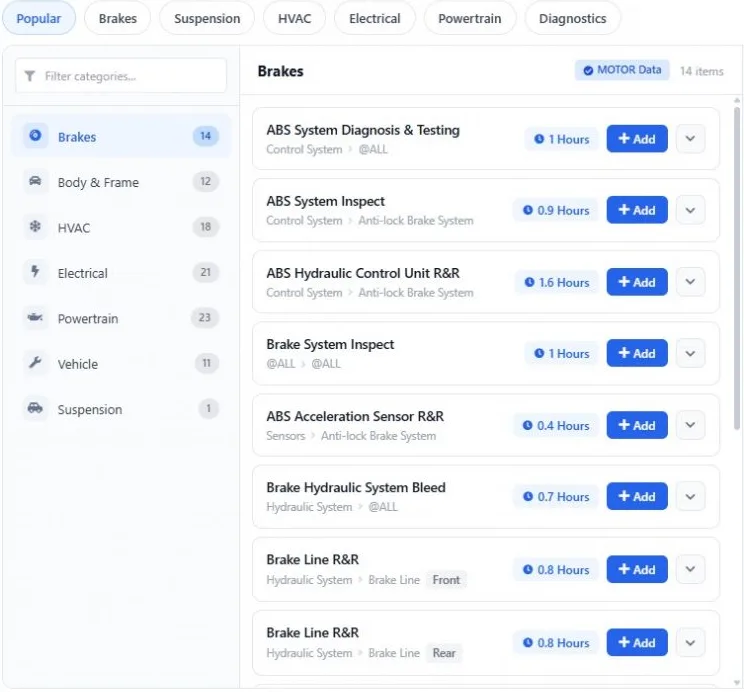
Every operation with its book time
Browse by category — brakes, body & frame, HVAC, electrical, powertrain, suspension — or search by keyword. Each operation shows its MOTOR hours and the details behind them.
- Popular jobs one tap away
- Search by keyword, category or operation
- Side, full labor and description on each line
Build the job
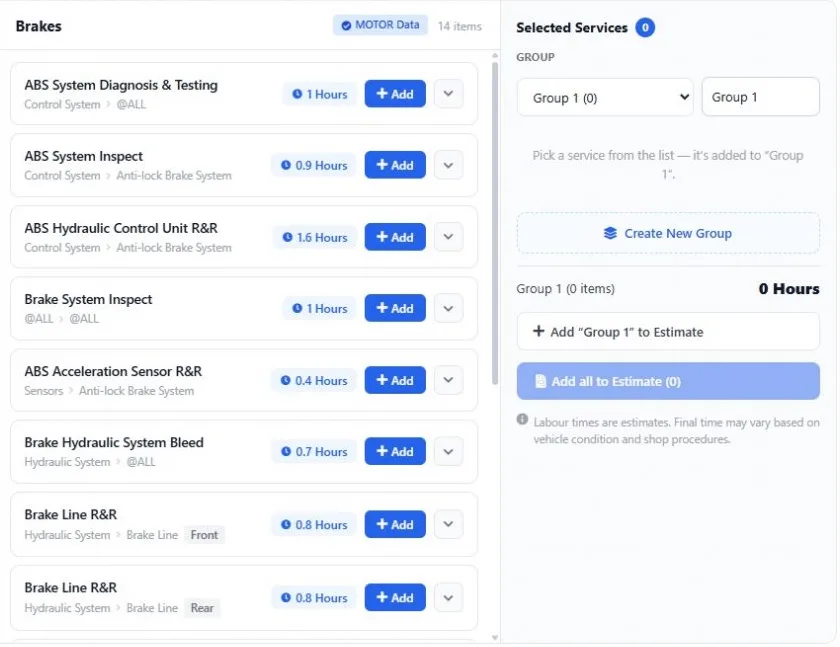
Group the work, add it in one click
Pick the operations the vehicle needs. Group them — “Front brakes”, “Diagnosis” — see the total hours, and add one group or all of them to the estimate.
- Name and group the selected operations
- Total hours per group
- Add a group or everything at once
Bill it right
MOTOR hours at your labor rate
The hours land on the estimate as labor lines, priced at your shop’s labor rate. Adjust any line before you send it, then turn the estimate into a work order and an invoice.
- Your labor rate from Settings
- Edit hours or price on any line
- Same lines from estimate to invoice
Get started
Quote your next job from MOTOR times
- 1
Register for AutoSoftWay
Start your free 10-day AutoSoftWay trial — no charge during the trial.
- 2
Add Labor Guides
Turn on the Labor Guides add-on from the Add-ons page for $50 USD/month. On Enterprise it is already included once your plan is paid.
- 3
Open it from any estimate
Click Labour Guides on the estimate, pick the operations and add them with their MOTOR hours.
Questions
What is MOTOR?
MOTOR Information Systems is an industry-standard source of automotive repair data, used by dealer groups, manufacturers and insurance estimators. The labor times in AutoSoftWay Labor Guides come from MOTOR.
How much does the Labor Guides add-on cost?
$50 USD/month, added to your AutoSoftWay plan. It is included in the Enterprise plan once the plan is paid.
Is it included in my plan?
Labor Guides is included in Enterprise once the plan is paid (not during the Enterprise trial). On other plans, add it from the Add-ons page for $50 USD/month.
Can I try Labor Guides before I buy it?
Yes — ask us for a short trial and we turn it on for your shop. Trials are approved on request because every MOTOR lookup has a cost. You can also book a demo and see it on your own vehicles.
Do I need AutoSoftWay to use it?
Yes. Labor Guides is an add-on of the AutoSoftWay shop management software — that is why the hours go straight onto your estimates, work orders and invoices instead of being copied from another website.
Are the labor times AI generated?
No. Labor times come from MOTOR and are labelled as MOTOR data in the app. The separate “What else should I inspect?” assistant and the AI estimate mode are clearly marked as AI, and AI estimates are labelled as not sourced from MOTOR.
Can I search by VIN?
Yes. Search by VIN or by Year / Make / Model, then add the engine and transmission for more accurate times.
Are the hours billed at my labor rate?
Yes. Labor lines are priced at the labor rate you set in Settings → Labour Rate, and you can change the hours or the price on any line before sending the estimate.
Does it include maintenance schedules, wiring diagrams or TSBs?
No. The Labor Guides add-on is for labor times.
Want the bigger picture? Read why shops quote from labor guides or how the MOTOR integration works.