


Oil change quick check
Every oil change and lube service
- Engine oil level & condition
- Coolant, brake & washer fluid
- Battery & terminals
- Drive belts
- Engine & cabin air filter
- Lights & wiper blades
- Tire pressure & tread
- Fluid leaks
Multi-point inspection templates
Every oil change and routine service is a chance to spot what the car needs next. Run the same multi-point inspection on every vehicle, with photos and notes, and send the customer a report — instead of a checklist that gets skipped when the shop is busy.
Templates
Three example templates shops run on routine visits. Copy them into the template builder as they are, or change the items to fit your shop.
Every oil change and lube service
Routine service and new customers
Before winter and summer
Use these templates in ASW DVI Prefer paper? Download the free PDF checklist
Template builder
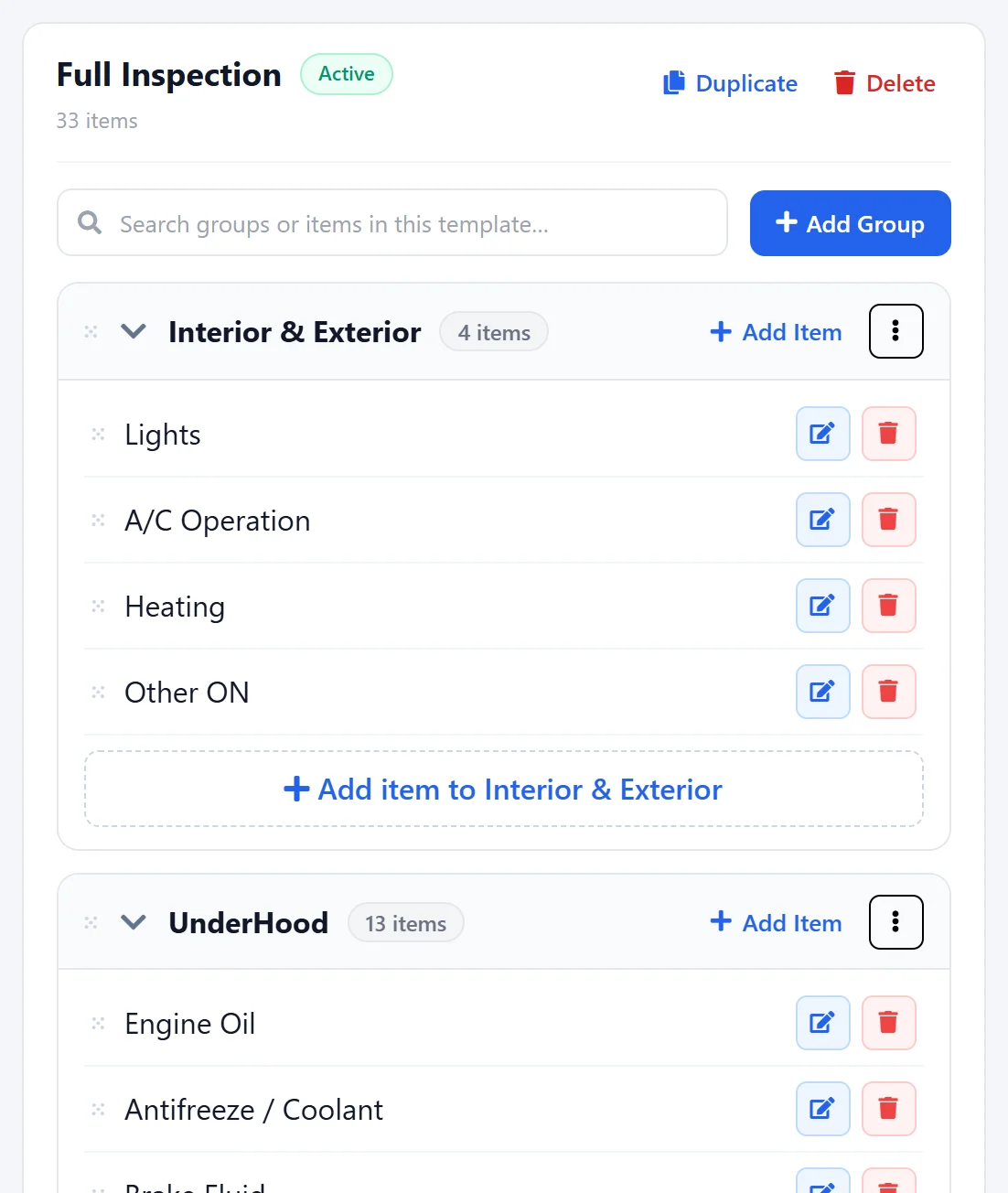
Create groups like Underhood or Brake and Tire – Left Front, add the items you check, drag them into order and duplicate a template to make a quick version.
At the car
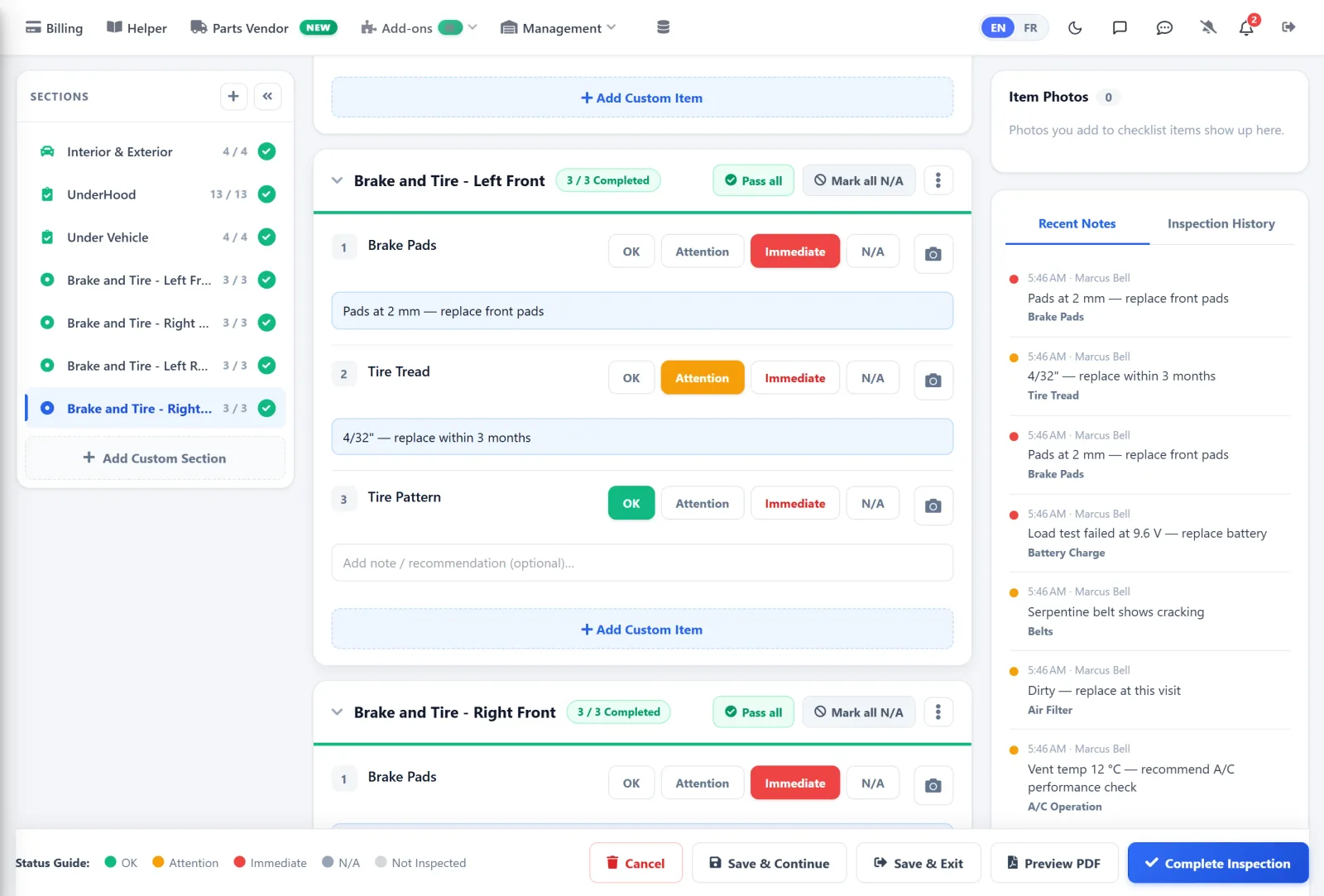
Technicians work section by section. Pass all for the good sections, then mark the items that need attention with a note and a photo.
On the phone
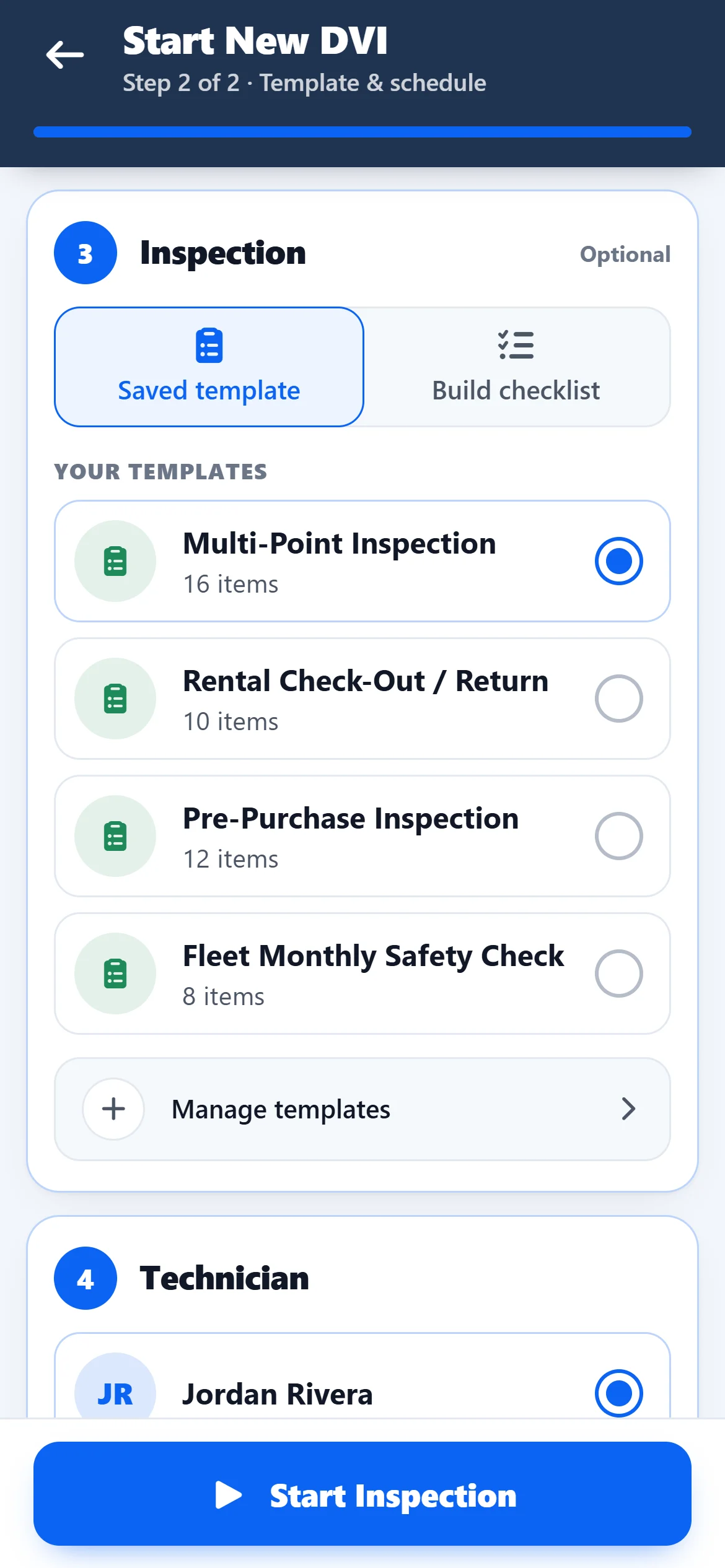
Your multi-point inspection templates are on the phone too. Pick one when you start the inspection and work through it at the car.
Report
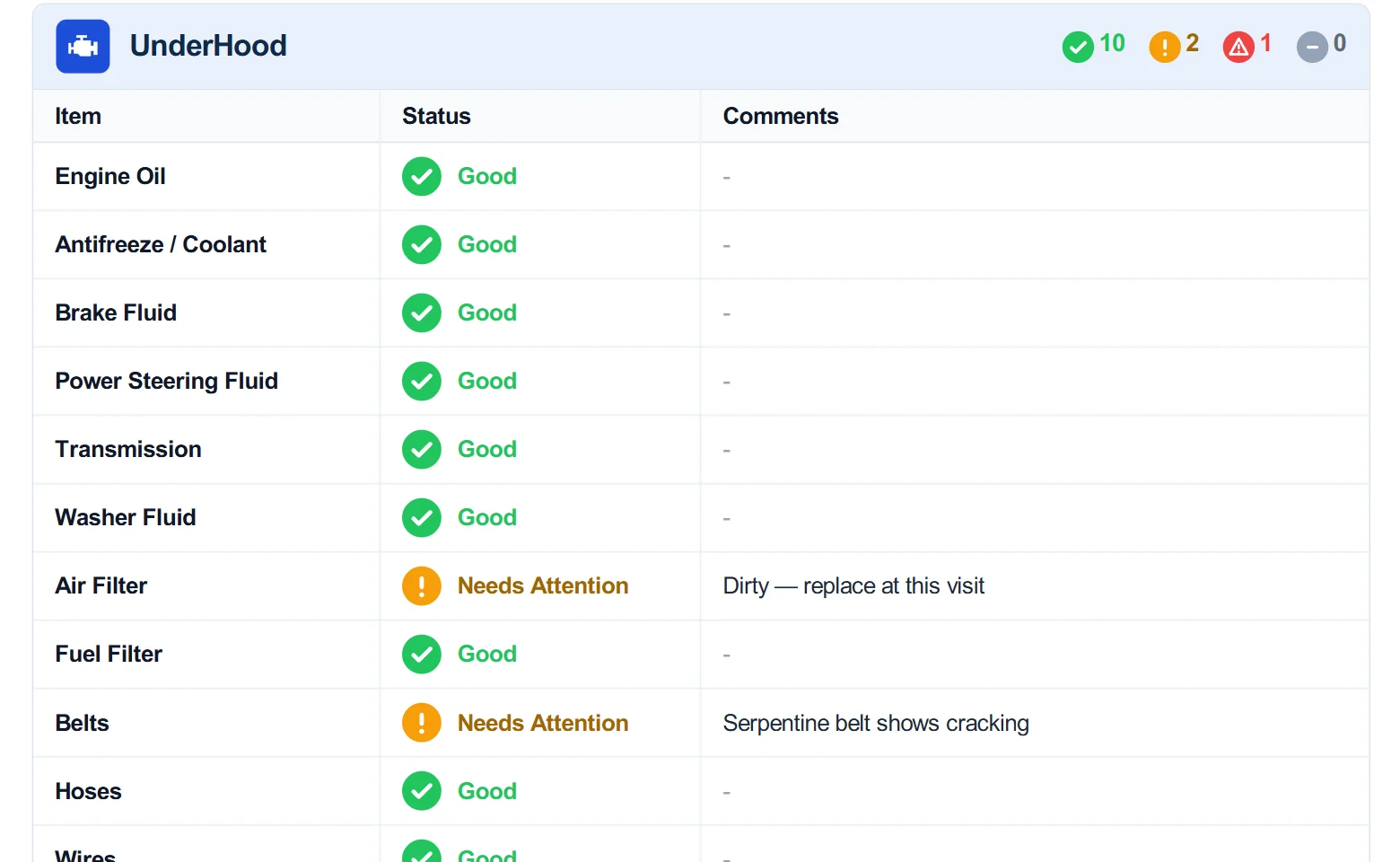
The finished inspection is a PDF report with the status and comments for every item, ready to email.
Get started
Free on the App Store and Google Play. Card verification, no charge during the trial.
Copy one of the examples above, or start from scratch with your own items.
Free for 10 days, then $100 CAD/month. Running a full shop? Book an AutoSoftWay demo instead.
A multi-point inspection is a routine check of the main systems of a vehicle — fluids, battery, belts, lights, wipers, steering, suspension, brakes and tires — usually done during an oil change or service visit, so the customer knows what needs attention now and what can wait.
The templates on this page are examples. You build your own templates in the app or on the web in a few minutes — copy these items or use your own.
It depends on the template. A quick oil-change check is shorter than a full inspection, which is why most shops keep more than one template.
Yes. Add photos to any item from the phone camera; they appear on the PDF report next to the finding.
Free for 10 days with every feature, then $100 CAD/month. Card verification is required when you register, but you are not charged during the trial.
