


Checklist
A pre-purchase vehicle inspection checklist
What to check on every used car before the buyer signs. Save it as a template in ASW DVI and pick it for each inspection — then add your own items.
-
Engine start, idle & noises
Cold start, idle quality, knocks, smoke
-
Fluid levels & leaks
Oil, coolant, brake and transmission fluid; drips underneath
-
Scan for trouble codes
Stored and pending codes, warning lights
-
Body panels, paint & rust
Repaint, panel gaps, filler, rust on arches and sills
-
Glass, lights & mirrors
Chips and cracks, every bulb, mirror adjustment
-
Interior, A/C & electronics
Seats, belts, windows, locks, infotainment, A/C and heat
-
Frame & underbody
Frame damage, repairs, corrosion
-
Suspension & steering
Play, worn bushings, leaking shocks
-
Front brakes
Pad thickness, rotor condition
-
Rear brakes
Pads or shoes, rotors or drums, parking brake
-
Tires
Tread depth, uneven wear, age, matching set
-
Road test
Shifting, braking, pulling, vibrations, noises
The report
A pre-purchase report the buyer can trust
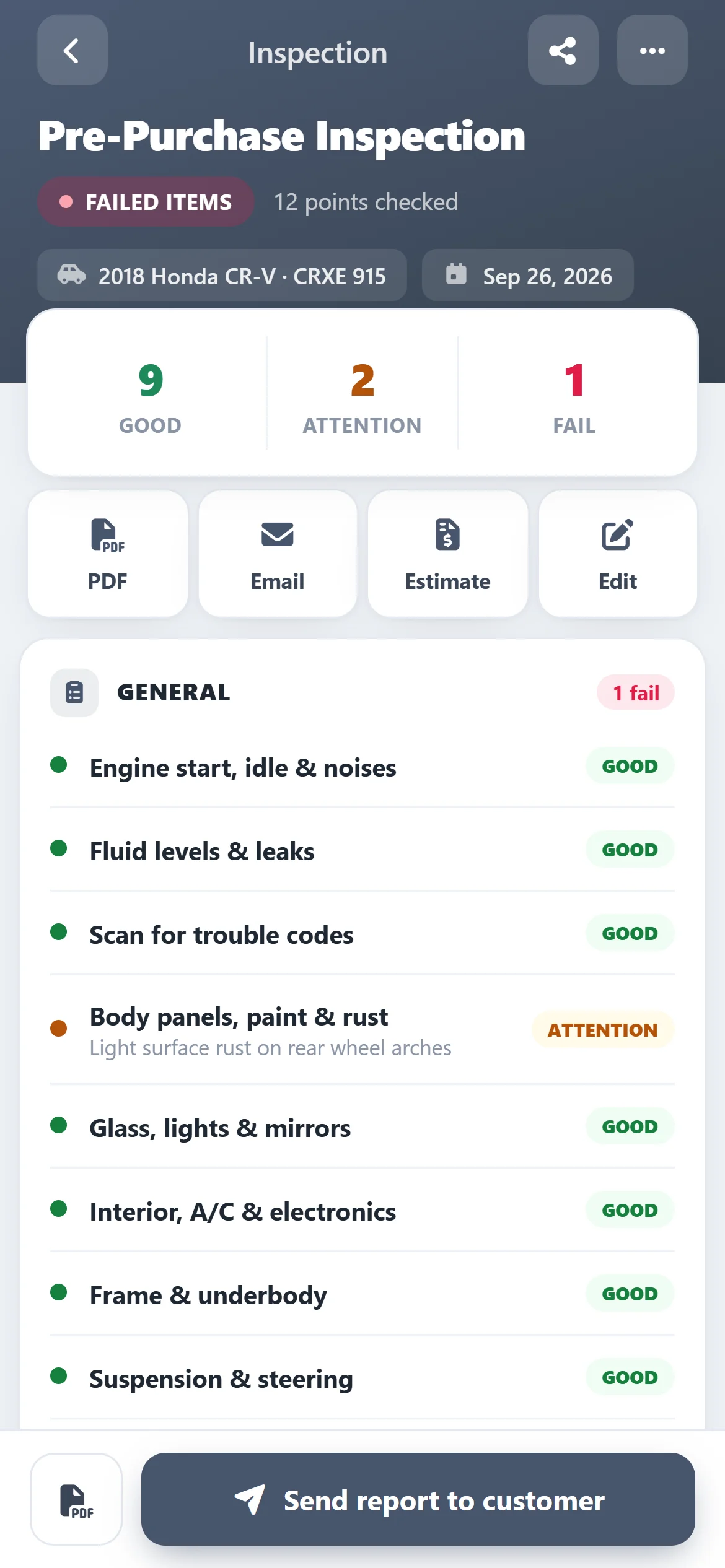
Good, attention and failed counts at the top, then every item with its result and your note — like “light surface rust on rear wheel arches”.
- Download the PDF or email it
- Notes and photos next to each finding
- “Failed items” flag at the top
The checklist
Your used-car checklist, every time
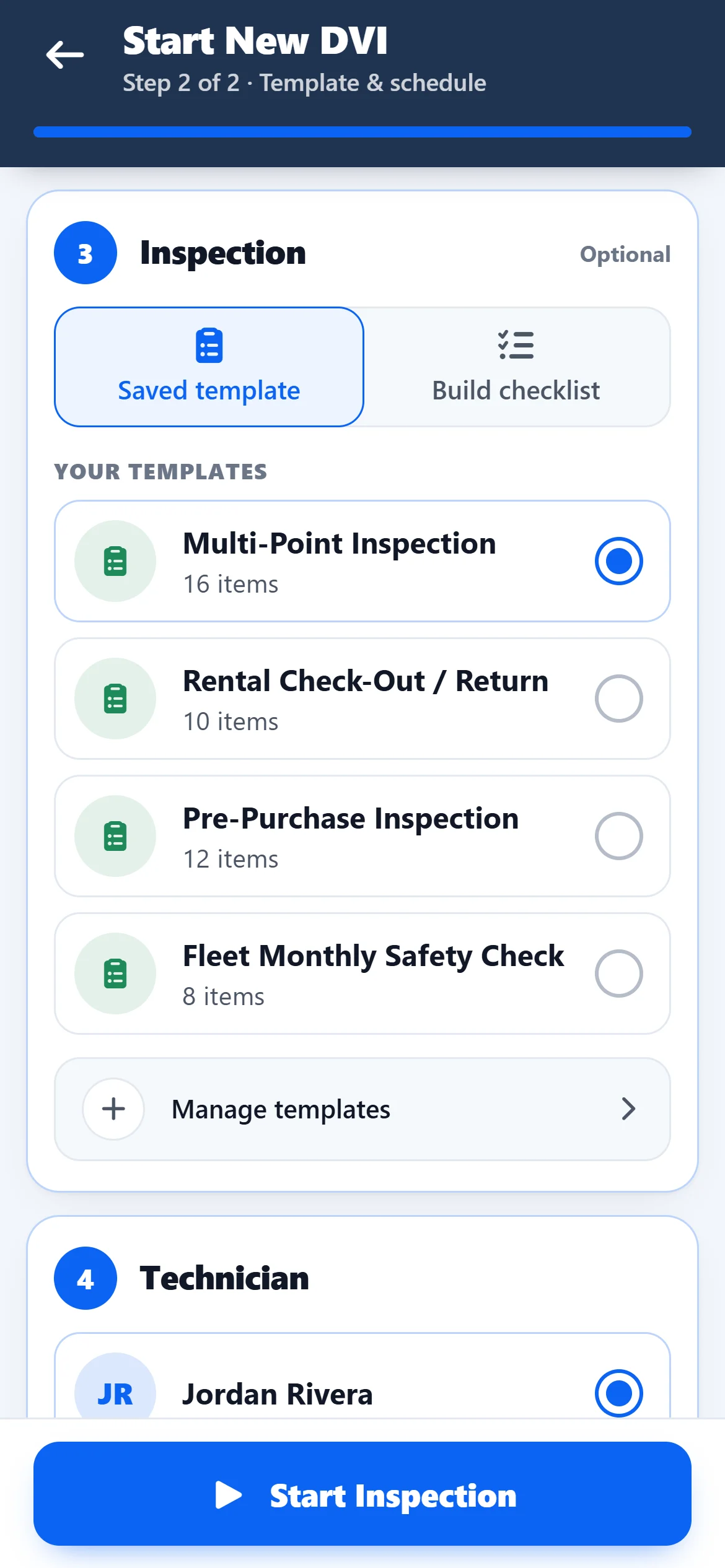
Save a Pre-Purchase Inspection template once and pick it for every car. Add or change items whenever you want.
- Engine, body, frame, brakes, tires, road test
- Build one-off checklists too
- Same templates on phone and web
Evidence
Photos of every problem
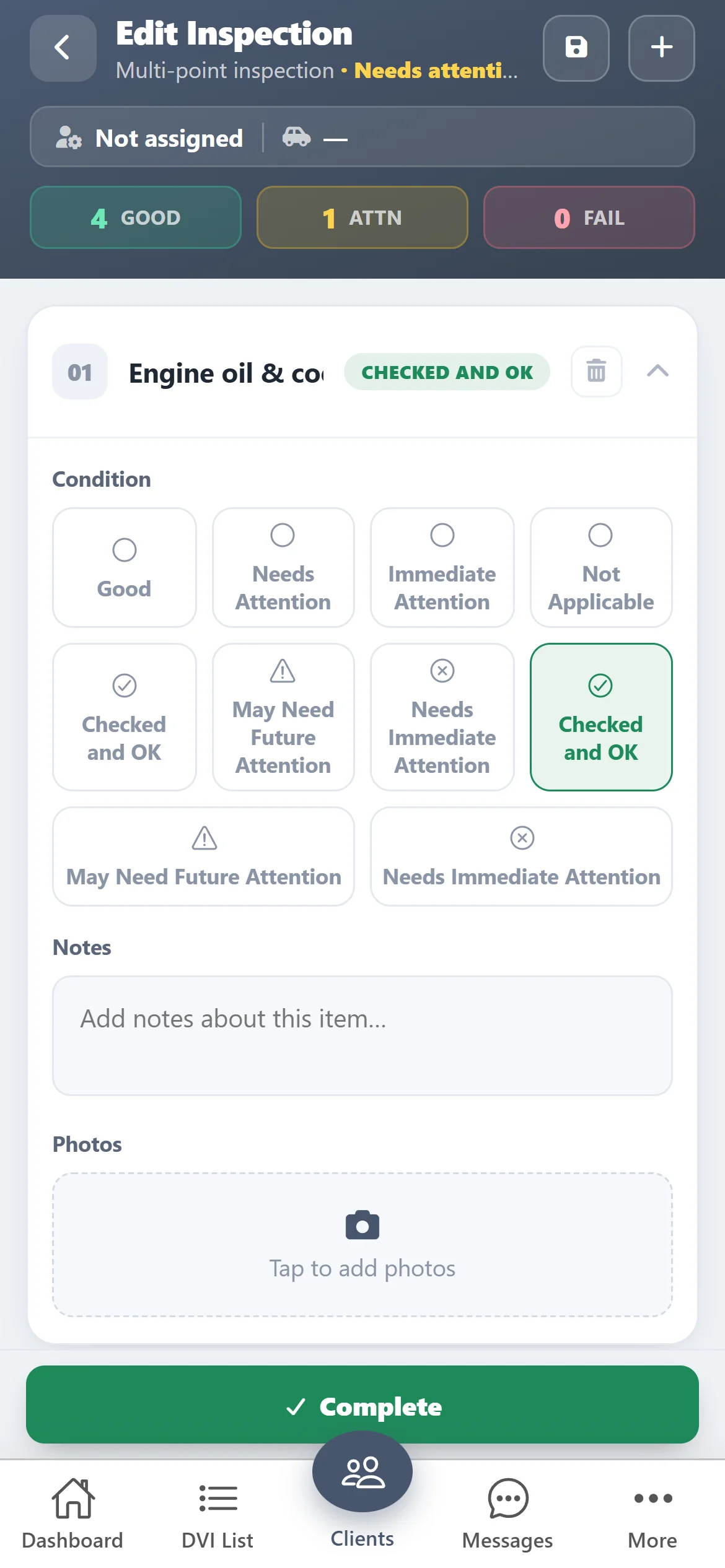
Add photos to any item straight from the camera, so the buyer sees the rust, the leak or the worn pads for themselves.
- Photos on any item
- Mark OK, Attention or Immediate
- Save and finish later
The vehicle
Scan the VIN at the car
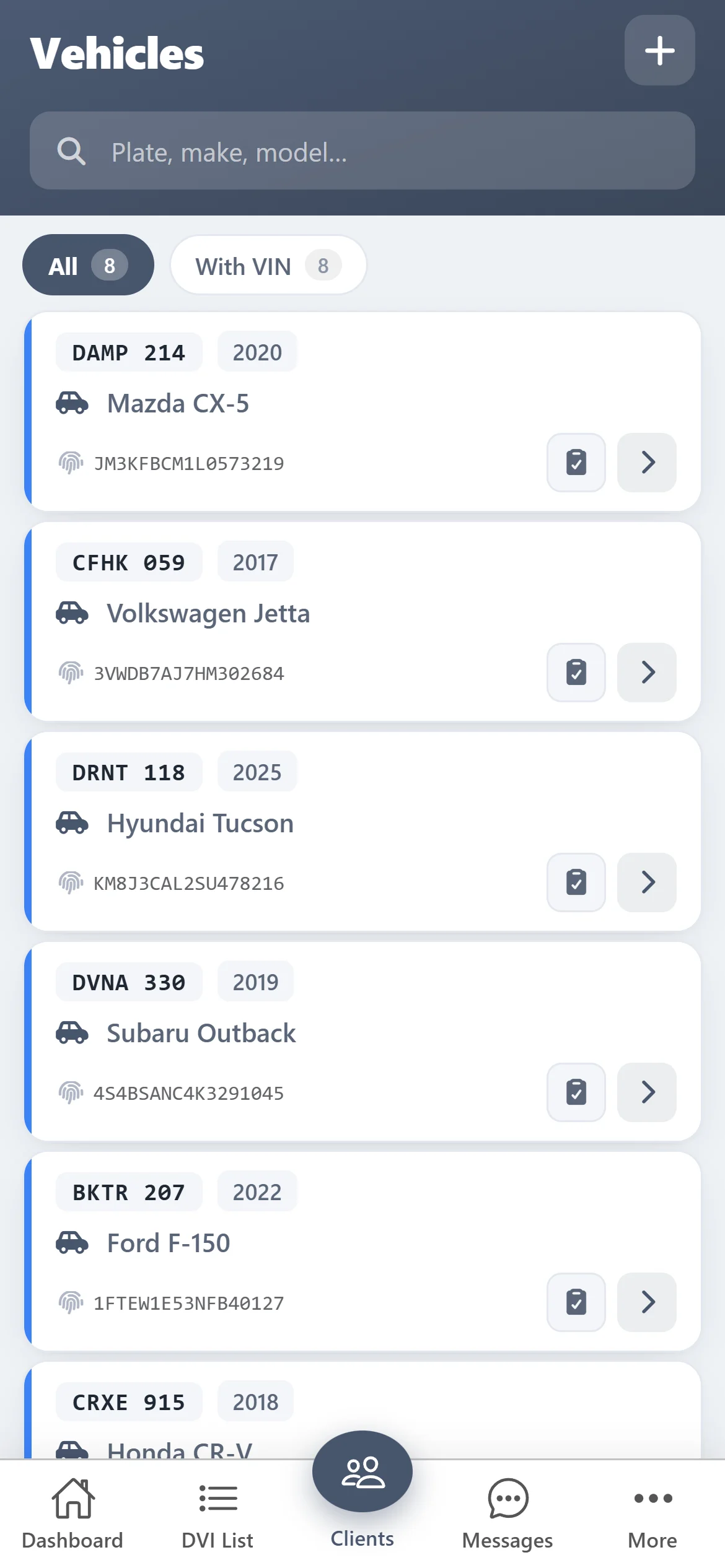
Scan the VIN with the camera to add the vehicle, and keep every inspection saved against it.
- VIN scanner built in
- Plate, year, make and model
- Inspection history per vehicle
Get started
Create your first pre-purchase inspection
- 1
Download ASW DVI
Free on the App Store and Google Play — on a computer, scan the QR code with your phone.
- 2
Create your account in the app
It takes a minute. Card verification is required, but you aren’t charged during the trial. The same login works on the web.
- 3
Inspect free for 10 days
Every feature is on. When the trial ends, keep going for $100 CAD/month.

Questions
What should a pre-purchase vehicle inspection include?
At a minimum: engine start, idle and noises; fluid levels and leaks; a scan for trouble codes; body panels, paint and rust; glass, lights and mirrors; interior, A/C and electronics; frame and underbody; suspension and steering; brakes; tires; and a road test.
Can I give the report to the buyer?
Yes. Download the PDF report or email it to the buyer from the app. It shows every item with its result, your notes and photos.
Can I use it as a mobile inspector?
Yes. Everything runs on your phone — add the customer, scan the VIN, inspect, and send the report from the parking lot.
How much does ASW DVI cost?
Free for 10 days with every feature, then $100 CAD/month. Card verification is required when you register, but you are not charged during the trial.
Does it work on iPhone, Android and computers?
Yes. ASW DVI is on the App Store and Google Play, and the same account signs in on the web at app.autosoftway.com.
Do I need AutoSoftWay shop software to use it?
No. ASW DVI works on its own and is made only for inspections. Shops that also want estimates, work orders and invoices can use AutoSoftWay, where inspections are part of the repair order.