Step 1
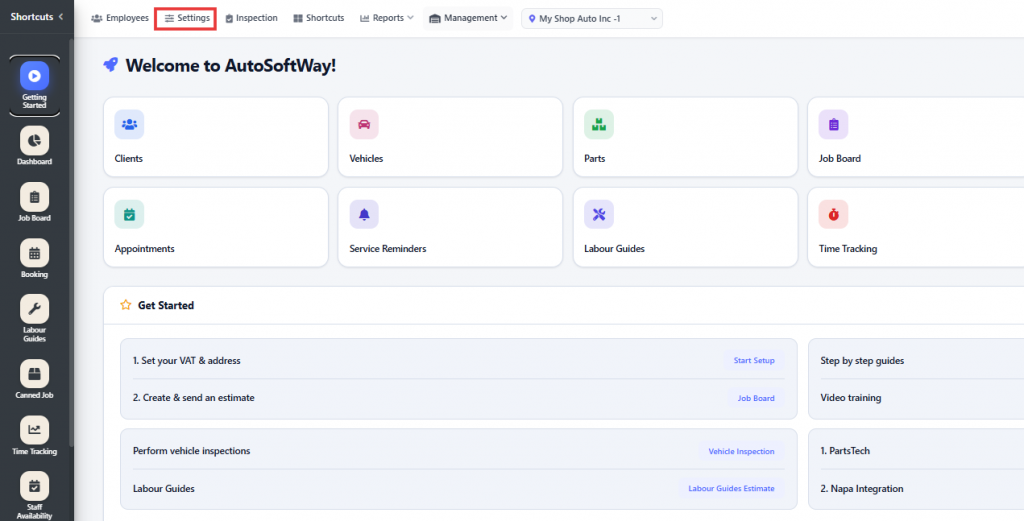
From the Getting Started section, navigate to the Settings menu located in the top-left corner.
Step 2
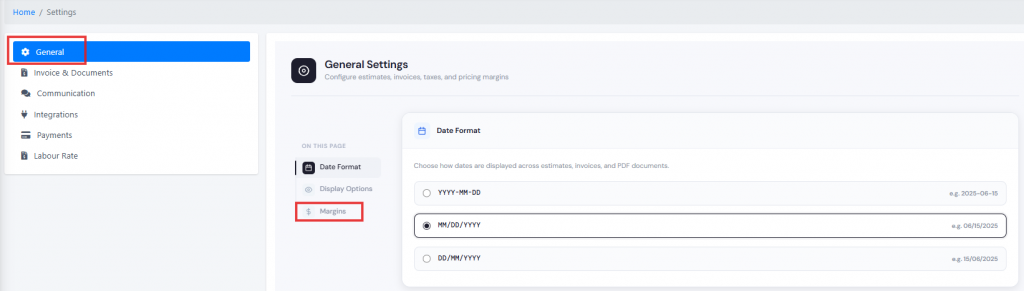
Click on General Settings, then scroll down to the Margins section.
Step 3
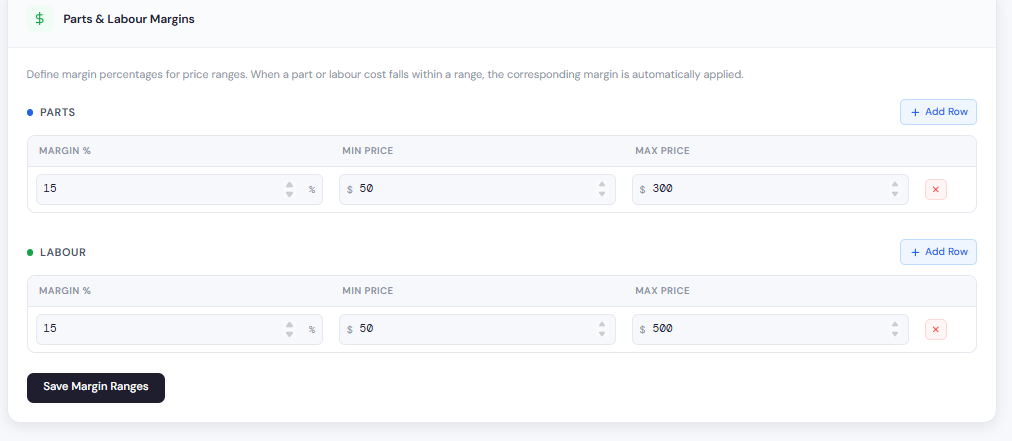
Select the desired margin percentage for parts and labor, then configure the pricing ranges accordingly.
Step 4
Enter the desired margin percentages in the Parts and Labor sections. Once the margins have been added to their respective sections, save the changes.
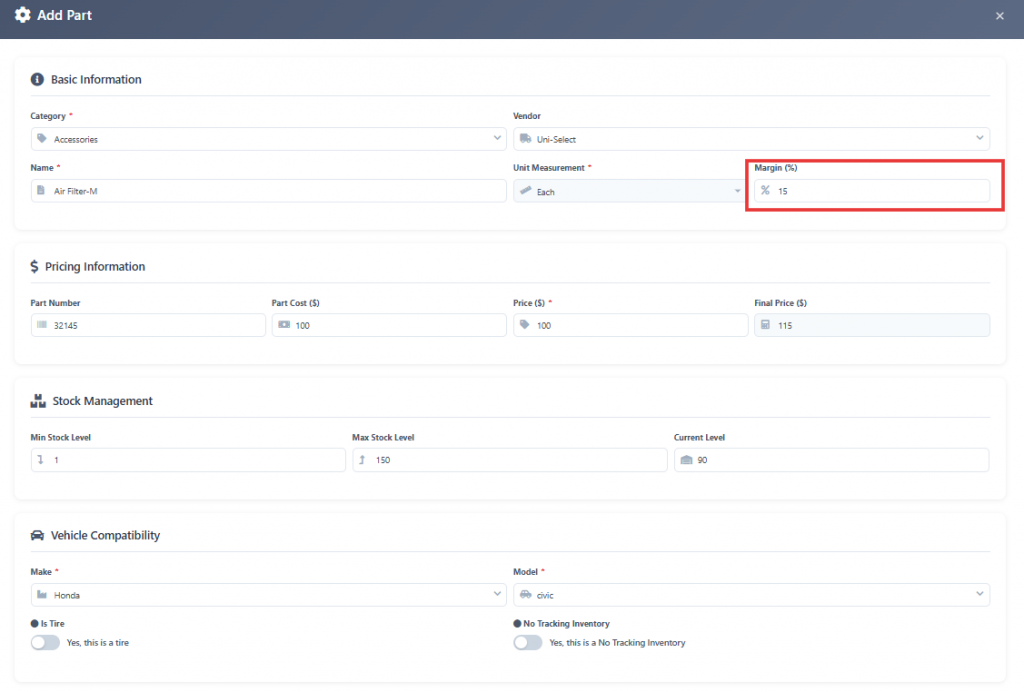
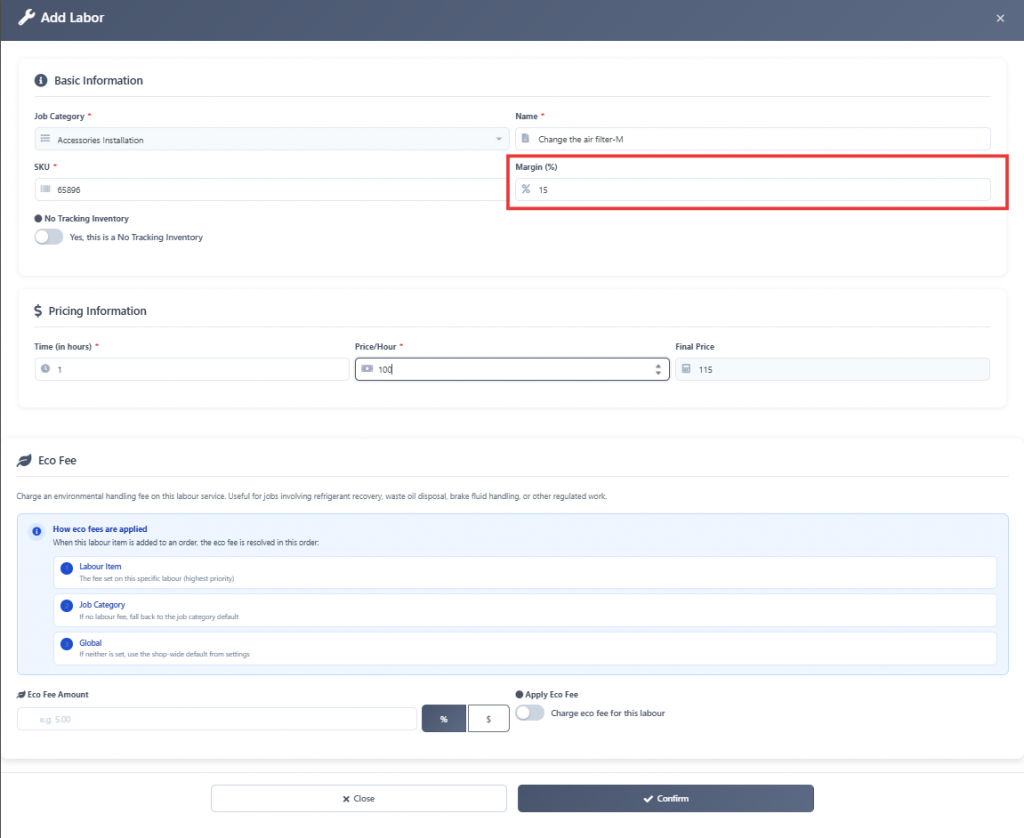
Step 5
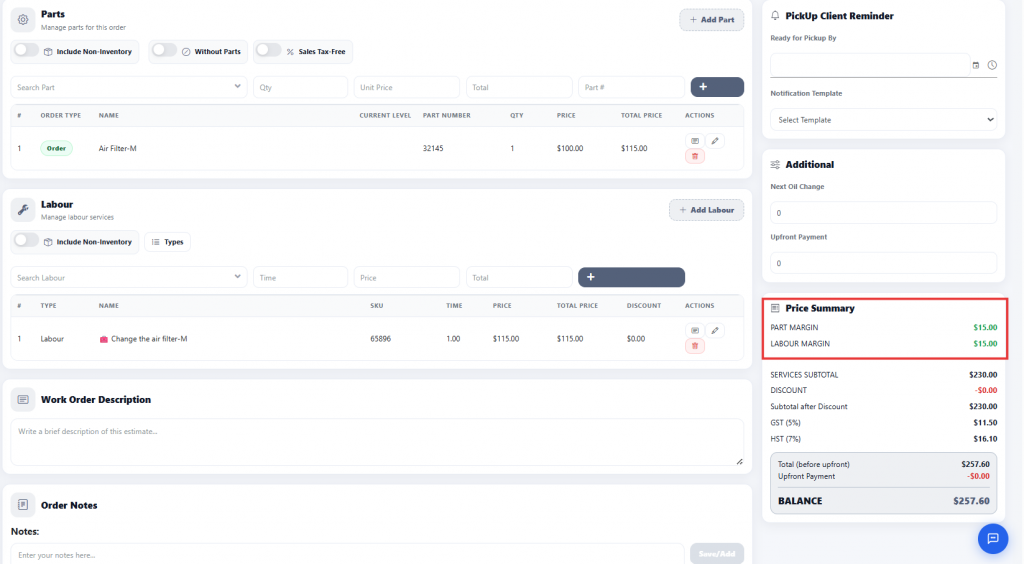
Once the parts and labor have been added to the estimate, the system will automatically calculate the parts and labor margins in the Price Summary section.