


Labour times, estimates and invoices — in the same software
No second website to log into, no hours copied by hand from one screen to another.
MOTOR inside the estimate
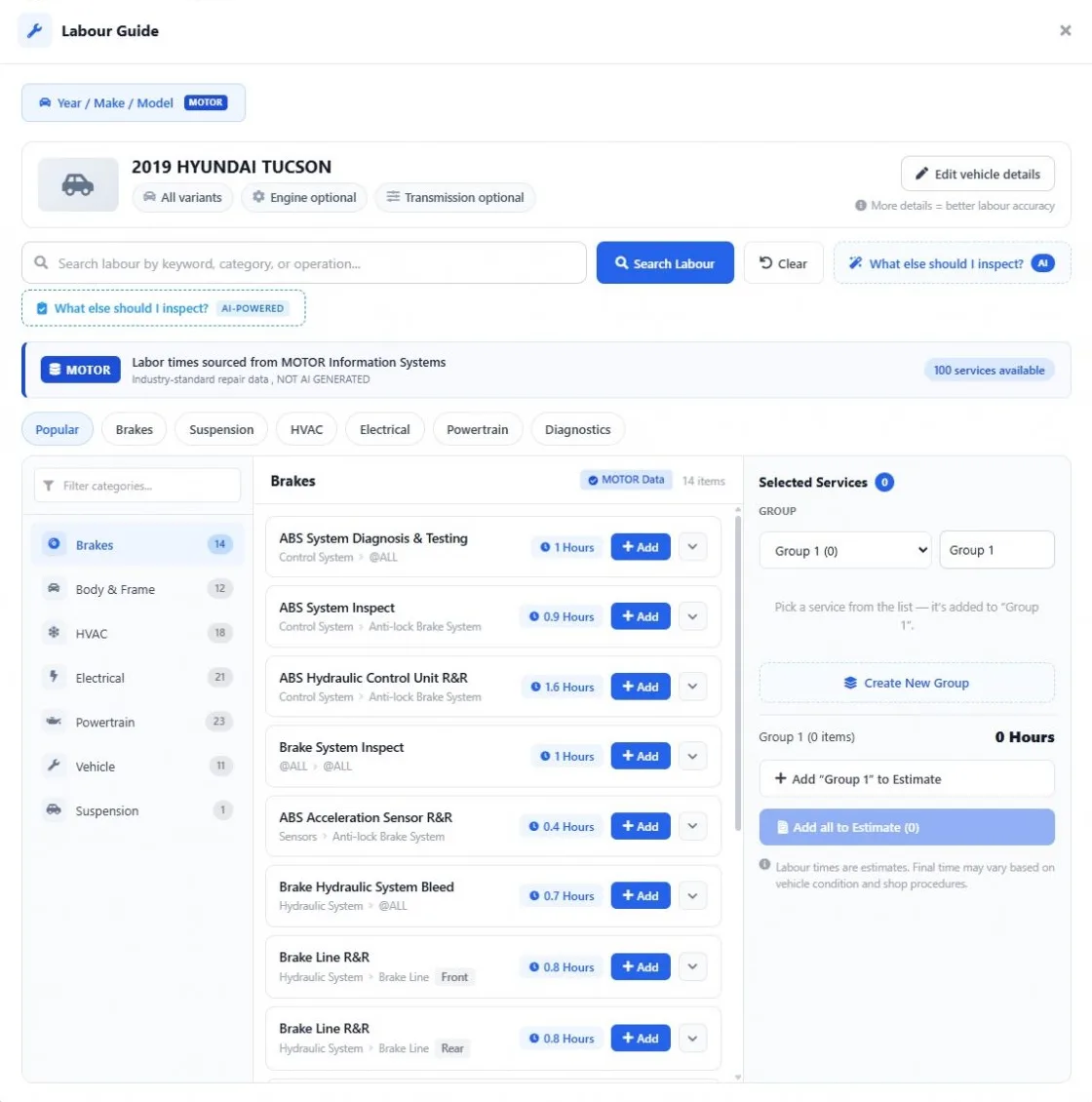
Open the Labour Guide from the estimate, work order or invoice — the vehicle on the job is already filled in.
One click to a labour line
Add an operation and its MOTOR hours land on the estimate, priced at your shop’s labour rate.
Same hours for everyone
Every advisor quotes the same operation from the same MOTOR time.
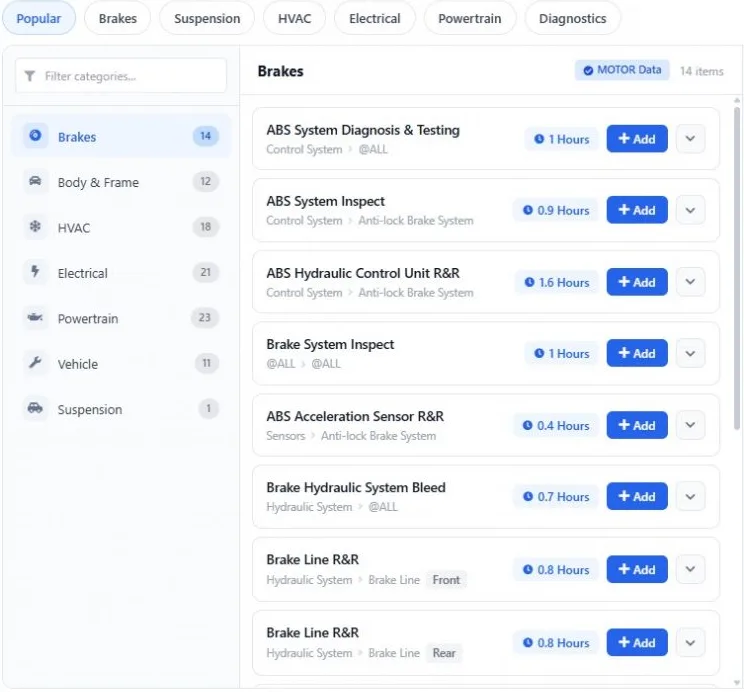
Categories & search
Brakes, Body & Frame, HVAC, Electrical, Powertrain, Vehicle and Suspension, plus keyword search.
Groups of operations
Collect operations into a group, see the total hours, and add the group or everything at once.
Labour catalog & canned jobs
Added operations are saved to your labour catalog, and canned jobs can pull labour from the guide.
AI inspection checklist
“What else should I inspect?” suggests related checks for the vehicle and the job.
Billed vs worked hours
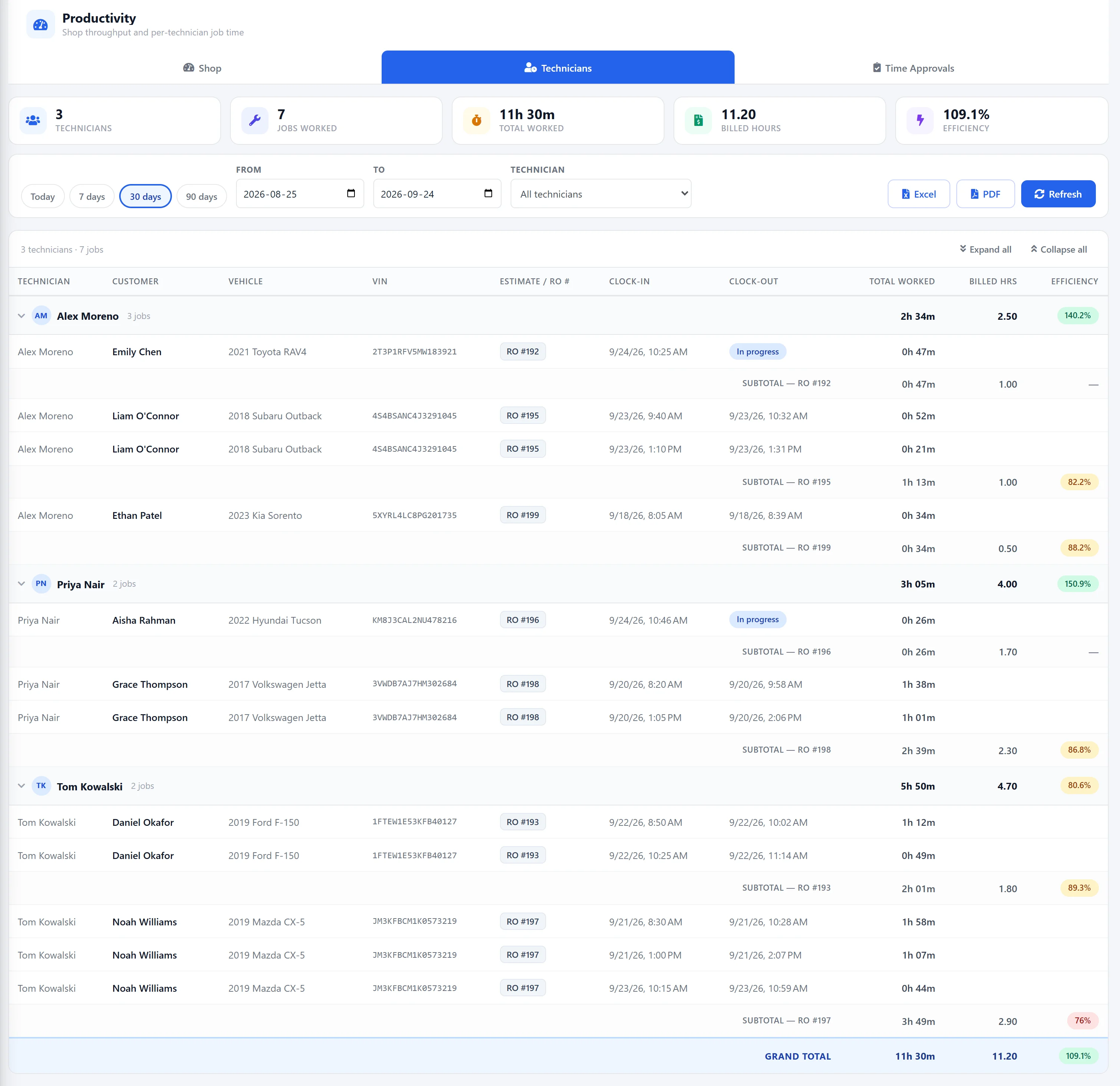
The technician productivity report compares hours billed with the time worked on each job.
The exact vehicle — the right hours
Labour times change with the vehicle, so the guide looks up the year, make and model on the job. Browse by category or search by keyword to find the operation.
Add it once — bill it all the way through
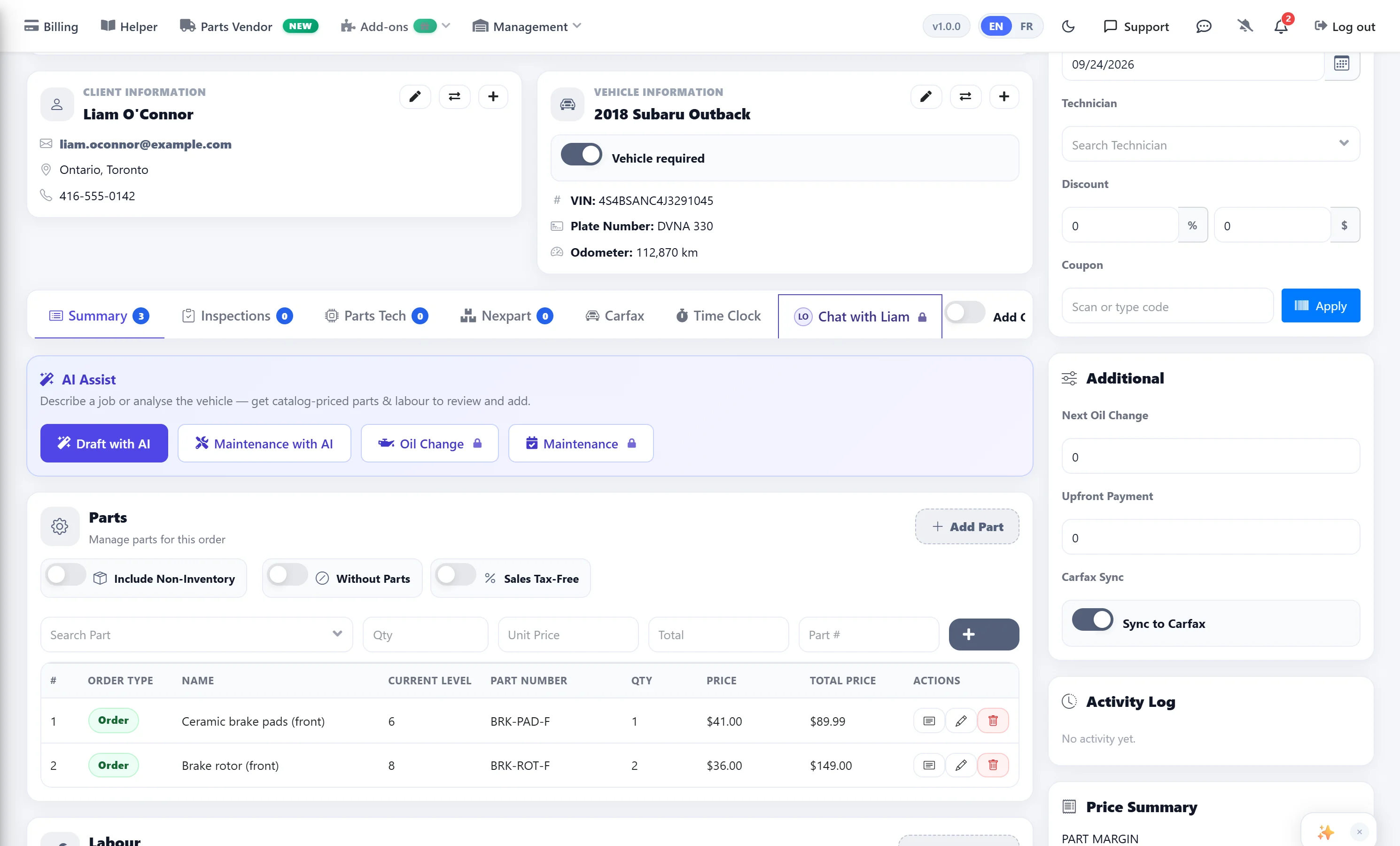
MOTOR hours go onto the estimate as labour lines. When the customer approves, the same estimate becomes the work order and then the invoice — nobody types the hours again.
See if the hours you billed held up
Job timers record the time each technician worked, and the productivity report puts it next to the hours billed. Productivity report →
What you get — no surprises
The Labour Guide is an add-on that works with every AutoSoftWay plan. Compare plans & prices →
MOTOR Labour Guide
- MOTOR labour times
- Year / make / model & VIN lookup
- Categories & keyword search
- Groups & add all to estimate
- AI inspection checklist
- Labor Guide page in the mobile app
Every plan
- Estimates, work orders & invoices
- Labour rates & labour catalog
- AI Assist estimate drafting
- Job board
- Payments & pay links
- Mobile app
Pro & Enterprise
- Technician productivity report
- Time clock
- Technician logins
- Digital vehicle inspections
How to add it
- Paid add-on on every plan
- Request a trial from inside your account
- Prices on the pricing page
Labour guides in your shop software — your questions answered
Where do the labour times come from?
From MOTOR Information Systems. The hours next to each operation in the Labour Guide are MOTOR data, not AI guesses. The AI features (the inspection checklist and the AI tab on the Labor Guides page) are shown separately and never replace the MOTOR times.
How does a labour time become a price on the estimate?
When you add an operation, AutoSoftWay creates a labour line with the MOTOR hours and your shop’s labour rate from Setup → Labor Rate Options. The line total is hours × rate, and you can still edit the line before you save.
Is the Labour Guide included in my plan?
The MOTOR Labour Guide is a paid add-on available on every plan and billed separately; add-on prices are on the pricing page. The 10-day free trial covers the AutoSoftWay platform, and you can request a Labour Guide trial from inside your account.
Can I look up labour times by VIN?
Yes, on the Labor Guides page you can decode a VIN or pick the year, make and model. Inside an estimate, work order or invoice the guide uses the vehicle already on the job, and adding the engine and transmission gives more accurate times.
Can I add several operations at once?
Yes. Pick operations into a named group, see the total hours for the group, then add that group or everything you selected to the estimate in one click. The guide stays open so you can keep adding.
Does the Labour Guide work in the mobile app?
The iOS and Android app has a Labor Guide page: look up times by year, make and model and save an operation to your labour catalog with your price, ready to use on your jobs.
Get 10 days free — on us
Register your shop today and unlock the full AutoSoftWay platform — including estimates, work orders, invoices and the job board. The MOTOR Labour Guide is a paid add-on — you can request a trial of it from inside your account. A credit card is required for verification — you won’t be charged during your trial.
Labour times where you already work
Estimates, work orders and invoices with MOTOR labour built in — try AutoSoftWay free for 10 days.