

What mechanic shop management software should do for your shop
One login for the front counter and the bay, instead of a calendar, a spreadsheet, a paper inspection sheet and an invoicing tool.
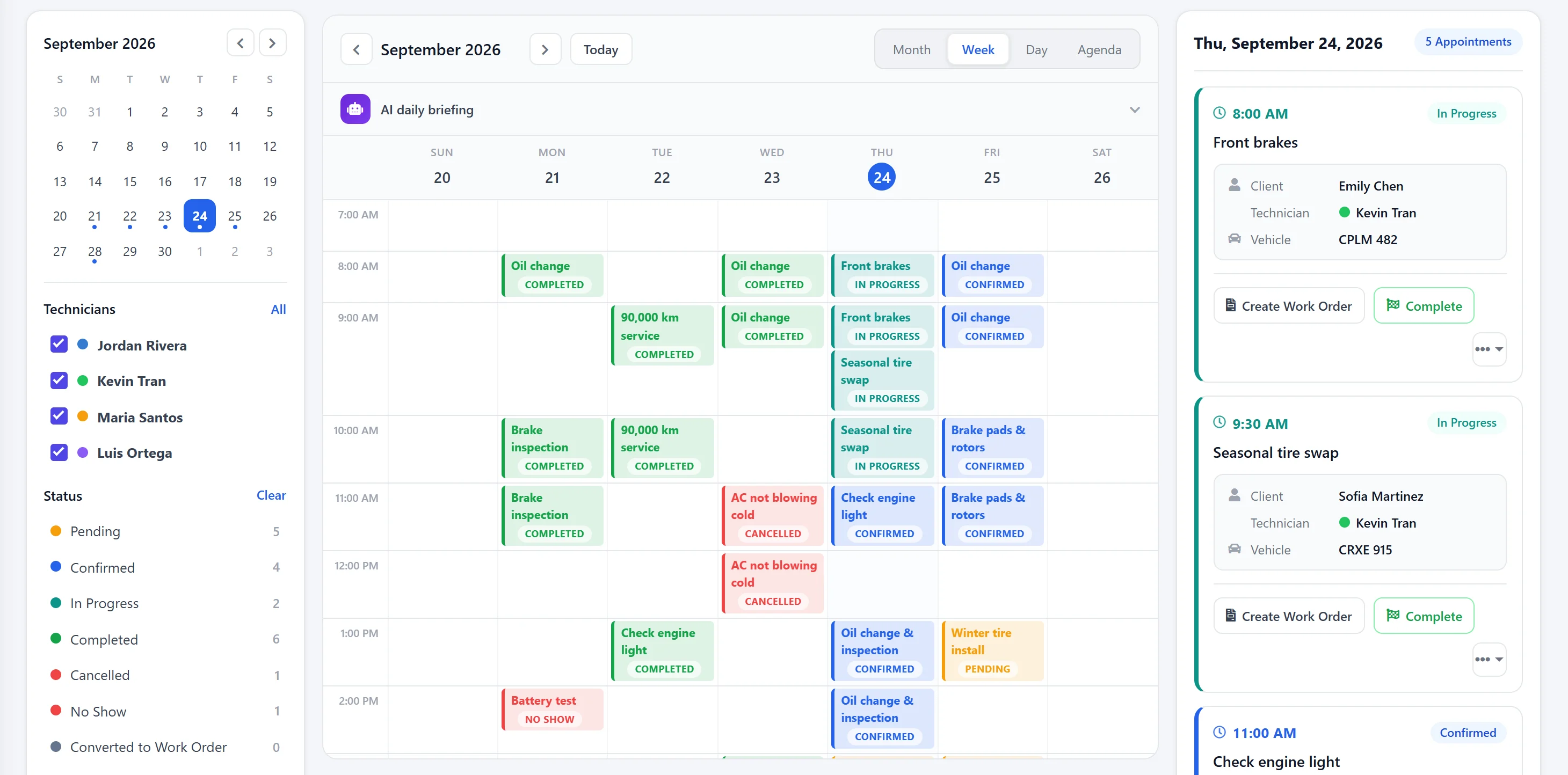
Appointments on a calendar
Book jobs in a week calendar and turn an appointment into an estimate.
Parts & labour estimates
Labour lines are priced at your shop’s labour rate; canned jobs reuse common work.
Send for approval
Send the estimate to the customer and see when it is approved.
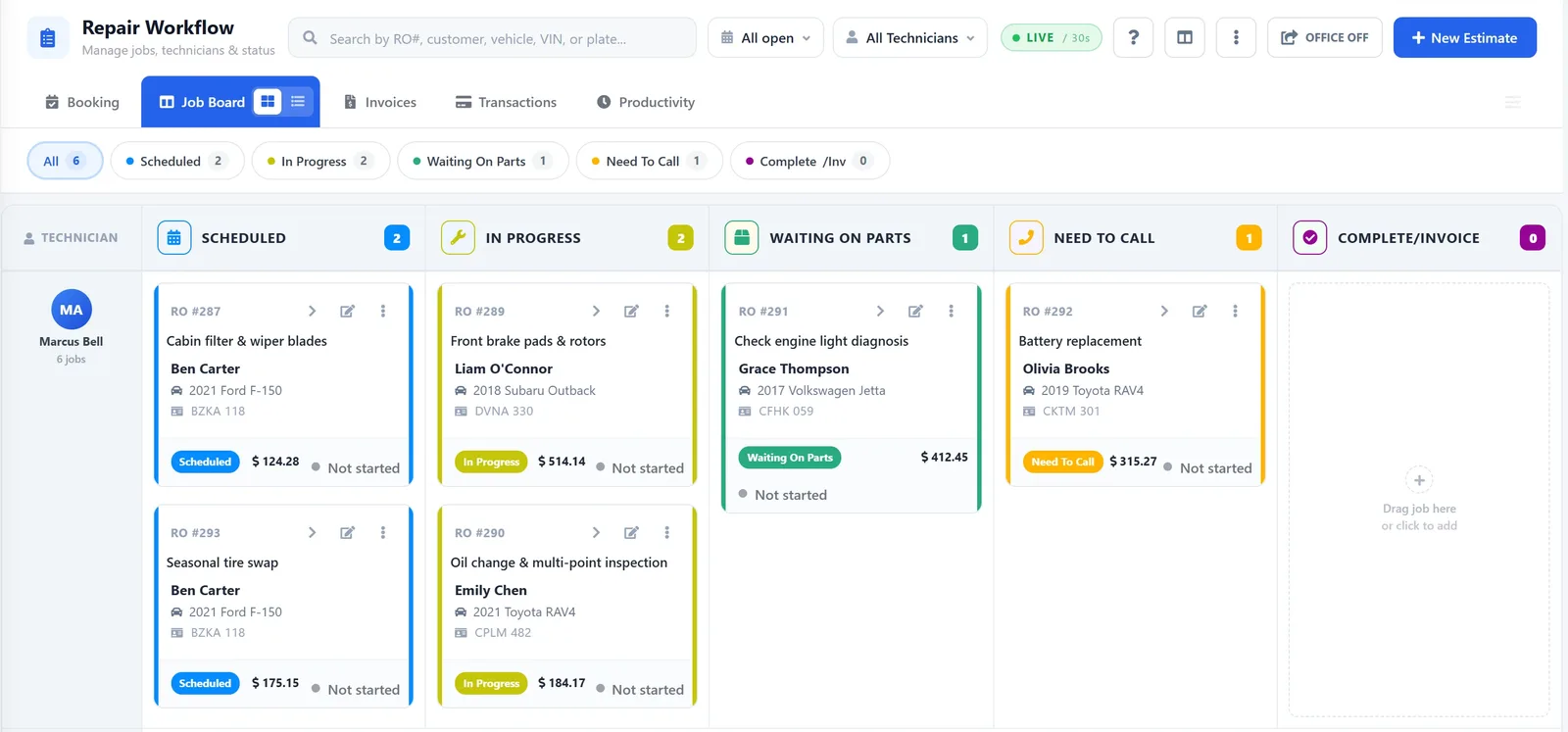
One job board
Move every repair order through scheduled, in progress, waiting on parts and complete.
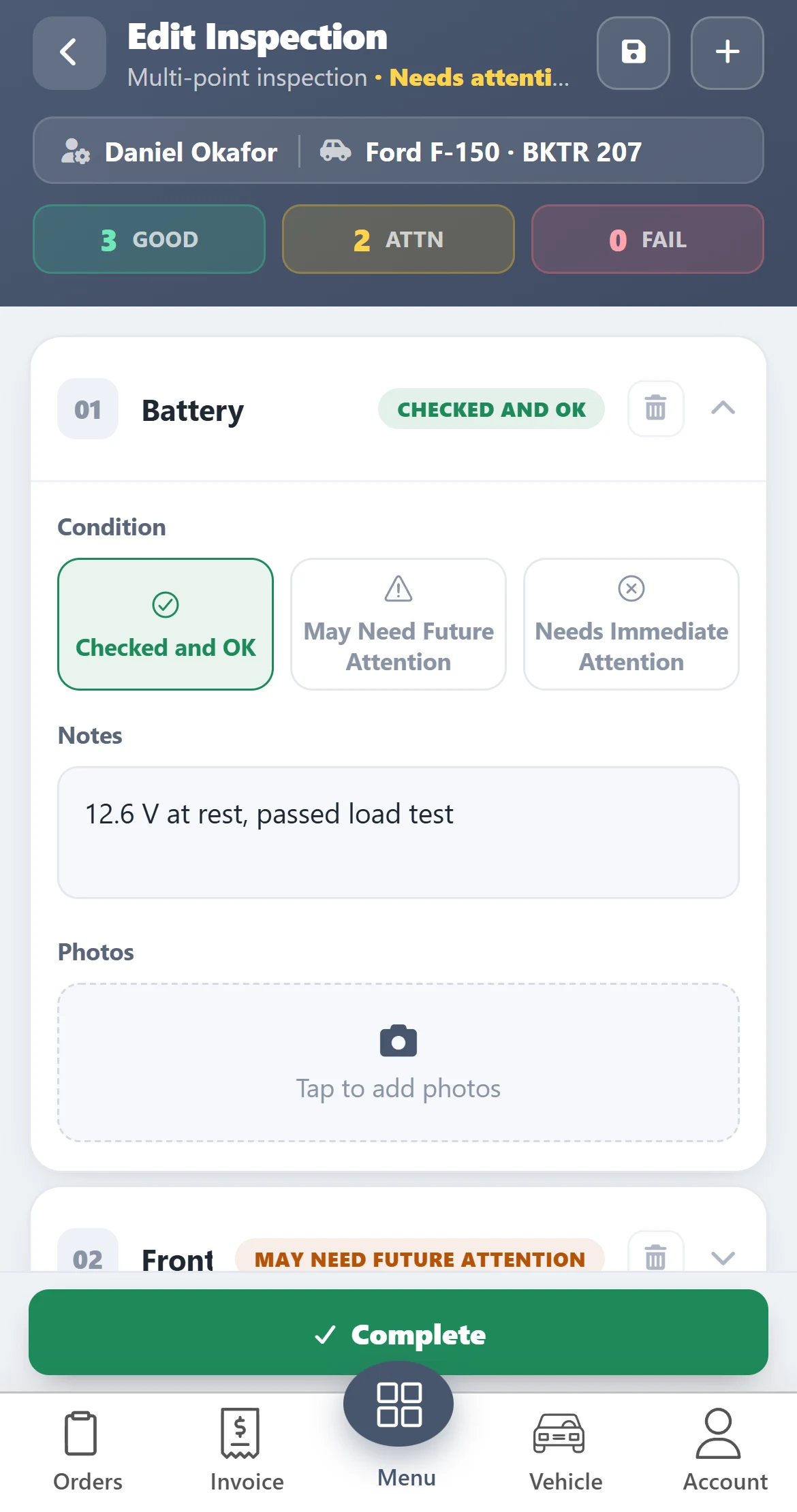
Digital inspections with photos
Technicians rate each item, add notes and photos, and share the report with the customer.
Job timers & productivity
Job timers record time worked, and the productivity report compares it with hours billed.
Invoice and get paid
Take cash, card, bank transfer, cheque, Stripe or 360 Payments from the invoice.
Parts & accounting
PartsTech and Nexpart parts ordering, QuickBooks Online and Desktop, and CARFAX.
From the phone call to the approved estimate
Book the job, look up the customer and vehicle, and build the estimate with parts and labour. Send it for approval and the approved estimate becomes the work order. Appointment scheduling →
Mechanics work from their phone
The AutoSoftWay app for iPhone and Android puts work orders, job timers and digital vehicle inspections in the technician’s hand, so findings and photos reach the front counter without walking paperwork across the shop. Digital vehicle inspections →
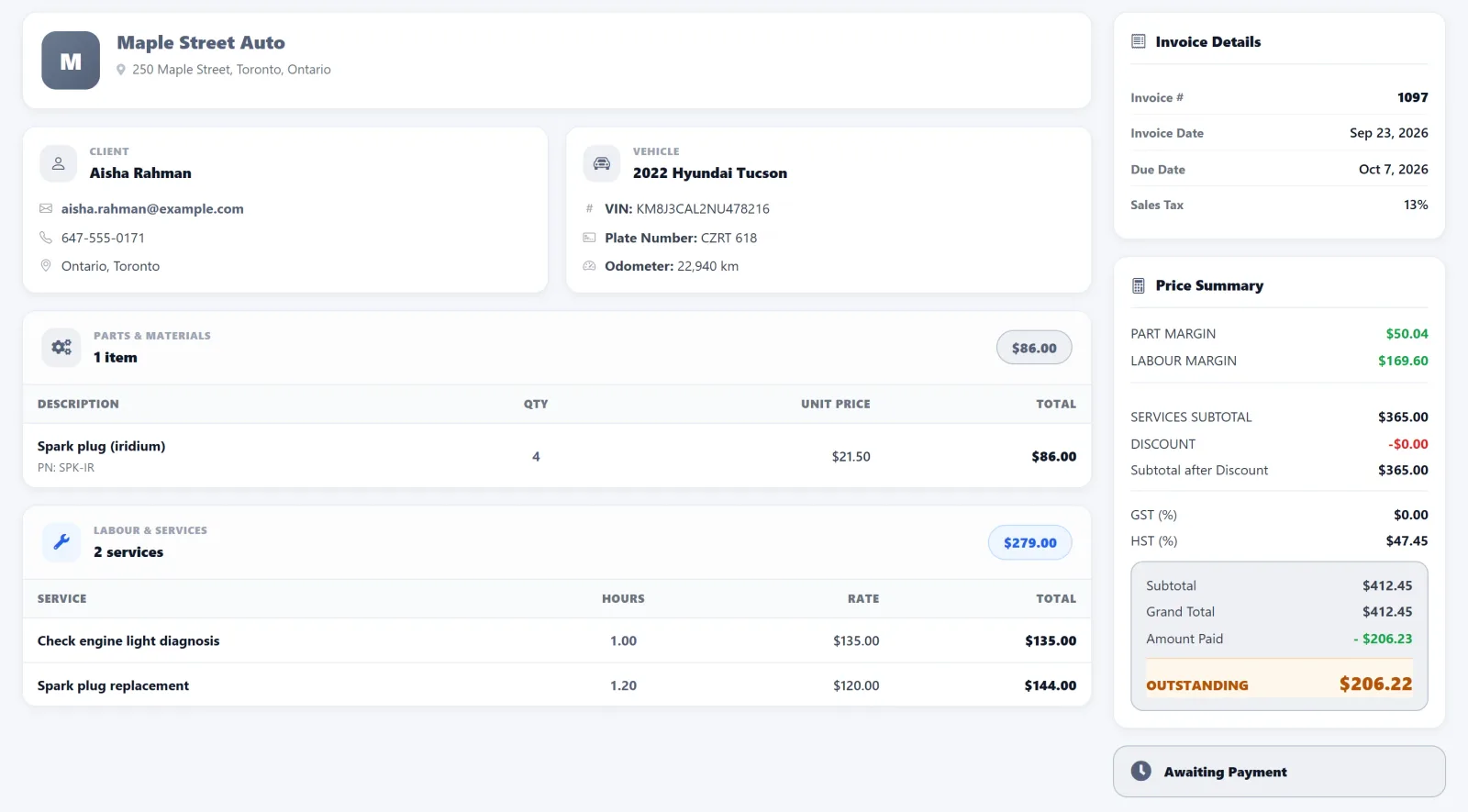
Invoice the job and get paid
When the work is done, the work order becomes the invoice with parts, labour, tax and your margins on it. Take payment from the invoice and send the books to QuickBooks. Invoices & payments →
From one bay to several locations
The same mechanic shop management software grows with the shop. Compare plans & prices →
Small mechanic shops
- One login to start
- Estimates, work orders & invoices
- Job board
- Mobile app
Growing shops
- Technician logins
- Job timers & productivity
- Digital vehicle inspections
- Service advisor role
Mobile mechanics
- Work from a phone
- Invoices in the mobile app
- Mobile Mechanic add-on for on-site jobs
Multi-location shops
- Several locations, one account
- Profit report across locations
- See it on multi-location →
Mechanic shop management software — your questions answered
What is mechanic shop management software?
Mechanic shop management software is one program that runs the day-to-day work of a repair shop: booking appointments, writing estimates, turning approved estimates into work orders, tracking jobs and technician time, inspecting vehicles, invoicing and taking payment. AutoSoftWay does all of that in the browser and in a mobile app.
Is AutoSoftWay a good fit for a small mechanic shop?
Yes. You can run the shop from one login on a desktop, tablet or phone, and add technician logins, add-ons and more locations as the shop grows. Plans and add-ons are listed on the pricing page.
Can my mechanics use it on a phone?
Yes. The AutoSoftWay app for iPhone and Android shows work orders with a running job timer, and technicians can complete digital vehicle inspections with photos and notes from the bay.
How do estimates become invoices?
You build the estimate with parts and labour, send it to the customer for approval, and the approved estimate becomes the work order. When the job is done, the same work order becomes the invoice, so nothing is typed twice.
Which parts suppliers and accounting tools does it connect to?
AutoSoftWay connects to PartsTech and Nexpart for parts ordering, QuickBooks Online and QuickBooks Desktop for accounting, and CARFAX. MOTOR labour times are available as a paid add-on.
How do I get started?
Register your shop and start the 10-day free trial. A credit card is required for verification, and you are not charged during the trial. You can also book a demo first.
Get 10 days free — on us
Register your shop today and unlock the full AutoSoftWay platform — including estimates, work orders, the job board, digital inspections, invoices and payments. A credit card is required for verification — you won’t be charged during your trial.
Run your mechanic shop from one place
Built for the way mechanics work — try AutoSoftWay free for 10 days.