
NextPart Parts Integration Made Easy with AutoSoftWay
Simplify Local Parts Ordering with Nexpart and AutoSoftWay
Complete Supplier Network
- Connect your shop to thousands of jobbers, dealers, and recyclers nationwide with one signup — no extra subscriptions or separate logins.
Find the Right Part
- Search by VIN, part number, or interchange, then compare brand, availability, stock, and delivery time.
Order in Seconds
- Turn quotes into approved purchases quickly, with confirmations saved automatically back to the document.
Create a Nextpart Account
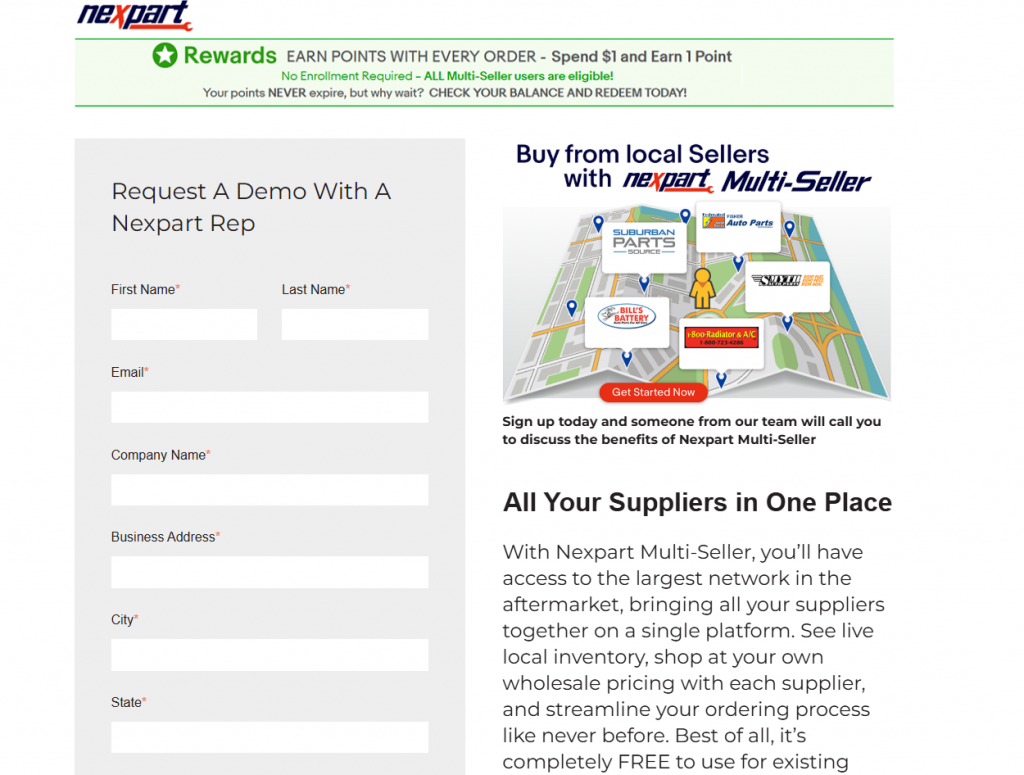
If you don’t already have a Nexpart account, you’ll need to create one before connecting it to AutoSoftWay.
Create your Nexpart account
Visit nexpart.com and sign up for an account. Once registered, Nexpart will provide access to parts suppliers available in your area.
Connect with local suppliers
After your account is activated, Nexpart will match your shop with local parts vendors based on your location. Depending on your area, you may be connected to one supplier or several.
Keep your login details ready
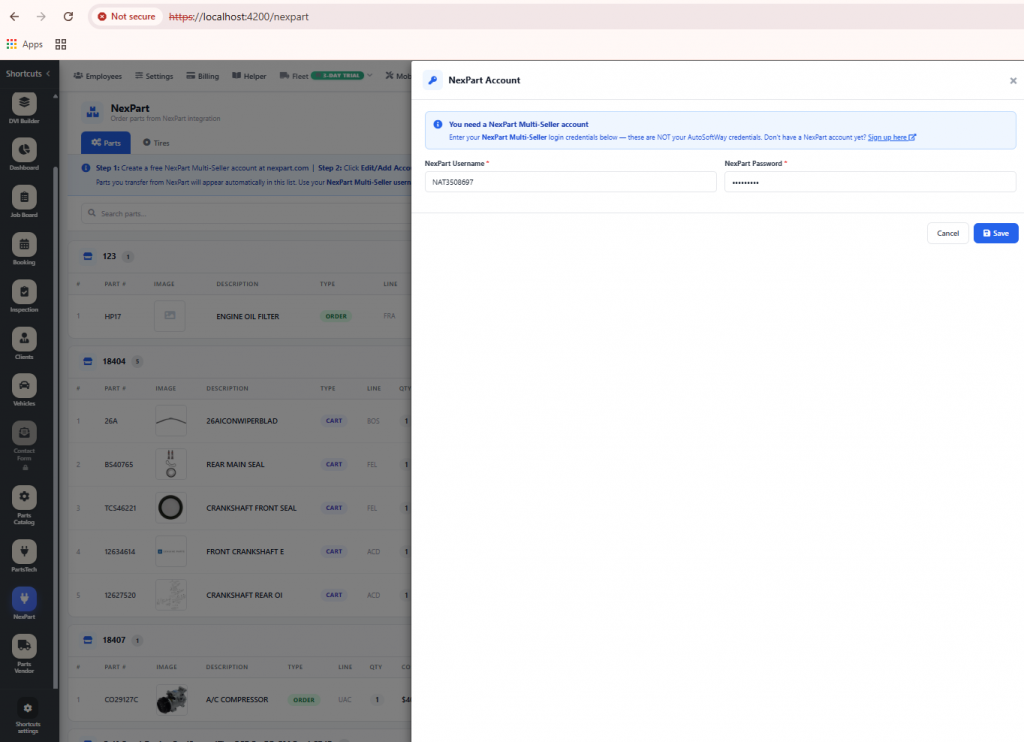
To connect Nexpart with AutoSoftWay, you’ll need your Nexpart username and password.
Connect AutoSoftWay with Nextpart
Once you have your Nexpart login credentials, you can connect your account to AutoSoftWay in less than a minute.
Log in to AutoSoftWay
Go to Nexpart Integration
- Enter your Nexpart username and password
Click Connect
- You’re all set. Your Nexpart account is now connected to AutoSoftWay.
Order Parts on an Estimate
Find the right parts faster with Nexpart in AutoSoftWay. While working on a customer’s vehicle, you can search for parts and add them directly to the estimate, making the repair process quicker, easier, and more organized.
Step 1, 2 & 3
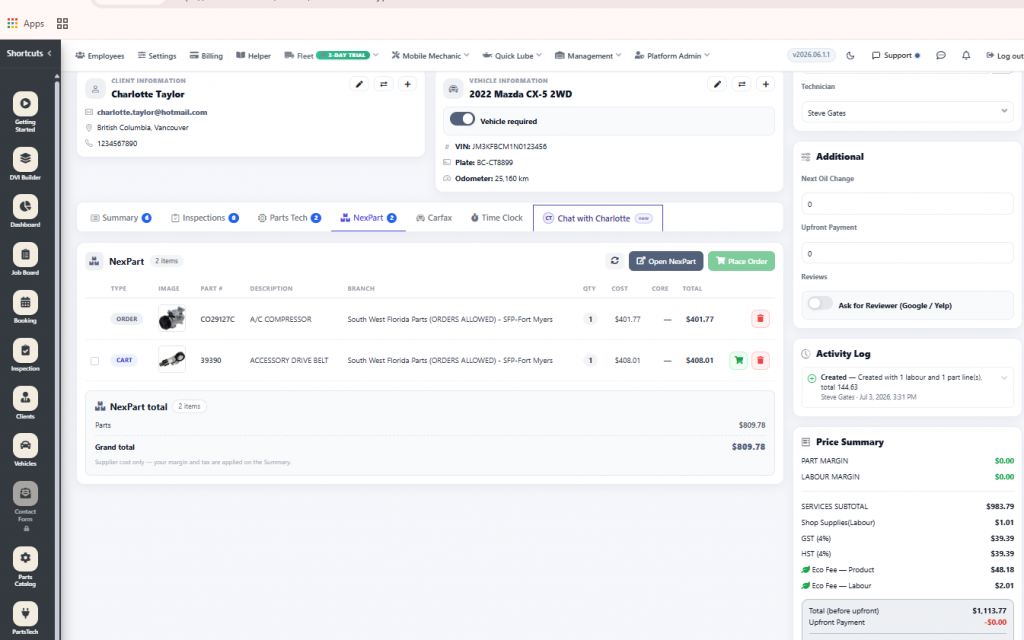
Open your estimate and choose Nextpart
Create a new document or open an existing one. For the best experience, make sure a vehicle is selected first. AutoSoftWay will send the VIN to Nexpart, so the catalog opens with the correct vehicle already loaded.
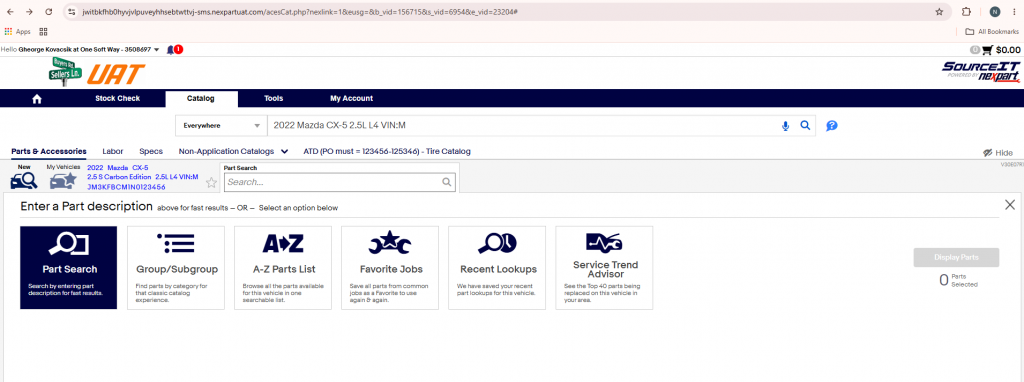
Select Nexpart from the menu. AutoSoftWay will open the Nexpart parts catalog in a new window. When a VIN is available on the document, the correct vehicle will be selected automatically in Nexpart.
Step 4
Search and add parts to your cart
Use the Nexpart catalog to find the parts you need. You can browse by category, search by part number, or use interchange lookup, then add the selected parts to your cart.
