


The 10 tools AutoSoftWay replaces
Everything a repair shop runs on, in one account — no copying data between apps.
Estimates, work orders & invoices
Build the estimate once; it becomes the work order and then the invoice.
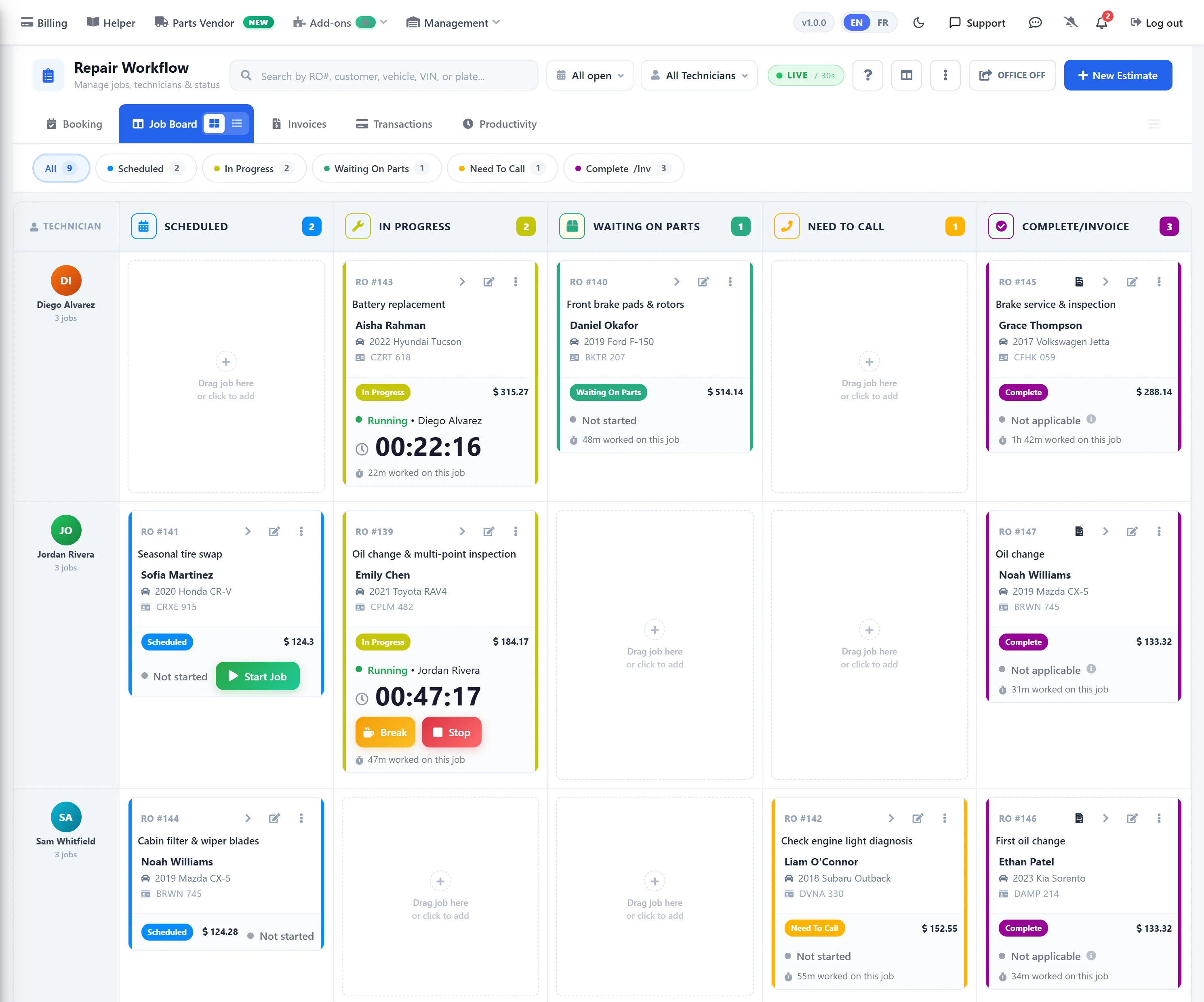
Job board
Drag jobs between your own columns; the board refreshes every 30 seconds.
Digital inspections
Photos, notes and a branded PDF inspection report for the customer.
Payments & pay links
Cash, card, cheque, e-transfer, pay links and card readers on the invoice.
Parts ordering
Order from PartsTech, NAPA and Nexpart without leaving the estimate.
Appointments calendar
Bookings by technician and status, with an AI daily briefing.
Time clock & job timers
Clock in and out, and time every job from the job board.
Accounting sync
QuickBooks Online, QuickBooks Desktop and Sage Business Cloud.
Follow-ups & reviews
Automated follow-ups after a visit and Google or Yelp review requests.
Mobile app
iOS and Android app for technicians and advisors in the bay.
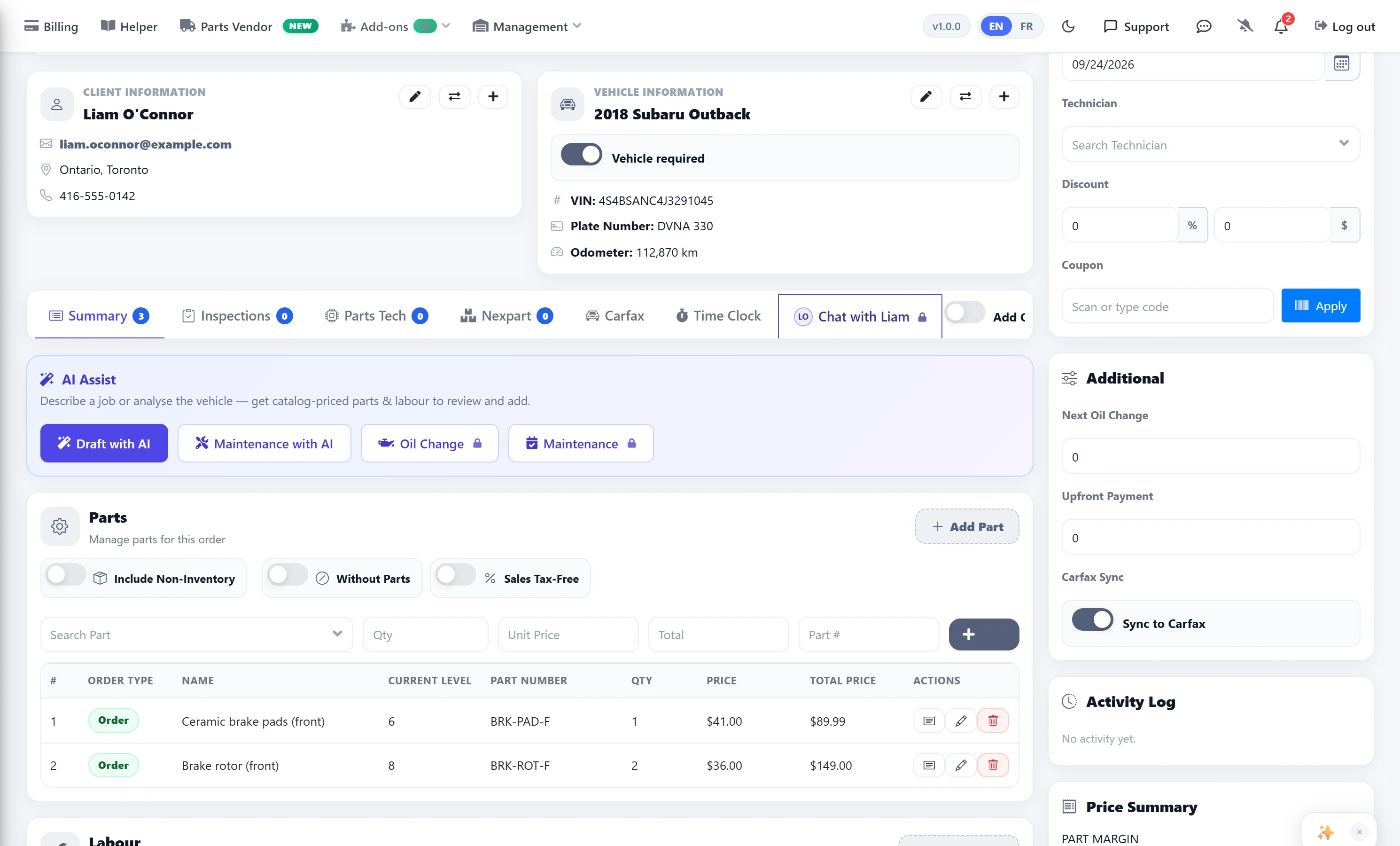
Build the estimate once — use it all the way to the invoice
Client, vehicle, parts, labour, taxes and totals on one screen. Approved estimates move to the job board and turn into the invoice without retyping.
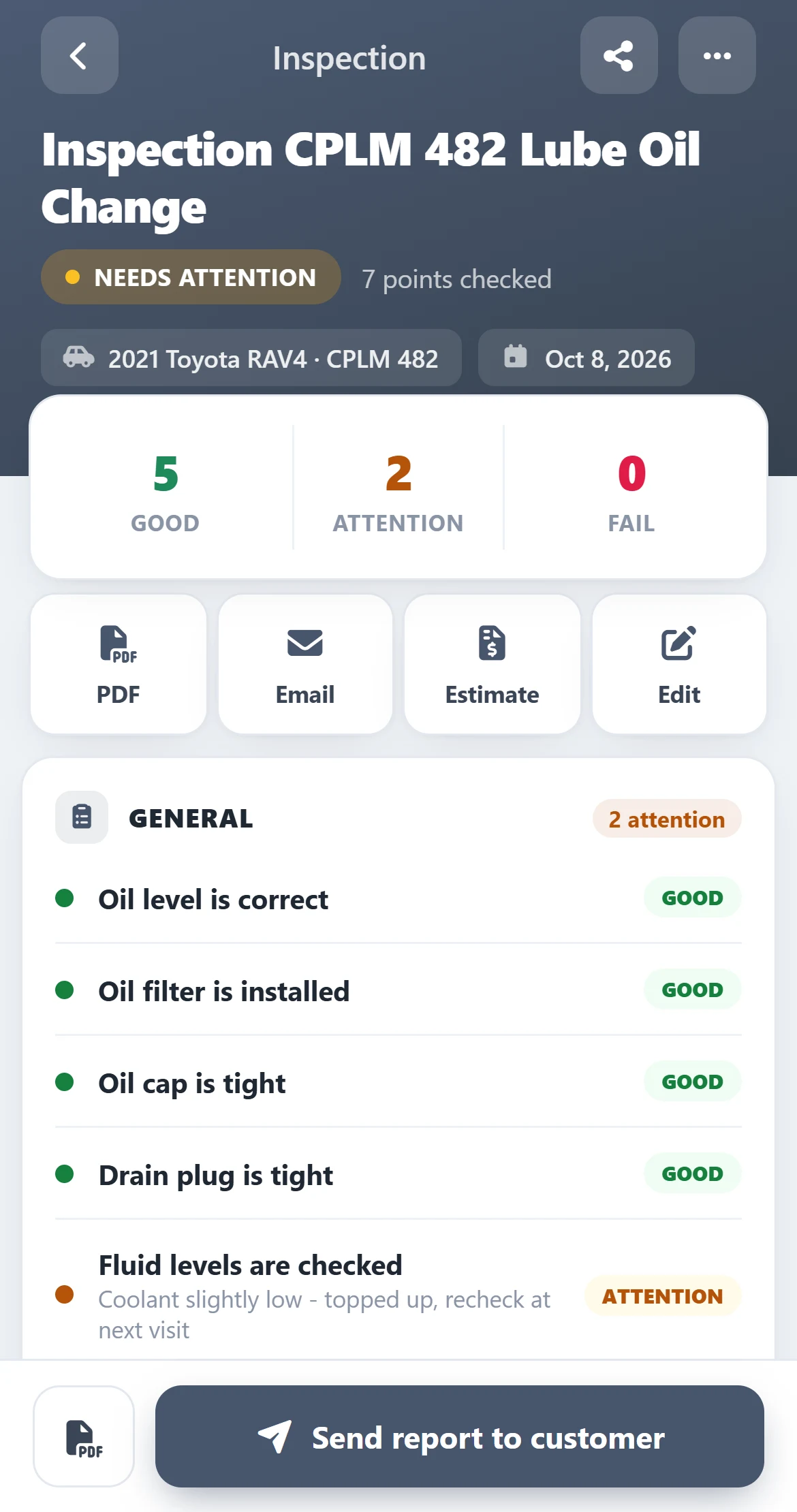
Inspections customers can see
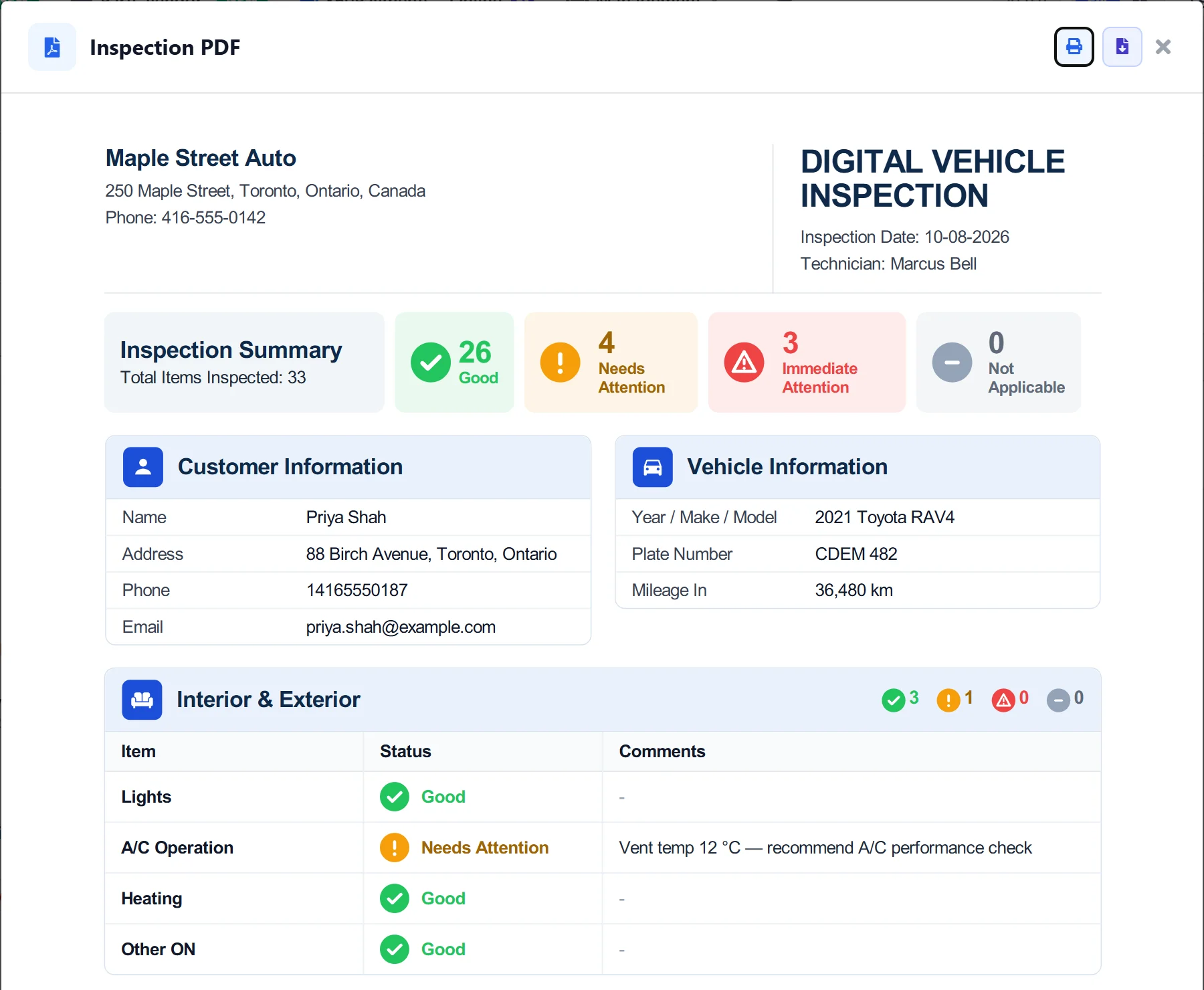
Technicians inspect from a phone or tablet with photos and notes, and the customer gets a clear PDF report. Digital inspections →
Get paid faster
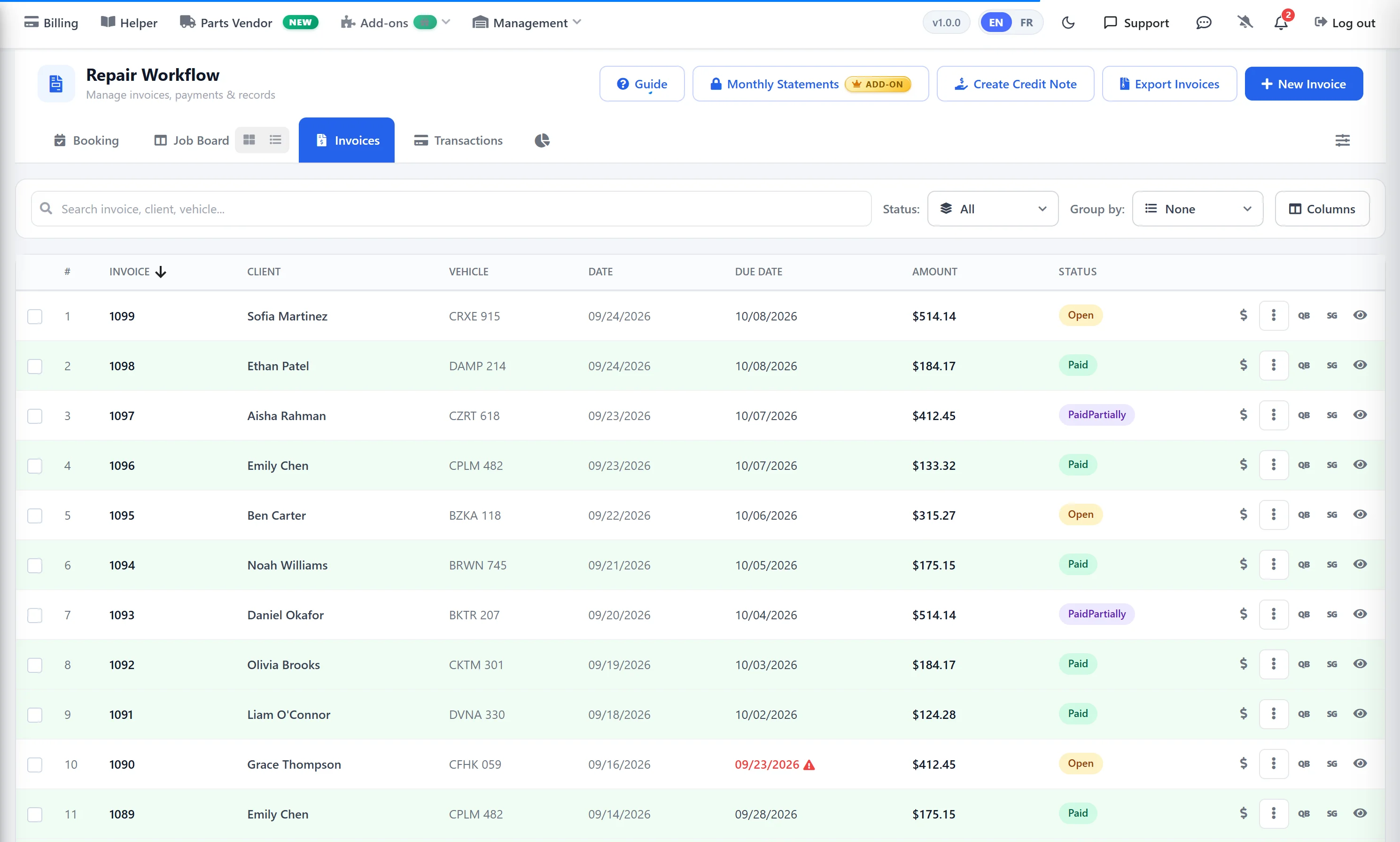
Invoice finished jobs in one click and take payment in full or in part — see which invoices are open, paid or past due. Invoicing & payments →
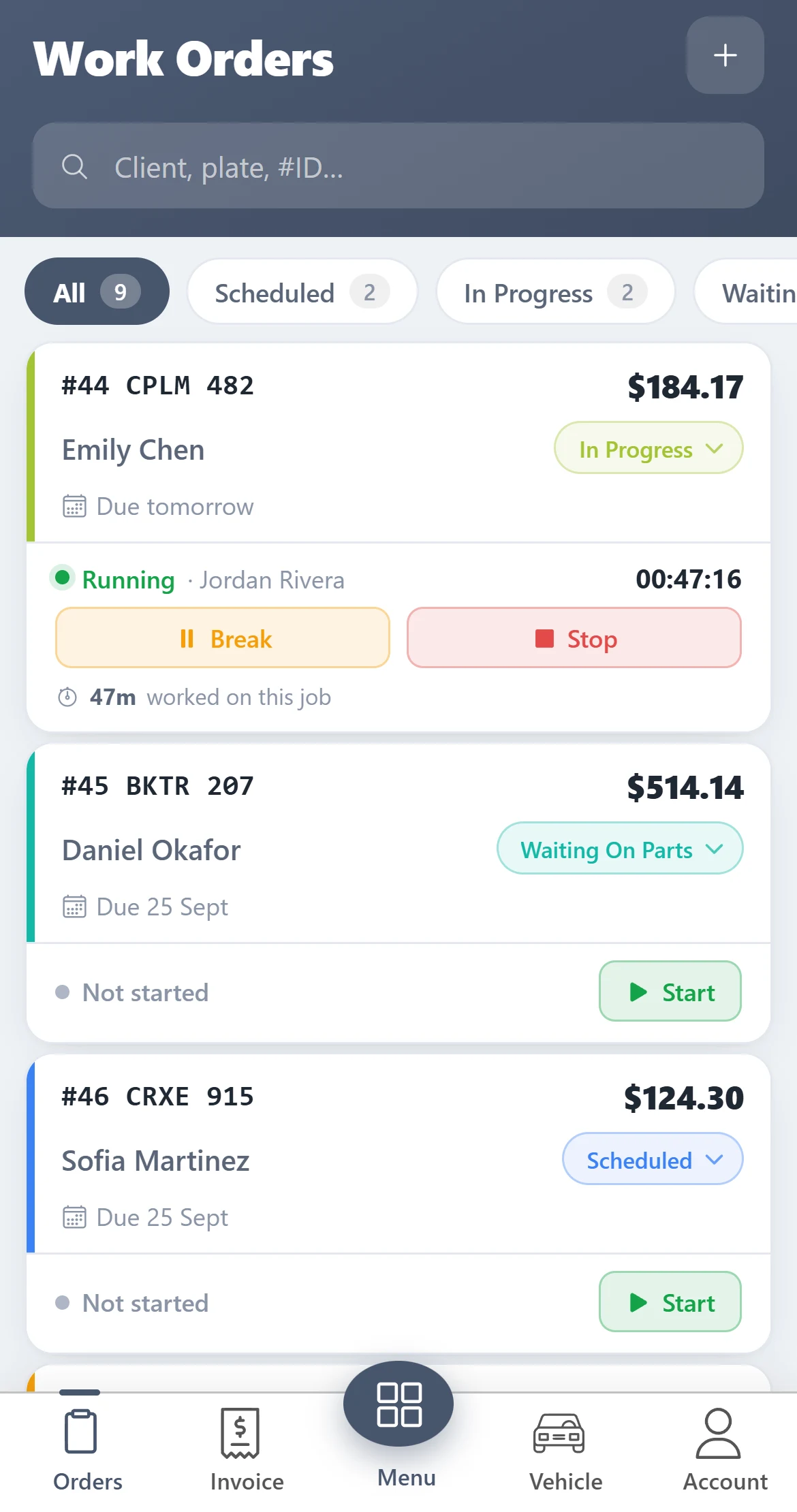
Your shop — in your pocket
The iOS and Android app puts work orders, inspections, invoices and job timers in the bay. Mobile app →
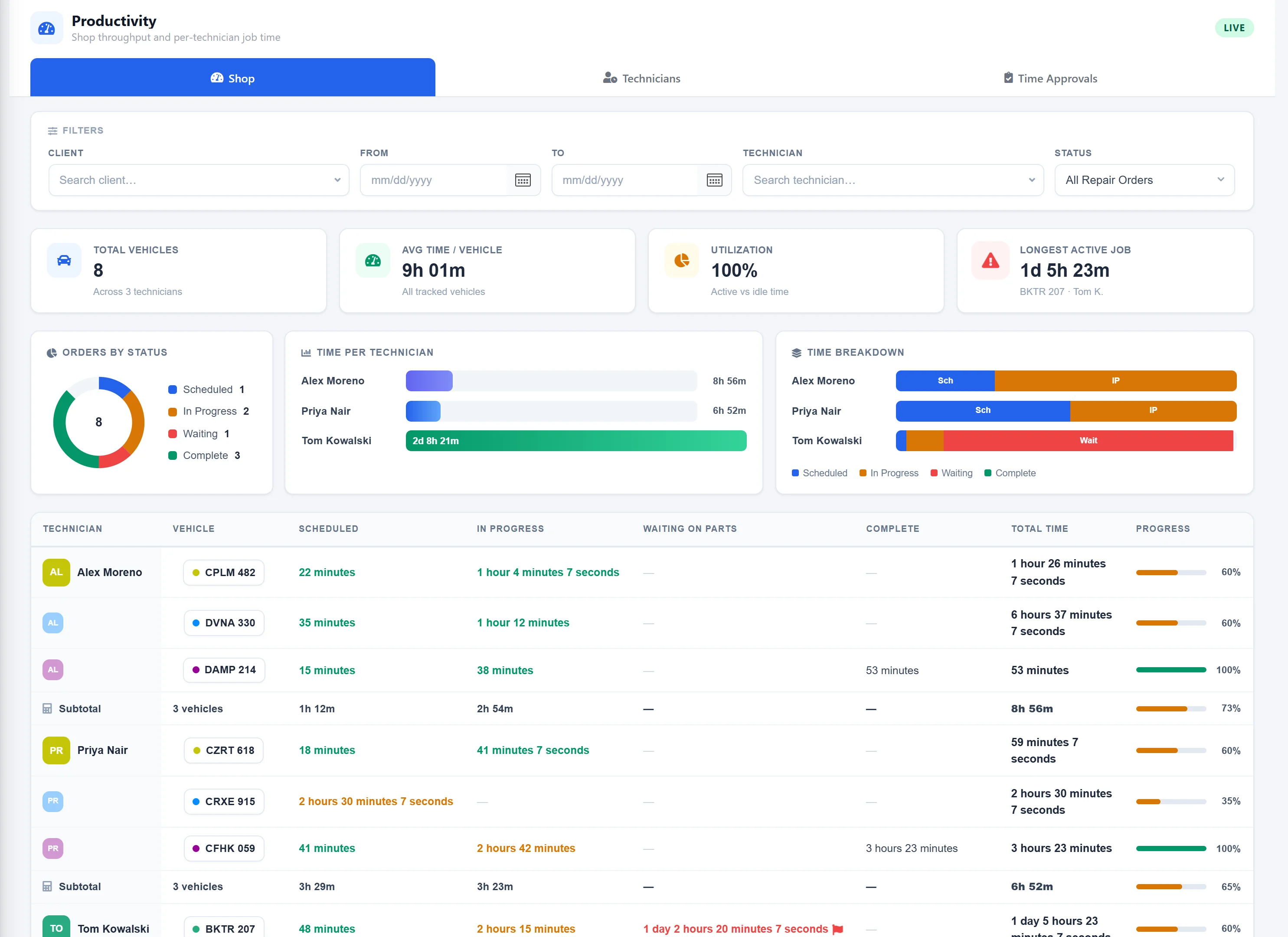
Know where the money is made
Sales, labour and parts profit, and technician productivity — worked hours against billed hours for every job. Productivity report →
Connected to the tools you already use
Built-in integrations — no third-party glue.
PartsTech, NAPA & Nexpart
Search, price and order parts from inside the estimate.
Stripe, Square, PayPal & 360 Payments
Pay links and card readers linked to the invoice.
QuickBooks & Sage
QuickBooks Online, QuickBooks Desktop and Sage Business Cloud.
CARFAX & MOTOR
CARFAX service history; MOTOR labour times as a paid add-on.
What’s included — no surprises
Start on the plan that fits your shop and add what you need. Compare plans & prices →
Every plan
- Estimates, work orders & invoices
- Job board
- Payments & pay links
- AI Assist estimate drafting
- Parts ordering
- QuickBooks sync
- Mobile app
Pro & Enterprise
- Digital vehicle inspections
- CARFAX service history
- Time clock
- Technician logins
- Sales & productivity reports
- Expense tracking
Enterprise
- Multiple locations
- Online booking widget
- Staff scheduling
Paid add-ons
- MOTOR Labour Guide
- Two-way texting
- Other add-ons listed on the pricing page
All-in-one shop software — your questions answered
What does AutoSoftWay replace?
Paper repair orders and spreadsheets, the whiteboard job board, paper inspection sheets, separate payment apps, parts supplier websites, the appointment book, a separate time clock, re-typing invoices into QuickBooks, and separate texting and review tools. Estimates, work orders, invoices, payments, inspections, scheduling and parts ordering all live in one account.
Is everything on this page included in the free trial?
The 10-day trial covers the AutoSoftWay platform on your plan. Some features depend on the plan: digital inspections, CARFAX, time clock and reports are on Pro and Enterprise, and multi-location is Enterprise. The MOTOR Labour Guide and two-way texting are paid add-ons billed separately. See the pricing page for the full comparison.
Does it work on phones and tablets?
Yes. AutoSoftWay runs in any browser on desktop, tablet or phone, and there is a mobile app for iOS and Android for work orders, invoices, inspections, the labour guide, bookings, VIN scanning and job timers.
Which parts suppliers and accounting software does it connect to?
Parts: PartsTech, NAPA and Nexpart, ordered from inside the estimate. Accounting: QuickBooks Online, QuickBooks Desktop and Sage Business Cloud. Payments: Stripe, Square, PayPal and 360 Payments.
How does the AI work?
Describe a job in plain language and AI Assist drafts the estimate using the parts and labour prices from your own catalog. Nothing is saved until you review and approve it. On the appointments calendar, an AI daily briefing summarises the day’s bookings and flags double-booked technicians.
Is it built for shops in the US and Canada?
Yes. AutoSoftWay supports two tax rates (for example GST + PST), miles or kilometres, and automatic eco fees on the parts and labour that need them.
Get 10 days free — on us
Register your shop today and unlock the full AutoSoftWay platform — including estimates, work orders, invoices, payments, the job board, parts ordering and the mobile app. Card verification is required — nothing is charged during your trial.
One platform for your whole shop
Replace the whiteboard, the paper ROs and the extra apps — try AutoSoftWay free for 10 days.