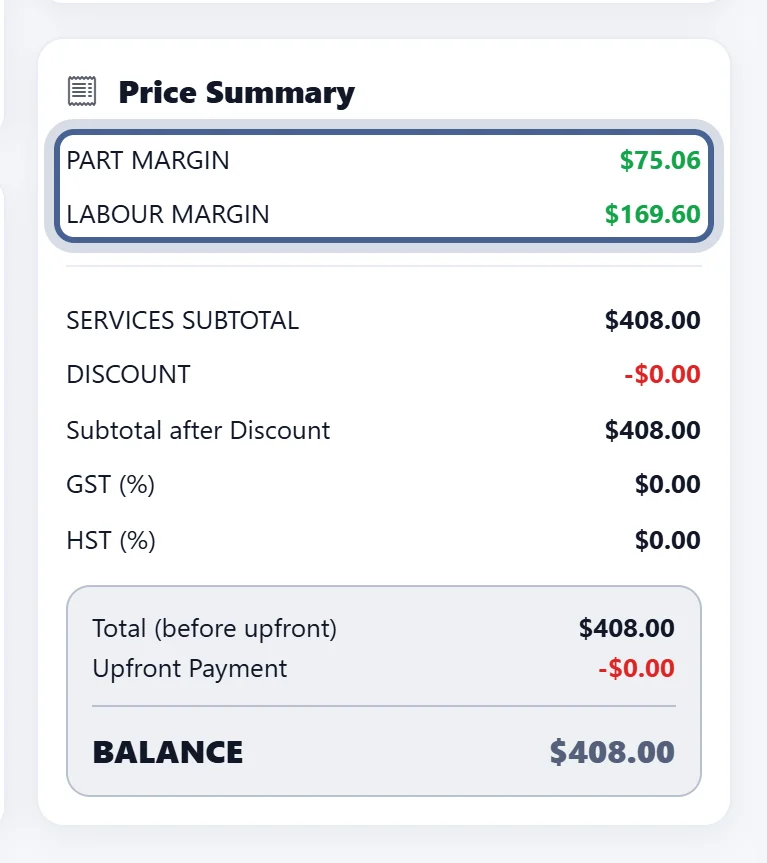


Set up your profit margins for labor and parts once, and every work order is priced for your shop’s success. Starting from the ‘Getting Started’ page, open the Management menu and click Settings.
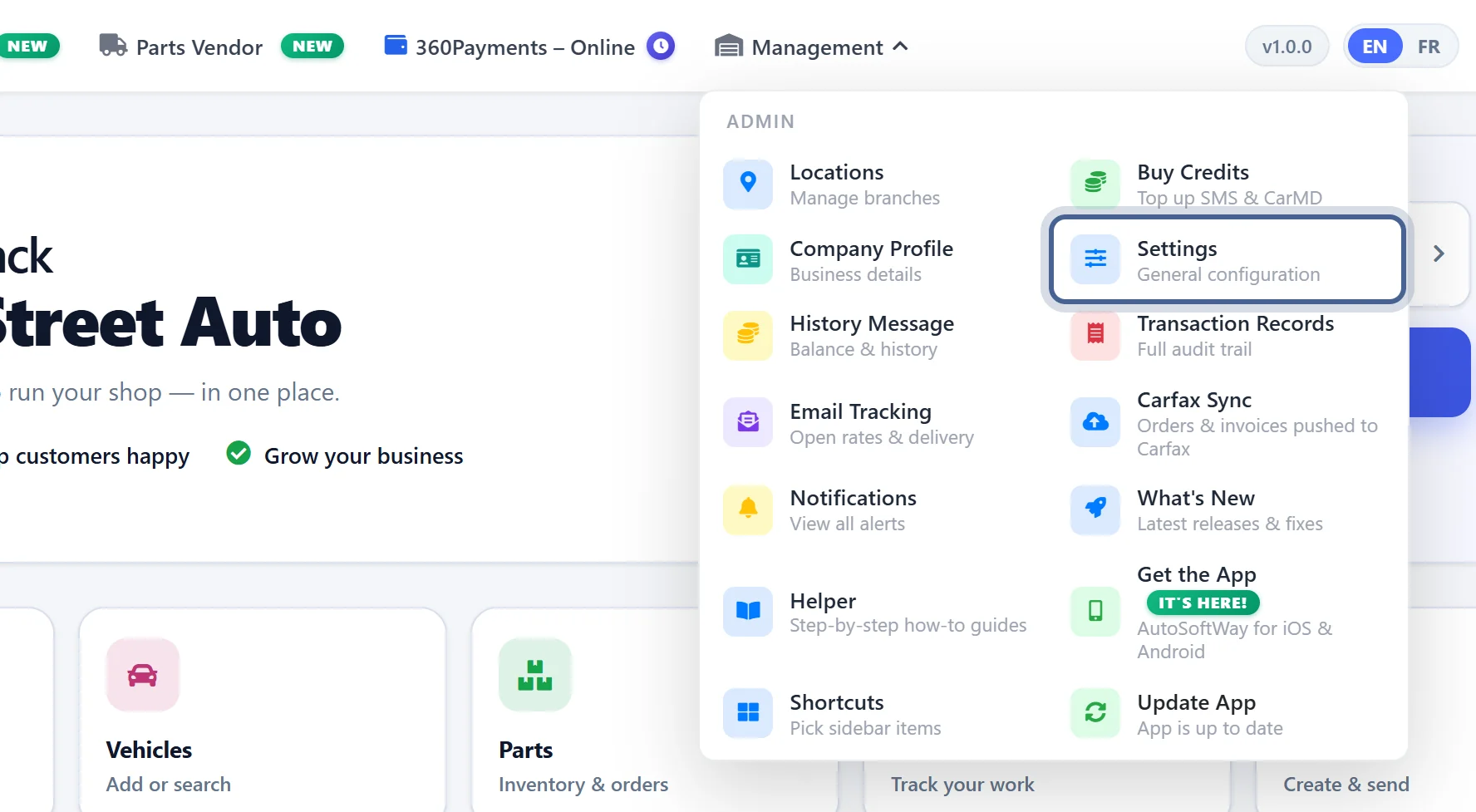
Step 2
Once in Settings, click General and enter your desired Profit Margin % for both labor and parts.
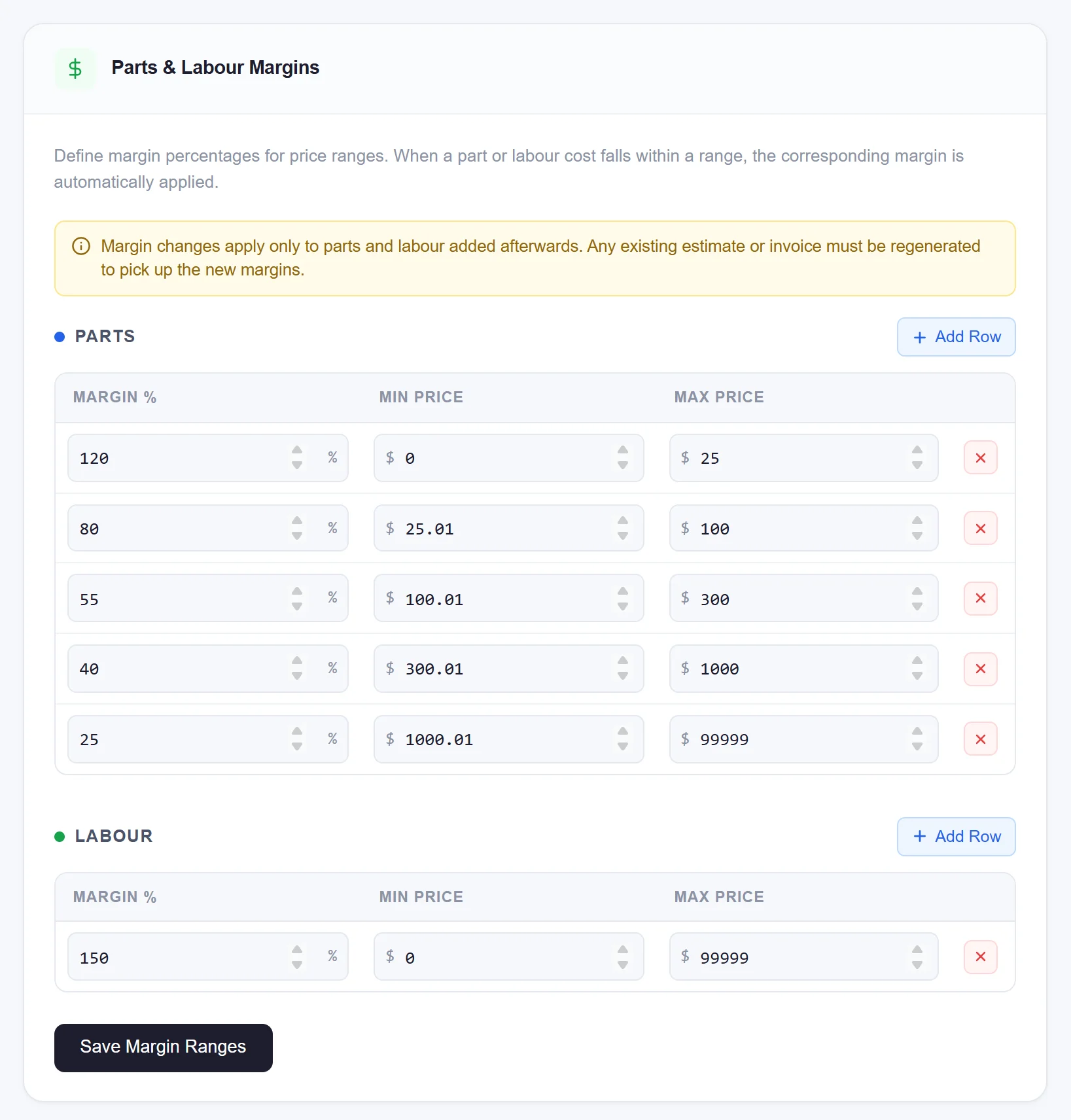
Step 3
Only the auto-repair shop owner has access to view the profit margins for both parts and labor directly within the work order.