


What guessed labour hours cost a shop
Labour is what your shop sells. Guessing the hours is guessing the invoice.
Work you did but didn’t bill
A job quoted from memory under the book time is labour given away.
Customers who push back
A number you can’t explain gets questioned. MOTOR gives you the source.
Different advisor, different price
With the guide, everyone quotes an operation from the same MOTOR time.
No way to check
Compare billed hours with the time worked on each job.
From the vehicle to a billed labour line
Four steps, all inside the estimate.
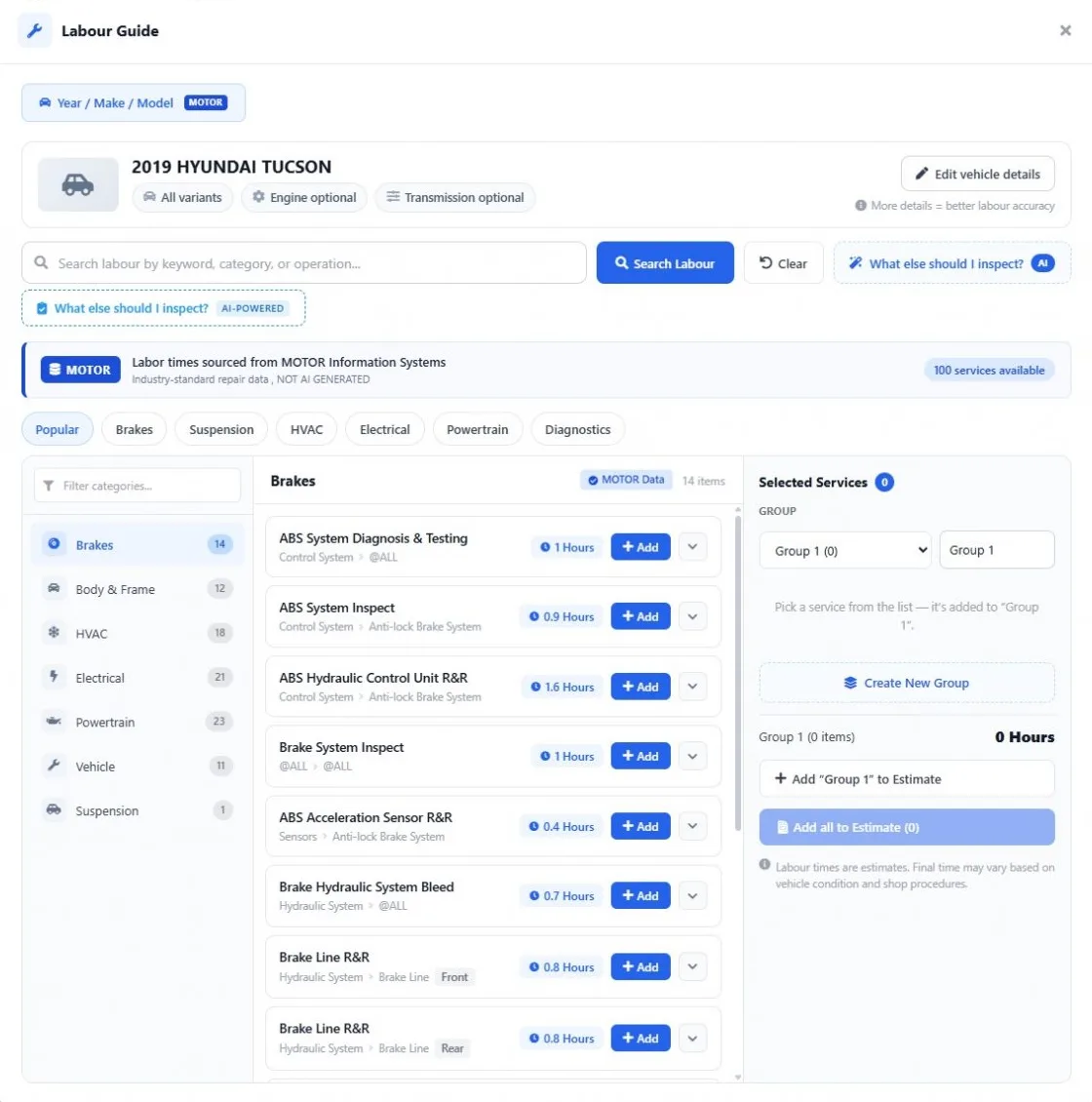
Pick the vehicle
The year, make and model on the job are filled in; add engine and transmission for better accuracy.
Find the operation
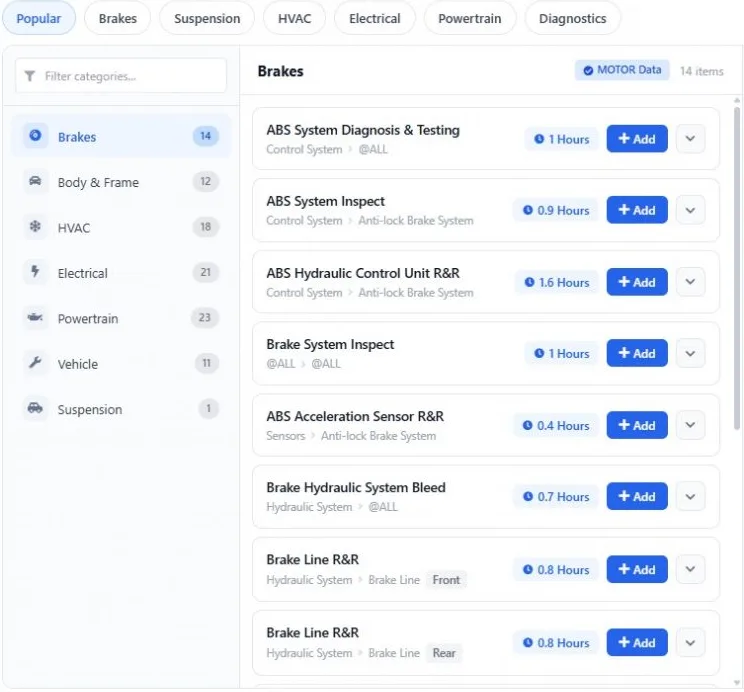
Browse by category or search by keyword — every row shows its MOTOR hours.
Add it to the estimate
The line is priced at hours × your labour rate. Group several operations and add them together.
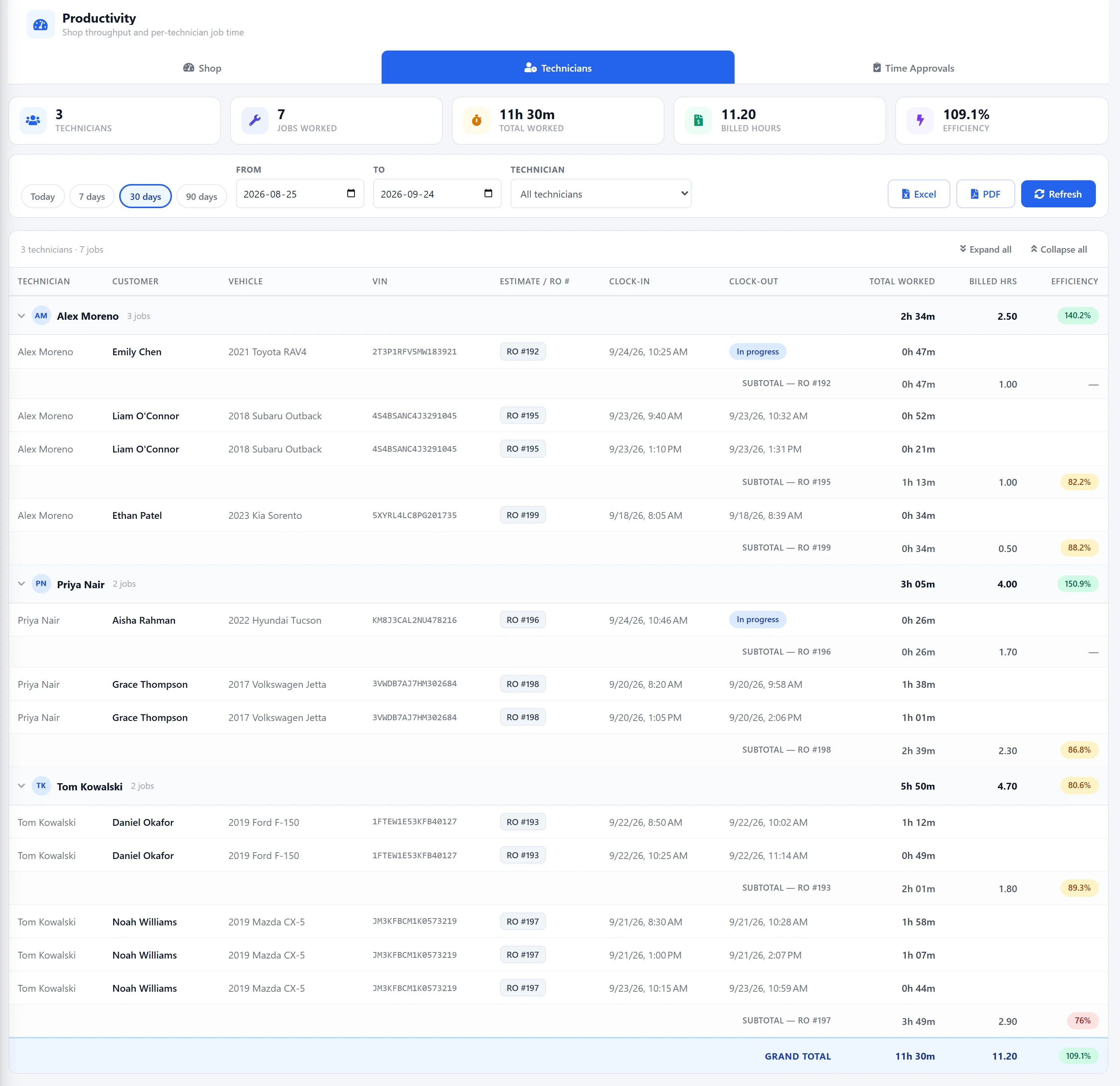
Compare billed vs worked
Job timers and the productivity report show how the hours held up.
Hours you can explain to any customer
When a customer asks where the labour time came from, the answer is MOTOR Information Systems — not whoever wrote up the job. Labour Guide in AutoSoftWay →
Billed hours vs worked time
Every job timer feeds the technician productivity report, so you see where your shop beats the book time and where it doesn’t. Productivity report →
MOTOR labour times — your questions answered
Are the labour times AI-generated?
No. The hours in the Labour Guide come from MOTOR Information Systems. AI is only used for optional extras, like the “What else should I inspect?” checklist, and those are shown separately from the MOTOR times.
Can I change the hours or the price on a line?
Yes. The MOTOR time and your labour rate fill the line in, and you can edit it before saving — the book time is where you start, not a lock.
How do I know if my technicians beat the book time?
Job timers record the time worked on each job, and the technician productivity report (Pro and Enterprise) shows worked time against billed hours with an efficiency percentage.
Does the Labour Guide show position and notes?
Yes. Operations show the side or position where it applies, MOTOR’s notes, and a full-labour time where MOTOR provides one.
What does it cost?
The MOTOR Labour Guide is a paid add-on on every AutoSoftWay plan, billed separately; see the pricing page for current prices. You can request a Labour Guide trial from inside your account.
Get 10 days free — on us
Register your shop today and unlock the full AutoSoftWay platform — including estimates, work orders, invoices and the job board. The MOTOR Labour Guide is a paid add-on — you can request a trial of it from inside your account. Card verification is required — nothing is charged during your trial.
Bill every hour — with a source
Estimates with MOTOR labour times, invoices and job tracking in one platform — try AutoSoftWay free for 10 days.