


Connect your Nexpart Multi-Seller account once for the whole shop, then find parts from your local suppliers and transfer them into an estimate.
- 1
Get a Nexpart Multi-Seller account
You need a Nexpart Multi-Seller account. If you don’t have one, sign up at nexpart.com — Nexpart then links you to the parts stores, dealers and suppliers in your area. Keep your Nexpart username and password handy.
- 2
Open Settings
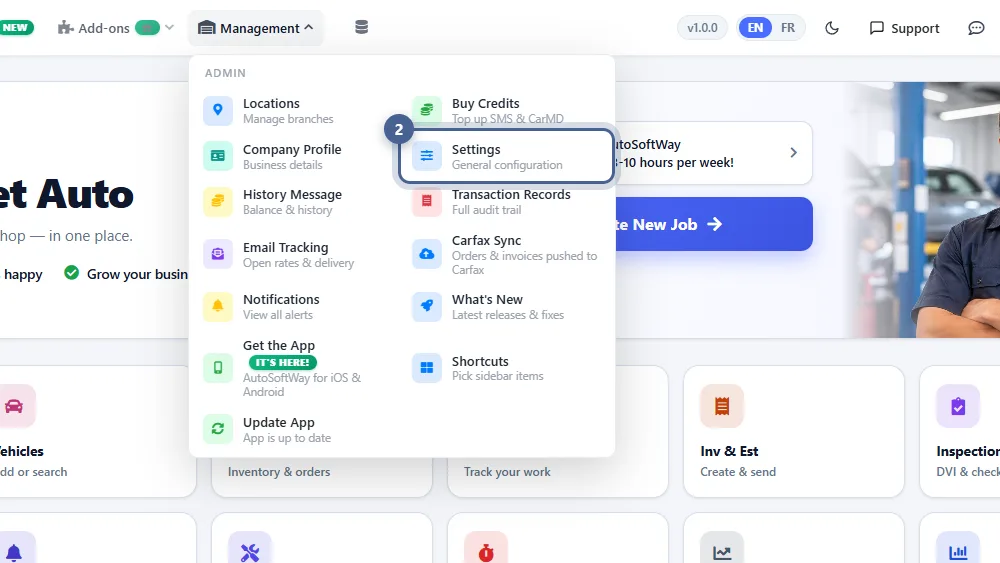
Click Management in the top bar, then Settings.
- 3
Choose “Part Vendor Integration”
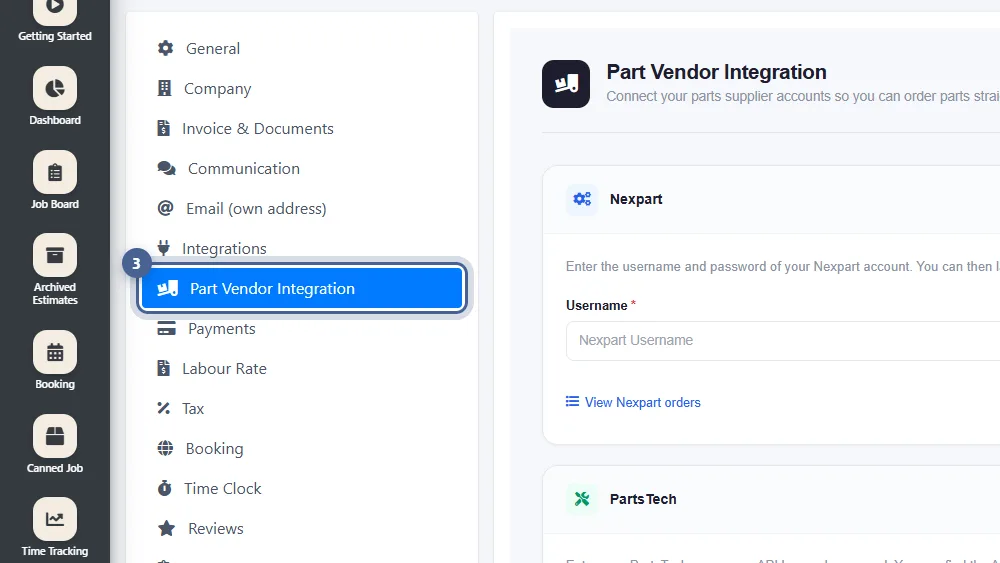
In the settings menu, click Part Vendor Integration. This one page holds your shop’s Nexpart and PartsTech logins.
- 4
Enter your Nexpart login and save
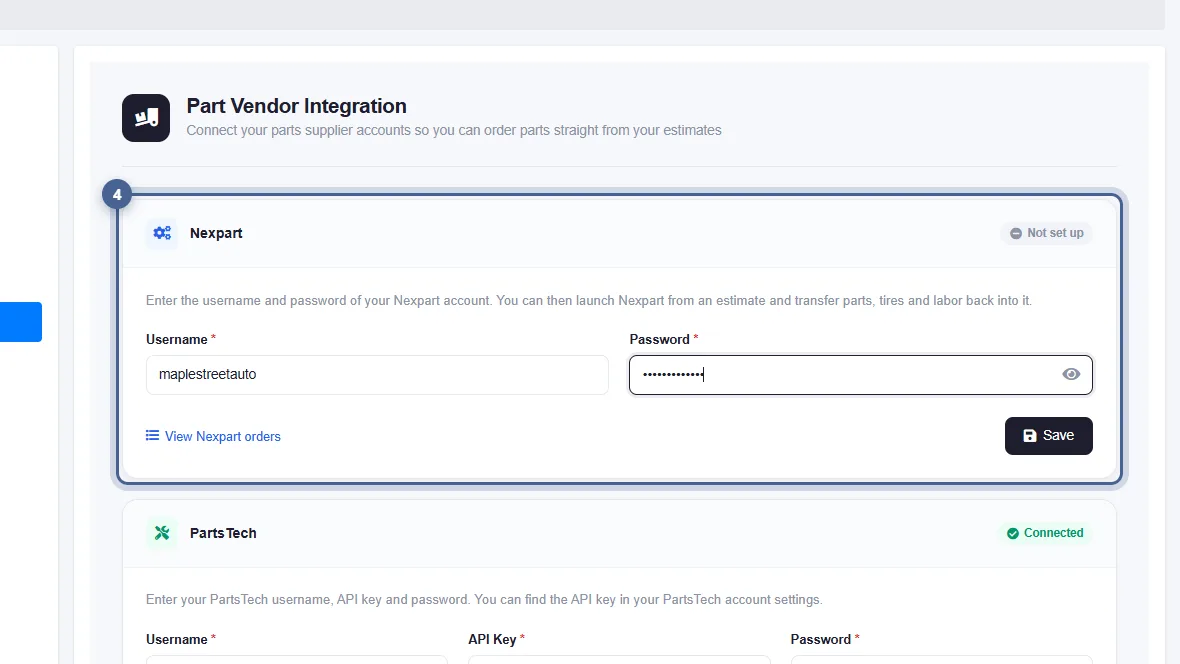
In the Nexpart card, enter your Nexpart Username and Password, then click Save. Use the eye icon to check the password you typed.
- 5
Check that Nexpart shows “Connected”
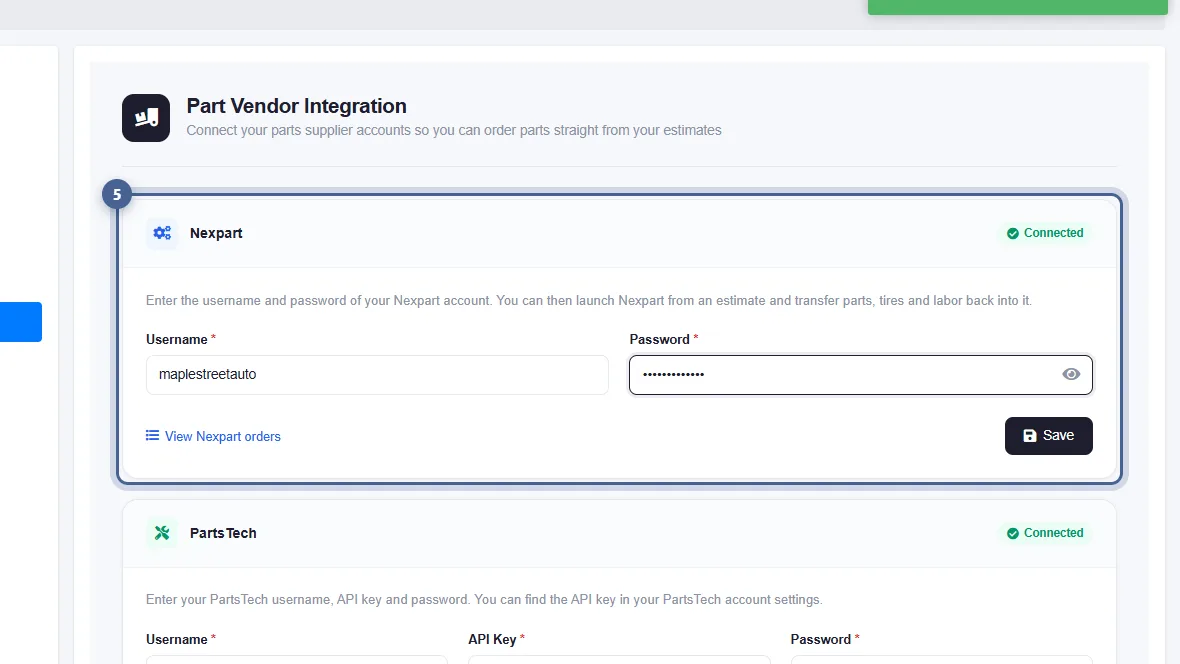
The card now shows Connected. The login is shared by your whole shop, so everyone who orders parts uses the same Nexpart account. View Nexpart orders lists every order placed through Nexpart.
- 6
Open Nexpart from an estimate
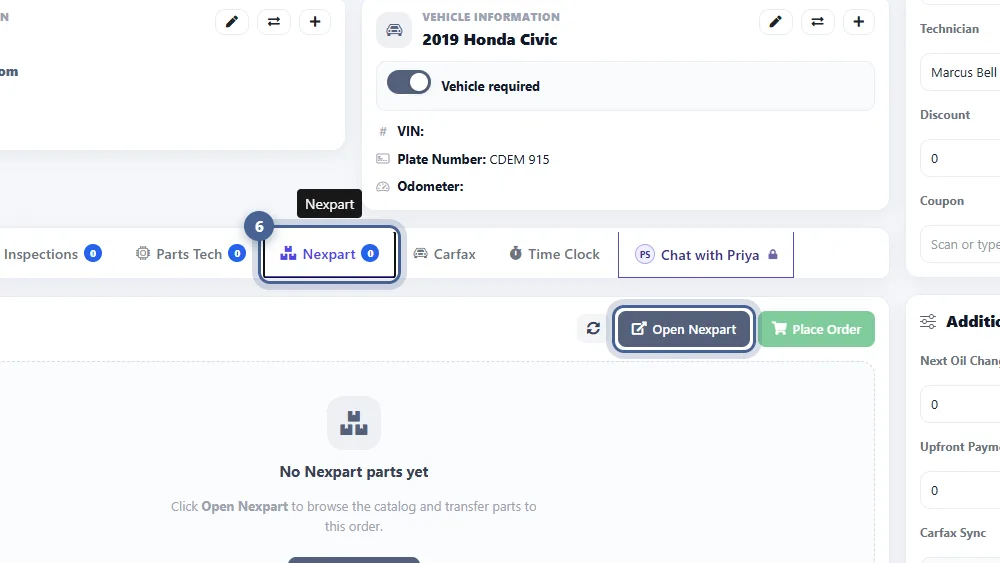
Open a saved estimate, go to the Nexpart tab and click Open Nexpart. Nexpart opens with the vehicle already selected — pick your parts, tires and labor and transfer them back. Save a new estimate first, or the button stays hidden.
Tips
- Parts, tires and labor you transfer from Nexpart show up in the Nexpart tab. Click the refresh button if they haven’t appeared yet, tick the ones to buy and click Place Order.
- Tires from Nexpart get their own section on the estimate, so they’re easy to spot.
- Want ALLDATA labor times too? ALLDATA labor through Nexpart is available for $20/month.
Screenshots taken from AutoSoftWay in September 2026 using a demo shop with sample data.